Boostnote: [Question] What is sanitazation?
I can only achieve the following by selecting the "Allow dangerous html" option in sanitization
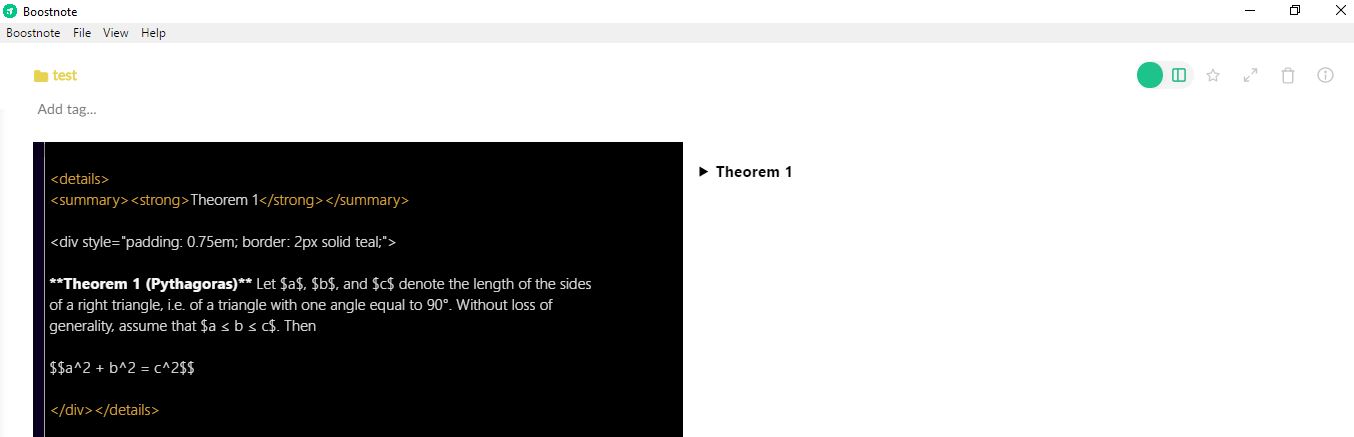
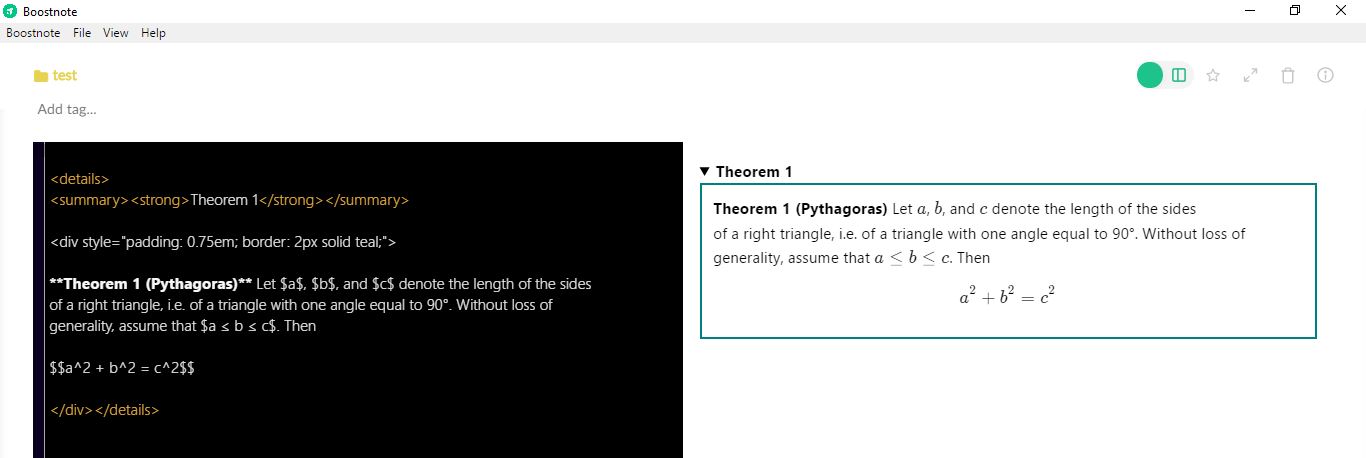
why is this the case? and what is the difference between the options?
- Version :0.11.5
- OS Version and name :Windows 10
 OnlineVagrant
All 2 comments
For more details on HTML sanitization, you can check this out: https://en.wikipedia.org/wiki/HTML_sanitization
In short, allowing ALL types of tags could result in very serious security issues.
The recommended option allows only certain HTML tags to be used - the ones that don't have any known security issues like <strong>, <summary>, and <details>. Same goes for only allowing certain attributes.
The "Allow Styles" option expands this list to include the style attribute as well as the <style> tag. This lets you customize your notes a little using CSS. Unfortunately, there are some rendering issues when mixing markdown with html that results in something like this:
<details>

* list item 1
* list item 2

<details>
To render as:
<details></details>
<ul><li>list item1</li><li>list item 2</li><ul>
The HTML rendered from the markdown is not nested inside the <details> tag like you would expect due to some sort of bug/issue when passing the note through the sanitization process. This makes styling markdown pretty difficult depending on your goal.
When you allow dangerous HTML, that means that everything is allowed. Things like <script> tags that can not only execute javascript, but can actually run commands on your computer to do things like... download and run files, delete files, mine bitcoin, etc... Anything malware normally does, a malicious boostnote file could do as well.
When you allow dangerous styles, the sanitization step is skipped, so the rendering bug does not occur, and your page renders precisely as you typed it.
 0d-gg
on 5 Jun 2018
0d-gg
on 5 Jun 2018
This is a reported bug. I think the above answer should be enough. Let us know if you still have more questions.
 Rokt33r
on 5 Jun 2018
Rokt33r
on 5 Jun 2018
Related issues
 npeeples
·
3Comments
npeeples
·
3Comments
 croulibri
·
3Comments
croulibri
·
3Comments
 ysshah
·
3Comments
ysshah
·
3Comments
 ryochack
·
3Comments
Rokt33r
·
3Comments
ryochack
·
3Comments
Rokt33r
·
3Comments
Most helpful comment
For more details on HTML sanitization, you can check this out: https://en.wikipedia.org/wiki/HTML_sanitization
In short, allowing ALL types of tags could result in very serious security issues.
The recommended option allows only certain HTML tags to be used - the ones that don't have any known security issues like
<strong>,<summary>, and<details>. Same goes for only allowing certain attributes.The "Allow Styles" option expands this list to include the
styleattribute as well as the<style>tag. This lets you customize your notes a little using CSS. Unfortunately, there are some rendering issues when mixing markdown with html that results in something like this:To render as:
The HTML rendered from the markdown is not nested inside the
<details>tag like you would expect due to some sort of bug/issue when passing the note through the sanitization process. This makes styling markdown pretty difficult depending on your goal.When you allow dangerous HTML, that means that everything is allowed. Things like
<script>tags that can not only execute javascript, but can actually run commands on your computer to do things like... download and run files, delete files, mine bitcoin, etc... Anything malware normally does, a malicious boostnote file could do as well.When you allow dangerous styles, the sanitization step is skipped, so the rendering bug does not occur, and your page renders precisely as you typed it.