Boostnote: Visible scrollbars on preferences window
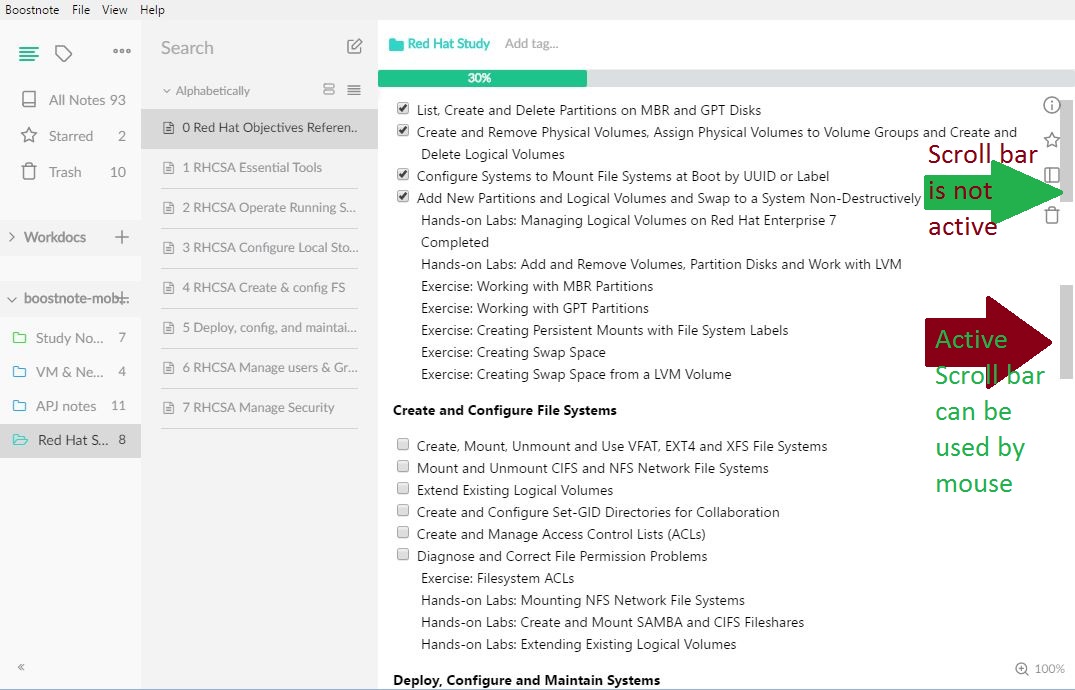
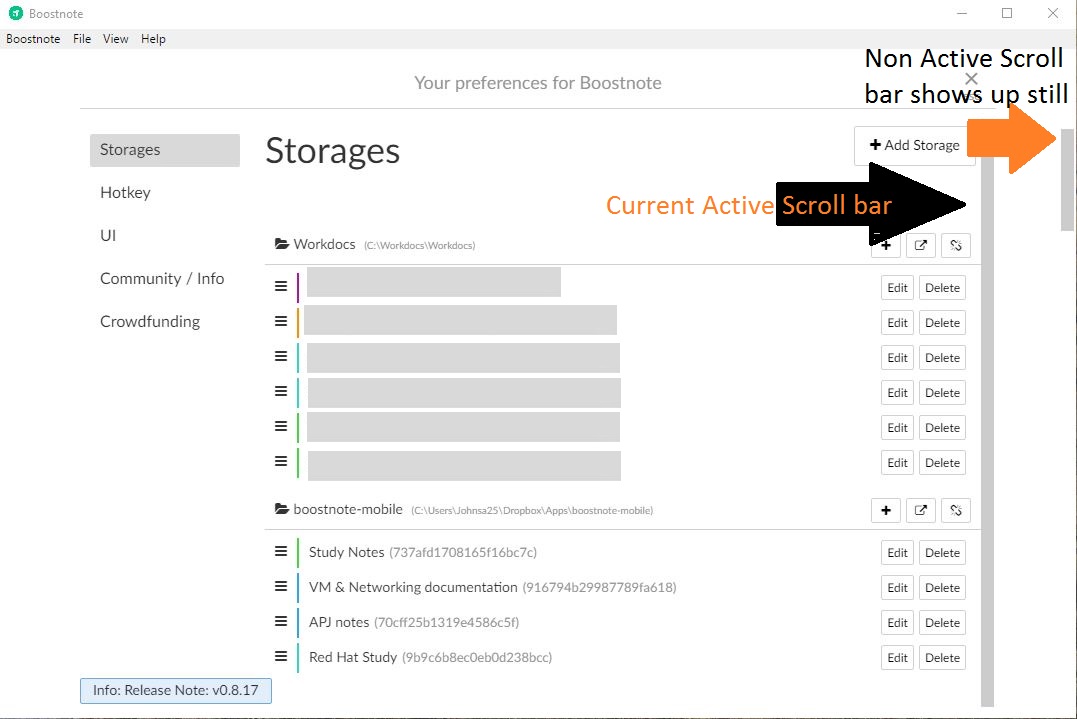
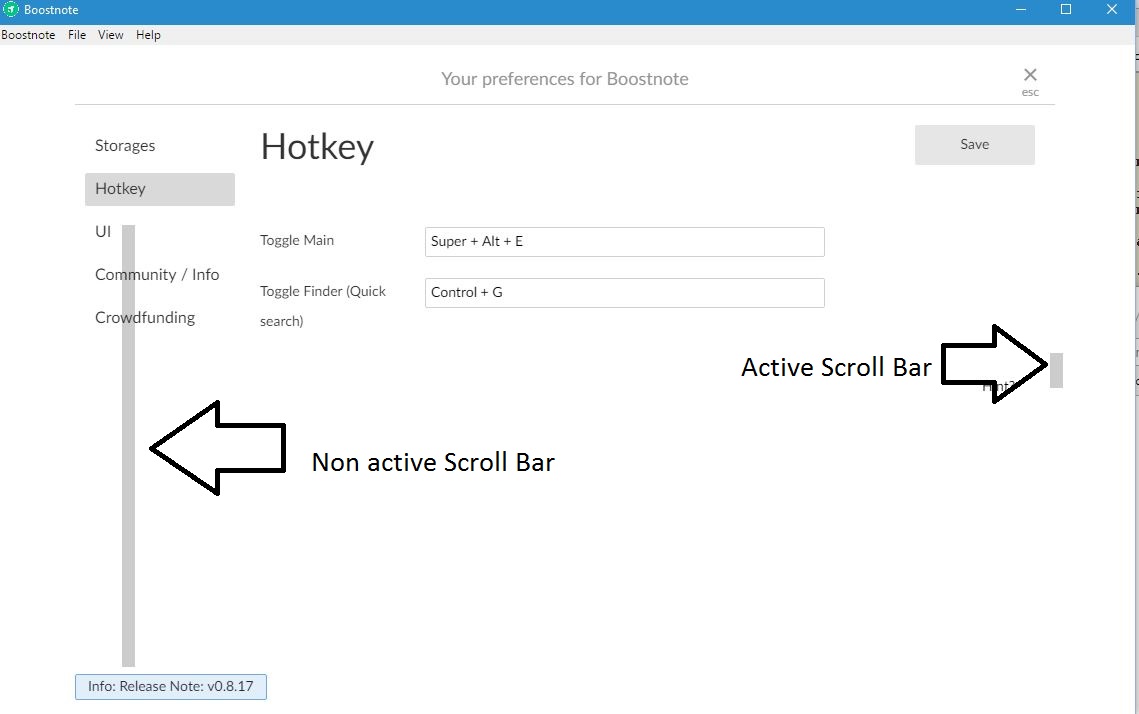
Open when the preferences window, can see all the scrollbars behind of Storage, NotesList etc.
 brpaz
brpaz
All 9 comments
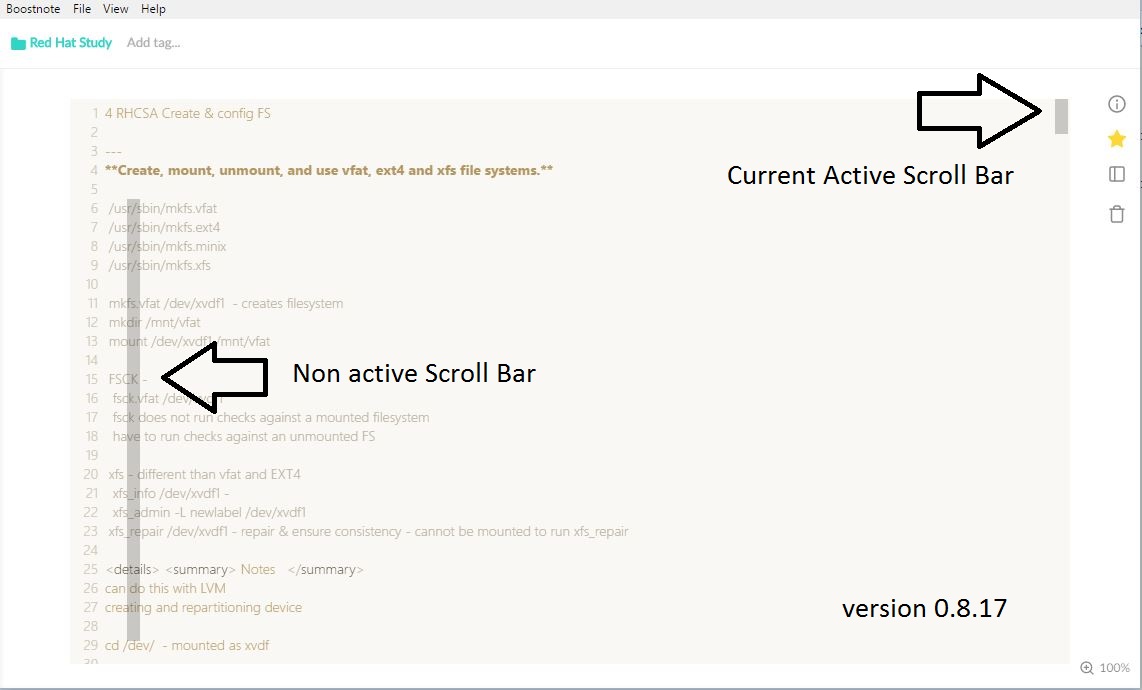
I have seen this same issue also and am providing screenshots also for this.
Seems that the second non active scroll bar is popping up but is unable to be used.
See screenshot for non active scroll bar. Its getting confusing with these difference in scroll bars.
 Trewlany01
on 25 Nov 2017
Trewlany01
on 25 Nov 2017
Thank you for your report! Could you tell me you guys environment?
 kazup01
on 28 Nov 2017
kazup01
on 28 Nov 2017
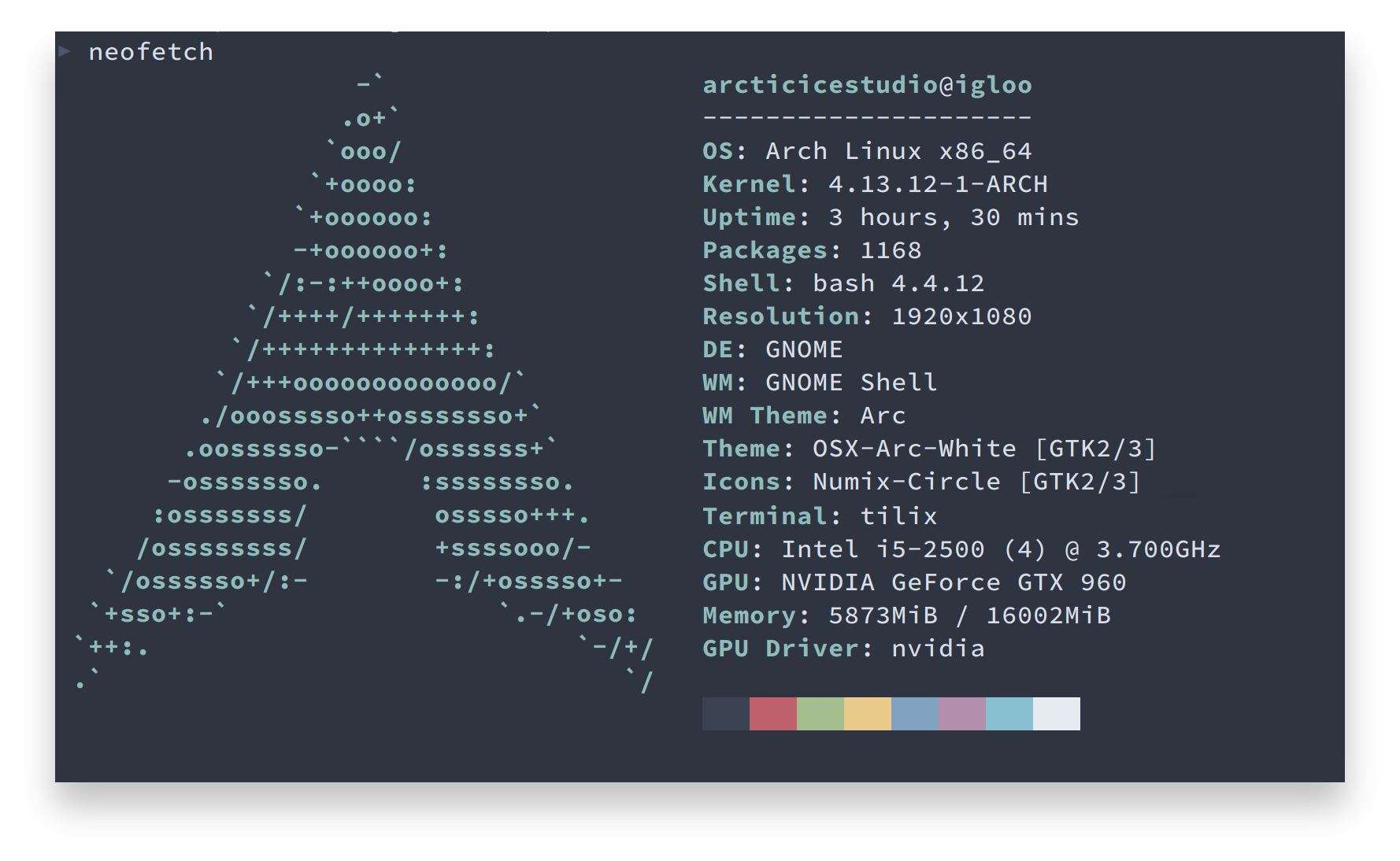
I can confirm that this problem occurs for Arch Linux using GNOME, i3(-gaps) and Sway based environments.
Boostnote v0.8.17
NodeJS v8.8.1
 arcticicestudio
on 28 Nov 2017
arcticicestudio
on 28 Nov 2017
My environment is Windows 10 Boostnote v0.8.17
Trewlany01
on 30 Nov 2017
Mine is Linux Mint 18.3 Cinnamon with Boostnote v0.8.17
brpaz
on 1 Dec 2017
I have the same problem in Ubuntu Linux 16.04 with Boostnote v0.8.18.
 MakisH
on 3 Dec 2017
MakisH
on 3 Dec 2017
I have same porblems too.
Windows 7 Professional SP1
Boostnote v0.8.18
 roby777
on 6 Dec 2017
roby777
on 6 Dec 2017
In v0.8.19:
- The scrollbars are ok when the editor and the live rendering are side-to-side,
- The problem persists (two scrollbars instead of one) when I am in the older "click to exit editor" mode.
After experimenting, I see that what the two scrollbars are the scrollbars of the two containers.
MakisH
on 23 Dec 2017
In the latest version the scrollbars are all fixed.
 Flexo013
on 27 Jul 2019
Flexo013
on 27 Jul 2019
Related issues
 luong-komorebi
·
3Comments
luong-komorebi
·
3Comments
 shunchuan
·
3Comments
shunchuan
·
3Comments
 aurelkurtula
·
3Comments
aurelkurtula
·
3Comments
 Ocanamat
·
3Comments
Ocanamat
·
3Comments
 cyber-arsenull
·
3Comments
cyber-arsenull
·
3Comments
Most helpful comment
I have seen this same issue also and am providing screenshots also for this.
Seems that the second non active scroll bar is popping up but is unable to be used.
See screenshot for non active scroll bar. Its getting confusing with these difference in scroll bars.