Boostnote: Notification bar should be able to hide
context
The bar on the bottom cannot hide.
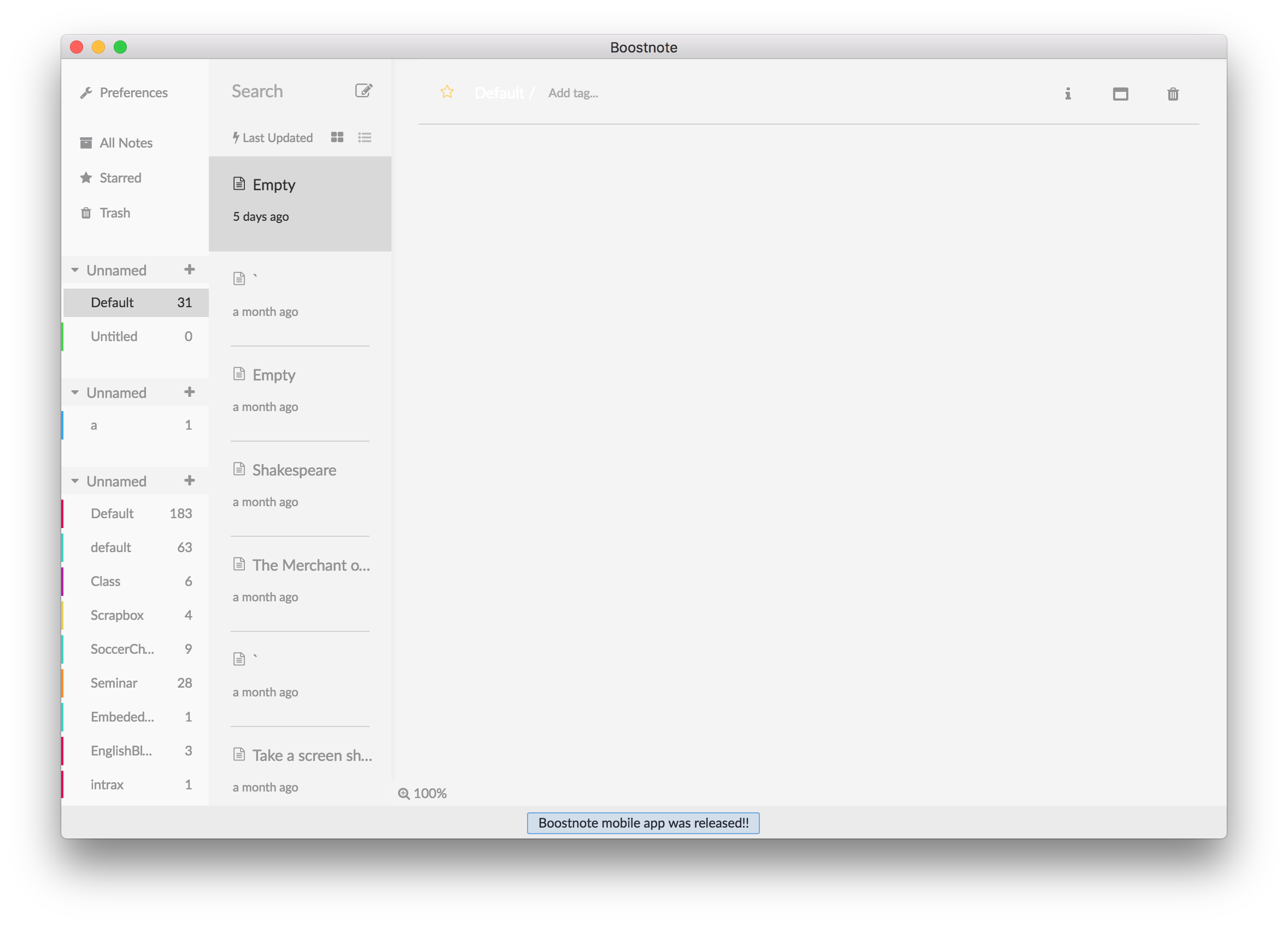
In my personal opinion, I don't like this feature. However, I cannot delete it due to only my opinion because of democracy rule of OSS. So If many users also don't like it, I believe I (probably) can remove it.
Give us your opinion regarding this feature (notification bar).
 asmsuechan
All 18 comments
Yes please! Any kind of advertisements would be really nice to be able to close/hide. There is no point of showing that annoying button with the link on the bottom of the page forever, it looks ugly and it distracts my attention.
 vvs
on 23 Sep 2017
vvs
on 23 Sep 2017
Hi, @vvs. Thank you for your opinion! I totally agree.
asmsuechan
on 23 Sep 2017
This should be dismiss-able, it's a waste of space after the end user has acknowledged it. Is there no way to dismiss it currently?
 urda
on 23 Sep 2017
urda
on 23 Sep 2017
Hi, @urda. Thank you for your opinion! I totally agree.
Is there no way to dismiss it currently?
Sadly, no.
asmsuechan
on 25 Sep 2017
I agree, in my opinion there should be a way to remove the bar - preferably either via the app settings or perhaps a configuration option in ~/.boostnoterc
I've actually just gone back to the previous version of the app (and disabled the app from connecting to Github to check for updates via my firewall) because I don't like the bar. I've already downloaded the Mobile App, I don't need the bar taking up my screen space.
 MrBMT
on 25 Sep 2017
MrBMT
on 25 Sep 2017
@asmsuechan @urda I agree, it would be nice if it were dismissable.
 TrevorScrews
on 26 Sep 2017
TrevorScrews
on 26 Sep 2017
I totally agree. Beyond being visually intrusive, it covers the "minimize sidebar" button, which is a bug.

 alarrosa14
on 29 Sep 2017
alarrosa14
on 29 Sep 2017
I didn't want to wait around for a fix, considering this actually removes functionality as the poster above mentioned. If anybody is interested in a hack to remove this bar, you can do the following:
in AppData\Local\boost\app-0.8.15\resources\app\compiled\main.js
replace
.NoteList__root___browser-main-NoteList-{position:absolute;left:0;bottom:0;bottom:30px;
with
.NoteList__root___browser-main-NoteList-{position:absolute;left:0;bottom:0;bottom:0px;
replace
.RealtimeNotification__notification-area___browser-components-{z-index:1000;
with
.RealtimeNotification__notification-area___browser-components-{z-index:1000;display:none;
replace
.StatusBar__root___browser-main-StatusBar-{position:absolute;bottom:0;left:0;right:0;height:36px;bottom:16px;
with
.StatusBar__root___browser-main-StatusBar-{position:absolute;bottom:0;left:0;right:0;height:36px;bottom:0px;
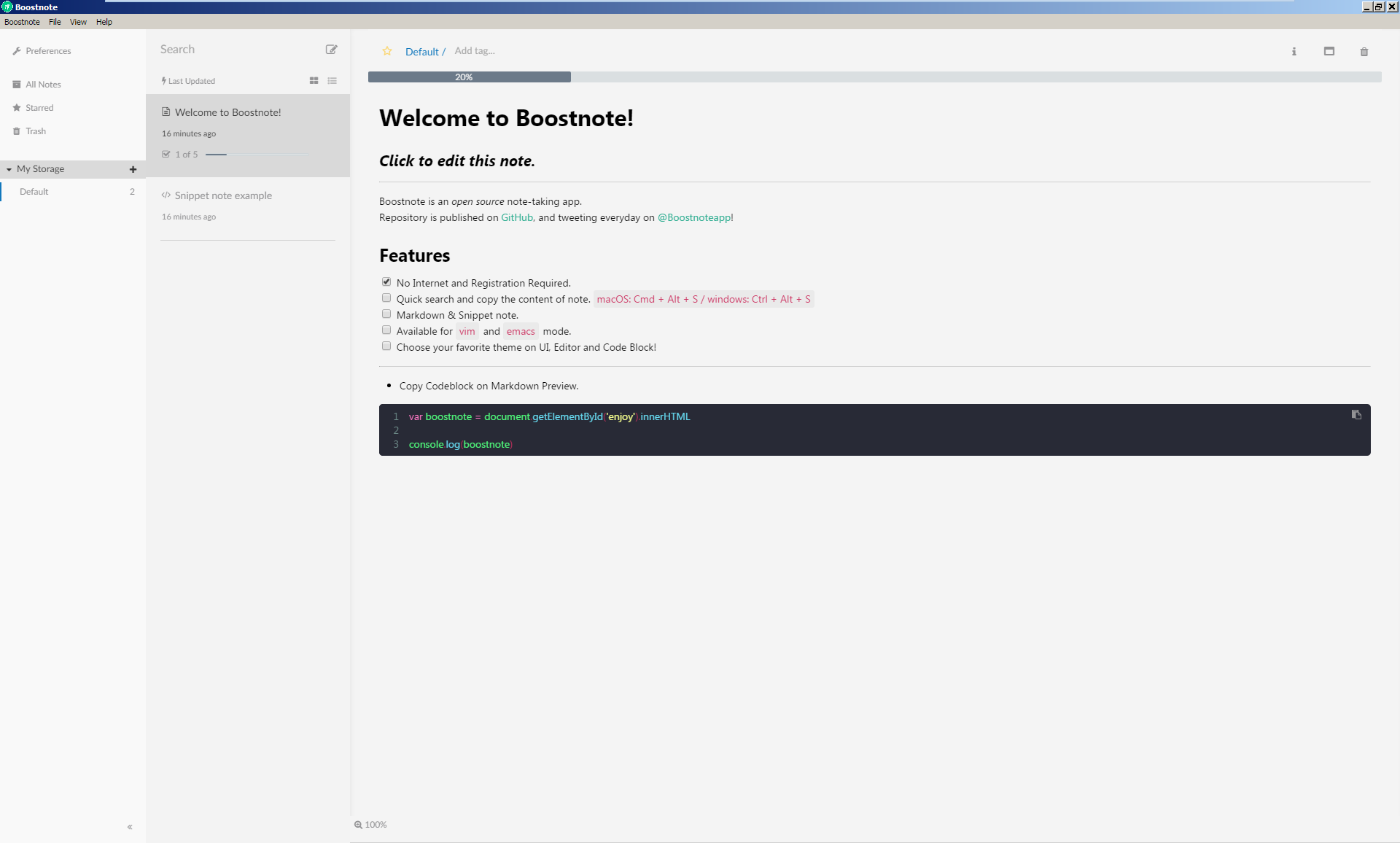
Result:
 kenthannigan
on 29 Sep 2017
kenthannigan
on 29 Sep 2017
@kenthannigan Cool!
FYI, the directory on macOS is /Applications/Boostnote.app/Contents/Resources/app/compiled/main.js.
asmsuechan
on 30 Sep 2017
Based on what @kenthannigan provided, here's a more complete set of replacements that should put everything (as far as I can tell) back to how it looked previously.
If you don't want to do the find/replace yourself (instructions below), you can download a main.js with these changes applied for Boostnote 0.8.15 only from this gist.
If I missed anything, let me know and I'll update this.
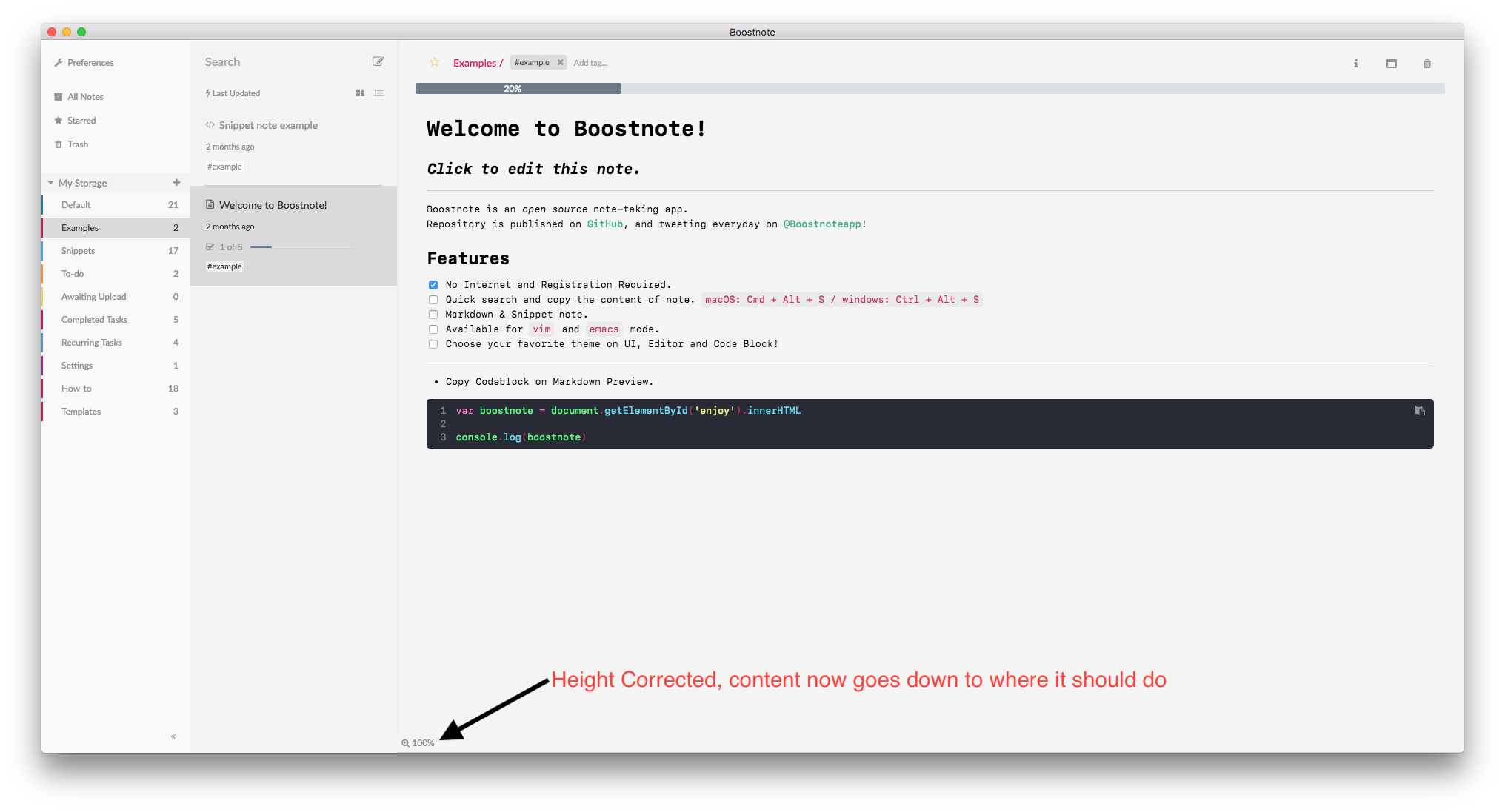
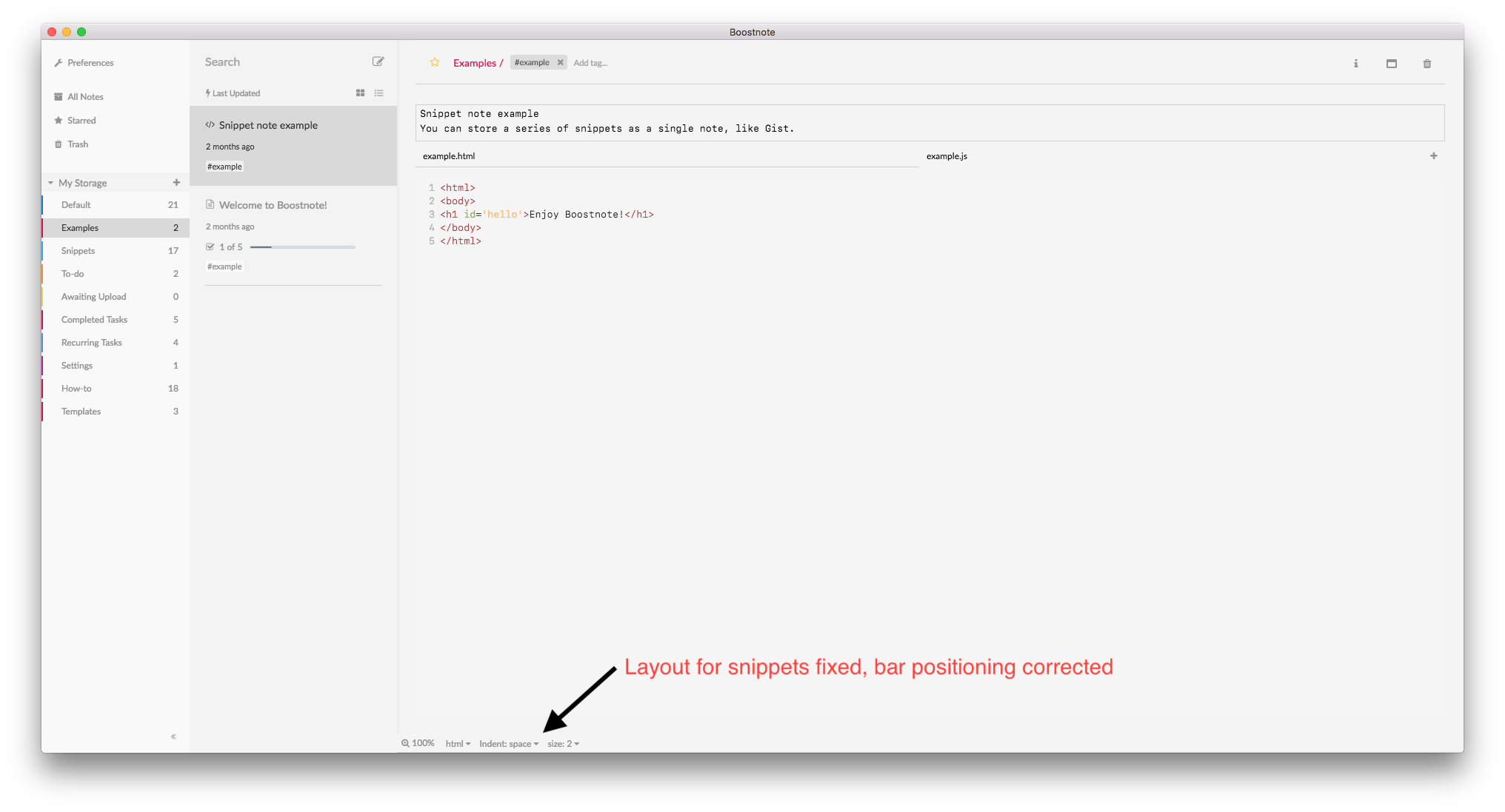
Manual Find/Replace instructions for main.js:
Find:
.MarkdownNoteDetail__body___browser-main-Detail-{position:absolute;left:0;right:0;left:25px;right:25px;top:87px;bottom:36px}
Replace With:
.MarkdownNoteDetail__body___browser-main-Detail-{position:absolute;left:0;right:0;left:25px;right:25px;top:87px;bottom:24px}
Find:
.StatusBar__root___browser-main-StatusBar-{position:absolute;bottom:0;left:0;right:0;height:36px;bottom:16px;
Replace With:
.StatusBar__root___browser-main-StatusBar-{position:absolute;bottom:0;left:0;right:0;height:24px;bottom:0px;
Find:
.RealtimeNotification__notification-area___browser-components-{z-index:1000;font-size:12px;position:absolute;bottom:0;background-color:#ebebeb;width:100vw;height:30px;text-align:center}
Replace With:
.RealtimeNotification__notification-area___browser-components-{z-index:1000;display:none;font-size:12px;position:absolute;bottom:0;background-color:#ebebeb;width:100vw;height:0;text-align:center}
Find:
.NoteList__root___browser-main-NoteList-{position:absolute;left:0;bottom:0;bottom:30px;top:59px;background-color:#f3f3f3}
Replace With:
.NoteList__root___browser-main-NoteList-{position:absolute;left:0;bottom:0;top:59px;background-color:#f3f3f3}
Find:
.SnippetNoteDetail__body___browser-main-Detail-{position:absolute;left:0;right:0;left:25px;right:25px;top:87px;bottom:36px;background-color:#f4f4f4}
Replace With:
.SnippetNoteDetail__body___browser-main-Detail-{position:absolute;left:0;right:0;left:25px;right:25px;top:87px;bottom:24px;background-color:#f4f4f4}
Find:
.SnippetNoteDetail__override___browser-main-Detail-{position:absolute;bottom:0;left:0;bottom:30px;left:60px;height:23px;z-index:101}
Replace With:
.SnippetNoteDetail__override___browser-main-Detail-{position:absolute;bottom:0;left:0;left:60px;height:23px;z-index:101}
MrBMT
on 2 Oct 2017
@kazup01 is there a way to have the next release make this notification area dismissible? It would be a lot better than end users having to hack it out by hand.
urda
on 3 Oct 2017
@kazup01 can you offer any input on this? While it's nice to have recent news and notifications, I would love to reclaim that last bit of space for my notes by hiding or disabling the area. Can we get some input about developing a better solution to this from you?
urda
on 29 Oct 2017
Hi @urda , sorry for late replying. We are welcome any pull requests. If someone adds this feature, I will check it.
 kazup01
on 30 Oct 2017
kazup01
on 30 Oct 2017
I'll try and take a look at it, perhaps @MrBMT can convert it into a feature pull request based on their comment ?
urda
on 31 Oct 2017
@urda unfortunately I'm super busy for the next few weeks, I'll have a look into if there are any changes needed to remove the bar using CSS on the updated version of Boostnote when I get a few minutes, but anything more than that is unlikely to happen any time soon.
MrBMT
on 1 Nov 2017
@MrBMT no worries same here!
urda
on 2 Nov 2017
I will hide this area from main window at next update.
kazup01
on 5 Nov 2017
Wait for the next update. Thank you for you guys feedback!
https://github.com/BoostIO/Boostnote/pull/1067
kazup01
on 6 Nov 2017
Related issues
 shunchuan
·
3Comments
shunchuan
·
3Comments
 npeeples
·
3Comments
npeeples
·
3Comments
 ryochack
·
3Comments
ryochack
·
3Comments
 croulibri
·
3Comments
croulibri
·
3Comments
 Petroochio
·
3Comments
Petroochio
·
3Comments
Most helpful comment
Yes please! Any kind of advertisements would be really nice to be able to close/hide. There is no point of showing that annoying button with the link on the bottom of the page forever, it looks ugly and it distracts my attention.