Boostnote: Scrolling in window doesn't work
Hello! I am a new user, thank you for your tool? it looks interesting!
I try it on the latest Arch (KWin+LXQT). I can succesfully scroll code inside of note during editing by arrows on my keyboard or whell of a mouse. But the only way for me to scroll for example Menu -> UI, is to press mouse button and start to select till down of the page. Mouse wheel/Arrow keys/Scroll bar - noting works. The same story in the main window of a note.
And I think, that when I click on the text of a note first time, I sould be able to scroll compiled page with arrows/mouse, and in case of double click - edit it, but its more like very small feature request...
 s777s
s777s
All 11 comments
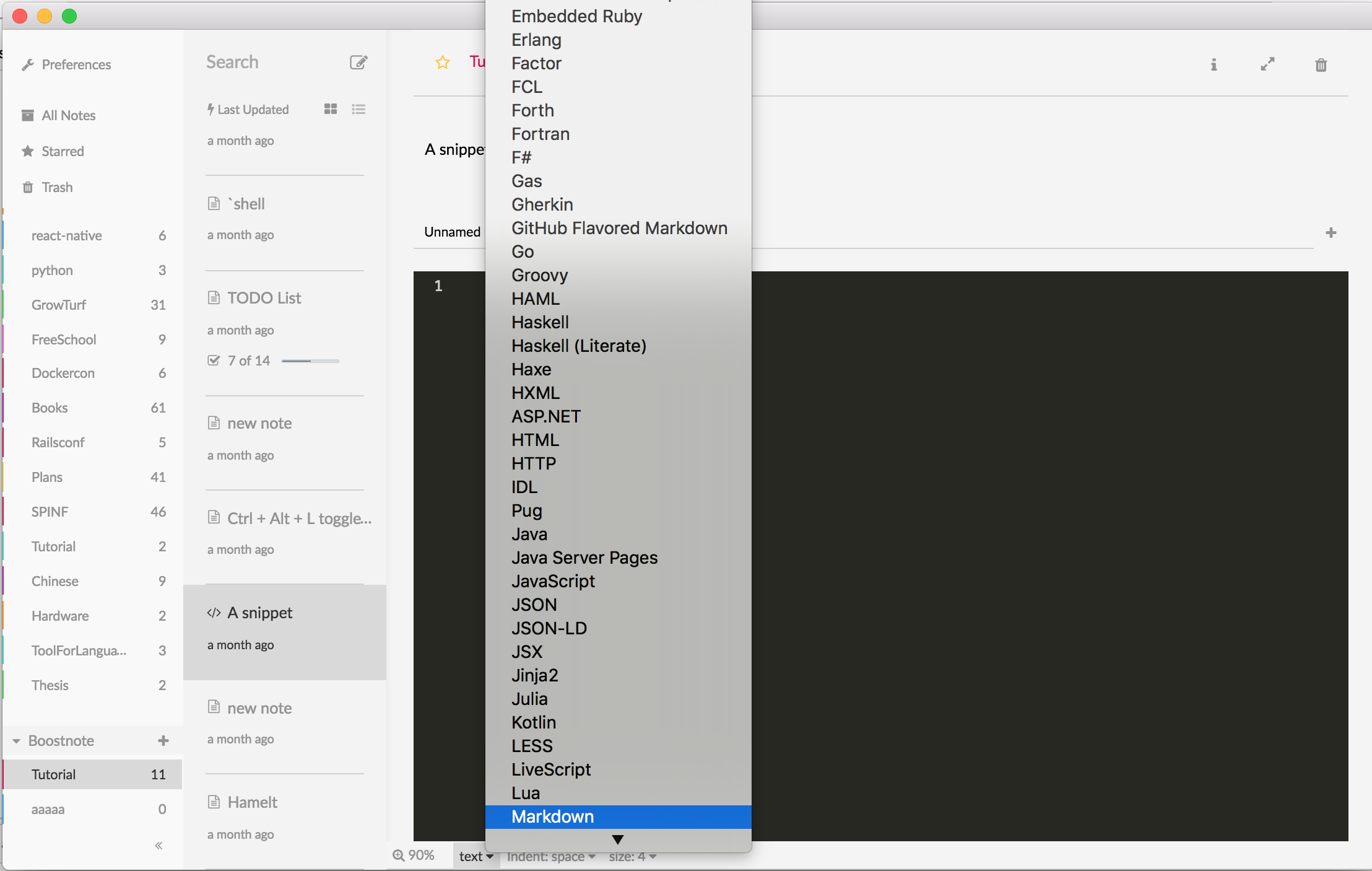
And I've seen on you screenshot the posibility to choose markdown. How could it be achieved? I want tou use the PHP code. When I right click anywhere - nothing happens. And I was unable to find that feature in any menu...
s777s
on 19 Sep 2017
double click
Good idea. I'll implement it.
Is this?
 asmsuechan
on 19 Sep 2017
asmsuechan
on 19 Sep 2017
Sorry for the late answer, I was on journey. Yes, On 1st screenshot you can see, that I don't have such menu. Or is it your notes? Anyway, when I right click on any place in a page, I don't have expected behavoir - even simple copy/past menu. Only small grey rounded square appears in code window for a split second.

I've noticed, that when adding php files as snippet, markdown works correctly and great. But I'm unable to add it in main note window and bash too :(
May be I'm doing something wrong (there is not any help files), but when typing php or bash instead of javascript, I don't get formatted code.
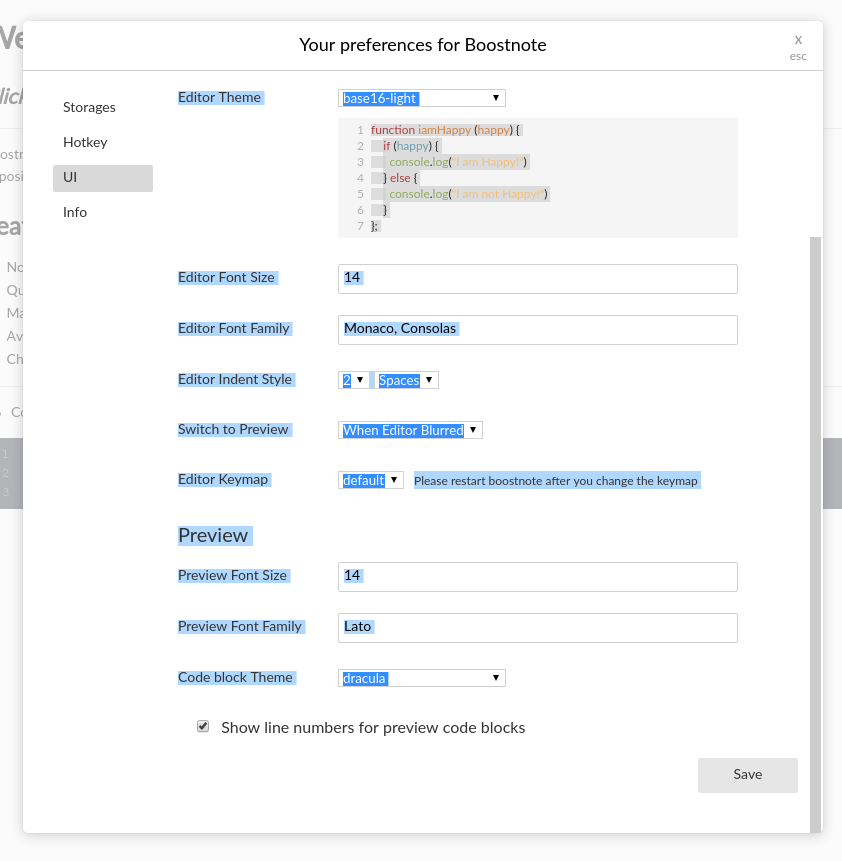
Especially installed Boostnote on my second computer with clean Arch+Kde plasma installation (second screenshot) and have the same behavior with scrolling. Firstly I can click on scrollbar, but when it lost focus 1st time - never works again in any window until the program restart. I usually use arrows on keyboard and don't use scrollbar, but they doesn't work. I can scroll down only by starting to select text with mouse and dragging the selection down.
s777s
on 23 Sep 2017
Same problem on windows and linux, sometime the scrolling stop working.
To temporarily solve that, i have to stretch my window.
(the problem happen when i add code on my note)
 Nsbx
on 5 Oct 2017
Nsbx
on 5 Oct 2017
I would also like to add that I have seen this same issue. Seems when switching between markdown and regular mode that scrolling will infrequently be disabled in one of the modes
 Trewlany01
on 19 Oct 2017
Trewlany01
on 19 Oct 2017
I can confirm the same problem on Windows and @BleuDiamant's workaround work's here too.
 Lisoph
on 31 Oct 2017
Lisoph
on 31 Oct 2017
Mousewheel doesn't work for me after note has been updated. But I can move by pull scrollbar with cursor. Or another way is to switch to some other note and then back to make mouswhell work again.
Windows 10 x64, Boostnote 0.8.16
 AntowaKartowa
on 31 Oct 2017
AntowaKartowa
on 31 Oct 2017
Same issue as @BleuDiamant and @AntowaKartowa. Scrolling always work in editing mode but after switching to regular mode, it often bugs itself and won't scroll using mouse wheel.
Ubuntu 16.04, Boostnote 0.8.16
 peterbabinec
on 5 Nov 2017
peterbabinec
on 5 Nov 2017
To add to this, I think I have found (at least on my computer) why scrolling with the scroll wheel suddenly stops working. Here is a video: http://www.youtube.com/watch?v=J7Bfq4FGNZ8
Repro steps:
- Create a note that exceeds the length of the viewed window (such that a scrollbar appears)
- Edit the note by adding some text such that it lengthens the note (adds more lines to it)
- Exit the editor (likely by clicking out of the note - don't think this matters how)
- You should now notice that the note can't be scrolled with the scroll wheel (it can be scrolled by clicking and dragging the scroll bar on the right)
- Now switch notes (click on another note, then click back to the original note with the scroll problem)
- This should fix the problem with not being able to scroll with the scroll wheel
If this is a separate issue, let me know and I can submit it separately
 derekantrican
on 7 Nov 2017
derekantrican
on 7 Nov 2017
@derekantrican I am experiencing exactly what you have explained and am on the latest update.
I see that a fix for it has been merged. Has it been deployed yet?
Thanks!
 klingat
on 5 Dec 2017
klingat
on 5 Dec 2017
@klingat Yes, I believe this is fixed in 0.8.17 - but I would wait to update until the bug for updating to 0.8.18 is fixed #1239
derekantrican
on 5 Dec 2017
Related issues
 aurelkurtula
·
3Comments
aurelkurtula
·
3Comments
 Petroochio
·
3Comments
Petroochio
·
3Comments
 NourEldin275
·
3Comments
NourEldin275
·
3Comments
 npeeples
·
3Comments
npeeples
·
3Comments
 lijinglue
·
3Comments
lijinglue
·
3Comments
Most helpful comment
Same problem on windows and linux, sometime the scrolling stop working.
To temporarily solve that, i have to stretch my window.
(the problem happen when i add code on my note)