Boostnote: Spaces after apostrophes when viewing a note
Reproduction steps
- Create a Markdown note
- Type some text containing apostrophes in the note content
- Switch to view mode (click outside the editor)
Expected result
The text is rendered normally.
Observed result
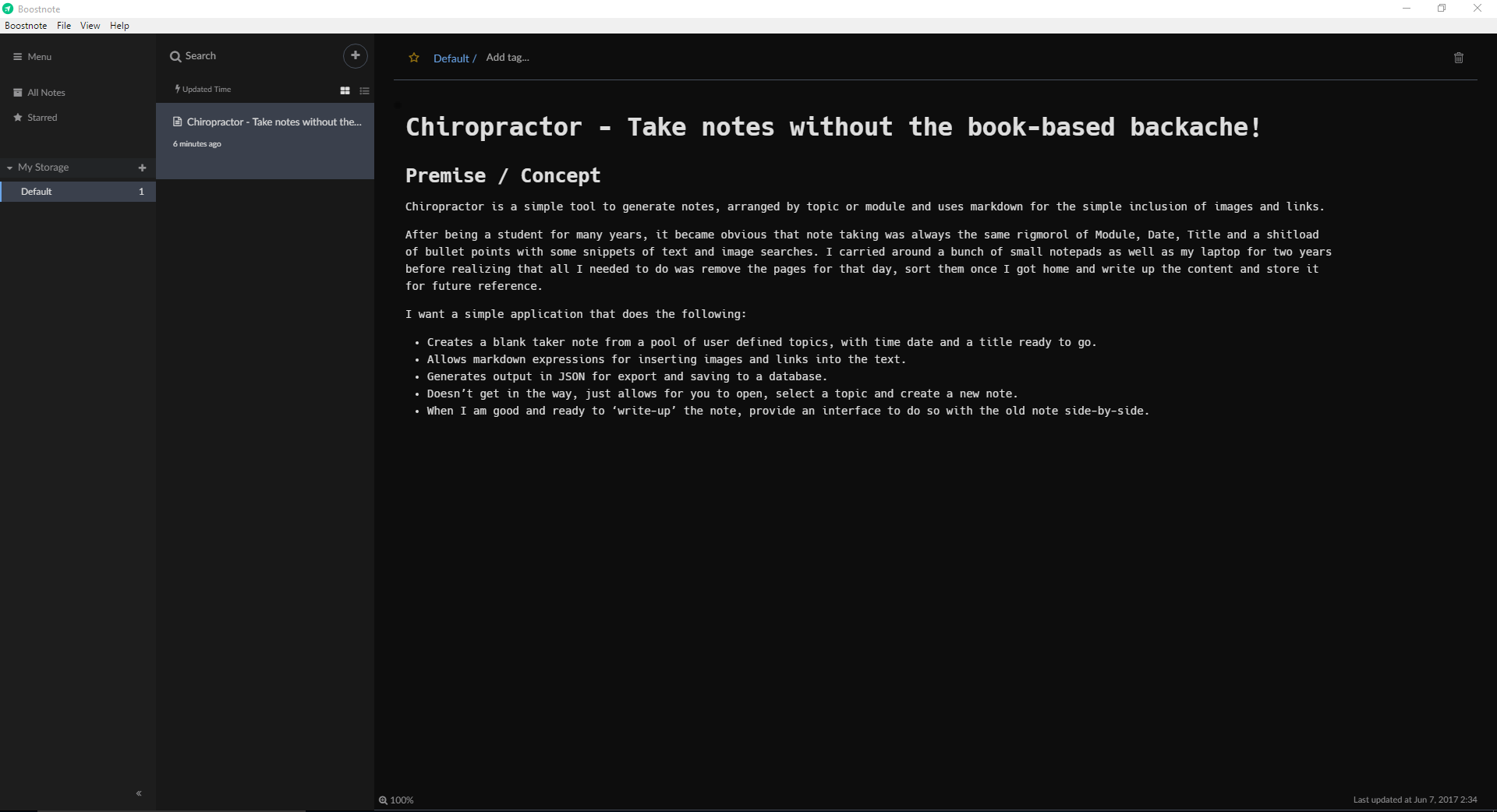
Every apostrophes are followed by a large space in certain cases.
Screenshots
_Edit mode_

_View mode_

Remarks
I am French, the apostrophe is not used for quoting content but it is very common between words (like the possessive mark in English). I add this remark because there seems not to be a problem when the apostrophe is used to quote content (see the "toto le haricot" part of the text in the captures) but in French, it is never used like that (we use double quotes) so this is very problematic for at least the French language.
 ghost
ghost
All 13 comments
Thanks for reporting. I'm currently investigating it now. I'll inform you later.
 Rokt33r
on 19 Oct 2016
Rokt33r
on 19 Oct 2016
It works fine on OS X. I'll inform you after I try it on Windows.


Rokt33r
on 24 Oct 2016
@Rokt33r the bug is present on Windows 10
 mikeres0
on 24 Oct 2016
mikeres0
on 24 Oct 2016
The .cson file is saved correctly with no odd spaces so I think it's something to do with viewing the note
mikeres0
on 26 Oct 2016
The ' is actually being rendered as an apostrophe followed by a blank space which is odd...
mikeres0
on 27 Oct 2016


Sorry for being late. My windows PC had been broken. So I had to reinstall OS.
Anyway, I'm failed to reproduce this problem... Could you give me more information?
Rokt33r
on 29 Oct 2016
Same error with Windows 10 and Boostnote 0.7.2
Write in markdown :

Result :

 julianmaster
on 6 Dec 2016
julianmaster
on 6 Dec 2016
I can reproduce and confirm this, I found this issue upon searching for this behaviour myself. I'm on Windows 10, Boostnote v0.8.0 (latest binaries at the time of writing this).
Additional information:
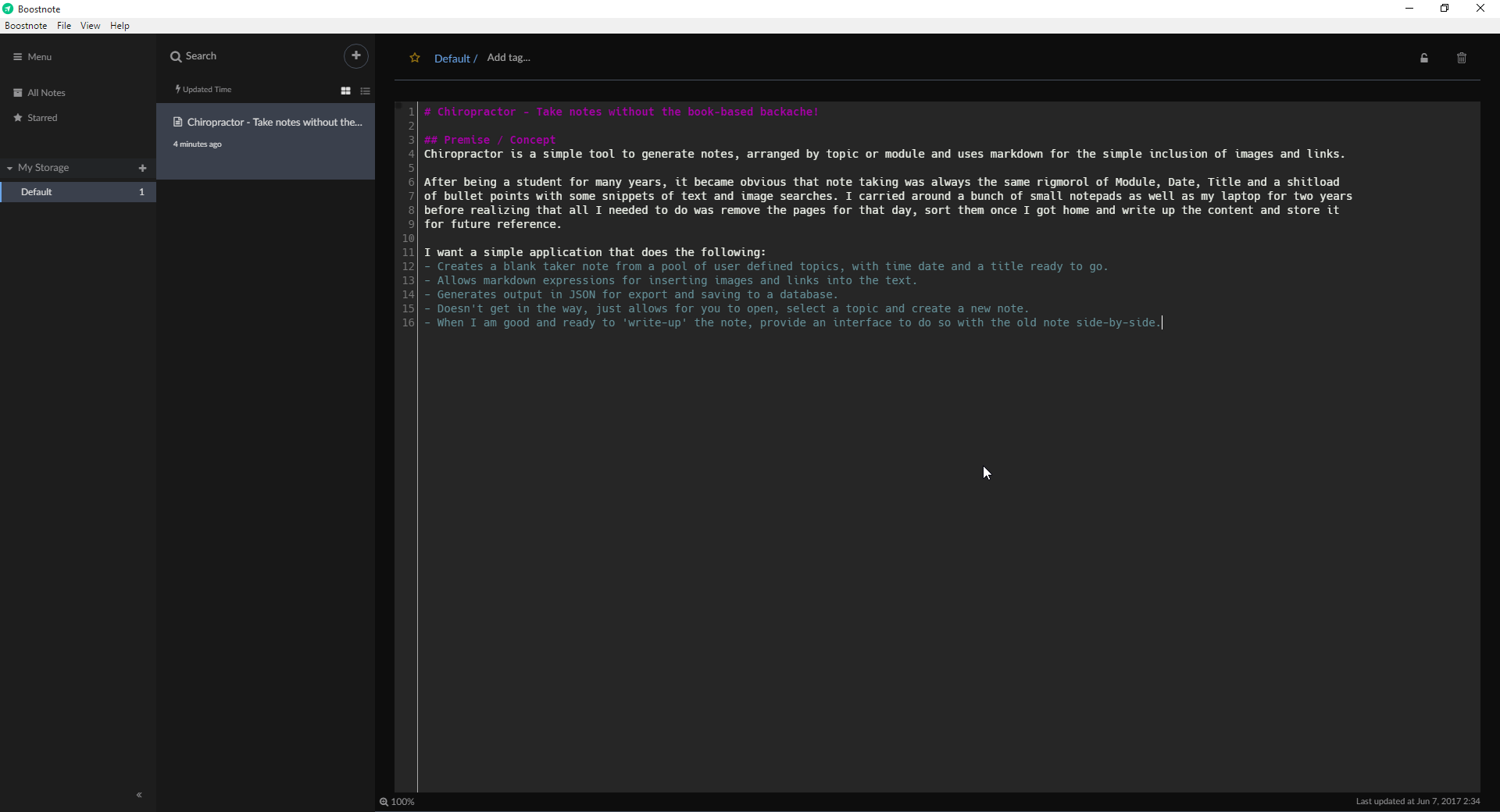
Upon selecting the text character by character in the rendered markdown, the apostrophe and space are selected as one single symbol (as if it were one character), rather than selecting the apostrophe and space separately. Must be a rendering issue of some sort.
 lawgsy
on 13 Jan 2017
lawgsy
on 13 Jan 2017
I can also reproduce this, and have found a fix for myself personally.
I believe this is written in express, which means that there is probably some issue with the fonts provided with the editor as when I changed mine to hack.ttf or any other font, the issue was resolved immediately.
Perhaps a dodgy font file or just requiring the inclusion of a correct text encoding?
Hope this helps!
_Editor View_
_Preview View_
 tex1337
on 7 Jun 2017
tex1337
on 7 Jun 2017
it still is in place if anything, Win 10
 oleksandrzelentsov
on 23 Jul 2017
oleksandrzelentsov
on 23 Jul 2017
@oleksandrzelentsov I'm going to try fixing it in a few days.
 asmsuechan
on 23 Jul 2017
asmsuechan
on 23 Jul 2017
What you can do to fix this issue is set Segoe UI as your Font Family from Menu -> UI.
asmsuechan
on 25 Jul 2017
okay, thank you
2017-07-25 7:16 GMT+02:00 SuenagaRyota notifications@github.com:
What you can do to fix this issue is set Segoe UI as your Font Family
from Menu -> UI.—
You are receiving this because you were mentioned.
Reply to this email directly, view it on GitHub
https://github.com/BoostIO/Boostnote/issues/155#issuecomment-317631860,
or mute the thread
https://github.com/notifications/unsubscribe-auth/AHt7SfAeiLO2vEssk06gI0z40CiBkN5qks5sRXo0gaJpZM4KZ-VB
.
oleksandrzelentsov
on 25 Jul 2017
Related issues
 DanielRamosAcosta
·
3Comments
DanielRamosAcosta
·
3Comments
 gavvvr
·
3Comments
gavvvr
·
3Comments
 dtgay
·
3Comments
dtgay
·
3Comments
 lijinglue
·
3Comments
lijinglue
·
3Comments
 luong-komorebi
·
3Comments
luong-komorebi
·
3Comments