I think it would be great to be able to link to another note you have saved. With this, you could create one note that acts as a master list and link it to other notes for finer detail. I would assume when you click the link it would just switch to that note or open it in a split panel.


 Jeremy-Walton
All 11 comments
I've been considering it also. So, the next version of Boostnote will use react-router and provide URL of each folder and note.

v0.6.* will display current URL in status bar below.
And, the behaviour should be like the behaviour of common browsers.
(Click to switch note / Shift + Click to open in new window)
 Rokt33r
on 1 Jun 2016
Rokt33r
on 1 Jun 2016
Close it now. You can track the progress on TodoList #68
I'll implement it soon.
Rokt33r
on 6 Oct 2016
Close it now. You can track the progress on TodoList #68
I'll implement it soon.
Are there any updates on this? On #68 it says there's a new todo list in the wiki, but the link doesn't lead to one. I tried to link between nodes in Markdown with e.g. [Test](Test), but I only get a warning that the file could not be opened.
 schmidt-fu
on 20 Sep 2018
schmidt-fu
on 20 Sep 2018
this feature is already supported. you can reference to any note by its ID.
 ghost
on 20 Sep 2018
ghost
on 20 Sep 2018
example: [test](:note:<note_id>)
ghost
on 20 Sep 2018
Hello ... I really love the idea of Boostnote, I am a constant Wikidpad user but I see many advantages of using Boostnote ... I was wondering if you could implement CamelCase linking.
Wikidpad link: http://wikidpad.sourceforge.net
 iqgustavo
on 8 Oct 2019
iqgustavo
on 8 Oct 2019
Where does one find the Note IDs in Boostnote?
 skystack
on 24 Sep 2020
skystack
on 24 Sep 2020
@skystack You can find that by clicking the Info button in the top right:

 Flexo013
on 25 Sep 2020
Flexo013
on 25 Sep 2020
@Flexo013
Thank you for the quick response. Unfortunately, I am still having trouble finding the "info button"
Below is a screenshot of my entire boostnote window and I do not see the symbol you shared anywhere.
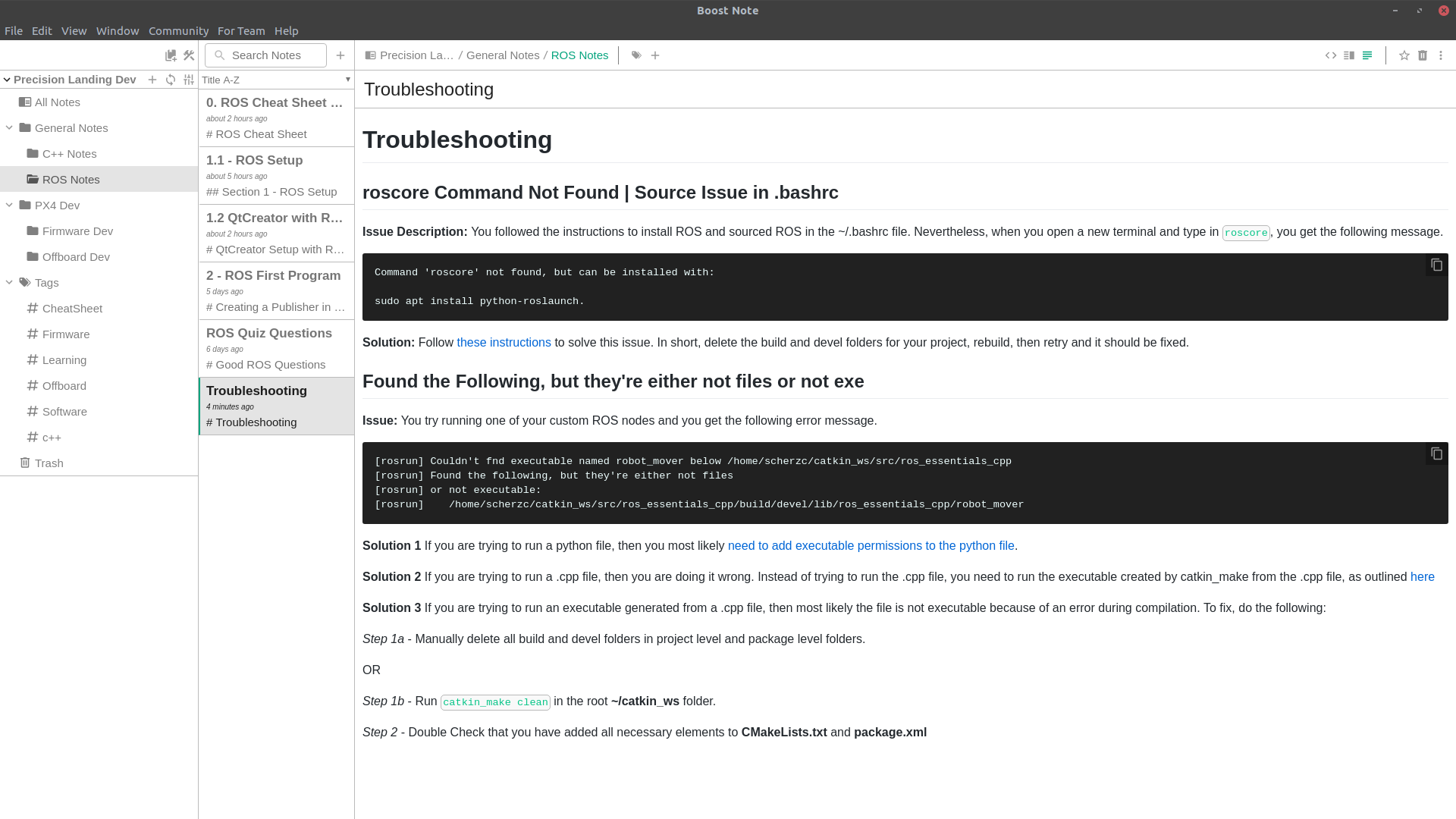
Any help is appreciated! Thank you.
skystack
on 7 Oct 2020
@skystack You are using Boost Note.next, not Boostnote Legacy. The linking feature is currently only available on Boostnote Legacy.
The feature is request in the new app here: https://github.com/BoostIO/BoostNote.next/issues/313
Flexo013
on 11 Oct 2020
Ahh Thank you!
skystack
on 15 Oct 2020
Related issues
 Petroochio
·
3Comments
Petroochio
·
3Comments
 Ocanamat
·
3Comments
Ocanamat
·
3Comments
 luong-komorebi
·
3Comments
luong-komorebi
·
3Comments
 gavvvr
·
3Comments
gavvvr
·
3Comments
 NonlinearFruit
·
3Comments
NonlinearFruit
·
3Comments
Most helpful comment
I've been considering it also. So, the next version of Boostnote will use react-router and provide URL of each folder and note.
And, the behaviour should be like the behaviour of common browsers.
(Click to switch note / Shift + Click to open in new window)