Boostnote.next: Notarize macOS app
Current behavior
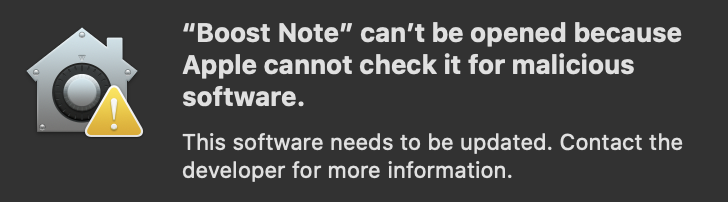
Does not open on macOs Catalina
Expected behavior
It should run fine on new mac.
Steps to reproduce
- Get a new mac
- Download app
- Run it
Environment
- Version : downloaded from website on 13th January
- OS Version and name : macOs Catalina - 10.15.2
 KrzysztofKowalczyk
All 5 comments
@KrzysztofKowalczyk have you tried to bypass gatekeeper opening with ctrl + right click > Open ?
 shuhikari
on 13 Jan 2020
shuhikari
on 13 Jan 2020
macOS bans most of apps you download from the internet. The instruction in the above comment should work. Also check https://support.apple.com/en-us/HT202491 for your information.
 Rokt33r
on 13 Jan 2020
Rokt33r
on 13 Jan 2020
@KrzysztofKowalczyk have you tried to bypass gatekeeper opening with ctrl + right click > Open ?
That only works on machines that can run software from non identified developers. In secure enviroments it would not work.
KrzysztofKowalczyk
on 14 Jan 2020
macOS bans most of apps you download from the internet. The instruction in the above comment should work. Also check https://support.apple.com/en-us/HT202491 for your information.
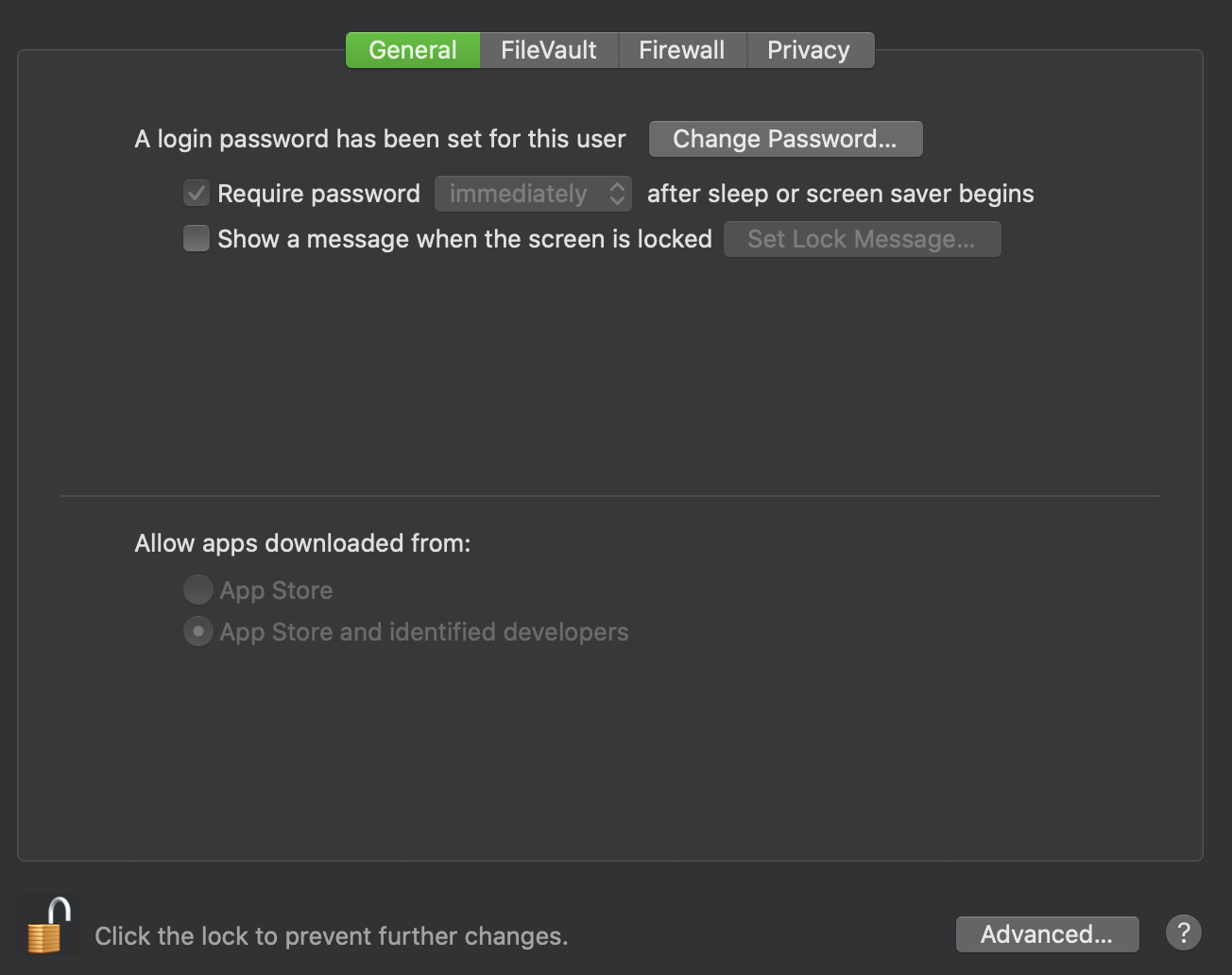
@Rokt33r app should be properly signed, workarounds only work macs with unsafe settings. In secure environment you should not be able to change those settings:
KrzysztofKowalczyk
on 14 Jan 2020
The app is properly signed. I think the problem is that we didn't upload our app to Apple. I'll check it.
https://developer.apple.com/documentation/xcode/notarizing_macos_software_before_distribution/customizing_the_notarization_workflow#3087734
https://medium.com/@TwitterArchiveEraser/notarize-electron-apps-7a5f988406db
https://github.com/electron/electron-notarize
Rokt33r
on 14 Jan 2020
Related issues
 derekantrican
·
4Comments
Rokt33r
·
3Comments
derekantrican
·
4Comments
Rokt33r
·
3Comments
 triet-truong
·
5Comments
triet-truong
·
5Comments
 Meiryo7743
·
5Comments
Meiryo7743
·
5Comments
 HSQCoollaughing
·
3Comments
HSQCoollaughing
·
3Comments
Most helpful comment
The app is properly signed. I think the problem is that we didn't upload our app to Apple. I'll check it.
https://developer.apple.com/documentation/xcode/notarizing_macos_software_before_distribution/customizing_the_notarization_workflow#3087734
https://medium.com/@TwitterArchiveEraser/notarize-electron-apps-7a5f988406db
https://github.com/electron/electron-notarize