Bookstack: WYSIWYG editor modal windows overflow the screen on mobile
Describe the bug
A clear and concise description of what the bug is.
1st i want to say thank you so much for making this.
I tried so many such services but this is so much better, thank you.
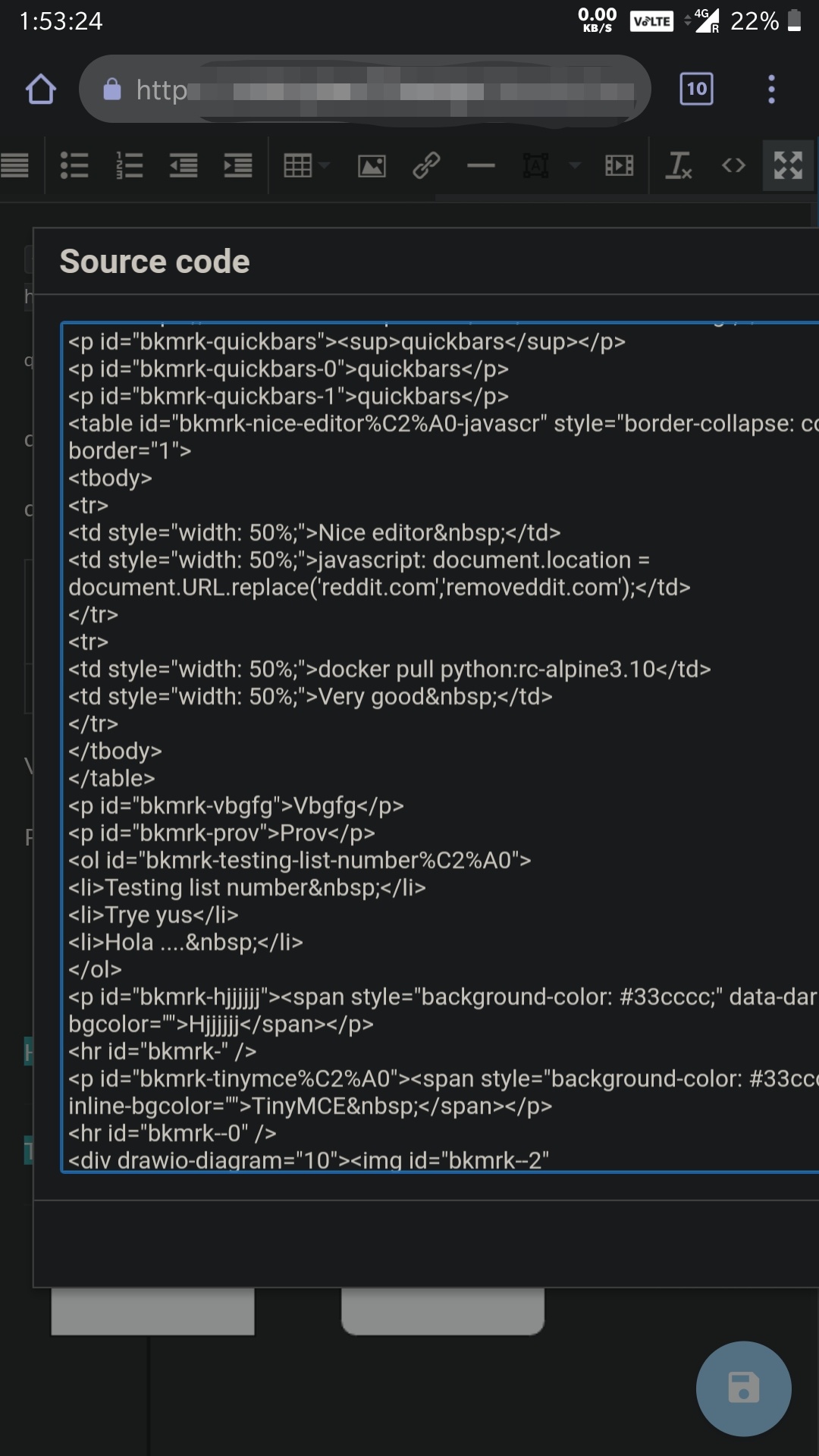
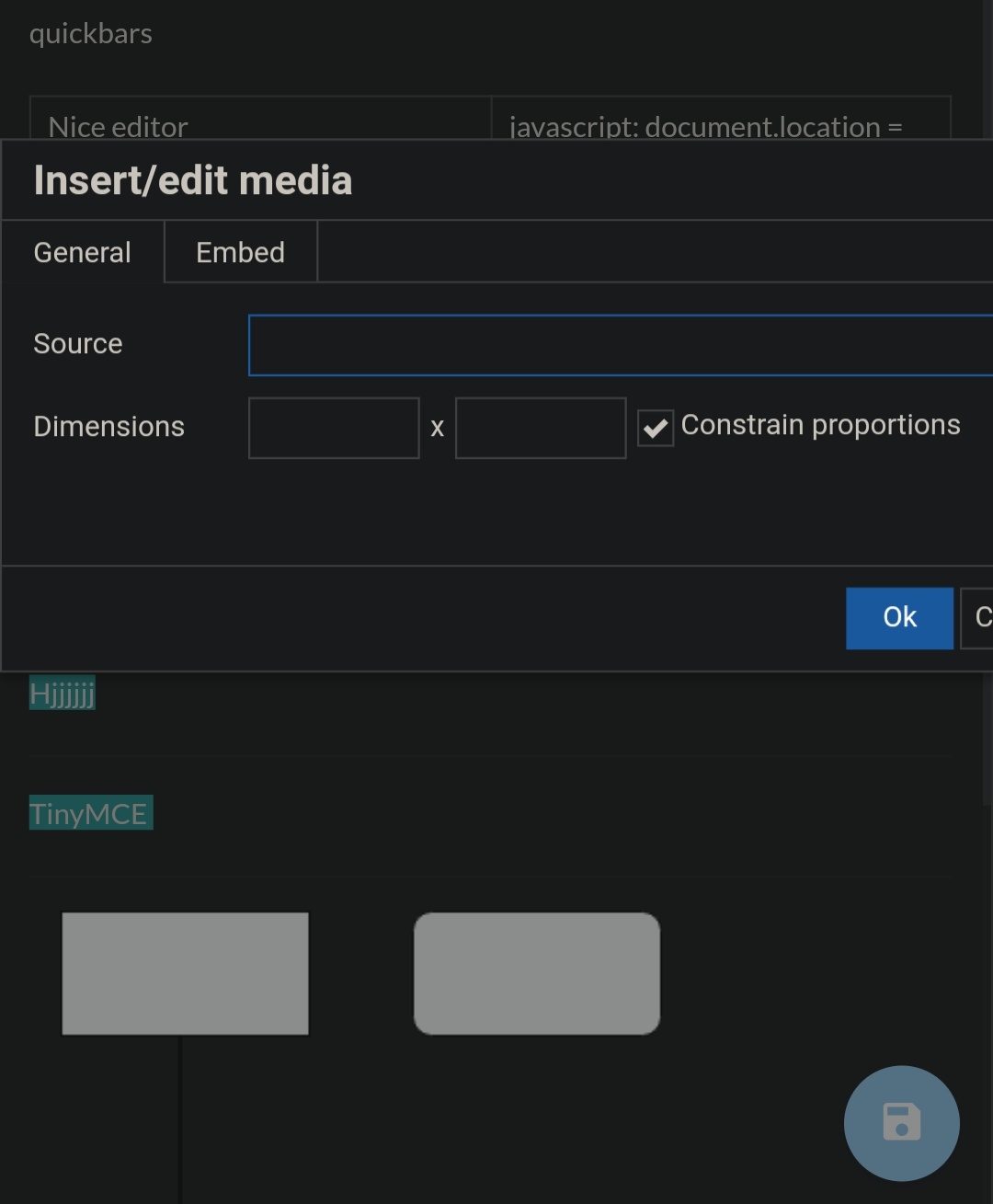
Now for bug it's just normal scaling issues on mobile screen.
With source code and insert media modal in wysiwyg editor.
Steps To Reproduce
Steps to reproduce the behavior:
Open any page in edit mode and tap on source code or insert media button.
Expected behavior
A clear and concise description of what you expected to happen.
I expect modal to adapt properly like it adapts completely on https://www.tiny.cloud both button modal here is fully responsive.
Screenshots
If applicable, add screenshots to help explain your problem.
Your Configuration (please complete the following information):
- Exact BookStack Version (Found in settings): BookStack v0.28.1
- PHP Version: PHP 7.3.14
- Hosting Method (Nginx/Apache/Docker): Docker (linuxserver image)
Additional context
Add any other context about the problem here.
Not related to above issue.
But i have two questions regarding editor as bookstack is using TinyMCE then why this looks different than https://www.tiny.cloud/features
Also is it possible to add more TinyMCE plugins or themes/skins like wordcount or spell checker?
 hjyoung1
All 2 comments
1st i want to say thank you so much for making this. I tried so many such services but this is so much better, thank you.
Thanks!
But i have two questions regarding editor as bookstack is using TinyMCE then why this looks different than https://www.tiny.cloud/features
That is the fully featured TinyMCE 5 instance, shown on their website. BookStack is using a customised TinyMCE 4 instance, Hence the differences. They added better mobile support overall in TinyMCE 5.
As part of the roadmap, we'll soon be reviewing the editors and potentially be replacing TinyMCE as the solution hence the lack of upgrade to 5 at this time.
Also is it possible to add more TinyMCE plugins or themes/skins like wordcount or spell checker?
Yes, it is possible but you'd need to be familiar with JavaScript. We expose the editor config via events as described here:
https://www.bookstackapp.com/docs/admin/hacking-bookstack/#bookstack-editor-events
It would be a case of using these events to alter the editor config as you wished. Note that we don't really provide support for these kind of customizations though and any custom additions you add to TinyMCE may be lost or not possible if we change to a new editor.
 ssddanbrown
on 8 Mar 2020
ssddanbrown
on 8 Mar 2020
This problem concerns not only the tools, but also the inserted content. For example, videos from YouTube also go beyond the screen of a mobile phone.
 Tzeenchist
on 17 May 2020
Tzeenchist
on 17 May 2020
Related issues
 Legoracers
·
3Comments
Legoracers
·
3Comments
 Biepa
·
3Comments
Biepa
·
3Comments
 stuartajd
·
4Comments
stuartajd
·
4Comments
 conor-byrne
·
3Comments
conor-byrne
·
3Comments
 ensemblebd
·
3Comments
ensemblebd
·
3Comments
Most helpful comment
Thanks!
That is the fully featured TinyMCE 5 instance, shown on their website. BookStack is using a customised TinyMCE 4 instance, Hence the differences. They added better mobile support overall in TinyMCE 5.
As part of the roadmap, we'll soon be reviewing the editors and potentially be replacing TinyMCE as the solution hence the lack of upgrade to 5 at this time.
Yes, it is possible but you'd need to be familiar with JavaScript. We expose the editor config via events as described here:
https://www.bookstackapp.com/docs/admin/hacking-bookstack/#bookstack-editor-events
It would be a case of using these events to alter the editor config as you wished. Note that we don't really provide support for these kind of customizations though and any custom additions you add to TinyMCE may be lost or not possible if we change to a new editor.