Bookstack: Can I reduce the size of the text in the pages list view?
Hi, this is more a question than a feature requests. Since i'm not very good at Tweaking things I ask here if this is easily possible.
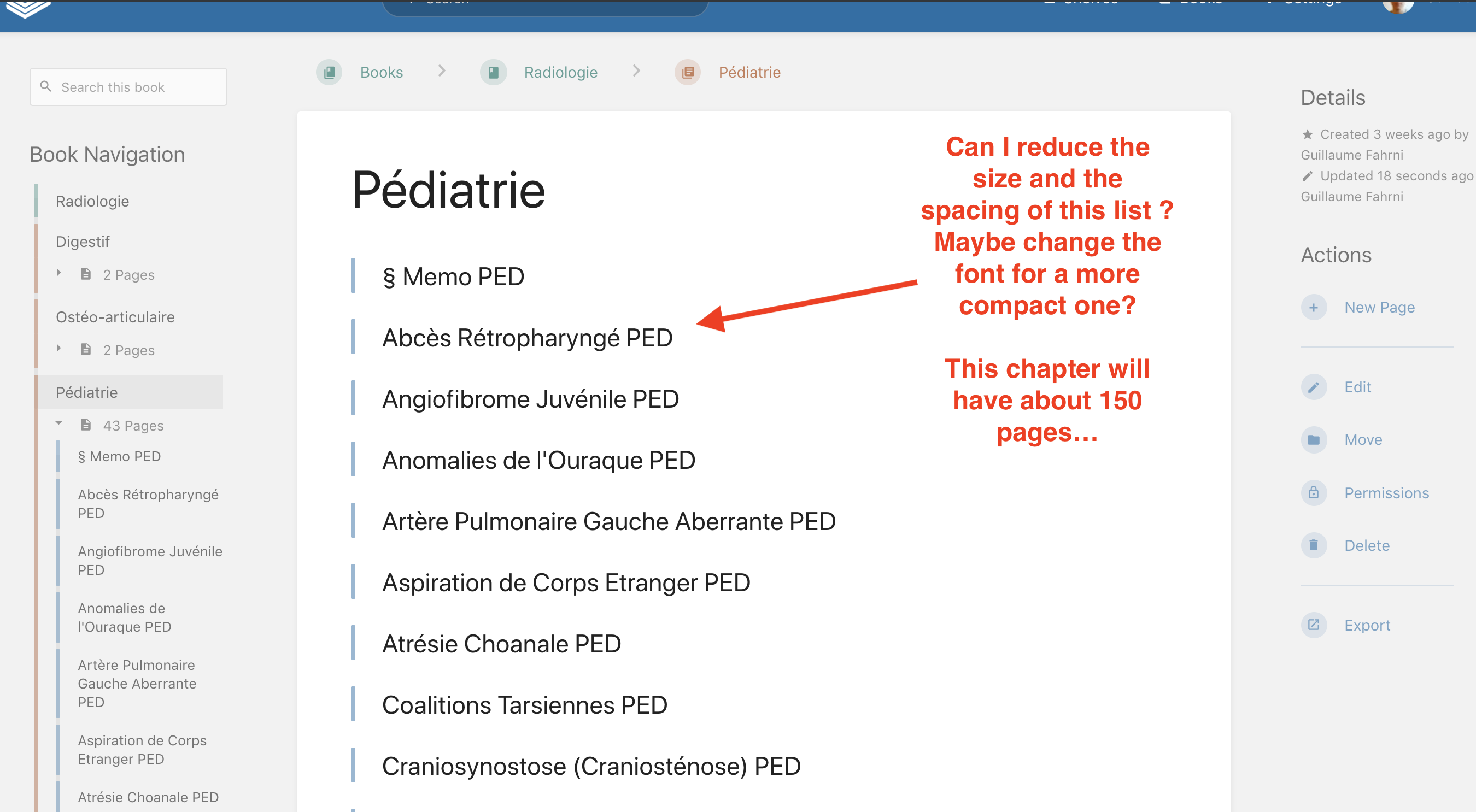
My problem is that I will do a Medicine database so for each chapter I'll have a huge list of pages.
In the current configuration when you deploy a chapter to display the list of pages inside, the fonts is quite big and there is a ton of spacing between each page title, which looks nice but when you have about 150 page to display a more "compacted" list would be more useful for me.
If there is an easy way (1-2 lines of code somewhere to edit) I'll gladly take it. If it's too complicated, well I'll forget about it...
Thanks for the help
 guischmo
All 2 comments
Hi @guischmo,
Sorry for the late response.
This is possible with a little bit of custom CSS. Add the following to the "Custom HTML Head Content" option in the settings area:
<style>
    .book-content .entity-list h4, .chapter-content .entity-list h4 {
        font-size: 1.2em;
    }
</style>
You can tweak the 1.2 above to suite your needs. The default in BookStack is 1.666. Note that future BookStack updates could affect this tweak.
 ssddanbrown
on 7 Dec 2019
ssddanbrown
on 7 Dec 2019
Closing this off as it appears to be answered and no follow-up seems to be required.
ssddanbrown
on 28 Jun 2020
Related issues
 Zeigren
·
3Comments
Zeigren
·
3Comments
 alex2702
·
3Comments
alex2702
·
3Comments
 spiritedfang
·
4Comments
spiritedfang
·
4Comments
 Wookbert
·
3Comments
Wookbert
·
3Comments
 mackcoding
·
3Comments
mackcoding
·
3Comments
Most helpful comment
Hi @guischmo,
Sorry for the late response.
This is possible with a little bit of custom CSS. Add the following to the "Custom HTML Head Content" option in the settings area:
You can tweak the
1.2above to suite your needs. The default in BookStack is1.666. Note that future BookStack updates could affect this tweak.