Bookstack: Switch between Markdown and WYSIWYG when editing pages
Desired Feature:
I'd love to be able to switch between Markdown & WYSIWYG when editing pages.
Much better than: go into the settings, change the editing mode and edit page(s) and once finished go back in settings to set mode back again.
 pommetjehorlepiep
All 8 comments
I would also like this. This functionality is handled well in a number of static site editors such as https://www.siteleaf.com/
 ffub
on 18 May 2018
ffub
on 18 May 2018
Thanks for opening this feature request.
This is very closely related to #119 and #458.
@ffub Have you seen any more complex editors that do this? Many I've seen are really built markdown-first so are fairly limited to just the core markdown formattings options. Just something that includes tables & text alignment and possibly custom formats.
 ssddanbrown
on 19 May 2018
ssddanbrown
on 19 May 2018
Realistically, switching between WYSIWYG and Markdown will mean storing the
file in the latter.
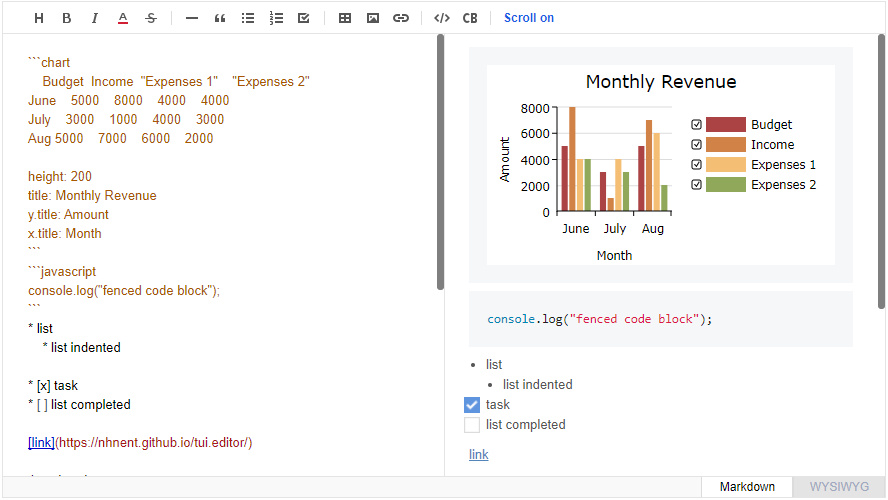
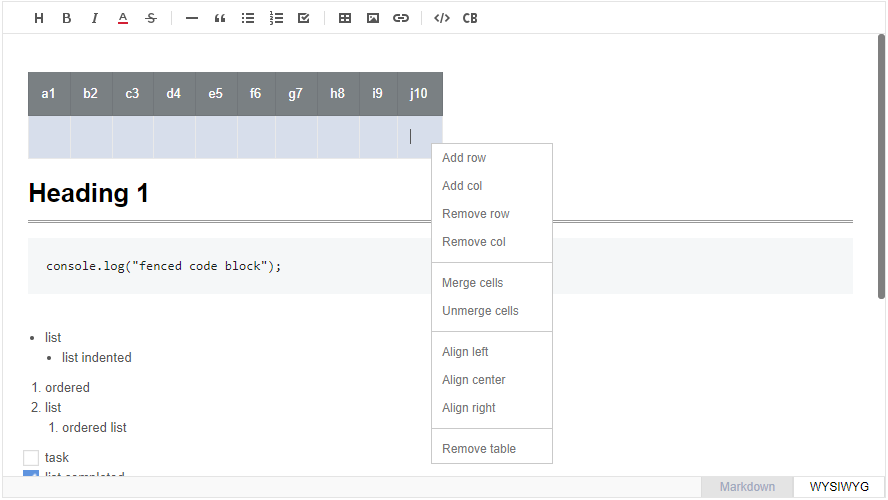
Toast UI allows for tables and code blocks.
I think a limited set of semantic elements and a storage format such as
Markdown is a benefit. It keeps pages from ending up full of junk HTML copy
and pasted from webpages and word processors.
The only elements that I think are handled poorly by Markdown are images. I
pretty much always want to add a caption to an image, and the
element is a really clean way to handle them in running text.
On 19 May 2018 at 15:25, Dan Brown notifications@github.com wrote:
Thanks for opening this feature request.
This is very closely related to #119
https://github.com/BookStackApp/BookStack/issues/119 and #458
https://github.com/BookStackApp/BookStack/issues/458.@ffub https://github.com/ffub Have you seen any more complex editors
that do this? Many I've seen are really built markdown-first so are fairly
limited to just the core markdown formattings options. Just something that
includes tables & text alignment and possibly custom formats.—
You are receiving this because you were mentioned.
Reply to this email directly, view it on GitHub
https://github.com/BookStackApp/BookStack/issues/842#issuecomment-390408520,
or mute the thread
https://github.com/notifications/unsubscribe-auth/AADjOrgBY3rOONCDzUj6TpuyCUr7Vt9kks5t0Ct3gaJpZM4UAkhs
.
ffub
on 26 May 2018
XWiki allows the author of the document to switch between markup formats in a lossy way.
 NickeZ
on 11 Jun 2018
NickeZ
on 11 Jun 2018
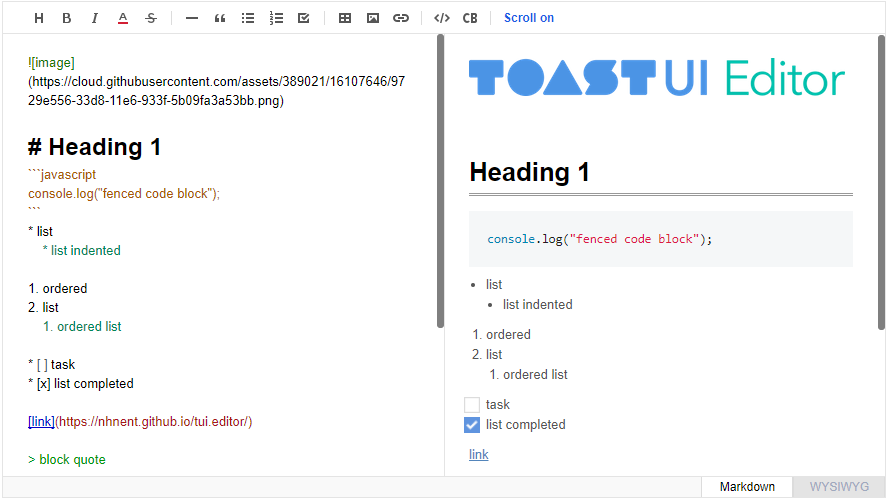
The TOAST ui editor looks realy promising.
Markdown Wysiwyg Editor - Productive and Extensible
Live Preview, Scrolling, Syn, Auto indent, Syntax highlight
It looks also very similar to the currently used one. You can edit either in markdown or in the WYSIWYG.
https://ui.toast.com/tui-editor
 JHenneberg
on 30 Apr 2019
JHenneberg
on 30 Apr 2019
The TOAST ui editor looks realy promising.
This would be amazing. I think I'll have a much easier time convincing my group to use the markdown version of the wiki if it included some WYSIWYG features. Right now there's a trade-off: portability in markdown mode and discoverability/convenience in WYSIWYG mode.
 tlnagy
on 14 Jul 2019
tlnagy
on 14 Jul 2019
I've actually used toast in projects, it's very good. I have the option to switch between the WYSIWYG editor and the regular markdown editor so it's easy for anyone to use how they want.
 GammaGames
on 24 Jun 2020
GammaGames
on 24 Jun 2020
This would be awesome. We use this in our Wordpress KB as well
 kayvanaarssen
on 24 Nov 2020
kayvanaarssen
on 24 Nov 2020
Related issues
 Zeigren
·
3Comments
Zeigren
·
3Comments
 alex2702
·
3Comments
alex2702
·
3Comments
 Legoracers
·
3Comments
Legoracers
·
3Comments
 gab-cass
·
3Comments
gab-cass
·
3Comments
 Nedimko123
·
3Comments
Nedimko123
·
3Comments
Most helpful comment
The TOAST ui editor looks realy promising.
Markdown Wysiwyg Editor - Productive and Extensible
Live Preview, Scrolling, Syn, Auto indent, Syntax highlight
It looks also very similar to the currently used one. You can edit either in markdown or in the WYSIWYG.
https://ui.toast.com/tui-editor