Bookmarks: Missing bookmark screenshots / icons
Describe the bug
No bookmark screenshots / icons are created anymore.
To Reproduce
Create a new bookmark.
Expected behavior
When creating a new bookmark, a screenshot / icon of the corresponding webpage shall be taken.
Screenshots
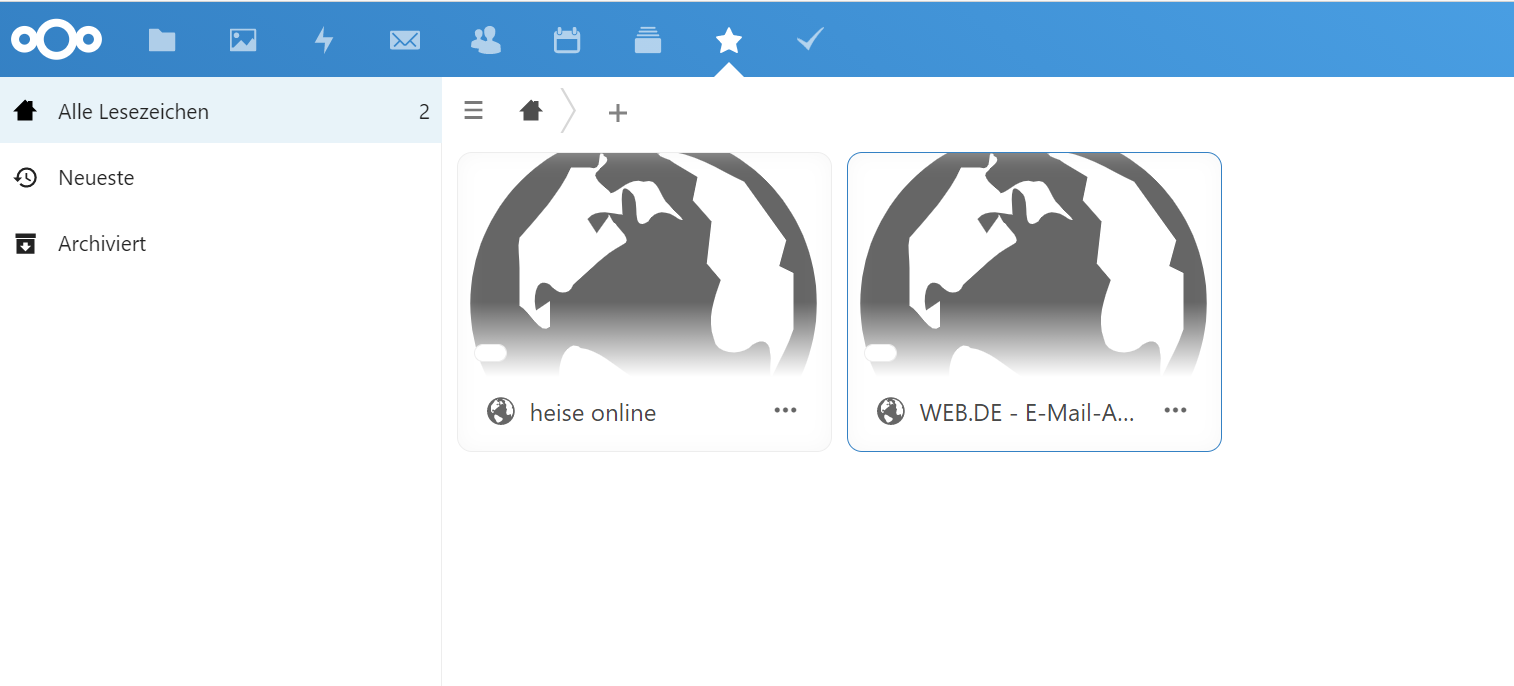
Desktop (please complete the following information):
- OS: Windows 10 2004
- Browser: Microsoft Edge
- Version: 86.0.622.38
Server (please complete the following information):
- OS: Debian 10.6
- HTTP server: Apache
- Database: MySQL
- Nextcloud version: 19.0.4
- Bookmarks app version: 3.4.1
bug
 bspire
👍1
All 4 comments
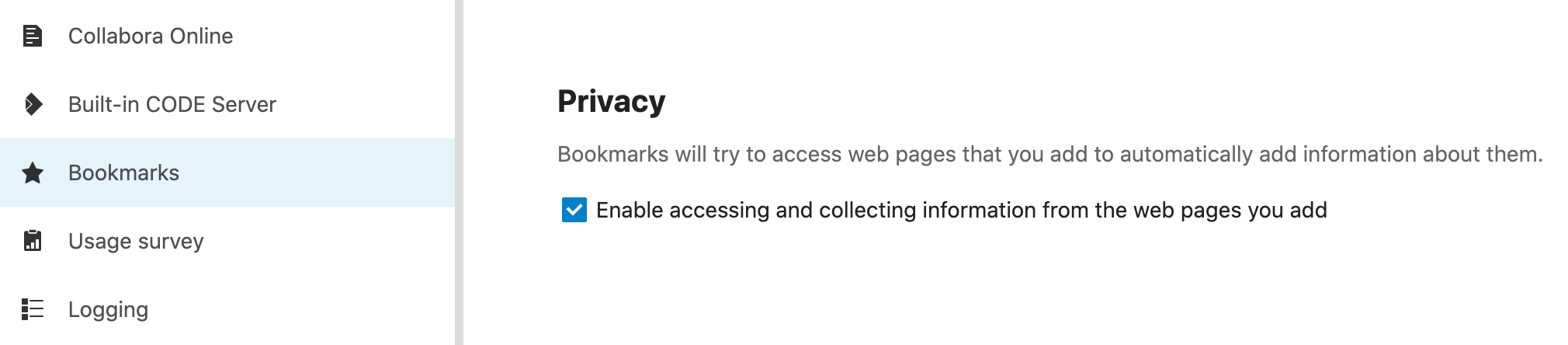
Have you enabled network access in the bookmarks app settings?
 marcelklehr
on 11 Oct 2020
marcelklehr
on 11 Oct 2020
I'm also having this issue. I don't see an option to enable network access in the bottom left settings area.
 CharlBest
on 12 Oct 2020
CharlBest
on 12 Oct 2020
It's in the admin settings
marcelklehr
on 12 Oct 2020
👍1
Thanks for the quick reply. That did the trick and it is working now.
For anyone with the same problem:
CharlBest
on 12 Oct 2020
❤1
🎉1
Was this page helpful?
0 / 5 - 0 ratings
Related issues
marcelklehr
·
4Comments
 ziouf
·
6Comments
ziouf
·
6Comments
 paulcalabro
·
5Comments
marcelklehr
·
4Comments
paulcalabro
·
5Comments
marcelklehr
·
4Comments
 NWiogrhkt
·
4Comments
NWiogrhkt
·
4Comments
Most helpful comment
Thanks for the quick reply. That did the trick and it is working now.

For anyone with the same problem: