Environment
- __Package version(s)__: "@blueprintjs/select": "^3.13.7"
- __Browser and OS versions__: n/a
Question
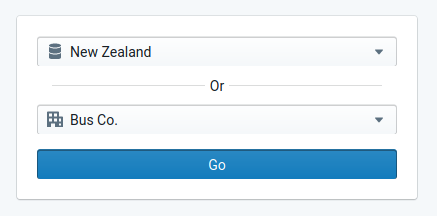
I have two select components. If a user chooses an option from select component A, I'd like to reset select component B.
How can I reset a component back to an un-selected state.
 rickysullivan
All 2 comments
Ok, so I figured out that I can reset the text on the Button. I have also kept a reference to the activeItem in a context that's shared between both selectors. Selecting an item in select component A now removes the activeItem from select component B and the button text is also reset.
rickysullivan
on 7 Sep 2020
👍2
Closing as this seems to be a generic question about React application logic and not really Blueprint-specific.
 adidahiya
on 8 Sep 2020
adidahiya
on 8 Sep 2020
👍1
Was this page helpful?
0 / 5 - 0 ratings
Related issues
 tomzaku
·
3Comments
tomzaku
·
3Comments
 vinz243
·
3Comments
vinz243
·
3Comments
 ernestofreyreg
·
3Comments
adidahiya
·
3Comments
ernestofreyreg
·
3Comments
adidahiya
·
3Comments
 havesomeleeway
·
3Comments
havesomeleeway
·
3Comments
Most helpful comment
Ok, so I figured out that I can reset the text on the Button. I have also kept a reference to the
activeItemin a context that's shared between both selectors. Selecting an item in select component A now removes the activeItem from select component B and the button text is also reset.