Blueprint: It always show a strange border style after clicked a button.
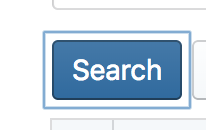
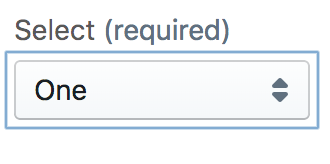
Hi guys, I got a strange issue as follow screen shot. It would show the strange borer that I couldn't find reason after clicked the button or select component. So what's wrong?
Environment
Steps to reproduce
Just use the component as follow code.
<Button intent="primary" onClick={() => { this.onSearch(detail); }}>Search</Button>
Actual behavior
Expected behavior
Possible solution
 fachilles
>All comments
@fachilles this the focus state. see https://blueprintjs.com/docs/#core/accessibility.focus-management for details.
 giladgray
on 15 Nov 2018
giladgray
on 15 Nov 2018
👍2
Was this page helpful?
0 / 5 - 0 ratings
Related issues
 adidahiya
·
3Comments
adidahiya
·
3Comments
 havesomeleeway
·
3Comments
havesomeleeway
·
3Comments
havesomeleeway
·
3Comments
havesomeleeway
·
3Comments
 westrem
·
3Comments
westrem
·
3Comments
 vilav
·
3Comments
vilav
·
3Comments
Most helpful comment
@fachilles this the focus state. see https://blueprintjs.com/docs/#core/accessibility.focus-management for details.