Blueprint: [Table] changes to column header via renderColumnHeader not rendered correctly since 1.26.0
Bug report
- __Package version(s)__: Table 1.26.0 and later
- __Browser and OS versions__: All, macOS 10.12
Steps to reproduce
import React, { Component } from 'react';
import './App.css';
import '../node_modules/@blueprintjs/core/dist/blueprint.css';
import '../node_modules/@blueprintjs/table/dist/table.css';
import {Cell, ColumnHeaderCell, Column, Table, RenderMode} from '@blueprintjs/table';

const columns = ['a', 'b', 'c', 'd', 'e', 'f', 'g'];

class App extends Component {
  state = {
    shouldRenderHeaderContent: false,
  }

  renderColumnHeader = (a) => {
    return (<ColumnHeaderCell key={a}>foo<br/>bar<br/>baz</ColumnHeaderCell>);
  }

  renderCell = (rowIndex) => {
    return (<Cell key={rowIndex}>ABC</Cell>);
  }

  toggleHeaderContent = () => this.setState({shouldRenderHeaderContent: !this.state.shouldRenderHeaderContent})

  render() {
    return (
      <div className="App">
        <button onClick={this.toggleHeaderContent}>
          Toggle Header Content
        </button>

        <Table
          renderMode={RenderMode.NONE}
          numRows={2000}>
          {columns.map((c) => {
            return (
              <Column
                key={c}
                renderCell={this.renderCell}
                renderColumnHeader={this.state.shouldRenderHeaderContent ? this.renderColumnHeader : undefined} />
              );
          })}
        </Table>
      </div>
    );
  }
}

export default App;
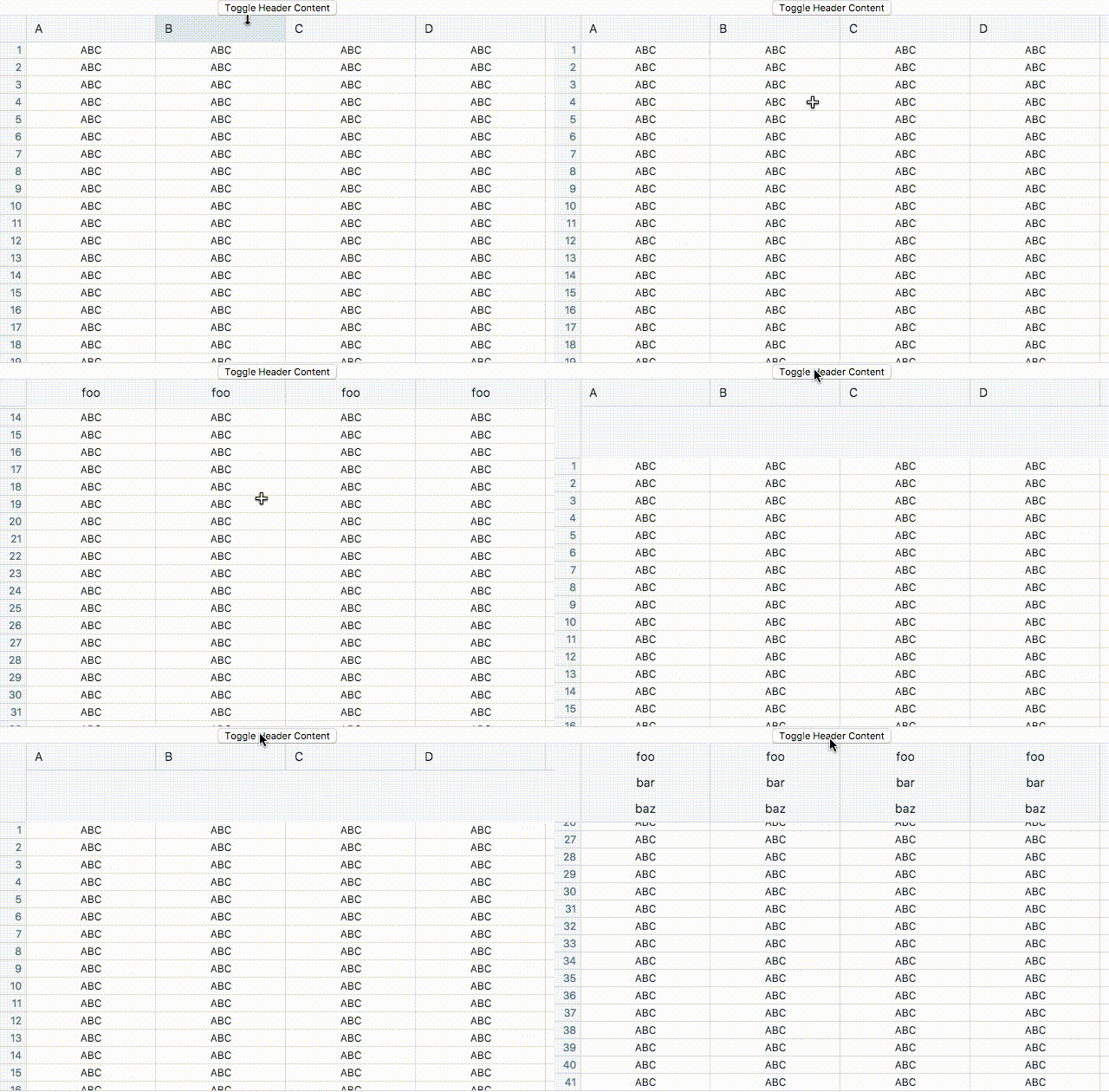
Actual behavior
"@blueprintjs/core": "1.29.0",
"@blueprintjs/table": "1.26.0",
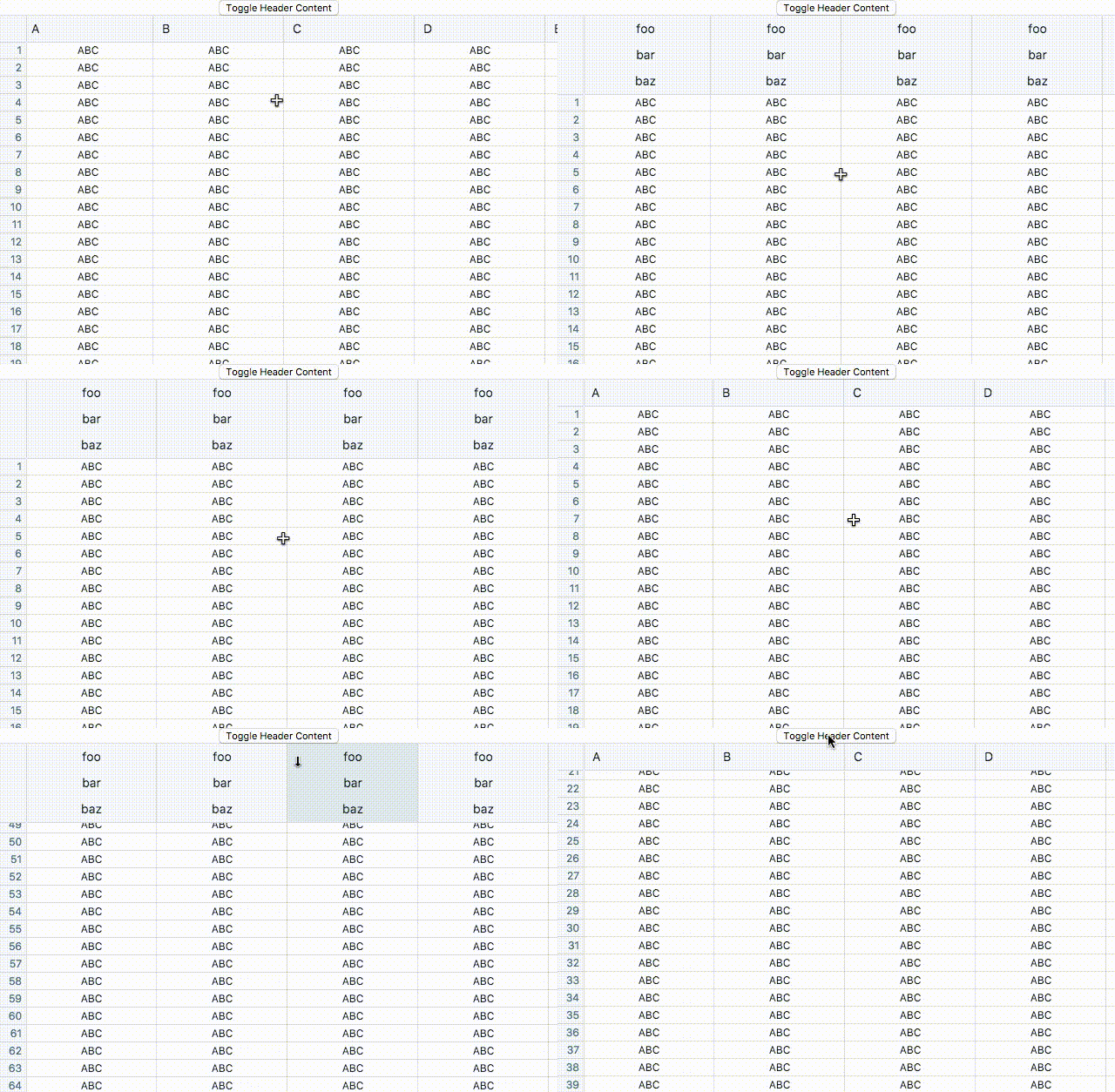
Expected behavior
"@blueprintjs/core": "1.28.0",
"@blueprintjs/table": "1.25.0",
Notes
Basically, changes in the size of the header are not being rendered properly. Would also love to know if there is a better strategy than this:
renderColumnHeader={this.state.shouldRenderHeaderContent ? this.renderColumnHeader : undefined}
(I just want the original non-custom header cell content OR some custom content)
 sighrobot
All 3 comments
I think this was addressed in one of these https://github.com/palantir/blueprint/pull/1632 https://github.com/palantir/blueprint/pull/1663
 llorca
on 5 Oct 2017
llorca
on 5 Oct 2017
👍1
Yep, will be fixed when https://github.com/palantir/blueprint/pull/1663 merges. :)
 cmslewis
on 5 Oct 2017
cmslewis
on 5 Oct 2017
👍1
Thanks @llorca @cmslewis!
sighrobot
on 5 Oct 2017
Was this page helpful?
0 / 5 - 0 ratings
Related issues
 adidahiya
·
3Comments
adidahiya
·
3Comments
 Goddak
·
3Comments
Goddak
·
3Comments
 ghost
·
3Comments
ghost
·
3Comments
 mdebeus
·
3Comments
mdebeus
·
3Comments
 brsanthu
·
3Comments
brsanthu
·
3Comments