Blueprint: Table not keeping focused cell visible
Bug report
- blueprint.table 1.26.0 & blueprint.core 1.29.0
- Windows / Chrome
Steps to reproduce
- Create table with enableFocus set true. Include enough rows to enable scroll bar
- Select first cell and arrow down to observe scroll/visibility behaviour
- Use up arrow keys to focus on first cell
- Use scroll bar to scroll up
Actual behavior
When using down arrow, focused cell is sometimes not fully visible.
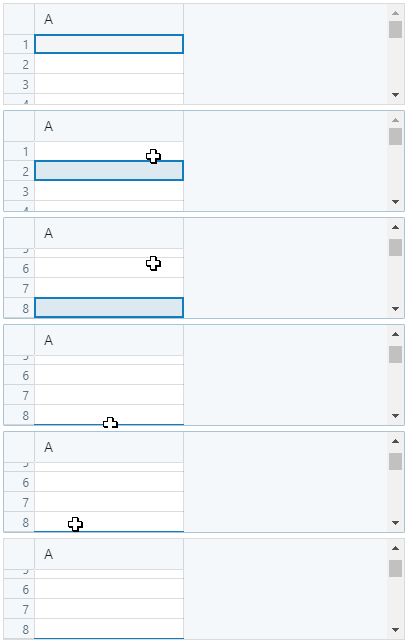
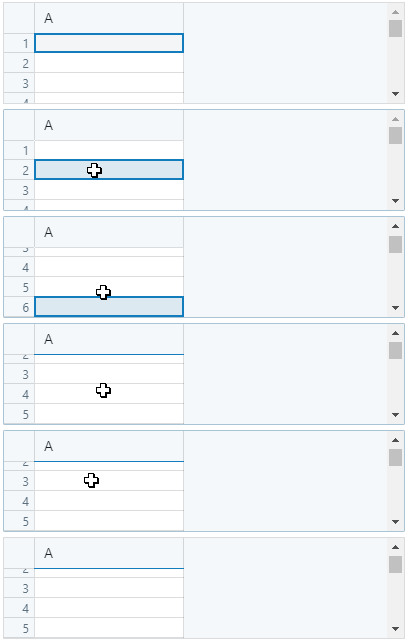
When using up arrow, top first cell hidden behind heading.
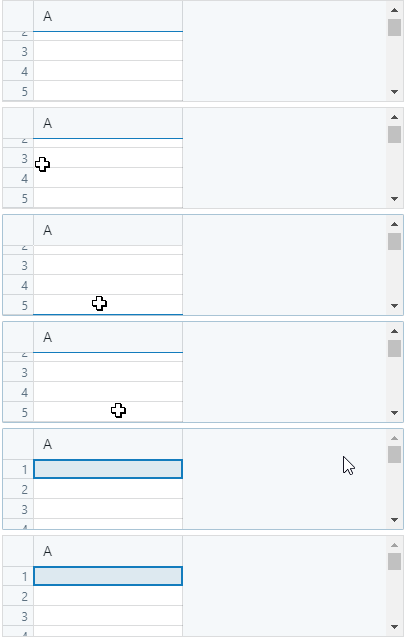
Top cell becomes visible when scroll bar used to scroll up.
Expected behavior
Focused cell always fully visible.
 olivergeorge
All 5 comments
@olivergeorge ah yep, this got a little wonky during the frozen-columns/rows refactor. Thanks for filing.
 cmslewis
on 25 Sep 2017
cmslewis
on 25 Sep 2017
I think this is related to the scroll bars extending over the headers
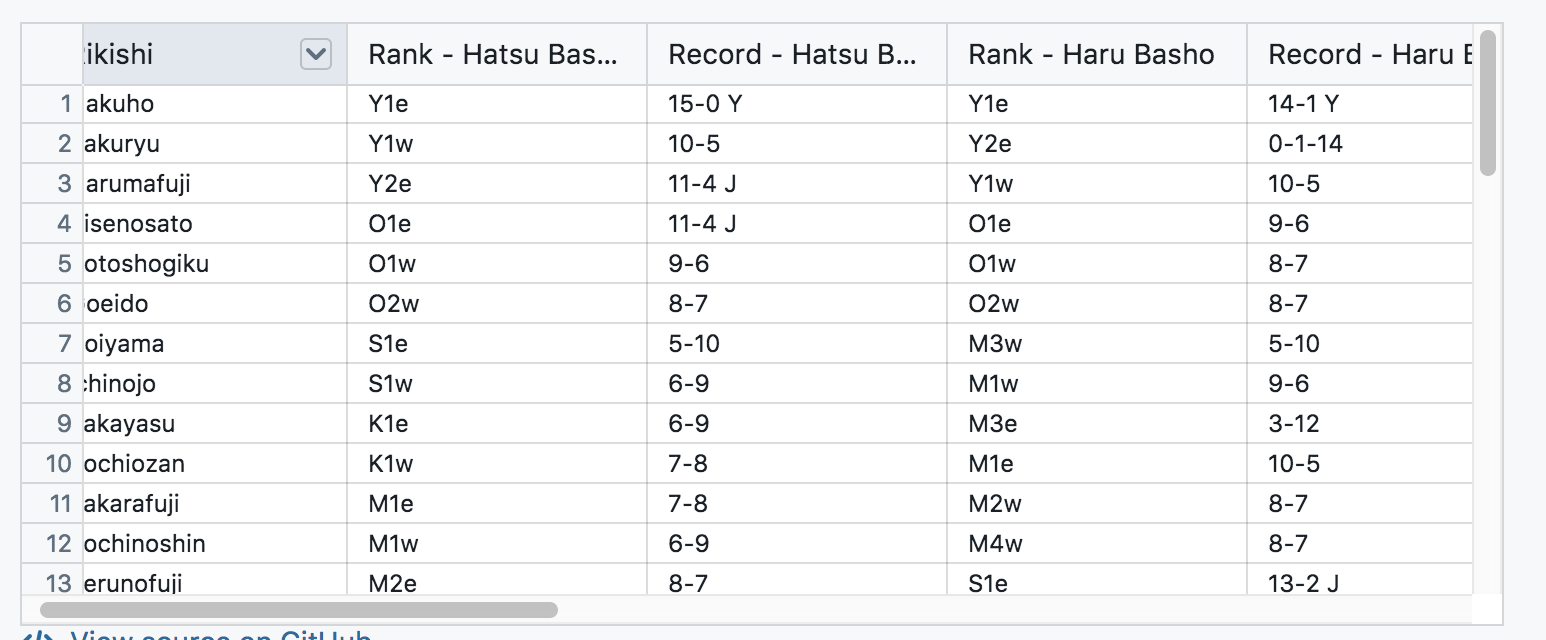
@gscshoyru for SA - to repro locally
 tgreenwatts
on 7 Nov 2017
tgreenwatts
on 7 Nov 2017
Yeah, this actually repros pretty easily, it turns out.
It's also a lot worse with custom headers turned on, which leads me to believe the math isn't properly taking headers and sidebar into account.
 gscshoyru
on 7 Nov 2017
gscshoyru
on 7 Nov 2017
This also happens when you manually scroll right, and then use the arrow keys to move left - the sidebar is not taken into account.
 johnwiseheart
on 23 Feb 2018
johnwiseheart
on 23 Feb 2018
Just faced this issue, and solved it with a rather hacky way. Hope it helps anyone:
import { useRef } from 'react'
import { Table } from '@blueprintjs/table'

const isCellVisible = ({ col, row }: { col: number; row: number }) => {
  // Any better way to get the target focusing cell before it focus?
  const element = document.querySelector(
    // eslint-disable-next-line @blueprintjs/classes-constants
    `.bp3-table-cell-row-${row}.bp3-table-cell-col-${col}`
  )

  if (!element) return false

  const boundingRect = element.getBoundingClientRect()

  // adjust coordinates to get more accurate results
  const left = boundingRect.left + 1
  const right = boundingRect.right - 1
  const top = boundingRect.top + 1
  const bottom = boundingRect.bottom - 1

  const frontMostElement = [
    document.elementFromPoint(left, top),
    document.elementFromPoint(right, top),
    document.elementFromPoint(left, bottom),
    document.elementFromPoint(right, bottom),
  ]

  return !frontMostElement.some(
    (compare) => compare && compare !== element && !element.contains(compare)
  )
}

const Component = () => {
  const table = useRef<Table>()

  return (
    <Table
      ref={table}
      onFocusedCell={({ col, row }) =>
        isCellVisible({ col, row }) &&
        table.current.scrollToRegion({ cols: [col, col], rows: [row, row] })
      }
    >
      {/* ... */}
    </Table>
  )
}
Please, keep in mind above code is just a representation. Other necessary configuration, such as Column children, were keept out to focus on the sollution.
 lucasconstantino
on 17 Dec 2020
lucasconstantino
on 17 Dec 2020
Related issues
tgreenwatts
·
3Comments
 ernestofreyreg
·
3Comments
ernestofreyreg
·
3Comments
 giladgray
·
3Comments
giladgray
·
3Comments
 havesomeleeway
·
3Comments
havesomeleeway
·
3Comments
 Goddak
·
3Comments
Goddak
·
3Comments