Blog-plugin: Avoid published_at auto update on post save
I don't know if this is a bug or a feature, but every time I edit a post, it updates its published_at field, like the updated_at one. This is happening both when edits are done in the backend and when I save the post via $model->save().
If this is the correct behavior, can you help me to find where this is happening in the plugin, in order to try to stop it?
Thank you very much!
EDIT
I tried to hook in beforeSave event, and setting $model->published_at = false, but then I receive an "Invalid datetime format" on save. I think this is related to date mutuation of the attribute, defined in the model
 marcomessa
All 7 comments
@marcomessa published_at is added to a $dates array, so, I guess, it's by design.
https://github.com/rainlab/blog-plugin/blob/720a1818f6c65b64dadb669c9331641397ecd0fb/models/Post.php#L61
Docs info (https://laravel.com/docs/5.8/eloquent-mutators#date-mutators)
 w20k
on 6 Jun 2019
w20k
on 6 Jun 2019
Yep, I noticed that. What I can't understand is why on each update of a Post, the value changes to current timestamp: is this a common behavior when an attribute is mutated as date?
marcomessa
on 6 Jun 2019
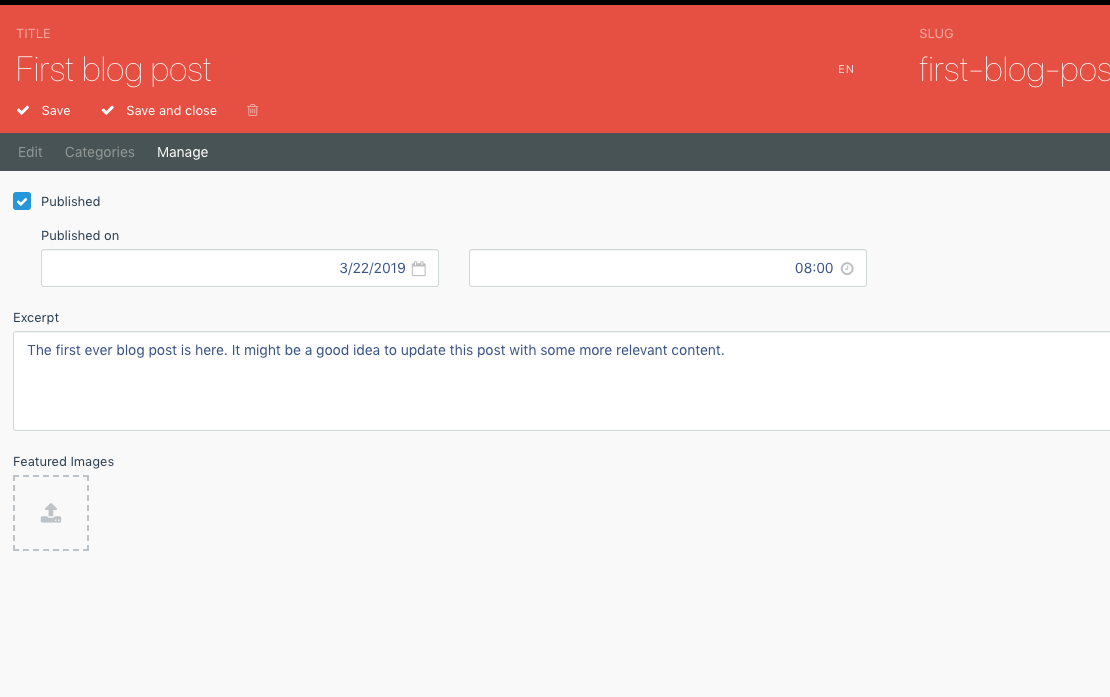
@marcomessa could you paste your build & plugin version? And what do you have in your manage tab for a specific post?
I think, if it's unchecked then it will be updated every time.
w20k
on 6 Jun 2019
@w20k sure!
Core build: 455
Blog version: 1.3.1
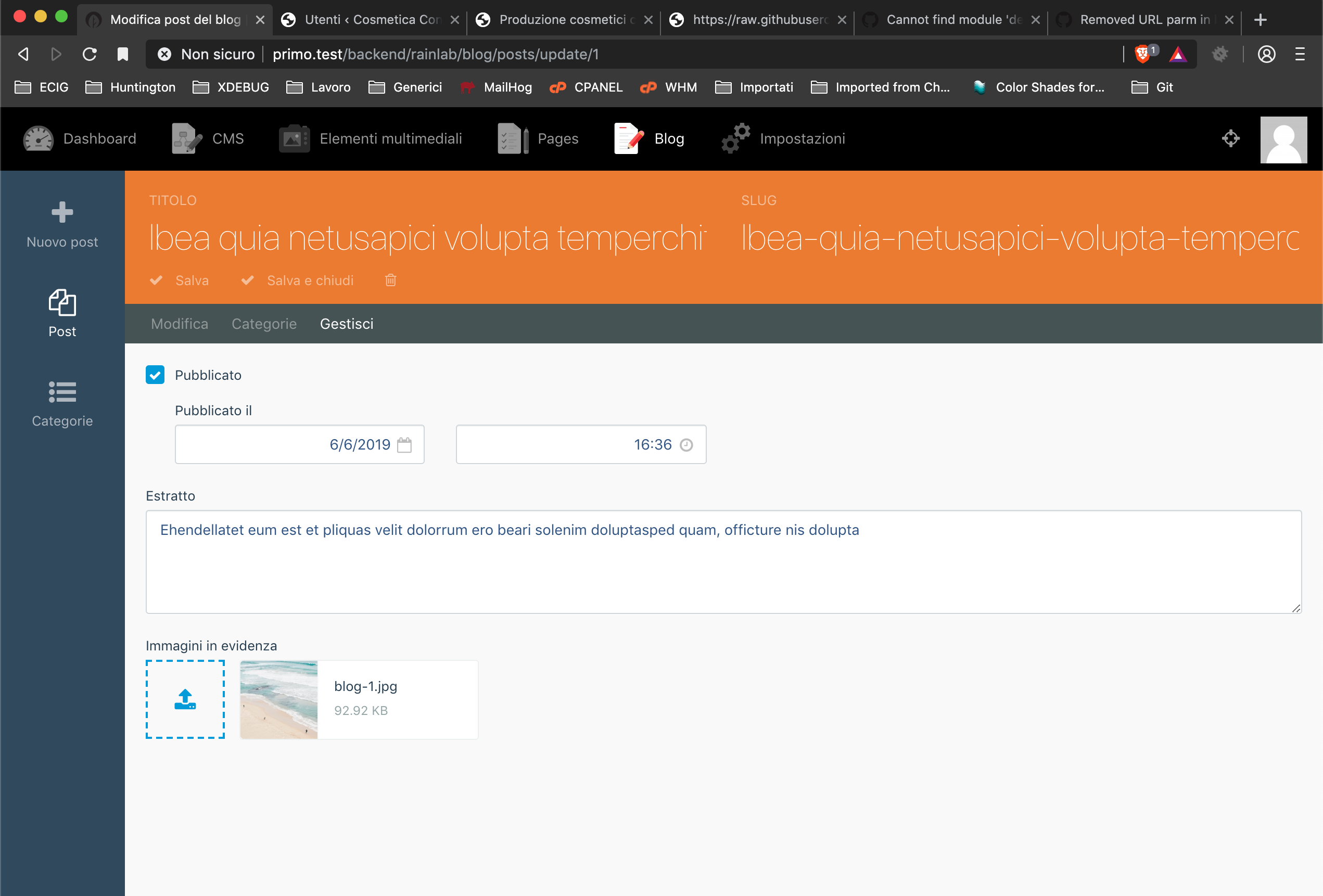
The post is published. If I change somenthing (content, excerpt ecc ecc), the published_at is update with a new timestamp
marcomessa
on 6 Jun 2019
@marcomessa That's strange I've local build set to 456 and blog to 1.3.2. And I don't feel like I can reproduce your issue.
Do you have your published flag set to true as well in DB? (just a hunch)
w20k
on 6 Jun 2019
@w20k you point me to the right way. I tried a fresh plugin install and the issue is not present. In past days I extended Post model, adding two custom fields and a one to one relation. I then disabled that edits, but surely something went wrong there. I'll try to re-extend step by step until the issue will appear (let's hope not :) )
Thank you for your support!
marcomessa
on 6 Jun 2019
@marcomessa that's awesome!
Will be closing this one then!
w20k
on 6 Jun 2019
Related issues
 HugoBossOD
·
5Comments
HugoBossOD
·
5Comments
 dnlnrs
·
3Comments
dnlnrs
·
3Comments
 AugmentBLU
·
3Comments
AugmentBLU
·
3Comments
 daveharrisonnet
·
9Comments
daveharrisonnet
·
9Comments
 petehalverson
·
3Comments
petehalverson
·
3Comments
Most helpful comment
@w20k you point me to the right way. I tried a fresh plugin install and the issue is not present. In past days I extended Post model, adding two custom fields and a one to one relation. I then disabled that edits, but surely something went wrong there. I'll try to re-extend step by step until the issue will appear (let's hope not :) )
Thank you for your support!