Bloc: How to avoid BlocBuilder of all the similar classes get called.
I'm dealing with an issue where my app has a page called Apartment and it has a BlocBuilder implemented in it to handle the states of API calls.
Lately, I noticed that whenever I navigate to a new Apartment page, the BlocBuilder of all the opened Apartment pages in Stack also become active and update their state again.
Additional Context:
I should add that inside the Apartment class which is a StatefulWidget, there is a cubit which makes an API call. The BlocBuilder will listen to the results for this call. But in action, all the BlocBuilders in every opened Apartment page in Stack listens to this call.
I don't wish this to happen. I tried assigning a key to each `BlocBuilder but even that didn't work.
This is how I'm navigating to Apt page:
  Navigator.push(
    context,
    CupertinoPageRoute(
      builder: (context) => AptPage(
          key: ValueKey("$buildingId$unitNum"),
          unitNumber: unitNum,
          buildingId: buildingId,
          cubit: BlocProvider.of<BuildingInfoCubit>(context)),
    ),
  );
 samramez
All 4 comments
This Stack overflow question is also asking very similar concern to mine:
https://stackoverflow.com/a/62850216/1366145
There is one response which is suggesting "using a distinct Bloc instance for each page". This makes sense to me but how are we able to implement this?
samramez
on 18 Oct 2020
Hi @samramez 👋
Thanks for opening an issue!
You can create/provide a different instance of the BuildingInfoCubit but wrapping each Apartment page in it's own BlocProvider
Navigator.of(context).push(
CupertinoPageRoute(
builder: (_) => BlocProvider(
create: (_) => BuildingInfoCubit(),
child: AptPage(...),
),
),
);
This will ensure that each AptPage has it's own instance of BuildingInfoCubit so changes to the state of one cubit will not impact/trigger rebuilds of other pages.
Hope that helps 👍
 felangel
on 18 Oct 2020
felangel
on 18 Oct 2020
Thanks @felangel .
I tried your solution but I get this famous error:
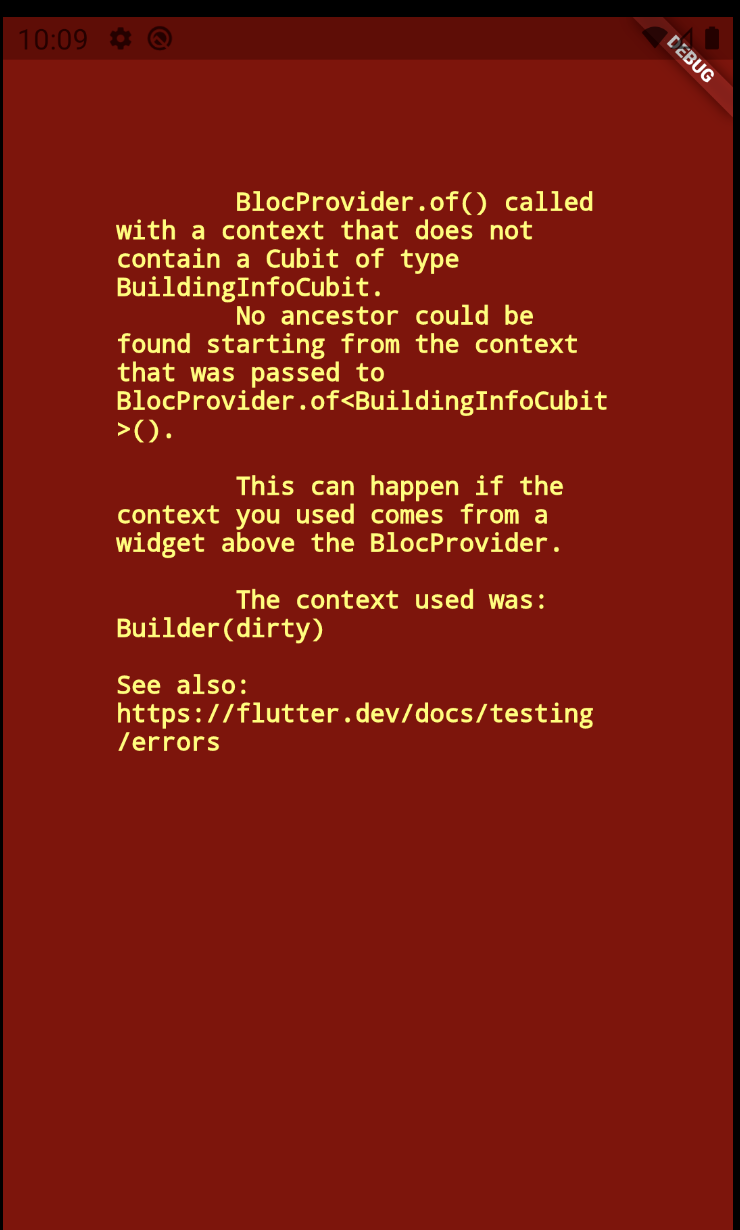
My code:
Navigator.push(
context,
CupertinoPageRoute(
//maintainState: false,
builder: (context) => MultiBlocProvider(
providers: [
BlocProvider<AptCubit>(
create: (context) => AptCubit(context.repository<AptRepository>()),
),
BlocProvider<BuildingInfoCubit>(
create: (context) => BuildingInfoCubit(context.repository<BuildingInfoRepository>()),
),
],
child: AptPage(
key: ValueKey("$buildingId$unitNum"),
unitNumber: unitNum,
buildingId: buildingId,
cubit: BlocProvider.of<BuildingInfoCubit>(context)),
),
),
);
The context I'm passing here is a BuildContext of a parent widget.
previously I implemented all of my BlocProviders above MaterialApp and didn't get this error.
Can you show me what I'm doing wrong here?
samramez
on 18 Oct 2020
Follow up:
I was able to fix the above issue by not calling the BlocProvider.of<BuildingInfoCubit>(context)) in the same child where I'm defining BlocProviders.
Thank you @felangel your response was so helpful as always.
  Navigator.push(
    context,
    CupertinoPageRoute(
     .......................................................
     .......................................................
        ...........
        ...
        child: AptPage(
            key: ValueKey("$buildingId$unitNum"),
            unitNumber: unitNum,
            buildingId: buildingId,),
      ),
    ),
  );
Related issues
 komapeb
·
3Comments
komapeb
·
3Comments
 shawnchan2014
·
3Comments
shawnchan2014
·
3Comments
 1AlexFix1
·
3Comments
1AlexFix1
·
3Comments
 nerder
·
3Comments
nerder
·
3Comments
 hivesey
·
3Comments
hivesey
·
3Comments
Most helpful comment
Follow up:
I was able to fix the above issue by not calling the
BlocProvider.of<BuildingInfoCubit>(context))in the same child where I'm definingBlocProviders.Thank you @felangel your response was so helpful as always.