Blitz: Installation fails with Yarn on Windows
What is the problem?
When I try to install Blitz on Windows 10 using Yarn, I encounter the following error:
error C:\Users\PullJosh\AppData\Local\Yarn\Data\global\node_modules\swc: Command failed.
Exit code: 1
Command: node scripts/install.js || neon build --release
Arguments:
Directory: C:\Users\PullJosh\AppData\Local\Yarn\Data\global\node_modules\swc
Output:
Downloading binary from https://github.com/swc-project/node-swc/releases/download/v1.0.6/win32-x64-72.node
Cannot download "https://github.com/swc-project/node-swc/releases/download/v1.0.6/win32-x64-72.node":

HTTP error 404 Not Found

Hint: If github.com is not accessible in your location
      try setting a proxy via HTTP_PROXY, e.g.

      export HTTP_PROXY=http://example.com:1234

or configure npm proxy via

      npm config set proxy http://example.com:8080
neon info forcing rebuild for new build settings
neon info running cargo
error: failed to run `rustc` to learn about target-specific information

Caused by:
  process didn't exit successfully: `rustc - --crate-name ___ --print=file-names --cfg procmacro2_semver_exempt -Z thinlto=no --target x86_64-pc-windows-msvc --crate-type bin --crate-type rlib --crate-type dylib --crate-type cdylib --crate-type staticlib --crate-type proc-macro` (exit code: 1)
--- stderr
error: the option `Z` is only accepted on the nightly compiler


neon ERR! cargo build failed

Error: cargo build failed
    at Target.<anonymous> (C:\Users\PullJosh\AppData\Local\Yarn\Data\global\node_modules\neon-cli\lib\target.js:121:35)
    at step (C:\Users\PullJosh\AppData\Local\Yarn\Data\global\node_modules\neon-cli\lib\target.js:32:23)
    at Object.next (C:\Users\PullJosh\AppData\Local\Yarn\Data\global\node_modules\neon-cli\lib\target.js:13:53)
Steps to Reproduce:
# In Command Prompt (cmd.exe)
> yarn global add blitz
Versions:
N/A
Supporting Documentation
I already have some Rust stuff installed:
> cargo --version
cargo 1.37.0 (9edd08916 2019-08-02)
> rustc --version
rustc 1.37.0 (eae3437df 2019-08-13)
Maybe that matters?
 PullJosh
All 6 comments
Thank you for posting this issue, @PullJosh.
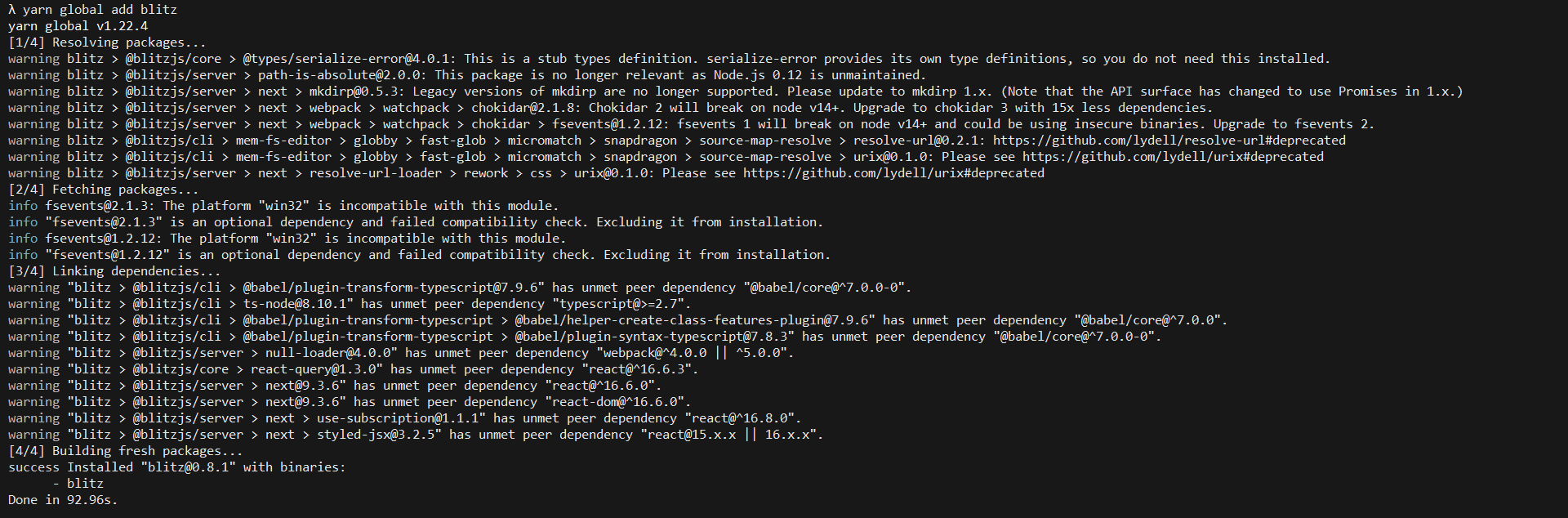
What version of yarn and Windows build are you running? I just tested yarn global add blitz on my machine and did not have an issue.
 0ww
on 4 May 2020
0ww
on 4 May 2020
Yarn version 1.15.2. Windows Version 1909 (OS Build 18363.778).
PullJosh
on 4 May 2020
Updating Yarn did not fix the issue. Have a hunch that existing Rust installation is the cause.
PullJosh
on 4 May 2020
From first glance at the error you posted, it looks like Rust and Cargo is messing with the installation. Someone more knowledgeable on this particular issue will reach out to you.
0ww
on 4 May 2020
@PullJosh looks like this is a problem with the swc global dependency that you have installed. Doesn't look related to Blitz.
Can you try npm i -g blitz instead?
 flybayer
on 5 May 2020
flybayer
on 5 May 2020
Installing with npm worked. Thanks! 👍
PullJosh
on 7 May 2020
Related issues
flybayer
·
4Comments
 ganeshmani
·
4Comments
ganeshmani
·
4Comments
 ryardley
·
5Comments
ryardley
·
5Comments
 yhoiseth
·
3Comments
flybayer
·
4Comments
yhoiseth
·
3Comments
flybayer
·
4Comments