Blink: Mosh session on external screen hangs after iPad screen goes to sleep
Description
With an external monitor plugged in, I’ve noticed that the session on the external screen hangs/is unresponsive, after the iPad screen goes to sleep and is woken up again.
Steps to reproduce
- Connect external monitor
- Open mosh session on window on external screen
- Hit sleep/wake button
- Wake iPad
- CMD+O to window on external screen
- window is unresponsive (does also not react to
Ctrl-^ .
System
- iOS 13.4 (17E255)
- Blink v13.3.219
 b00giZm
All 2 comments
I'm having a similar issue on the same system, iOS 13.4 17E255 and Blink v13.3.219
@b00giZm did you connect your display after you opened Blink or before?
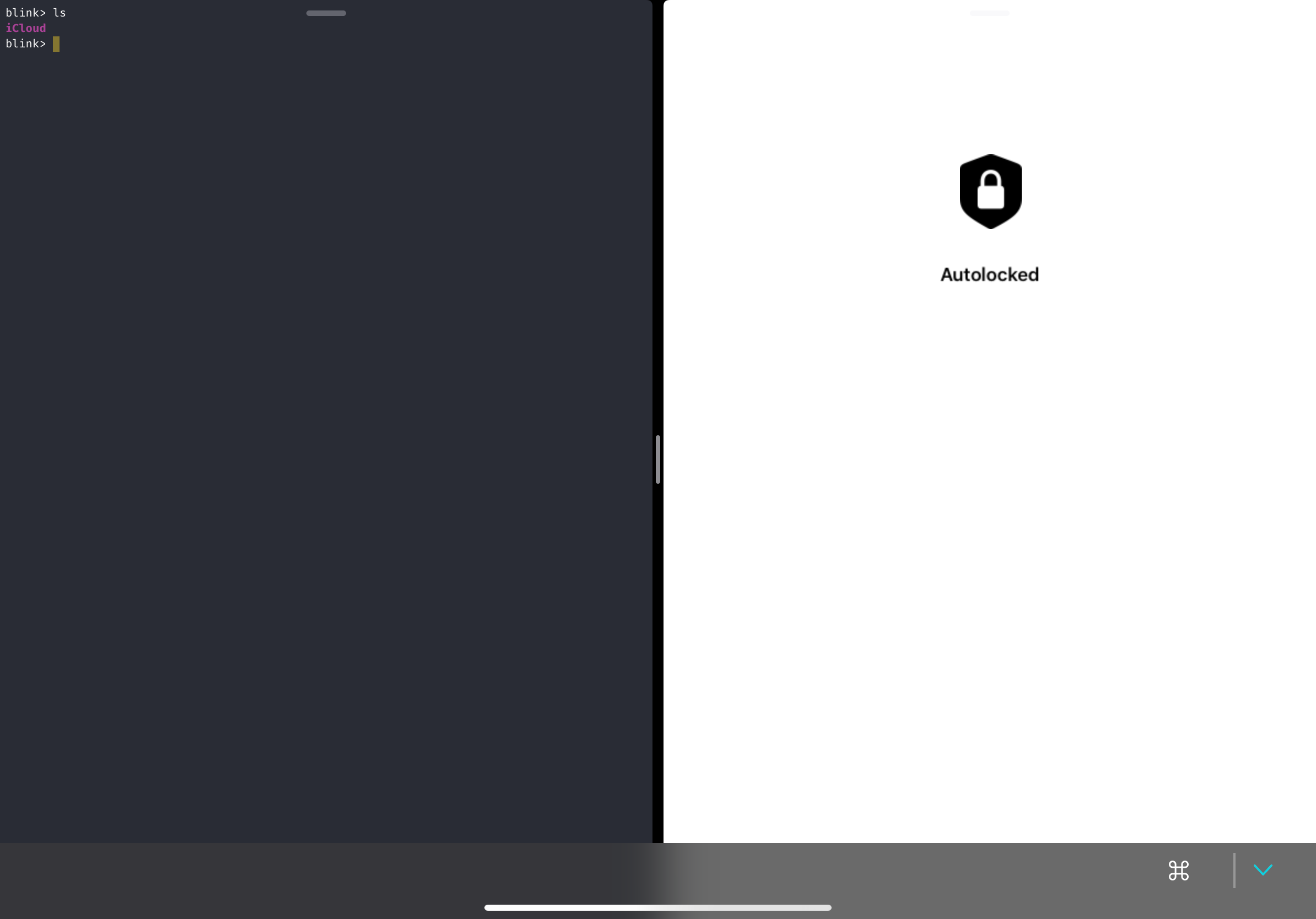
If I open Blink with display already connected, the external display is stuck on a white "Locked" screen and never recovers. Cmd + O moves the white "Locked" display to a split-view on the main iPad screen.
If I open first and then connect a display, things work until I switch away to another app, and then switch back (after which the external screen is unresponsive as above)
Sometimes when re-opening, the iPad resprings.
 kyelewis
on 10 Apr 2020
kyelewis
on 10 Apr 2020
I have this same issue after switching applications from and back to Blink. Does seem to be a minimum time away needed to replicate, it doesn’t happen during a quick switch.
The session on the iPad screen immediately picks up and is responsive, but the external monitor session is not responsive after a Cmd + o to switch to it.
As a workaround I found that creating and closing a new tab (Cmd + t followed by Cmd + w) on the external monitor reactivated the terminal session on the external monitor.
 malbertus
on 24 Apr 2020
malbertus
on 24 Apr 2020
Related issues
 carloscabanero
·
4Comments
carloscabanero
·
4Comments
 muammar
·
3Comments
muammar
·
3Comments
 jwr
·
3Comments
jwr
·
3Comments
 s8m2s
·
5Comments
s8m2s
·
5Comments
 basepi
·
5Comments
basepi
·
5Comments
Most helpful comment
I have this same issue after switching applications from and back to Blink. Does seem to be a minimum time away needed to replicate, it doesn’t happen during a quick switch.
The session on the iPad screen immediately picks up and is responsive, but the external monitor session is not responsive after a Cmd + o to switch to it.
As a workaround I found that creating and closing a new tab (Cmd + t followed by Cmd + w) on the external monitor reactivated the terminal session on the external monitor.