I can't figure out how to make ssh-agent forwarding. I'm connected with key to my server and I want to jump to another one using the same key, but it not work.
 kecinzer
All 8 comments
I just ran into this issue and it seems you have to start the ssh-agent, open a new blink tab, ssh-add
Certainly not ideal.
 giarc
on 10 Dec 2019
giarc
on 10 Dec 2019
Its not working for me. Do I need something extra?
kecinzer
on 17 Dec 2019
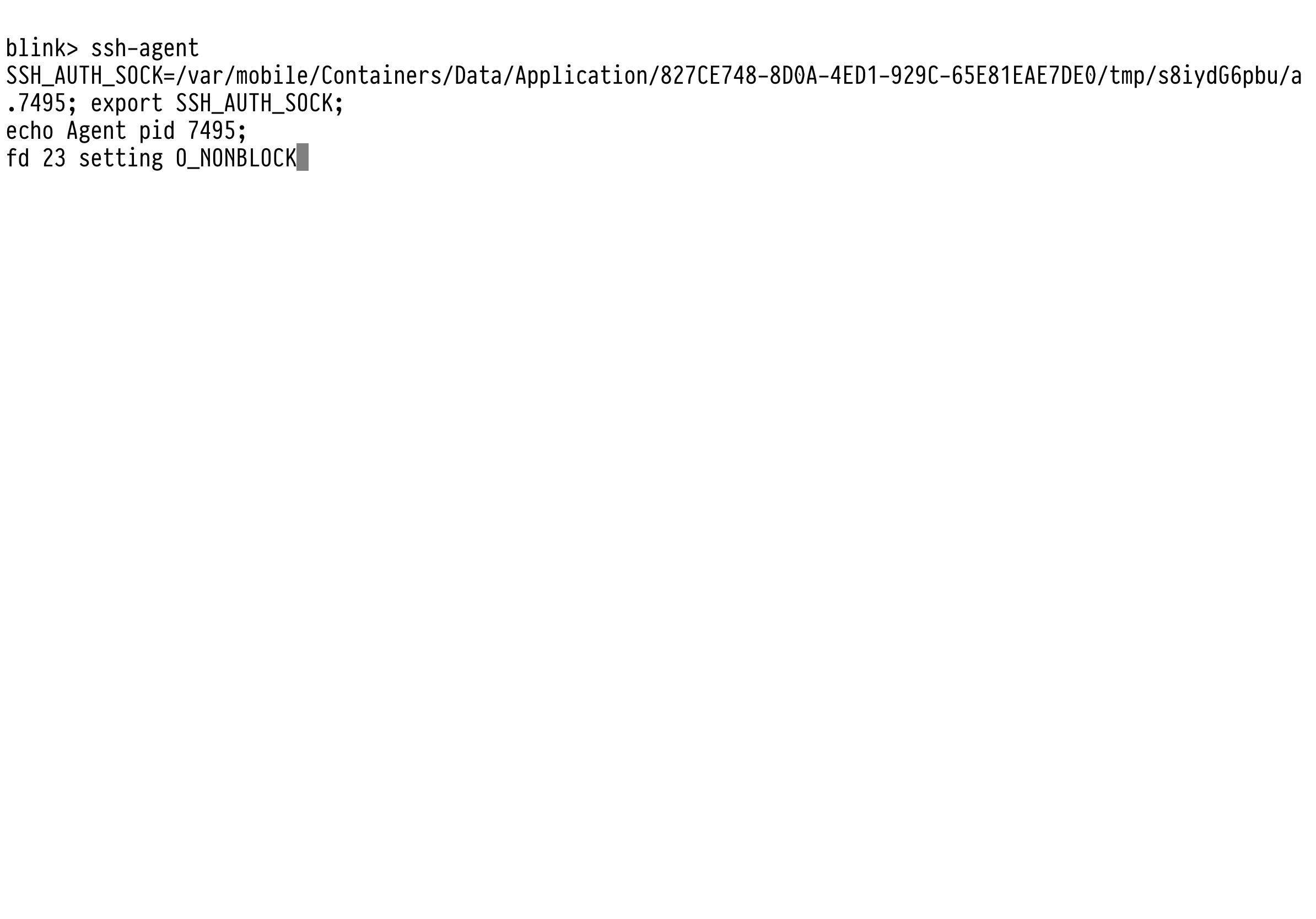
Have you used ssh agent forwarding before? its the same using blink, with the only wrinkle specific to blink shell being that you MUST run ssh-agent manually as it's not running by default:
In one blink tab (leave this open and running):
ssh-agent
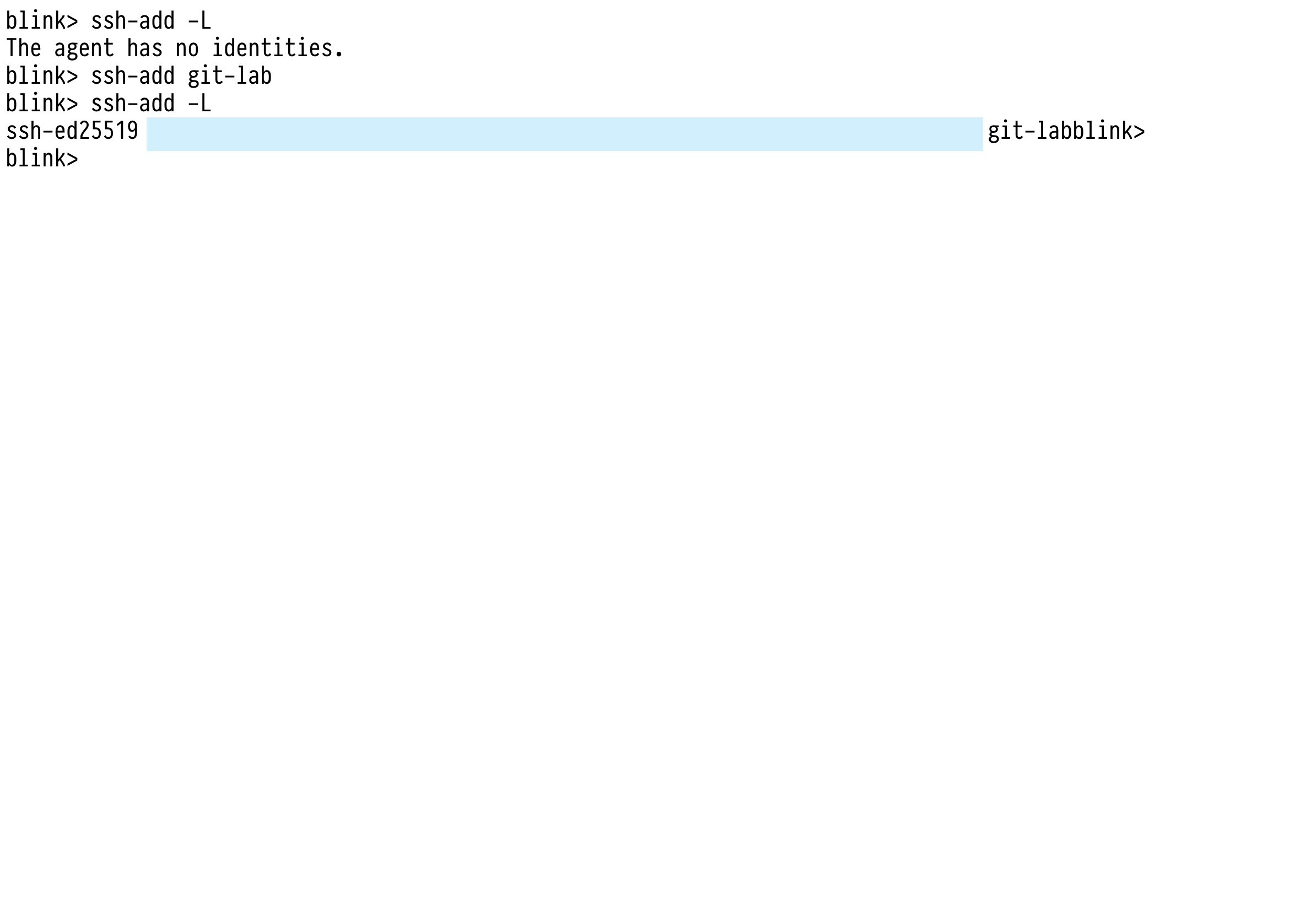
open a new blink tab and add your key(s) to the ssh agent:
ssh-add yourkeyname
To confirm the key you want forwarded has been added to the ssh agent ( capital 'L' and lowercase 'l' would both work for this step, but _are_ different flags) :
ssh-add -L
Then ssh to your host with the 'forward my keys for this connection from the ssh agent' flag (capital 'A' as lowercase 'a' disables the option)
ssh -A yourhost
FYI: mosh doesn't support key forwarding... so if you're expecting mosh to work just like ssh in this regard, it won't.
giarc
on 17 Dec 2019
You are my life saver. This works great! Thank you for the tutorial.
It will be great if it works out of the box, I hope Blink will do it in the future.
kecinzer
on 18 Dec 2019
What would it take for us to make this work out of the box?
Would the ideal way of doing this be a setting under config for ssh-agent forwarding, which would spin up the ssh-agent on the background and automatically add the -A option on any ssh connection?
 luizribeiro
on 13 Aug 2020
luizribeiro
on 13 Aug 2020
Just installed latest blink from AppStore, and ssh -A is not there :(
 xslim
on 17 Nov 2020
xslim
on 17 Nov 2020
@xslim you have to run ssh-agent command in separate tab at this moment. We will improve that in next version.
So in one tab run ssh-agent command, then in another tab you can use ssh-add command to add keys and finally you can use ssh -A
 yury
on 17 Nov 2020
yury
on 17 Nov 2020
Yes I did all that in beginning, and it did not work. After restarting the app it does work. Magic. :)
xslim
on 17 Nov 2020
Related issues
 nriley
·
3Comments
nriley
·
3Comments
 jra
·
5Comments
jra
·
5Comments
 balboah
·
3Comments
balboah
·
3Comments
 zaptrem
·
4Comments
zaptrem
·
4Comments
 goerz
·
4Comments
goerz
·
4Comments
Most helpful comment
Have you used ssh agent forwarding before? its the same using blink, with the only wrinkle specific to blink shell being that you MUST run ssh-agent manually as it's not running by default:
In one blink tab (leave this open and running):
ssh-agentopen a new blink tab and add your key(s) to the ssh agent:
ssh-add yourkeynameTo confirm the key you want forwarded has been added to the ssh agent ( capital 'L' and lowercase 'l' would both work for this step, but _are_ different flags) :
ssh-add -LThen ssh to your host with the 'forward my keys for this connection from the ssh agent' flag (capital 'A' as lowercase 'a' disables the option)
ssh -A yourhostFYI: mosh doesn't support key forwarding... so if you're expecting mosh to work just like ssh in this regard, it won't.