Blink: Control-space switches input language
The issue #606 seems to appear again in iPadOS 13.0 (17A5547d). Control-space doesn’t go through to the application but rather switches input languages, regardless of ”Capture control-space” setting. A workaround is to disable all alternative input languages and the emoji input method under the keyboard settings of system preferences.
 kek
kek
All 9 comments
Yep, we are aware about that. We have submitted radar to apple, but please, submit also. That way they will get attention to that issue.
Thank you.
 yury
on 9 Aug 2019
yury
on 9 Aug 2019
I’m seeing this as well. I’ve reported it as beta feedback to them. Do they usually fix these sorts of things?
 mlabbe
on 15 Aug 2019
mlabbe
on 15 Aug 2019
Yep, we are aware about that. We have submitted radar to apple, but please, submit also. That way they will get attention to that issue.
Can you provide or link to instructions on how to “submit radar to Apple” for those who don’t know?
 treyharris
on 6 Sep 2019
treyharris
on 6 Sep 2019
Hi @treyharris
There is Feedback.app on betas. You should submit issue form there.
yury
on 6 Sep 2019
Also https://feedbackassistant.apple.com/ works.
treyharris
on 6 Sep 2019
Seems like it's not a bug anymore, and it's a "feature" of iOS 13.
Anyone who knows a bit more about iOS: Any clues on what can be done about this? I wonder which of these is preferable:
- Have blink grow a feature to map "some sequence" to ctrl+space
- Have users just not rely on ctrl+space (arguably not doable in general)
- Would work for some if they're using tmux/anything which can do the mapping
- Have users disable multi-language input (definitely not doable in general)
P.S: I wonder if it's best to remove the setting to catch ctrl+space or, at least, mention next to it that if multilanguage keyboards are enabled, it still won't work.
 filcab
on 1 Jun 2020
filcab
on 1 Jun 2020
Update:
@filcab actually there is a way to catch ctrl+space on 13.4+
yury
on 1 Jun 2020
You can add custom press ctrl+space and assign it to ctrl+space.
We don't turn it by default, so other people can use ctrl+space to switch languages.
Blink 13.5.1 is released.
yury
on 5 Jun 2020
@yury Emacs user here! The custom press for ctrl+space workaround is okay, but it requires you to release the control key before issuing another control-key command, which I (as I’d guess many) do immediately afterwards to move the cursor. It really breaks the Emacs flow.
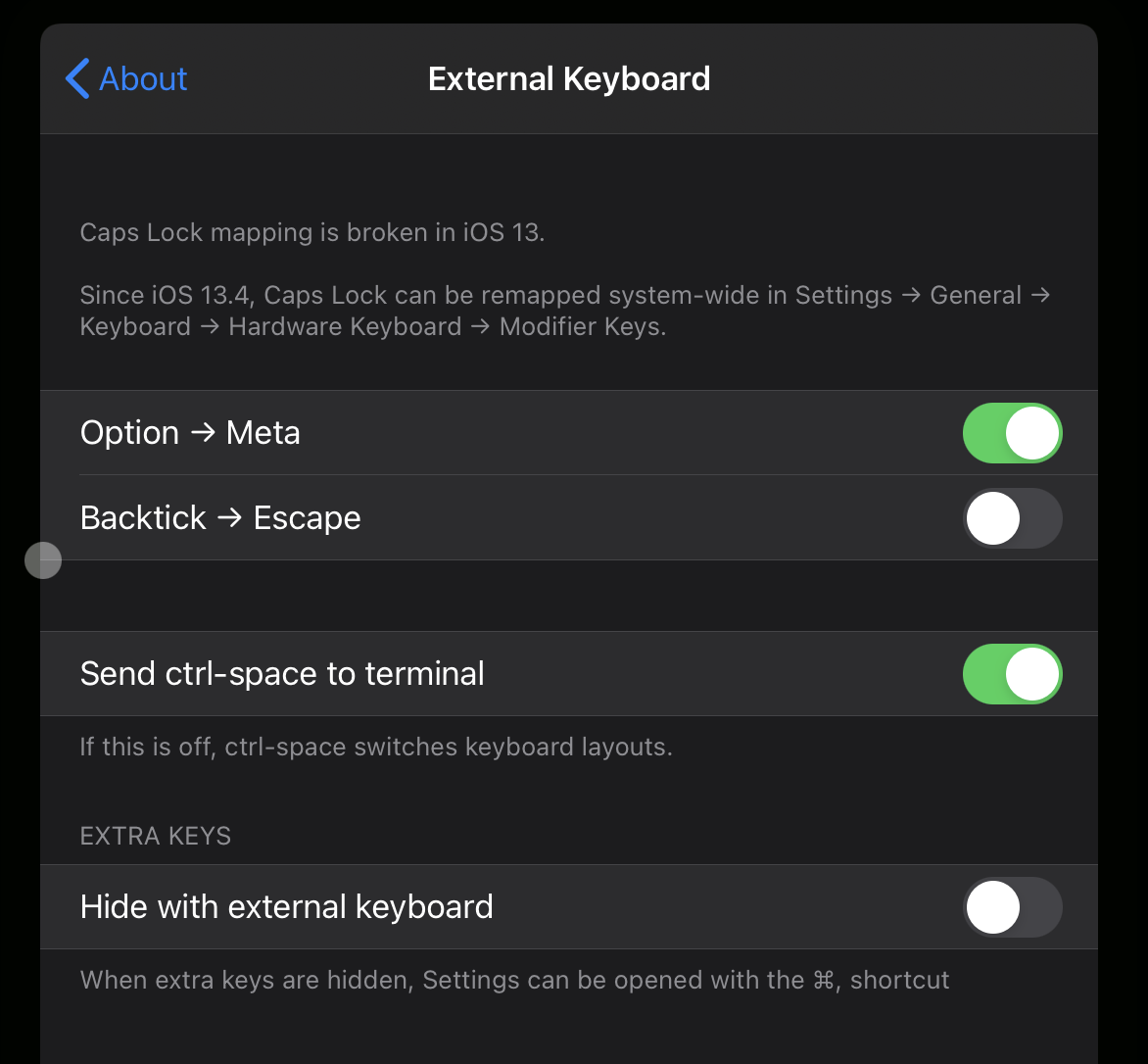
@tjim from Ish found this way to do it that seems to work really well.
 geoffp
on 9 Oct 2020
geoffp
on 9 Oct 2020
Related issues
 muammar
·
3Comments
muammar
·
3Comments
 jwr
·
3Comments
jwr
·
3Comments
 Yannmm
·
3Comments
Yannmm
·
3Comments
 balboah
·
3Comments
balboah
·
3Comments
 jra
·
5Comments
jra
·
5Comments
Most helpful comment
You can add custom press ctrl+space and assign it to ctrl+space.
We don't turn it by default, so other people can use ctrl+space to switch languages.
Blink 13.5.1 is released.