Blink: Blink looses mosh sessions when not being used
Oftentimes when I switch from Blink to other apps, when I get back to Blink, the Blink sessions would be gone, leaving the tabs open, but only displaying mosh help in each rather than the actual running session.
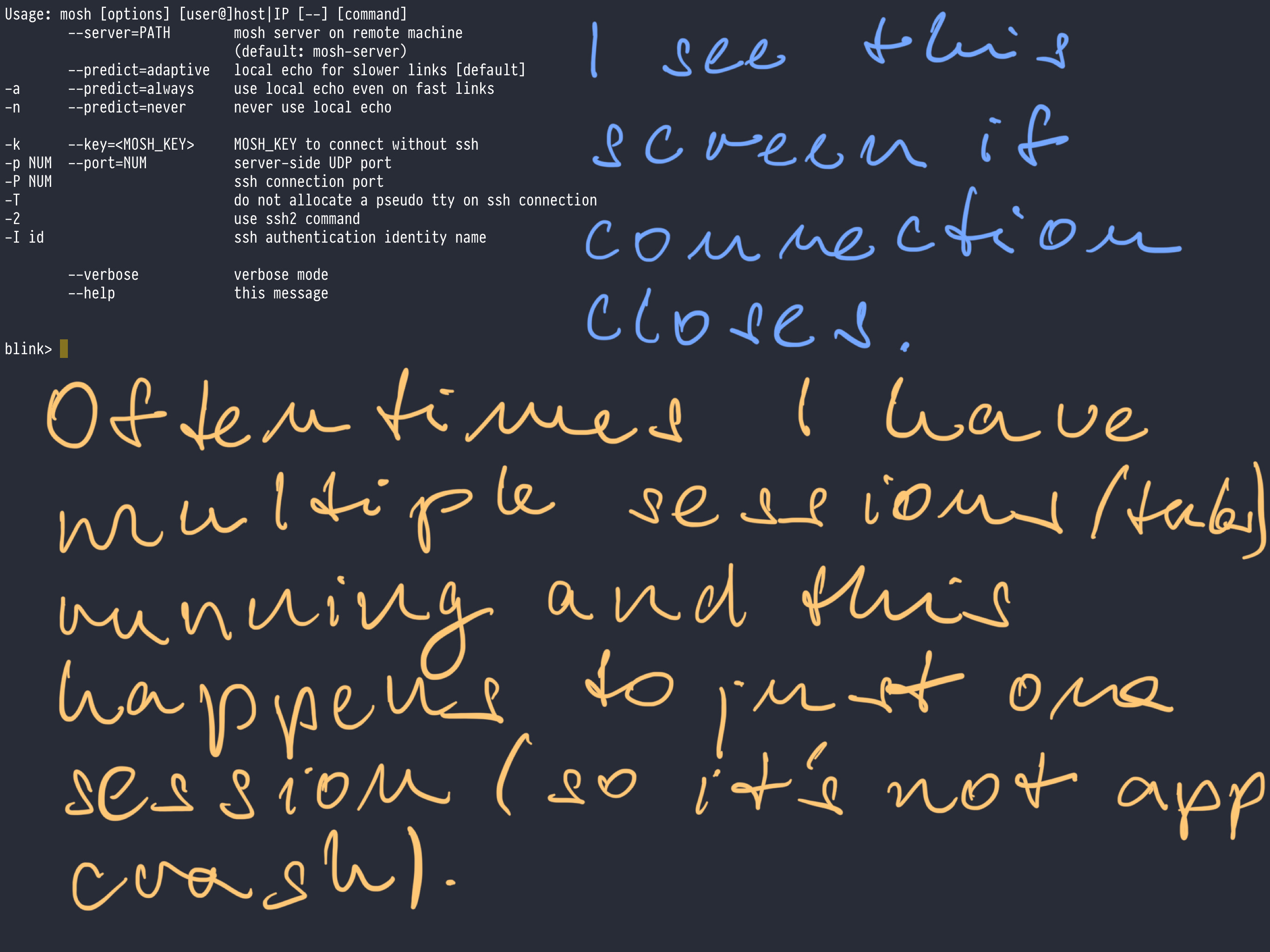
I have to say this is happening all the time and makes it hard to use the app :/ Basically it's killing the utility of mosh, since Blink keeps loosing sessions.
And obviously, it leaves much of zombie sessions on the server and I have to kill them manually.
 botanicus
All 8 comments
It is can be related to app crash. And it is trying to restore windows, but failed after crash. I will look tomorrow on this too.
 yury
on 25 Feb 2019
yury
on 25 Feb 2019
I've been experiencing this as well - but blinksh actually sends "mosh hostname" to the remote server, which is really annoying especially if you were running a curses app or an IRC client! When this happens, if you try to reconnect without restarting the app, another weird thing is sometimes the output goes to the wrong blink window. This seems to have gotten worse in iOS 12.3b - but that might be my imagination.
I'd be happy to test a TestFlight release or try to capture a video of the issue to better explain it. It's difficult though because there is seemingly no way to reliably reproduce the problem.
 MakeItGreatAgain
on 25 Apr 2019
MakeItGreatAgain
on 25 Apr 2019
My case that happens often is that when I come back to the app, the mosh sessions have turned to blink shells. But sometimes pressing enter repeatedly switches to the mosh session’s prompt! And the prompt keeps going back and forth. The output also switches between going to the local shell or the remote one (the switch actually not being bound to the current visible prompt.)
This issue is clearly a regression since it wasn’t present in earlier versions, and it’s super annoying. It would be nice if this issue was pinned so that a reproduction guide may emerge.
 NightMachinary
on 15 May 2019
NightMachinary
on 15 May 2019
I’m noticed that issue today too, so I was trying to repro that... still no luck. Any repro steps will help a lot.
yury
on 15 May 2019
I have this problem as well. I think this has to do with how iOS manages memory. Just like sometimes when you go back to safari and it has to reload the page because the memory was cleared sometimes blink's memory is cleared and you have to "reload" your session. Just a guess.
 symbiont-wilfred-denton
on 24 Aug 2019
symbiont-wilfred-denton
on 24 Aug 2019
I have noticed that it helps to wait when switching to blink; Sometimes if
I don’t touch anything the session loads up normally. But if I do touch it,
it no longer loads and resets to the blink shell.
On Sat, Aug 24, 2019 at 5:16 AM symbiont-wilfred-denton <
[email protected]> wrote:
I have this problem as well. I think this has to do with how iOS manages
memory. Just like sometimes when you go back to safari and it has to reload
the page because the memory was cleared sometimes blink's memory is cleared
and you have to "reload" your session. Just a guess.—
You are receiving this because you are subscribed to this thread.
Reply to this email directly, view it on GitHub
https://github.com/blinksh/blink/issues/691?email_source=notifications&email_token=AIUL56V6OFCYUIUWAZAY3Q3QGCAE3A5CNFSM4G2CCUBKYY3PNVWWK3TUL52HS4DFVREXG43VMVBW63LNMVXHJKTDN5WW2ZLOORPWSZGOD5BUAIA#issuecomment-524501024,
or mute the thread
https://github.com/notifications/unsubscribe-auth/AIUL56U52S5IX44NJ4GT7NLQGCAE3ANCNFSM4G2CCUBA
.
NightMachinary
on 24 Aug 2019
should be fixed in next release
yury
on 31 Aug 2019
Blink 13 is out.
yury
on 30 Oct 2019
Related issues
 balboah
·
3Comments
balboah
·
3Comments
 toph-allen
·
3Comments
toph-allen
·
3Comments
 proportional
·
3Comments
proportional
·
3Comments
 nriley
·
3Comments
nriley
·
3Comments
 Yannmm
·
3Comments
Yannmm
·
3Comments
Most helpful comment
should be fixed in next release