Blink: Text clipping on round edges on the new iPad Pros
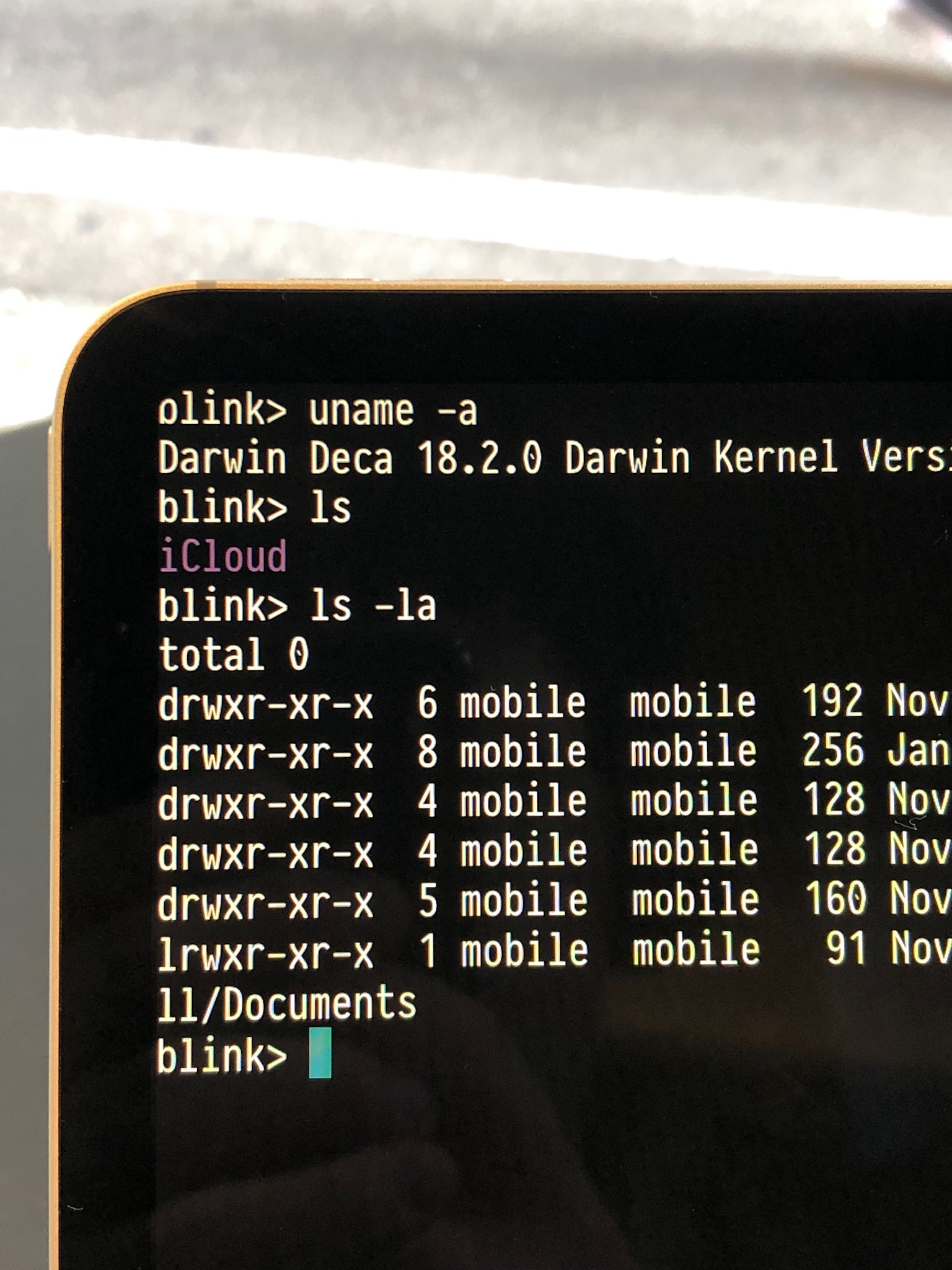
New iPad Pros(11, 12.9 inch) have rounded edges on the screen, and Blink shows text without margin so it appears clipped.
Using latest App Store version of Blink Shell(version 12.1).
 premist
All 18 comments
Yes, adding a setting to add some padding to sides and top would be great.
 xipher1
on 7 Nov 2018
xipher1
on 7 Nov 2018
An option to show the system status bar would also resolve this.
 s8m2s
on 10 Nov 2018
s8m2s
on 10 Nov 2018
Update:
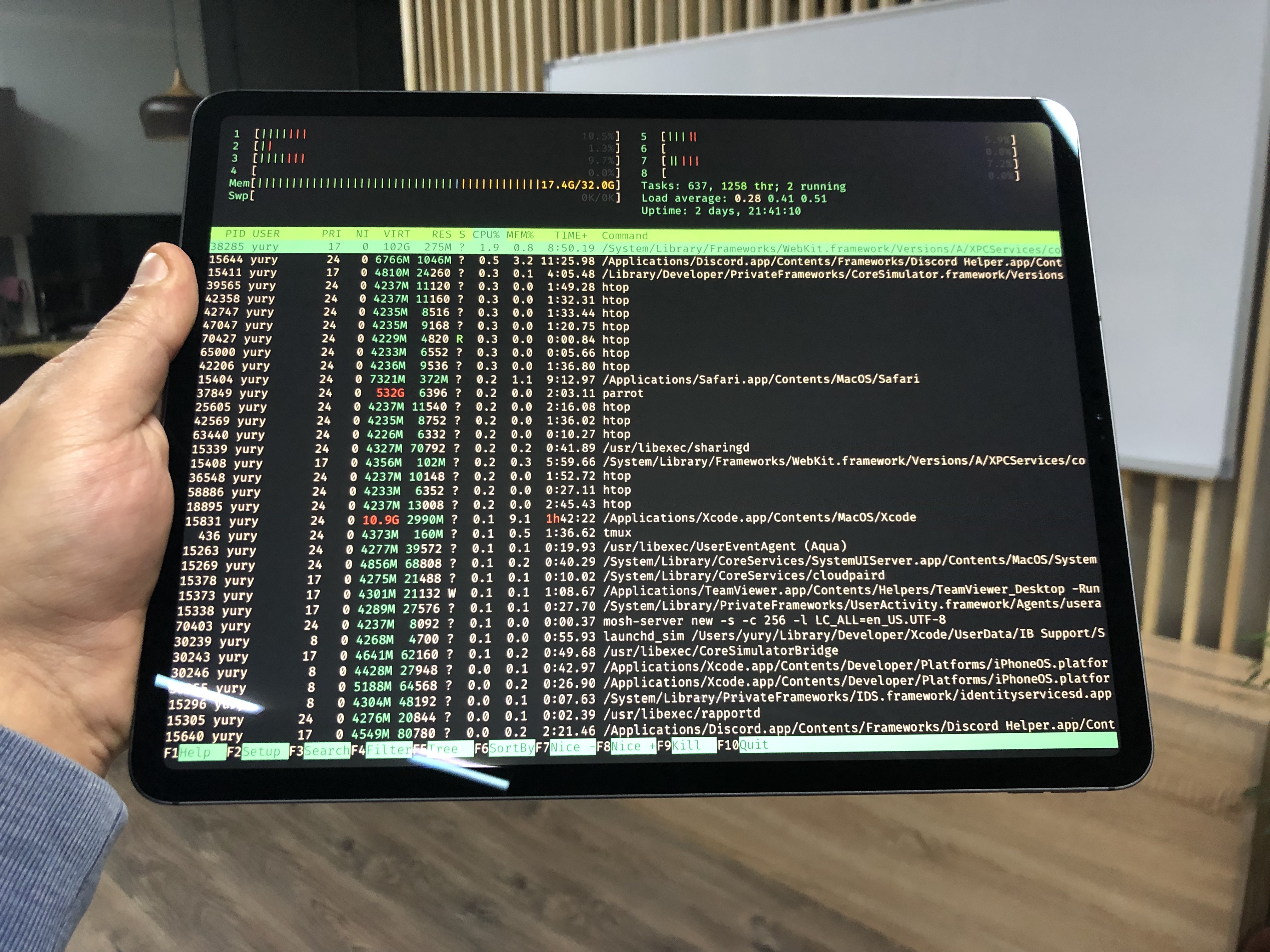
Can't wait you to try new layout modes:
 yury
on 1 Dec 2018
yury
on 1 Dec 2018
Update:
Can't wait you to try new layout modes:
How did you handle the corners on the top edges?
s8m2s
on 1 Dec 2018
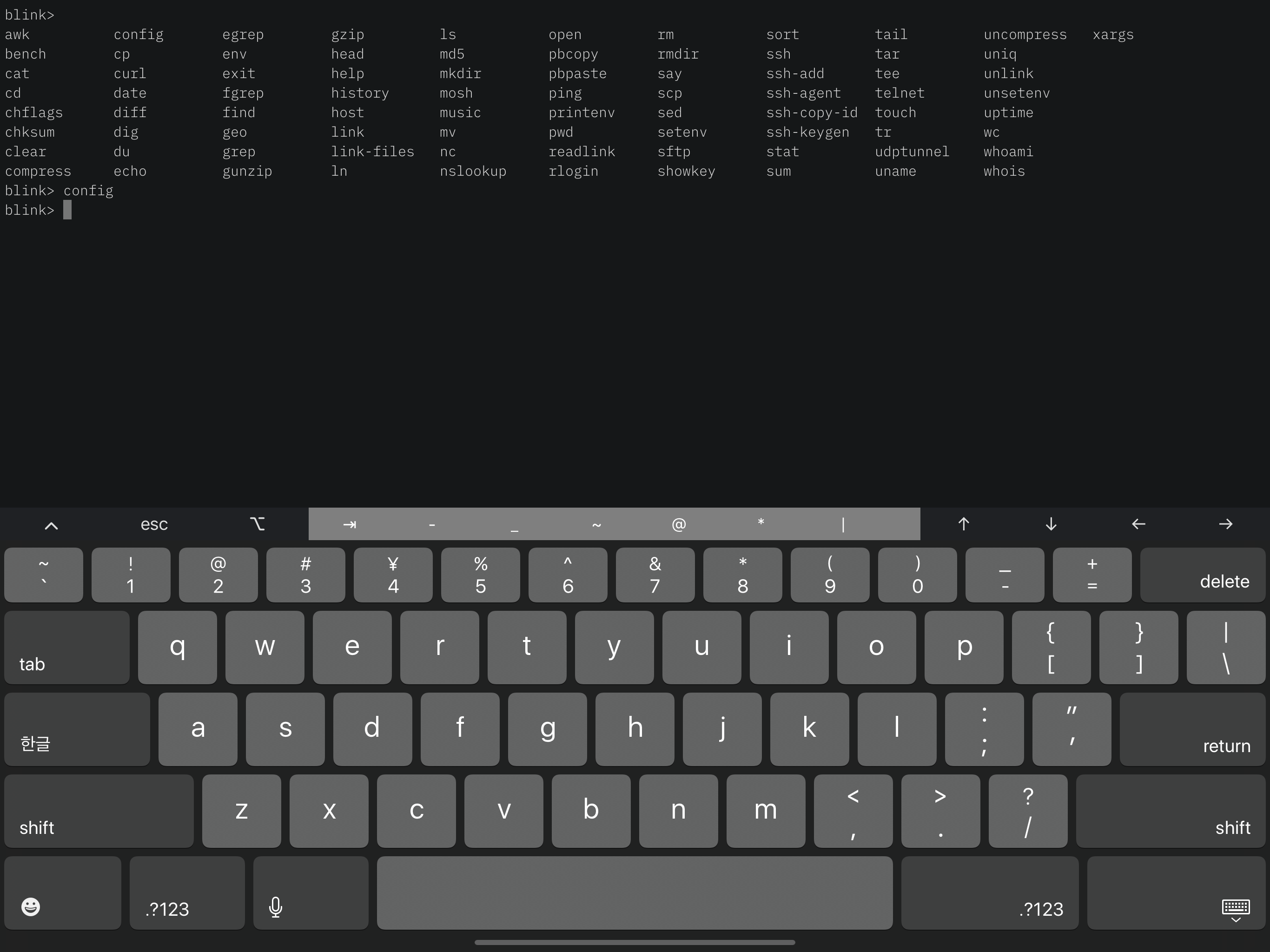
We have 3 modes (you can set default in config->appearance or change form control panel):
- Cover (edge to edge)
- Fill (space at top and bottom)
- Fit (5pts on all sides)
yury
on 1 Dec 2018
When will this be available as an app store update? I can't wait to give it a try!!!
 sbromberger
on 1 Dec 2018
sbromberger
on 1 Dec 2018
12.3 should be available for public TF
Sent with GitHawk
yury
on 2 Dec 2018
how do we get access to the TestFlight builds?
On Dec 2, 2018, at 11:08 AM, Yury Korolev notifications@github.com wrote:
12.3 should be available for public TF
Sent with GitHawk
—
You are receiving this because you commented.
Reply to this email directly, view it on GitHub, or mute the thread.
s8m2s
on 2 Dec 2018
I'd love an TF invite code if you have one. I use blink on a daily basis.
sbromberger
on 2 Dec 2018
I need your emails. You can dm me at discord or mail me yury.[email protected]
yury
on 2 Dec 2018
12.2 build 57 is currently the latest on TF.
sbromberger
on 2 Dec 2018
Hmm, it is still on review :(
yury
on 3 Dec 2018
Ok, 12.3 should be available on TF
yury
on 3 Dec 2018
THIS. IS. AWESOME. Thanks, @yury. "fill" looks fantastic on the new ipad pros.
sbromberger
on 4 Dec 2018
Just updated Blink to 12.3 (App Store) on my iPad Pro and it works wonderfully. Thank you! 🎉
premist
on 7 Dec 2018
Sorry to resuscitate this, but with Blink v12.4.81. Jan 7 2019 and the iPad Pro 12.9” 2018, I have the rounded corners graphical issue.
 dgraziotin
on 8 Feb 2019
dgraziotin
on 8 Feb 2019
Hi @dgraziotin, what layout mode do you use?
Swipe 2 fingers up to show blink's control panel.
Fit and Fill modes should make margins.
yury
on 8 Feb 2019
Apologies. I am kinda new to the app and missed out on these options. It works fine 👍. Thank you!
On 8. Feb 2019, at 15:31, Yury Korolev notifications@github.com wrote:
Hi @dgraziotin, what layout mode do you use?
Swipe 2 fingers up to show blink's control panel.
Fit and Fill modes should make margins.—
You are receiving this because you were mentioned.
Reply to this email directly, view it on GitHub, or mute the thread.
dgraziotin
on 8 Feb 2019
Related issues
 balboah
·
3Comments
balboah
·
3Comments
 webdog
·
4Comments
webdog
·
4Comments
 jwr
·
3Comments
jwr
·
3Comments
 nriley
·
3Comments
nriley
·
3Comments
 goerz
·
4Comments
goerz
·
4Comments
Most helpful comment
An option to show the system status bar would also resolve this.