Thanks in advance for being my no. 1 app.
Steps to reproduce:
Use blink while connected to a lightning to HDMI cable for external monitor.
What happens:
The external monitor works but the iPad's screen goes blank, with occasional crashes.
I love the blink shell for everyday work. But when I use the shell while lecturing, this bug forces me to use other apps in such occasions.
 juneoh
All 13 comments
Same issue on build 36
 thariman
on 23 Oct 2018
thariman
on 23 Oct 2018
Hmm, can't repro with AirPlay ....
Goes to sleep and back ok.
 yury
on 23 Oct 2018
yury
on 23 Oct 2018
Trying with HDMI cable - still ok.
Can you share your Settings.app -> Display & Brightness screen?
yury
on 23 Oct 2018
Here's the requested screenshot. Running the latest iOS and the app on 10.5 iPad pro.
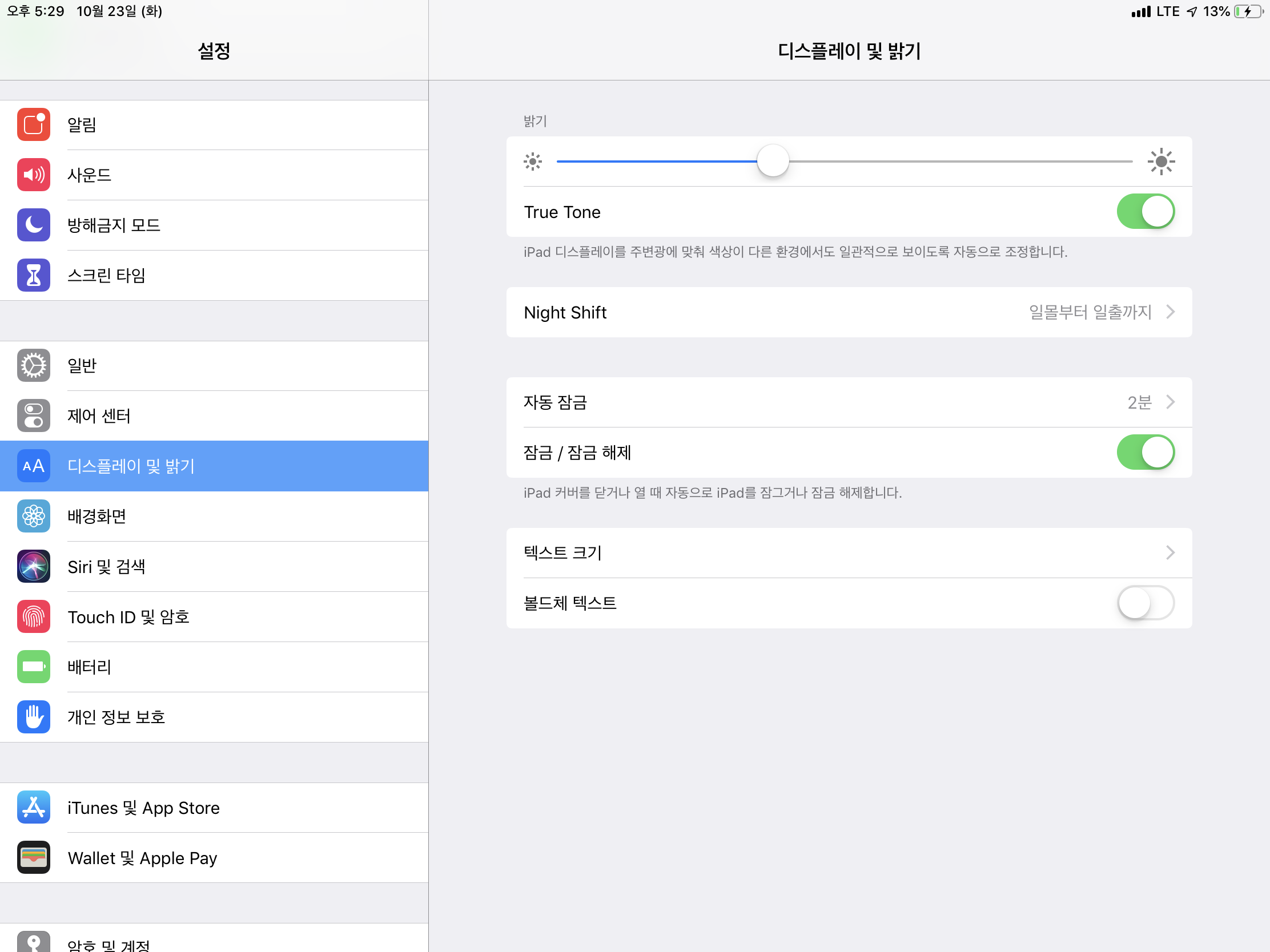
Also, here's a photo of the reproduced problem. Note that this is after I had unlocked the app using Touch ID. Perhaps the problem occurs in combination the passcode lock feature?

juneoh
on 23 Oct 2018
OK, I think issue in pin code screen.
yury
on 23 Oct 2018
Thank you for such a quick reply. Not to make a burden, but I've registered another pin code screen issue, for a remote chance of being related.
juneoh
on 23 Oct 2018
I tried by disabling auto lock. But the screen between external monitor and iPad seems to be out of sync.
For example Input at the blink prompt show up at external screen but output at iPad screen.
Also, you need to completely shutdown/kill from the task to get it working again after you unplug the external monitor.
thariman
on 23 Oct 2018
@thariman, yep this is behavior by design. AirPlay screen is additional screen with independent shell. So you can use both screen independently. Use cmd+o to switch focus between screens and cmd+shift-o to move shells between screens.
yury
on 23 Oct 2018
@yury I'm using HDMI cable not AirPlay.
thariman
on 23 Oct 2018
@thariman they work the same :)
yury
on 23 Oct 2018
Cool nice to have an independent shell on each screen.
thariman
on 24 Oct 2018
Fix on build 38 with screen lock with an external display. Thank you.
Just wondering if it possible to have blink showing on the external monitor and another app on the iPad screen?
thariman
on 24 Oct 2018
Not yet. But is cool feature to have
yury
on 24 Oct 2018
Related issues
 treyharris
·
3Comments
treyharris
·
3Comments
 s8m2s
·
5Comments
s8m2s
·
5Comments
 balboah
·
3Comments
balboah
·
3Comments
 carloscabanero
·
4Comments
carloscabanero
·
4Comments
 jwr
·
3Comments
jwr
·
3Comments