Blink: Split screen of two terminal sessions?
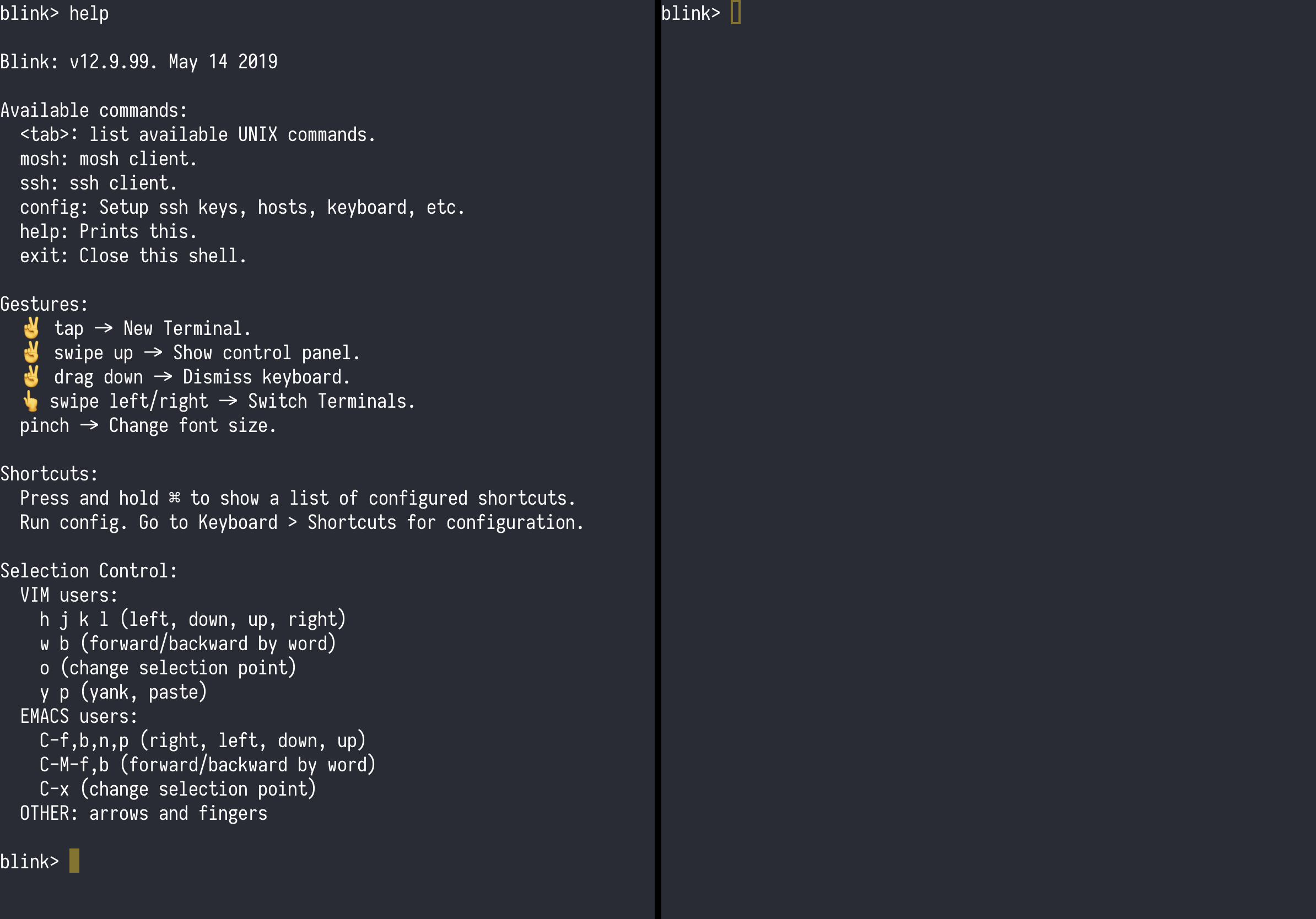
Is there anyway to have a split screen of two terminal sessions?
Thank you.
My best,
Michael
 Bowiemb
All 7 comments
Hi Michael, currently we don't support that :(
You can use tmux or screen for now.
 yury
on 30 Aug 2018
yury
on 30 Aug 2018
Tmux works within the same system, but would love to see this as a feature to have sessions side by side to multiple systems.
 ekloster
on 29 Nov 2018
ekloster
on 29 Nov 2018
That is on the list :) stay tuned
yury
on 29 Nov 2018
little status update
yury
on 14 May 2019
If I understood correctly, iPadOS will allow you to split screen multiple instances of the same app. If so, that would solve this problem, right? I use tmux on my servers but I'd really prefer native iTerm-style pane splitting, just because I constantly forget the keyboard shortcuts for tmux.
 jzellis
on 24 Jun 2019
jzellis
on 24 Jun 2019
I think it still needs to be implemented by the app though.
On Mon, Jun 24, 2019 at 12:03 PM Joshua Ellis notifications@github.com
wrote:
If I understood correctly, iPadOS will allow you to split screen multiple
instances of the same app. If so, that would solve this problem, right? I
use tmux on my servers but I'd really prefer native iTerm-style pane
splitting, just because I constantly forget the keyboard shortcuts for tmux.—
You are receiving this because you are subscribed to this thread.
Reply to this email directly, view it on GitHub
https://github.com/blinksh/blink/issues/547?email_source=notifications&email_token=AIUL56RVRNTMRNYXEEPL2P3P4B2EHA5CNFSM4FSOMD52YY3PNVWWK3TUL52HS4DFVREXG43VMVBW63LNMVXHJKTDN5WW2ZLOORPWSZGODYMBF3Q#issuecomment-504894190,
or mute the thread
https://github.com/notifications/unsubscribe-auth/AIUL56RK435NZGIMCO6VK4LP4B2EHANCNFSM4FSOMD5Q
.
 NightMachinary
on 24 Jun 2019
NightMachinary
on 24 Jun 2019
I think you will be able drag out panes to different windows and put them back. But yes, app should have panes.
yury
on 24 Jun 2019
Related issues
 balboah
·
3Comments
balboah
·
3Comments
 zaptrem
·
4Comments
zaptrem
·
4Comments
 peppy
·
4Comments
peppy
·
4Comments
 nriley
·
3Comments
nriley
·
3Comments
 toph-allen
·
3Comments
toph-allen
·
3Comments
Most helpful comment
little status update
