Blink: Xcode 9 Build Fails: "No such module UICKeyChainStore"
After following the instructions to clone the repo and all dependencies, opening the Xcode project in Xcode 9, and changing the bundle ID, team signing setup, and capabilities setup to use my paid developer account, I cannot build the project: it complains (in file UserDefaultsPasscodeRespository.swift that it cannot import UICKeyChainStore because there is no such module.
Certainly, the module is there - I can see it both in the Xcode project (under "Frameworks") and the filesystem. I've tried a few things to fix it (changing framework search paths, etc.), but nothing has helped. Assistance (or a fix to the Xcode project file) would be appreciated...
 dmzimmerman
All 14 comments
I think the app is iOS only, and somehow the scheme supports building for Mac.
You have to set the scheme to a iOS target.
 zhigang1992
on 18 Dec 2017
zhigang1992
on 18 Dec 2017
Did that help @dmzimmerman? I will try to remove the Xcode scheme for Mac too.
 carloscabanero
on 18 Dec 2017
carloscabanero
on 18 Dec 2017
I thought I had set it for an iOS target; I'll try it again and see.
dmzimmerman
on 20 Dec 2017
I'm also experiencing this problem with XCode 9.2
I did notice that the UICKeyChainStore.xcodeproj was initially set to a macOS deployment target. I fixed this so that it has an ios deployment target but I'm still getting the same error...
 jonfink
on 22 Dec 2017
jonfink
on 22 Dec 2017
I think this has something to do with the framework search order. Ended up fixing it by adding:
$(PROJECT_DIR)/Frameworks/UICKeyChainStore/Lib/build/Debug
to the top of the Framework Search Paths for the Blink project. Not sure if this is the right fix or not, but there were a bunch of other UICKeyChainStore directories listed in the actually compilation command - just none with the actual framework...
jonfink
on 23 Dec 2017
I think we can close this.
Recursive clone and ./get_frameworks.sh should work now.
 yury
on 21 Aug 2018
yury
on 21 Aug 2018
Using Xcode 10.1, I have the exact same issue. Can we open this again @yury ?
I deleted the repository and followed the build instruction again just to make sure I have everything vanilla.

I had it before and fixed it somehow but I don't remember how, probably by fixing some framework search path.
According to default build settings, the UICKeyChainStore framework is built in ~/Library/Developer/Xcode/DerivedData/Blink-aanyagaovcogddaohvraxcyfceba/Build/Products
 ybizeul
on 2 Jan 2019
ybizeul
on 2 Jan 2019
Hi @ybizeul,
Here is my steps:
git clone --recursive [email protected]:blinksh/blink.git blink-build-testcd blink-build-test./get_frameworks.shopen Blink.xcodeproj- In
Generalproject settings change bundle ID and team.
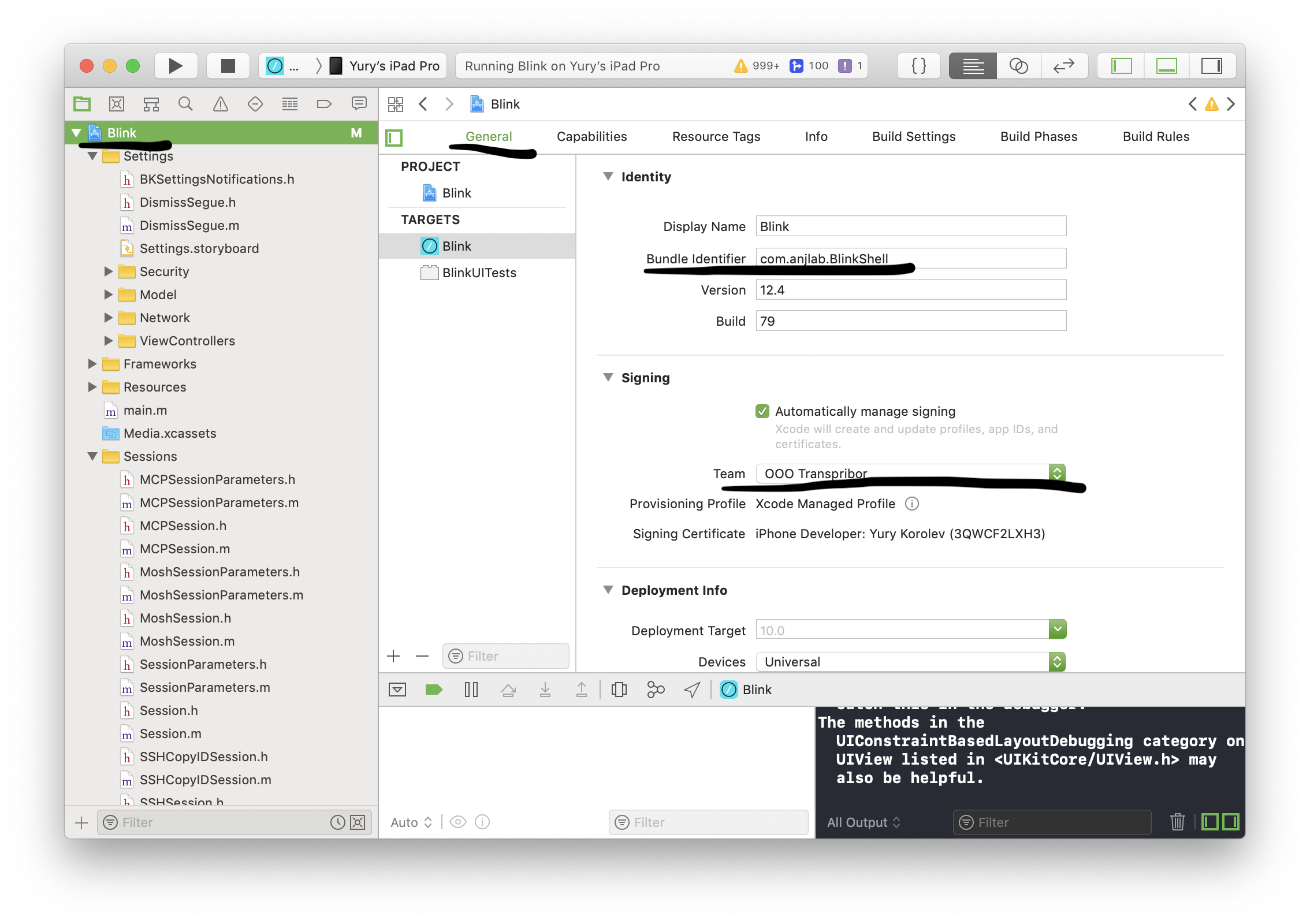
- In
Capabilitiesproject settings remove Carlos identifier from iCloud and check yours.
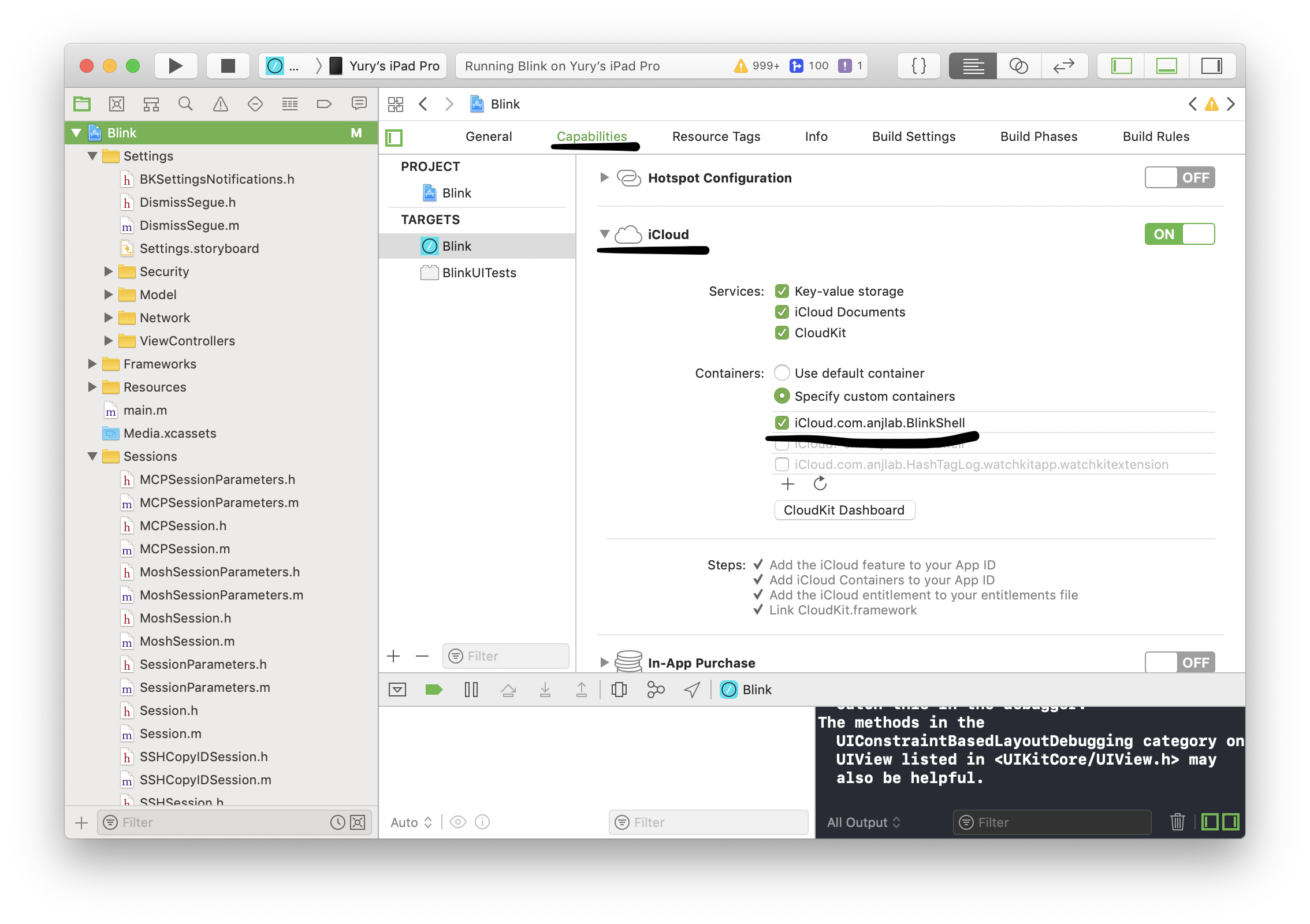
yury
on 2 Jan 2019
Yes, these are the steps I followed, well documented under https://github.com/blinksh/blink/blob/raw/BUILD.md but that's the error I get.
ybizeul
on 2 Jan 2019
Anything @yury ?
ybizeul
on 5 Jan 2019
Not yet. At first I was thinkging you where cloning without --recursive and I tried that, but get different error.
yury
on 5 Jan 2019
Yes I did the recursive, and UICKeyChainStore target builds fine, but it seems Blink target doesn't find its way to the build
ybizeul
on 6 Jan 2019
Hi @ybizeul
While I was fixing build I got error as yours.
Problems is that you have Mac as build device by default.
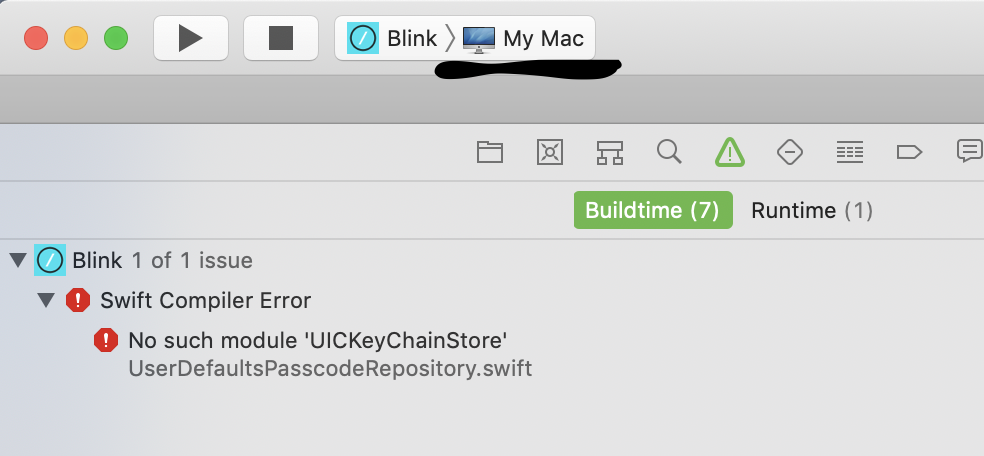
But you should switch to either you device or 'Generic iOS device'
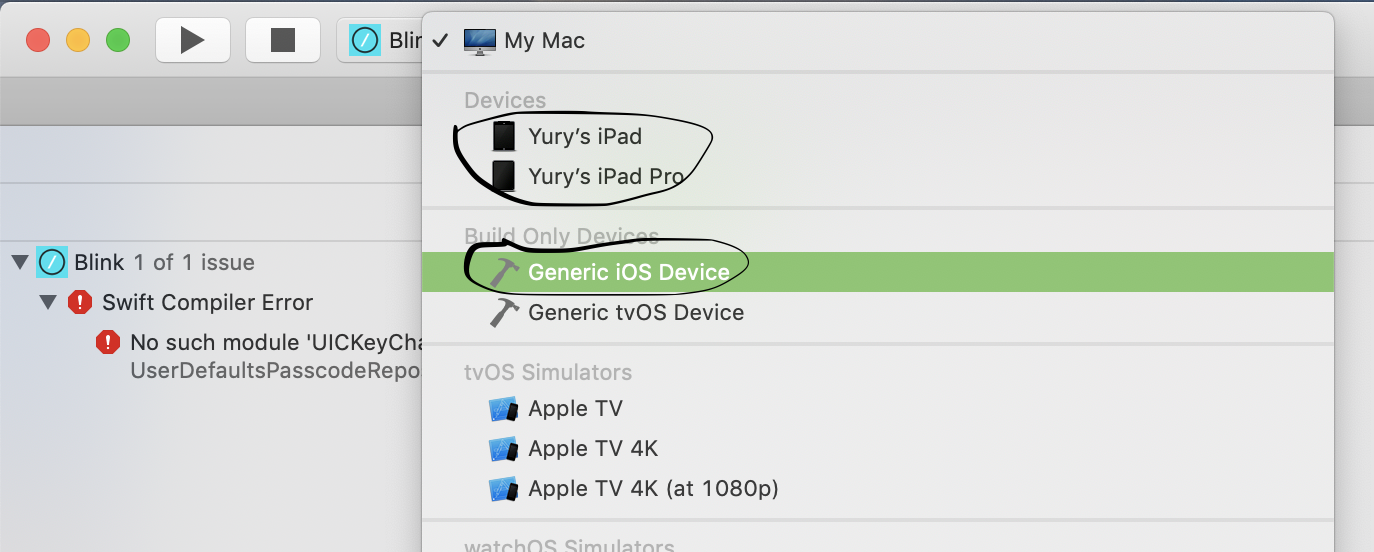
yury
on 17 Jan 2019
Looks like that solved it ! Thanks !
ybizeul
on 21 Jan 2019
Related issues
 basepi
·
5Comments
basepi
·
5Comments
 jasondinh
·
3Comments
jasondinh
·
3Comments
 webdog
·
4Comments
webdog
·
4Comments
 nriley
·
3Comments
nriley
·
3Comments
 jwr
·
3Comments
jwr
·
3Comments
Most helpful comment
Looks like that solved it ! Thanks !