One of the primary reasons I like the mosh protocol is that it is very robust against any kind of network issue and even survives putting my machine (laptop) in sleep mode. I've been testing Blink in regard to this kind of reliability, and it's already pretty stable: If I close the app and lock the iPad overnight, my connections are still there and active the next morning. Very good!
If I kill the app, however, I have to start from scratch (I'm not sure when/if iOS may decide to kill Blink while it's in the background). So, I was wondering if Blink could be made persistent even when the app is killed completely. I know that mosh does not allow "new" clients to attach to an existing mosh-server. However, it seems to me that Blink might be able to store the client information on disk, whenever a connection is first established? That way, restarting the app, it could seamlessly reconnect, opening all the tabs from when the app was last running. For ssh this wouldn't work as seamlessly, of course, but even then Blink could store the address of the ssh-connection, and re-connect to the same server.
I haven't been able to reproduce under which circumstances of a disconnect/crash a mosh-server process is left running on the remote machine. Somewhat surprisingly, killing Blink does not generally cause this. However, sometimes creating a new mosh connection hangs, showing
SSHSession:DEBUG:exec request accepted
as the last debug message. Eventually, there's a timeout message. In those instances, there's nothing I can do but to kill the connection, and I find that it sometimes (but not always) leaves a stale mosh-server on the remote. I'd like to bring those stale mosh-servers to zero, if possible, and caching connect-information to disk seems like it might help with that.
 goerz
goerz
All 15 comments
I obviously can't speak for Carl, but I think reconnecting with ssh will be a challenge, as it can't remember the state. So even if Blink was set up to re-SSH in on reopening the app, it couldn't nessicarily open whatever you had open on it's own as far as I am aware (that's why we use terminal multiplexers [screen, tmux, dvtm, etc.] and/or session management tools [tmux, abduco, etc.]).
I don't know about the viability of setting up the functionality of reconnecting to a mosh session on cold starting the app (from a crash, etc.). Honestly, I'd recommend setting up a tool like tmux anyway, and setting up your server to connect to a default session on connecting via SSH/MOSH. That will handle most of the use case. Again, Carl might add it as a feature.
That said, there shouldn't be [m]any times that iOS will actually terminate the Blink instance, outside a crash or bug that is hogging system resources.
 BinaryBen
on 1 Jul 2016
BinaryBen
on 1 Jul 2016
This Mosh issue might be of some interest
There is an example command to kill all mosh-server instances except the one connected to, which can be included with any automatically run script for connecting to session management.
kill $(ps --no-headers --sort=start_time -C mosh-server -o pid | head -n -1)
And speaking of sessions:
Our standard line is that ssh and mosh provide connections, and screen and tmux provide persistent server-side sessions.
BinaryBen
on 1 Jul 2016
You're probably right.. for SSH it really doesn't make much sense. I was only thinking of reconnecting to the same server, though, not running the last command. I definitely use tmux on the server side (I usually have several sessions for different projects that run for many months). Blink would at most cache the information of what tabs existed, and what mosh/ssh connection was active in each tab. What I had in mind was basically making the "standard" mosh behavior (it's always there and active when I re-open the app) rock-solid, even through crashes/reboots. This is akin to tabs in Safari on iOS still being there if I kill the app and then re-open. But yeah, definitely not a high priority.
goerz
on 1 Jul 2016
This is a great idea and good news is that I already started to research what it would take ;) (http://mailman.mit.edu/pipermail/mosh-devel/2016-April/001265.html). Long story short, it would require to serialize the session object, and a few network objects for state, probably using Google's protobufs as adding the cpp boost libraries would be a huge burden. Then the state can be stored, saving any critical stuff on the Keychain. And if done properly, at some point sessions might even be shared between iOS devices!
Current status is that I asked for guidance to check if I'm missing anything on the mailing list, but still didn't receive any replies. I won't be able to have this feature for release though, not prioritizing this atm. I might hire someone to do this after release, as I think it might make Blink better than even the desktop!
Thanks a lot for testing the current behavior regarding Mosh sessions being left open. This is critical. My goal is as close to zero as possible too, and made some changes during this last iteration for that. The current expected behavior is:
- If you kill a session, either with two fingers down or killing the app, Blink should send a termination signal to Mosh, and hence exiting gracefully.
- If iOS kills Blink, either due to resources or whatever, Blink should again send a termination signal to Mosh and stop it gracefully. I worked very very hard to maintain Blink's memory footprint to a minimum, and that's why even if you open many other apps, etc. it always survives, so glad you can appreciate that :)
- If iOS kills sockets or any other resources without killing the app, Blink should be able to restore Mosh gracefully to a previous state, and return ssh sessions to the shell (as normally happens in the computer). Again, this isn't Mosh behavior and patched the client it to behave like that.
I think this leaves Blink in a very good position regarding cleanliness (even ssh connections are more stable than in other clients!). So please, if anyone sees any behavior that doesn't conform to this, let me know!
 carloscabanero
on 1 Jul 2016
carloscabanero
on 1 Jul 2016
And this is why:
- I don't speak for Carlos; and
- I keep saying Carlos is a legend.
Shared sessions across devices would be seriously sublime! In terms of being better than desktop, this is the sort of functionality that would make me want to pay a sum of money for a native macOS app as well.
BinaryBen
on 3 Jul 2016
Agreed.
Prompt is an expensive app.
Blink with sessions securely shared across devices and resume-able after the app is killed would be much more valuable to me than Prompt.
 strowger
on 7 Jul 2016
strowger
on 7 Jul 2016
Closed #236 as it's seemingly just this issue misdiagnosed :) Please make Blink persist clients when switching apps..
BinaryBen
on 16 Feb 2017
+1, Netflix just crashed my iPad (again) and I couldn’t re-attach. Maybe add fingerprint security as well if not too hard.
 blazespinnaker
on 15 Jul 2017
blazespinnaker
on 15 Jul 2017
I am loving the persistent connections in beta. I still get a few disconnections though. Would you like bug reports here or in new issues?
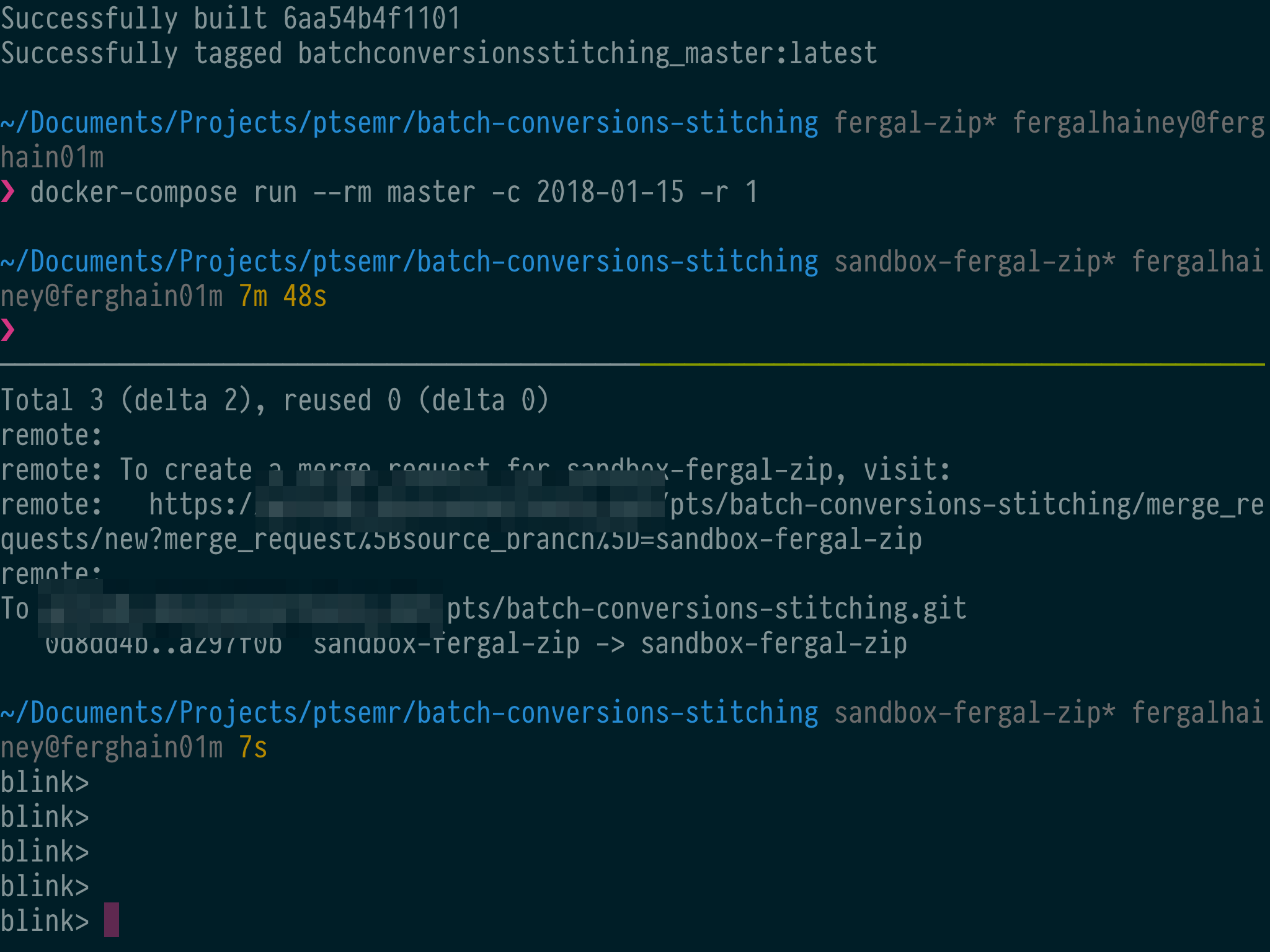
If here: sometimes I switch back to Blink and the session has ended. The last output is still up on screen, but the blink> prompt is now showing at the bottom instead.
Attached is a screenshot after I hit Enter a few times.
 fffergal
on 2 Feb 2018
fffergal
on 2 Feb 2018
Is that on ssh or mosh?
carloscabanero
on 2 Feb 2018
mosh.
fffergal
on 2 Feb 2018
yep, I think we fix this.
 yury
on 2 Feb 2018
yury
on 2 Feb 2018
Thanks for the report @fffergal , new 9.308 has improved this small issues and we think it is ready to go! Let us know if you still find any problems, but I could have my connections going forever :)
carloscabanero
on 10 Feb 2018
Alright! This was one of the first issues we opened and one of the things I envisioned Blink doing one day. We are the only ones that now can offer Persistent Sessions that even last after updating Blink or rebooting the iPad.
It’d be an honor to close it, but I will leave that to @yury as he worked super hard to make this happen and transformed my initial hack into a real thing.
Thanks everyone!
carloscabanero
on 26 Feb 2018
Congratulations and thank you on behalf of the users!
fffergal
on 26 Feb 2018
Related issues
goerz
·
4Comments
 basepi
·
5Comments
basepi
·
5Comments
 dlasky
·
4Comments
dlasky
·
4Comments
 jasondinh
·
3Comments
jasondinh
·
3Comments
 jwr
·
3Comments
jwr
·
3Comments
Most helpful comment
Alright! This was one of the first issues we opened and one of the things I envisioned Blink doing one day. We are the only ones that now can offer Persistent Sessions that even last after updating Blink or rebooting the iPad.
It’d be an honor to close it, but I will leave that to @yury as he worked super hard to make this happen and transformed my initial hack into a real thing.
Thanks everyone!