Blenderproc: "ignored obj, 1 because either "
Hello, I have this problem that, I think, gives a problem to the generation of the depth image in the output.
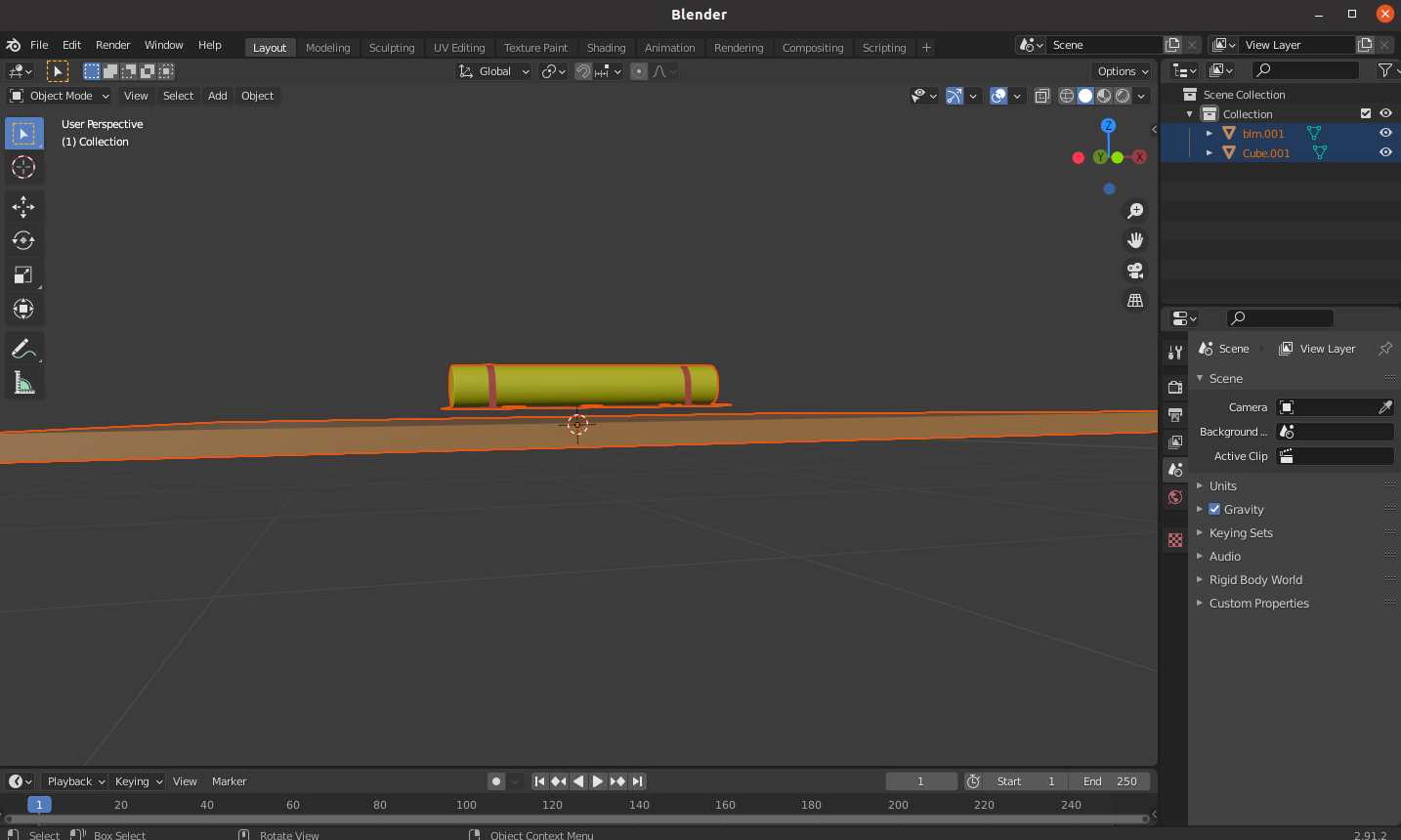
My scene is this one, I just took the example scene and added my object.
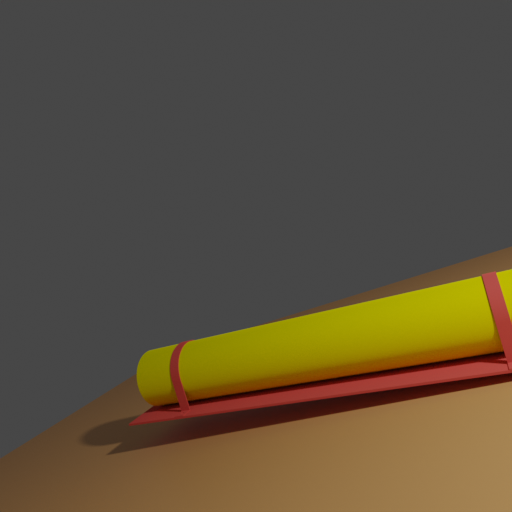
my rgb and depth image are like this:

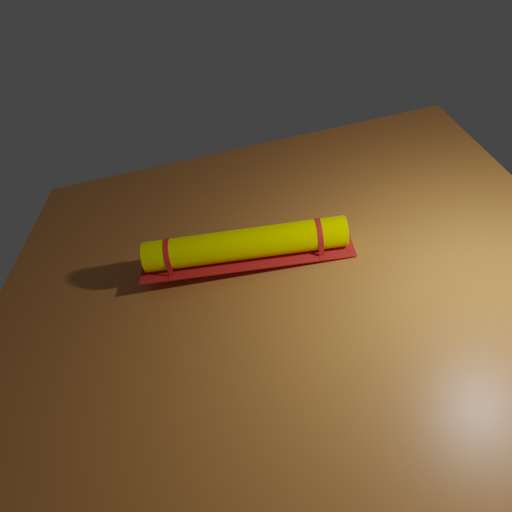
or in this one is totally blank:

#### Start - Running module BopWriter ####
ignored obj,  1 because either
(1) it is too far (e.g. fell through a plane during physics sim)
or
(2) the object pose has not been given in meters
ignored obj,  1 because either
(1) it is too far (e.g. fell through a plane during physics sim)
or
(2) the object pose has not been given in meters
Key: distance - shape: (512, 512) - dtype: float64 - path: /dev/shm/blender_proc_0086206e212a4634af5be77f869ac74f/distance_0000.exr
ignored obj,  1 because either
(1) it is too far (e.g. fell through a plane during physics sim)
or
(2) the object pose has not been given in meters
Key: distance - shape: (512, 512) - dtype: float64 - path: /dev/shm/blender_proc_0086206e212a4634af5be77f869ac74f/distance_0001.exr
My config file is:
# Args: <cam_file> <obj_file> <output_dir>
{
  "version": 3,
  "setup": {
    "blender_install_path": "/home_local/<env:USER>/blender/",
    "pip": [
      "h5py"
    ]
  },
  "modules": [
    {
      "module": "main.Initializer",
      "config": {
        "global": {
          "output_dir": "<args:2>"
        }
      }
    },
    {
      "module": "loader.ObjectLoader",
      "config": {
        "path": "<args:1>",
        "add_properties": {
          "cp_sample_pose": True,
          "cp_category_id": "1"
        }
      }
    },
    {
      "module": "lighting.LightLoader",
      "config": {
        "lights": [
          {
            "type": "POINT",
            "location": [5, -5, 5],
            "energy": 1000
          }
        ]
      }
    },
    {
      "module": "camera.CameraLoader",
      "config": {
        "path": "<args:0>",
        "file_format": "location rotation/value",
        "intrinsics": {
          "fov": 1
        }
      }
    },
    {
      "module": "object.ObjectPoseSampler",
      "config":{
        "max_iterations": 1000,
        "objects_to_sample": {
          "provider": "getter.Entity",
          "conditions": {
            "cp_sample_pose": True,
            "type": "MESH"
          }
        },
        "pos_sampler": {
          "provider": "sampler.Uniform3d",
          "max": [0,0,0],
          "min": [0,0,0]
        },
        "rot_sampler": {
          "provider": "sampler.Uniform3d",
          "max": [0,0,0],
          "min": [6.28,6.28,0]
        }
      }
    },
    {
      "module": "renderer.RgbRenderer",
      "config": {
        "samples": 100,
        "render_distance": True,
      }
    },
    {
      "module": "renderer.SegMapRenderer",
      "config": {
        "map_by": "instance"
      }
    },
    {
      "module": "writer.BopWriter",
      "config": {
        "m2mm": True, # original bop annotations in mm (default)
        "append_to_existing_output": True,
        "postprocessing_modules": {
          "distance": [
            {"module": "postprocessing.Dist2Depth"}
          ]
        }
      }
    },
  ]
}
When using the Hdf5Writer nothing wrong pops out. Any way you can help me understand the issue?
Thank you
 luigifaticoso
All 6 comments
Hey,
it might be the case that the distance range is too limited.
In the documentation you can see there are values to change that. See this value in particular: distance_range
Maybe increase it to 100.00 and see if that helps.
But, when using the HDF5Writer the range is also incorrect, right?
Best,
Max
 themasterlink
on 1 Feb 2021
themasterlink
on 1 Feb 2021
Thank you for your quick and informative answer,
It still gives me the same problem. The depth shows up only up to a determined point. I have added 300 as distance range and changed the distance_start too, but it didn't work in the end.
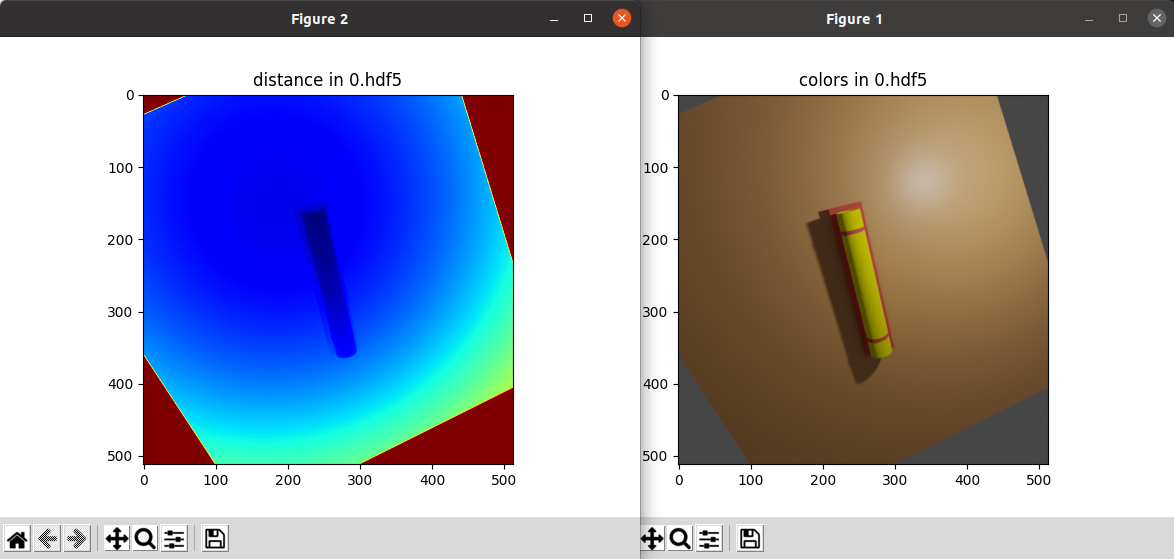
The HDF5Writer gives the correct output as in the image:
luigifaticoso
on 1 Feb 2021
Hey,
it seems this is an error with the BopWriter then: @MartinSmeyer could you have a look?
Best,
Max
themasterlink
on 1 Feb 2021
Hi,
yes, the problem is that in BOP format, depth images are saved as uint16 format. For increased accuracy there is the depth_scale parameter which scales the depth data to exploit the full range of uint16. It is set to 0.1 by default which yields a high accuracy (0.1mm) but also a low maximum depth (6.5535 meter). This is enough for the BOP datasets but not for your example above.
To quickly fix your issue, change this line:
https://github.com/DLR-RM/BlenderProc/blob/bcf4f2c5721cd3c62140abc682d2dd1100afce1e/src/writer/BopWriter.py#L144-L145
to self.depth_scale = 1.0
Then maximum depth is 65.535 meter with an accuracy of 1mm.
In the next minor release we will make depth_scale configurable and set the default to 1.0.
 MartinSmeyer
on 1 Feb 2021
MartinSmeyer
on 1 Feb 2021
@MartinSmeyer thanks for answering!
One last side remark, your objects are quite big. I would suggest scaling them down to meters. Except of course they are already in meters and they are intended to be bigger than 6 meters.
You can use the EntityManipulator for that, see this example: https://dlr-rm.github.io/BlenderProc/examples/entity_manipulation/index.html Instead of the location you can set the scale to [0.1, 0.1, 0.1].
themasterlink
on 1 Feb 2021
Perfect!
Thank you, the detailed answers totally cleared my mind!
luigifaticoso
on 1 Feb 2021
Related issues
 wangg12
·
3Comments
wangg12
·
3Comments
 eugval
·
3Comments
eugval
·
3Comments
 b-yogesh
·
3Comments
b-yogesh
·
3Comments
 soans1994
·
4Comments
luigifaticoso
·
4Comments
soans1994
·
4Comments
luigifaticoso
·
4Comments
Most helpful comment
Perfect!
Thank you, the detailed answers totally cleared my mind!