Blazorise: Vertical Bar inside Layout not fixed
I'm trying to use the Bar Component inside a Layout. The Bar should be vertical and fixed at top. But currently it gets scrolled. The basic Page layout I'm using is:
MainLayout.razor:
<Layout>
    <LayoutHeader>
        <Bar Background="Background.Primary" ThemeContrast="ThemeContrast.Light">
            <BarBrand>
                <BarLink To="@navigationManager.BaseUri">
                    <span style="color:white;">
                        <svg xmlns="http://www.w3.org/2000/svg" width="28" height="28" fill="currentColor" class="bi bi-house" viewBox="0 0 16 16">
                            <path fill-rule="evenodd" d="M2 13.5V7h1v6.5a.5.5 0 0 0 .5.5h9a.5.5 0 0 0 .5-.5V7h1v6.5a1.5 1.5 0 0 1-1.5 1.5h-9A1.5 1.5 0 0 1 2 13.5zm11-11V6l-2-2V2.5a.5.5 0 0 1 .5-.5h1a.5.5 0 0 1 .5.5z" />
                            <path fill-rule="evenodd" d="M7.293 1.5a1 1 0 0 1 1.414 0l6.647 6.646a.5.5 0 0 1-.708.708L8 2.207 1.354 8.854a.5.5 0 1 1-.708-.708L7.293 1.5z" />
                        </svg>
                        AudioCuesheetEditor
                    </span>
                </BarLink>
            </BarBrand>
            <BarItem>
                <span style="color:white;">
                    <CultureSelector />
                </span>
            </BarItem>
            <BarItem>
                <BarLink To="about" Style="color: white;">@localizer["About"]</BarLink>
            </BarItem>
        </Bar>
    </LayoutHeader>
    <LayoutContent>
        @Body
    </LayoutContent>
</Layout>
Help.razor:
<Layout Sider="true">
    <LayoutSider>
        <LayoutSiderContent>
            <Bar Mode="BarMode.VerticalInline">
                <BarMenu>
                    <BarStart>
                        <BarLabel><Heading Size="HeadingSize.Is5">@localizer["QuickLinks"]</Heading></BarLabel>
                        <BarItem><BarLink To="#headingIntroduction">@localizer["Introduction"]</BarLink></BarItem>
                        <BarItem><BarLink To="#headingCreateCuesheet">@localizer["CreateCuesheet"]</BarLink></BarItem>
                        <BarItem><BarLink To="#headingImportOfFiles">@localizer["ImportOfFiles"]</BarLink></BarItem>
                    </BarStart>
                </BarMenu>
            </Bar>
        </LayoutSiderContent>
    </LayoutSider>
    <Layout>
        <LayoutContent Margin="Margin.Is2">
            <Heading Size="HeadingSize.Is1">@localizer["Help"]</Heading>
        </LayoutContent>
    </Layout>
</Layout>
Result is:
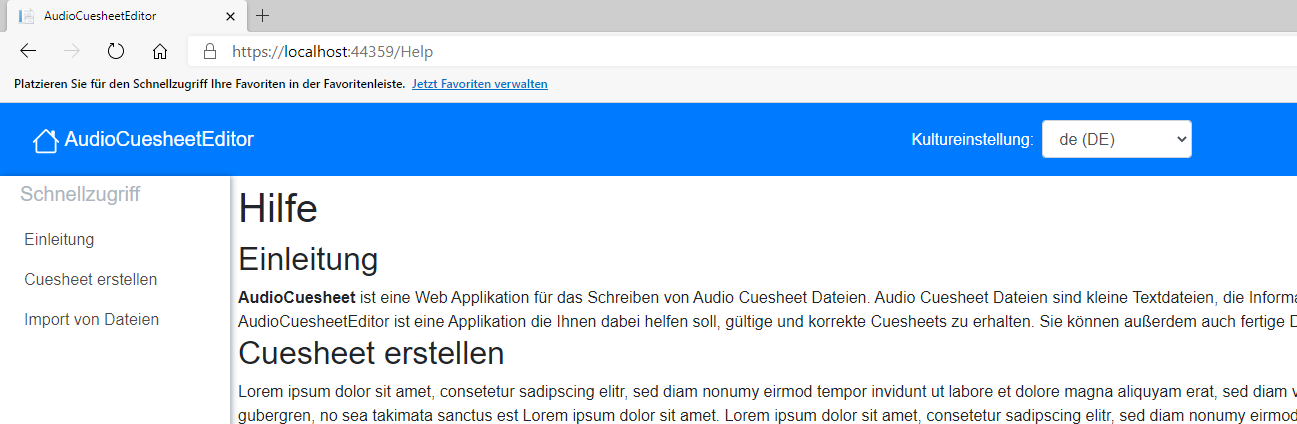
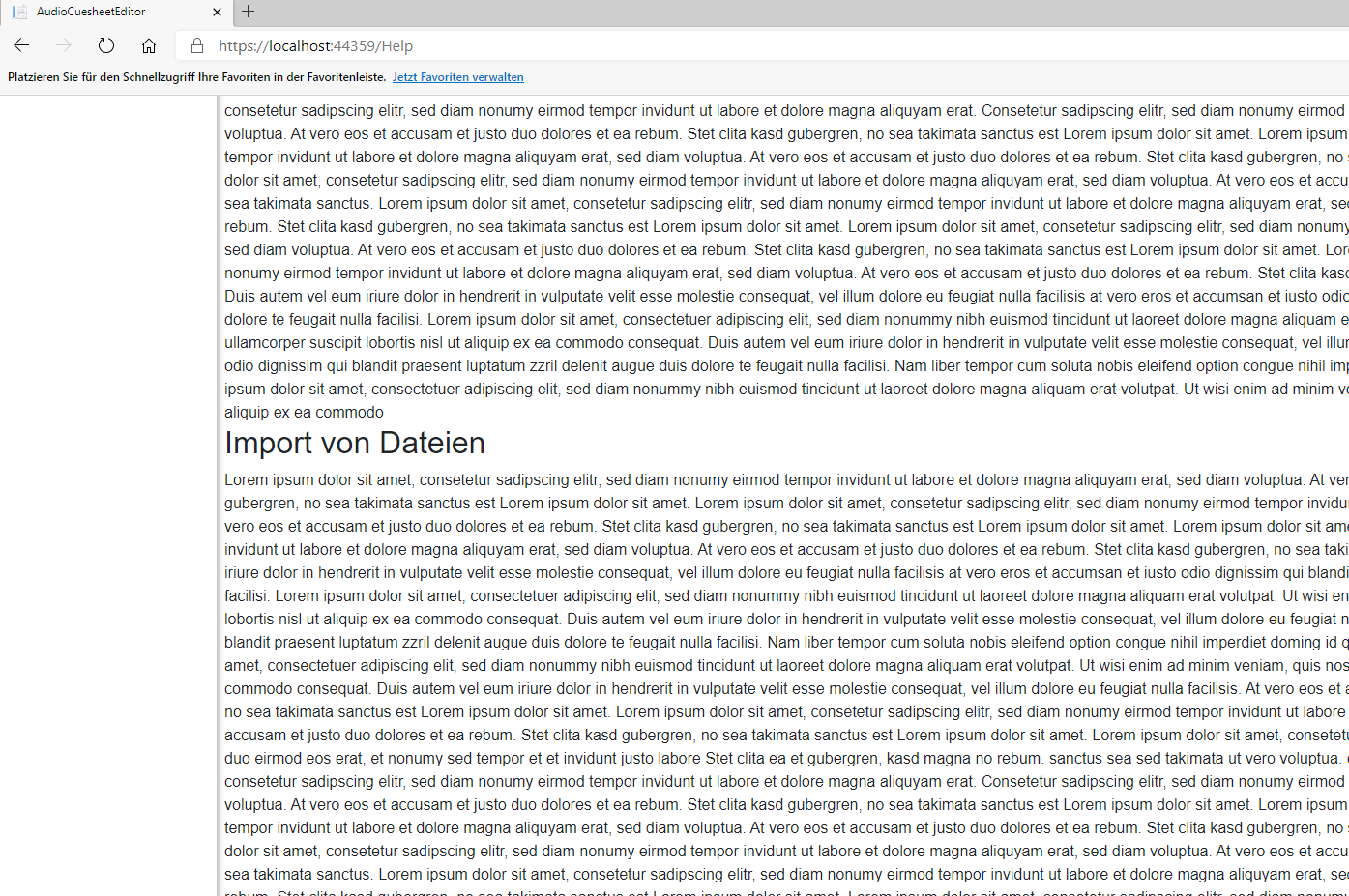
What am I doing wrong?
 NeoCoderMatrix86
All 6 comments
Looks like you have two main Layout's instead of one. Look at the demo app for usage reference and see if can help you.
 stsrki
on 11 Jan 2021
stsrki
on 11 Jan 2021
Yes, is it not possible to cascade the Layouts? I'm searching for an option to display vertical bar only on help page.
NeoCoderMatrix86
on 11 Jan 2021
Cascade does not work like that so it will not work for your use case.
If you want to have help layout only on help pages then it's best to have multiple different Blazor layouts. Then on your help pages, you use it like @layout HelpLayout, at the beginning of the file.
stsrki
on 11 Jan 2021
Ok, I understand the problem. How can I use the different layout? Do you have a small code sample?
NeoCoderMatrix86
on 11 Jan 2021
Try learning it here https://blazor-tutorial.net/layout
stsrki
on 11 Jan 2021
Thanks for your help, I got it now 👍
NeoCoderMatrix86
on 11 Jan 2021
Related issues
 sroy2020
·
5Comments
sroy2020
·
5Comments
 john-cullen
·
3Comments
john-cullen
·
3Comments
 brettwinters
·
5Comments
brettwinters
·
5Comments
 Andy74
·
4Comments
stsrki
·
3Comments
Andy74
·
4Comments
stsrki
·
3Comments
Most helpful comment
Thanks for your help, I got it now 👍