Blazorise: In TextEdit component with ChangeTextOnKeyPress option set to true, caret sometimes lags behind text being typed
Describe the bug
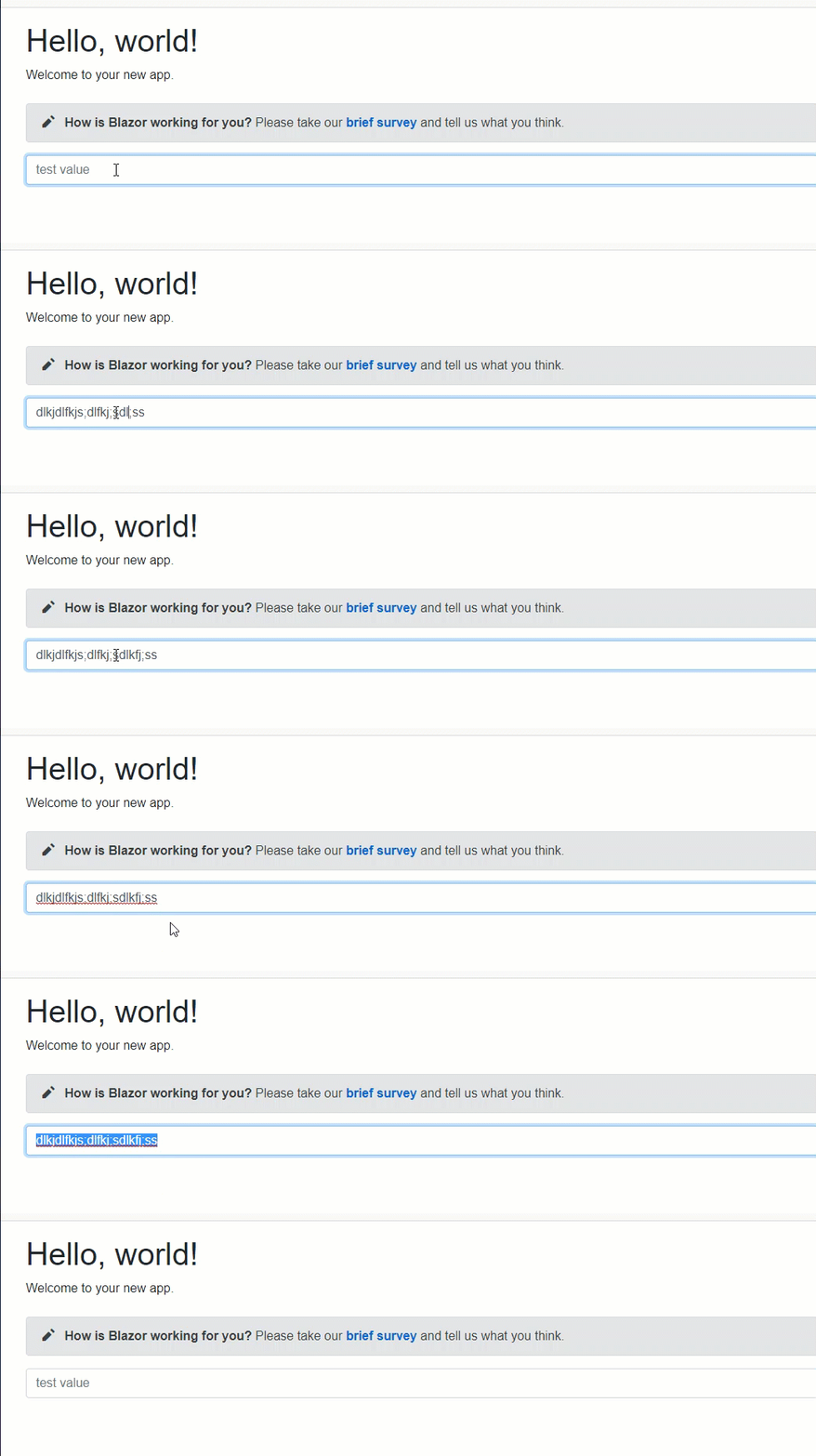
In TextEdit component with ChangeTextOnKeyPress option set to true, caret sometimes lags behind text being typed causing the caret to be positioned somewhere before the end of the text in the field. This then causes any new text being typed to be inserted at that position.
To Reproduce
Steps to reproduce the behavior:
- In a Blazor Server app, set blazorise option ChangeTextOnKeyPress to true
- On a page, add a TextEdit component with the
Textparameter bound to a property.
<TextEdit @bind-Text="@this.TestValue" Placeholder="test value" >
</TextEdit>

@code
{
    protected string TestValue { get; set; } = "";
}
Run the app and type text quickly as possible into the TextEdit.
NOTE This sometimes takes several attempts to reproduce. Can be helpful to key board "smash" to see the effect.Attached video of issue manifesting.
Expected behavior
I would expect that the caret never re-insert in the middle of the text being typed.
See above for sample code. If needed I can provide a complete solution.
Screenshots
Additional context
I believe the issue may be that in the BaseTextInput.razor.cs, the async InputHandler can lag behind what the user typing causing the calculated caret location to be "behind" the current value.
protected virtual async Task OnInputHandler( ChangeEventArgs e )
{
    if ( Options.ChangeTextOnKeyPress )
    {
        var caret = await JSRunner.GetCaret( ElementRef );

        await CurrentValueHandler( e?.Value?.ToString() );

        await JSRunner.SetCaret( ElementRef, caret );
    }
}
 JimCline
All 16 comments
I believe this has been fixed and will be released at next preview
 WillianGruber
on 10 Aug 2020
WillianGruber
on 10 Aug 2020
Hi @JimCline, thank you for the detailed explanation. The issue is already fixed in latest preview and it's available on MyGet feed.
 stsrki
on 10 Aug 2020
stsrki
on 10 Aug 2020
Awesome, thanks!
JimCline
on 10 Aug 2020
@stsrki for what it's worth, I was able to fix the issue locally by simply removing the calls to get and set the caret position. The text edit seemed to work perfectly after that. Curious, what is the purpose of grabbing the caret position and then setting it after the CurrentValueHandler?
Code that works locally...
``` csharp
public class TextEditEx : TextEdit
{
protected override async Task OnInputHandler(ChangeEventArgs e)
{
if (this.Options.ChangeTextOnKeyPress)
{
await this.CurrentValueHandler(e?.Value?.ToString());
}
}
}
````
JimCline
on 11 Aug 2020
The problem is mainly visible in server-side Blazor apps when TextEdit has two-way binding on pages with a lot of UI elements. Because Blazor automatically refreshes UI on each key-press, browser will automatically move cursor to the end of text element.
stsrki
on 11 Aug 2020
@stsrki I just tested this with the preview6 from myget, but still have the issue. Do I need to configure something other then @bind-Text?
 tomkuijsten
on 4 Sep 2020
tomkuijsten
on 4 Sep 2020
@tomkuijsten Yes, try setting DelayTextOnKeyPress="true" and DelayTextOnKeyPressInterval to some value that works for you. Default is 300ms.
stsrki
on 4 Sep 2020
Thanks @stsrki ! And is there a sample to disable live updates? So only on focus lost?
tomkuijsten
on 4 Sep 2020
@tomkuijsten Also yes. You can disable ChangeTextOnKeyPress either globally in Startup or individually on each TextEdit.
Global: https://blazorise.com/docs/components/text/#textchanged-mode
stsrki
on 4 Sep 2020
@stsrki thanks a lot!
tomkuijsten
on 4 Sep 2020
When is this fix getting on nuget?
I see it's two months since last release...
Having a bug like this in production for 2 months is... not good.
 Kla3mus
on 25 Sep 2020
Kla3mus
on 25 Sep 2020
@Kla3mus The fix, or workaround, is still not released. The new v0.9.2 is still in preview and if you want this feature you can get it from MyGet feed: https://github.com/stsrki/Blazorise#try-preview
stsrki
on 25 Sep 2020
I saw this by reading the previous comments.
Would it be possible to make a patch for this, 0.9.1.3 and put it on Nuget? In my opinion, a bugfix like this should not need to wait for 2 months for a new release on the most used developer channel.
There's a lot of people using this library from nuget, who are dependent on stable code.
Kla3mus
on 28 Sep 2020
@Kla3mus The fix, or workaround, is still not released. The new v0.9.2 is still in preview and if you want this feature you can get it from MyGet feed: https://github.com/stsrki/Blazorise#try-preview
Hello @stsrki,
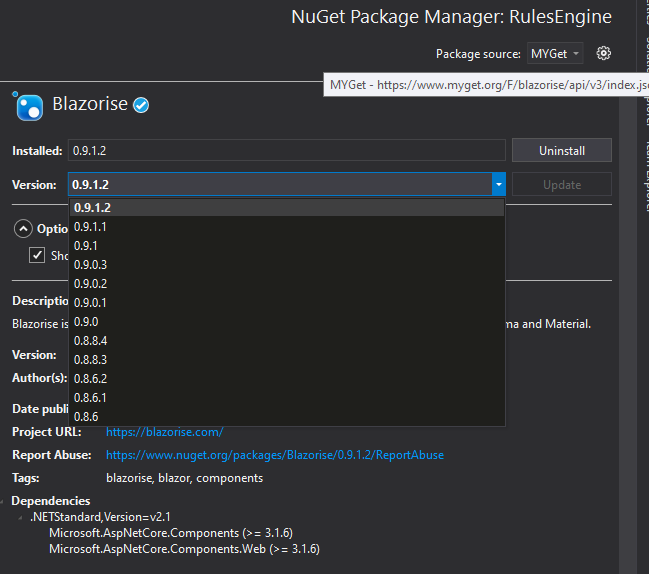
I'd like to download the preview, but I don't actually find the preview on the MyGet. Could you clarify?
 David-Moreira
on 22 Oct 2020
David-Moreira
on 22 Oct 2020
You need to tick _Include prerelease_ checkbox, and they will show on the list.
stsrki
on 22 Oct 2020
Oops, I did search for something similar... but it's there, yes... I am quite blind. Thanks! :)
David-Moreira
on 22 Oct 2020
Related issues
 satwo
·
5Comments
satwo
·
5Comments
 smilyte
·
3Comments
smilyte
·
3Comments
 danielheddelin
·
5Comments
stsrki
·
3Comments
danielheddelin
·
5Comments
stsrki
·
3Comments
 tamunaKap
·
6Comments
tamunaKap
·
6Comments
Most helpful comment
I saw this by reading the previous comments.
Would it be possible to make a patch for this, 0.9.1.3 and put it on Nuget? In my opinion, a bugfix like this should not need to wait for 2 months for a new release on the most used developer channel.
There's a lot of people using this library from nuget, who are dependent on stable code.