Hi the current sidebar is on the left side. Is it able to make the header on top always like
 imtrobin
All 18 comments
It can be done with just a different structure of Layout and it's sub-components. See https://blazorise.com/docs/components/layout/
You can copy the sample from demo app and then move LayoutSider to where you need it.
 stsrki
on 28 Jun 2020
stsrki
on 28 Jun 2020
I was trying to explore the setup for this.
The way the Layout components are designed, the following structure should allow you to achieve this:
<Layout>
    <LayoutHeader Fixed="true">
        <Bar>...</Bar>
    </LayoutHeader>
    <Layout Sider="true">
        <LayoutSider>
            <LayoutSiderContent>
                <Bar Mode="BarMode.VerticalInline">...</Bar>
            </LayoutSiderContent>
        </LayoutSider>
        <Layout>
            <LayoutContent>
                @Body
            </LayoutContent>
        </Layout>
    </Layout>
</Layout>
However, it has its own problems due to the height: 100vh for the Sider components.
@stsrki I think this is a bug and I'm happy to look into it further.
 MitchellNZ
on 28 Jun 2020
MitchellNZ
on 28 Jun 2020
@MitchellNZ yeah, probably wont work out of the box. If you want just open new ticket and assign it for 0.9.2.
stsrki
on 28 Jun 2020
Probably need to do something like calc(100vh - var(HEADER_HEIGHT_VAR)) to determine the height and top of the sidebar
 njannink
on 28 Jun 2020
njannink
on 28 Jun 2020
@stsrki should we use this issue to track it, or do you want me to open a new one?
@njannink Yes you're right, I think that will work best.
As a workaround, the following code should get the job done:
<Layout>
    <LayoutHeader Fixed="true">
        <Bar Style="height: 64px;">...</Bar>
    </LayoutHeader>
    <Layout Sider="true" Style="height: calc(100vh - 64px);">
        <LayoutSider>
            <LayoutSiderContent Style="height: calc(100vh - 64px);">
                <Bar Mode="BarMode.VerticalInline" Style="height: calc(100vh - 64px);">...</Bar>
            </LayoutSiderContent>
        </LayoutSider>
        <Layout Style="height: calc(100vh - 64px);">
            <LayoutContent>
                @Body
            </LayoutContent>
        </Layout>
    </Layout>
</Layout>
However, I will be working on a fix when I get time (including adding a var(...) for header height).
MitchellNZ
on 29 Jun 2020
great, thanks!
imtrobin
on 29 Jun 2020
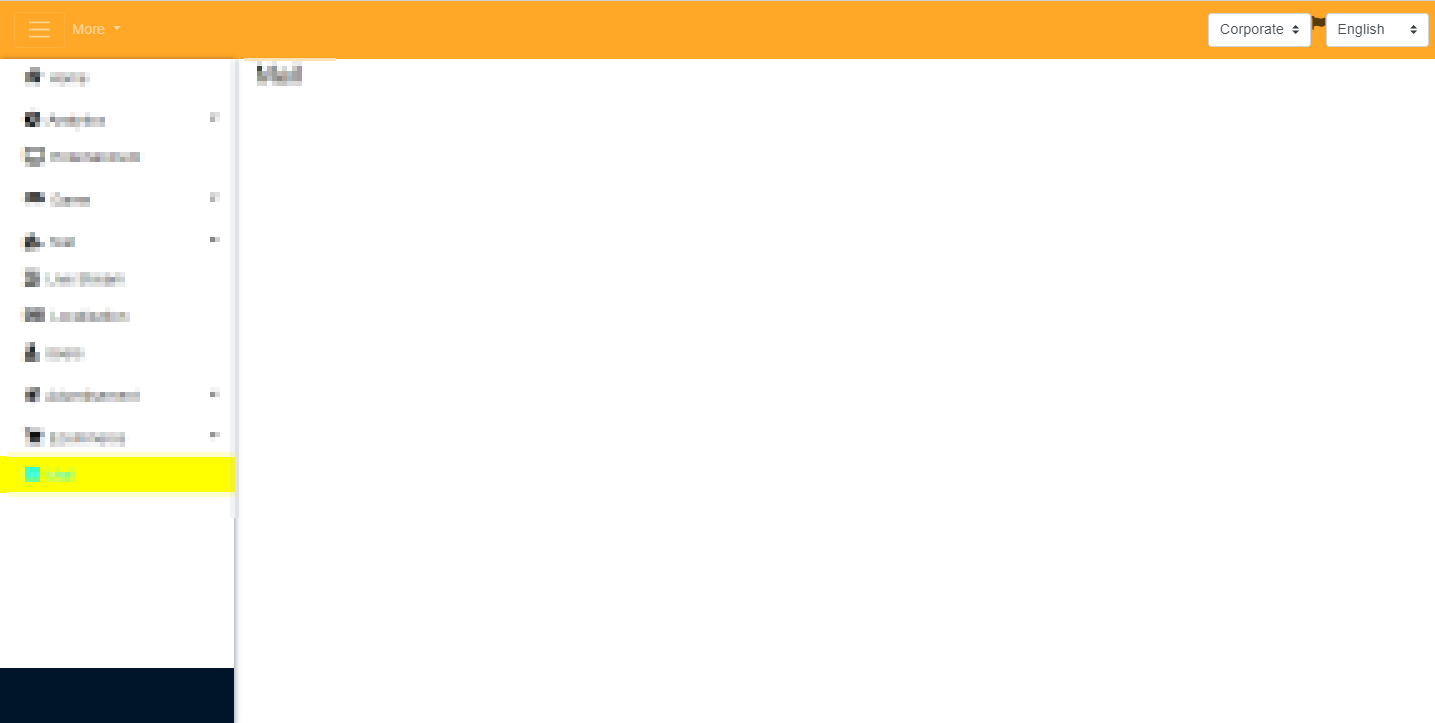
@MitchellNZ Just update, the workaround displays correct, but when I try to theme it, there is a black bar at bottom which is caused by the 64px offset.
imtrobin
on 30 Jun 2020
@imtrobin thanks for the info.
Could you please show a screenshot so I can investigate when I get round to adding support for this?
Thanks!
MitchellNZ
on 30 Jun 2020
I was using dark them with Background Transport, I changed it to white so you can see it better
imtrobin
on 30 Jun 2020
Looks like you also need to set the top of the sidebar . Now it's only the height that has been adjusted.
njannink
on 30 Jun 2020
I'm using this as suggested above,
<Layout>
    <LayoutHeader Fixed="true">
        <Bar Style="height: 64px;">...</Bar>
    </LayoutHeader>
    <Layout Sider="true" Style="height: calc(100vh - 64px);">
        <LayoutSider>
            <LayoutSiderContent Style="height: calc(100vh - 64px);">
                <Bar Mode="BarMode.VerticalInline" Style="height: calc(100vh - 64px);">...</Bar>
            </LayoutSiderContent>
        </LayoutSider>
        <Layout Style="height: calc(100vh - 64px);">
            <LayoutContent>
                @Body
            </LayoutContent>
        </Layout>
    </Layout>
</Layout>
Have you tried setting inner layout to <Layout Style="height: 100vh;">?
stsrki
on 1 Jul 2020
Sorry, at which layout tag, the root?
imtrobin
on 2 Jul 2020
Inner layout
<Layout>
    <LayoutHeader Fixed="true">
        <Bar Style="height: 64px;">...</Bar>
    </LayoutHeader>
    <Layout Sider="true" Style="height: calc(100vh - 64px);">
        <LayoutSider>
            <LayoutSiderContent Style="height: calc(100vh - 64px);">
                <Bar Mode="BarMode.VerticalInline" Style="height: calc(100vh - 64px);">...</Bar>
            </LayoutSiderContent>
        </LayoutSider>
+        <Layout Style="height: 100vh;">
            <LayoutContent>
                @Body
            </LayoutContent>
        </Layout>
    </Layout>
</Layout>
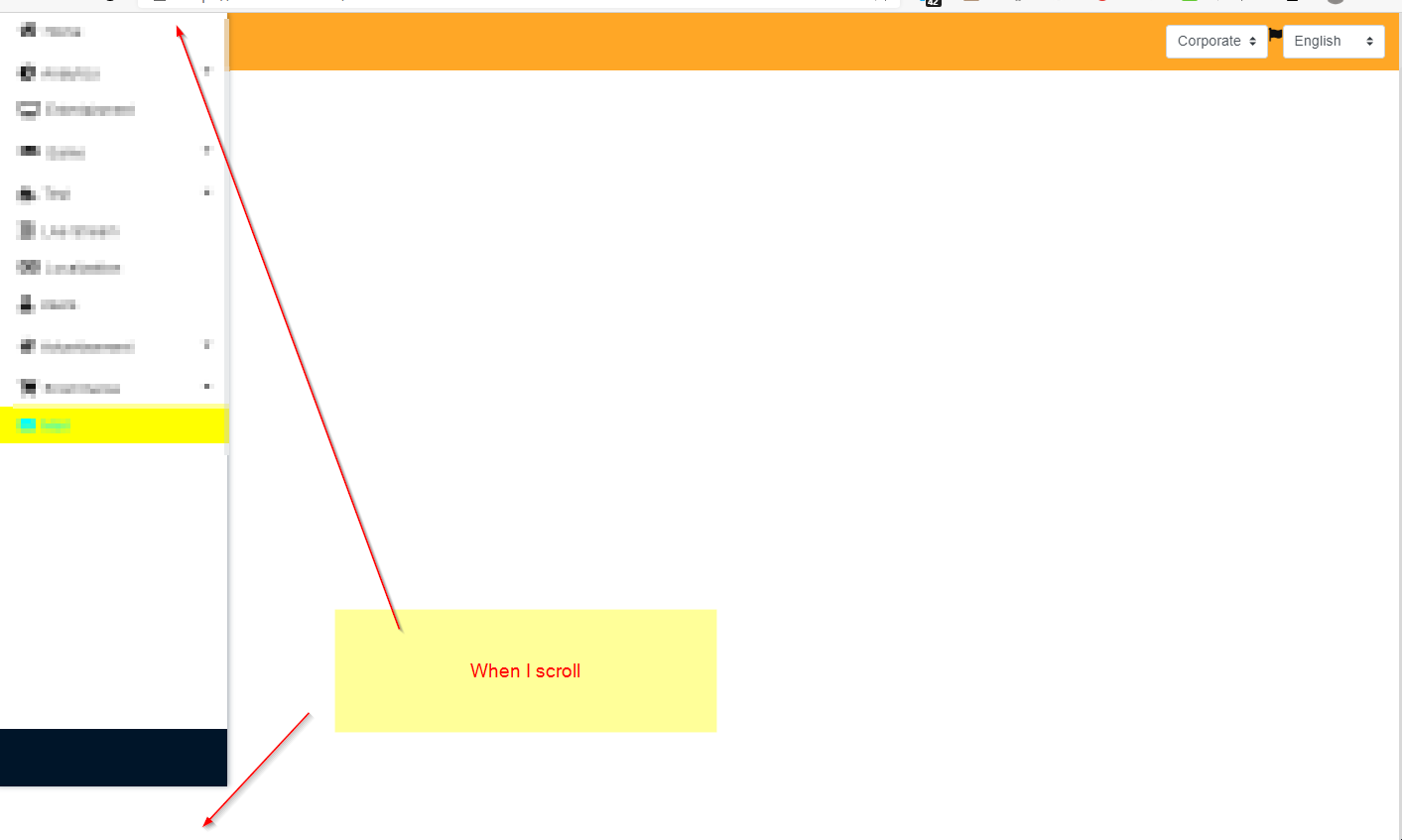
imtrobin
on 2 Jul 2020
Fixed as part of #1090.
Updated the layout documentation (wont be reflected until 0.9.2 release) to show an example.
Basically, it will work with the original structure I mentioned, no need to do any custom height calcs!
MitchellNZ
on 6 Jul 2020
I will release 0.9.2 preview soon, so it will be part of it.
stsrki
on 6 Jul 2020
FYI - found an issue when creating vertical Bar without BarBrand
Patched here https://github.com/stsrki/Blazorise/pull/1098
I _think_ you will only notice it if you are using the BarEnd
MitchellNZ
on 7 Jul 2020
Related issues
 DDDenisSobek
·
4Comments
DDDenisSobek
·
4Comments
 hybrid2102
·
3Comments
hybrid2102
·
3Comments
 brettwinters
·
5Comments
stsrki
·
3Comments
brettwinters
·
5Comments
stsrki
·
3Comments
 satwo
·
5Comments
satwo
·
5Comments
Most helpful comment
I will release 0.9.2 preview soon, so it will be part of it.