Blazorise: Could not find 'blazorise' in 'window'
TextEdit @bind-text not working the first time and getting "Microsoft.JSInterop.JSException: Could not find 'blazorise' in 'window'. Error: Could not find 'blazorise' in 'window'." error in internet explorer console.
 ajai1109
All 14 comments
I guess you're using server-side Blazor. For SSB you must set the js files manually. See this guide https://github.com/stsrki/Blazorise#server-side
 stsrki
on 27 Aug 2019
stsrki
on 27 Aug 2019
Thanks @stsrki! Now the particular component issue is resolved when I download the bundle.zip and added into _Host.cshtml. I wondered how it was working in other components without doing this.
ajai1109
on 27 Aug 2019
Most of other components are not using javascript. TextEdit, NumericEdit etc are using js because currently there is no api in Blazor that can work directly with DOM.
stsrki
on 27 Aug 2019
Thanks very much for the explanation
ajai1109
on 27 Aug 2019
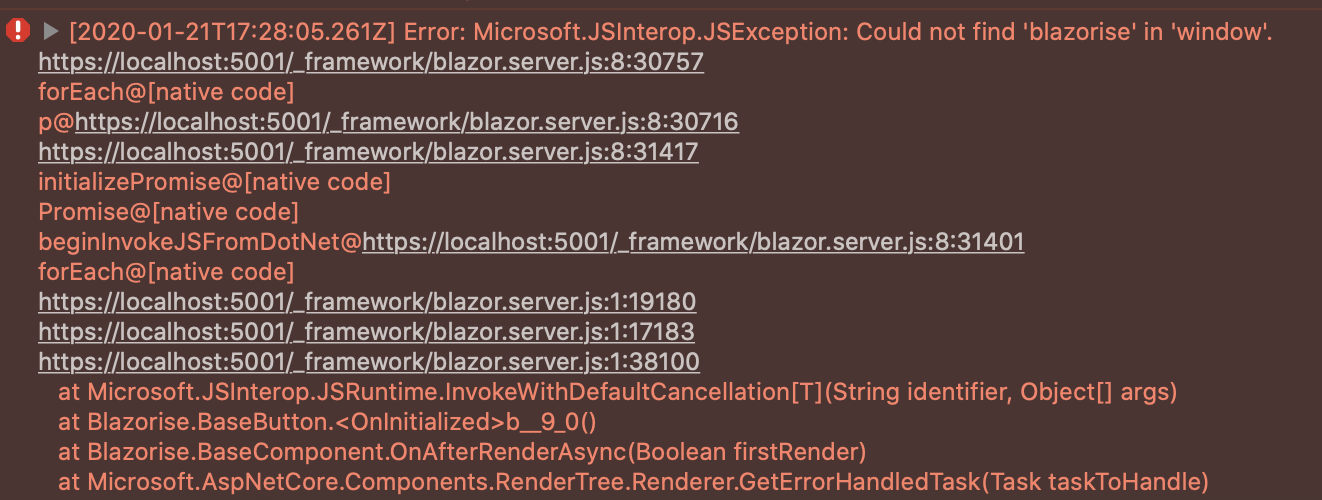
@stsrki I get this error on https after upgrading to dotnet 3.1.1. It works as expected on http, which is super odd.
Any ideas?
 niem94
on 21 Jan 2020
niem94
on 21 Jan 2020
@niem94 sometimes browser will cache old content files. Try ctrl+F5.
stsrki
on 21 Jan 2020
@strski It is not that. I've cleared caches multiple times.
I tried going back to an older commit im sure worked with https, but using dotnet 3.1.1 gives the same error. I suspect it has something to do with blazorise and dotnet 3.1.1, but the error description is really not giving away much other than it seems it can't find the static files.
niem94
on 21 Jan 2020
It would be 404 if the files could not be found. In this case they're found but cannot be read. I guess it is something with 3.1.1
stsrki
on 21 Jan 2020
Okay, I will downgrade for now, and see if this is resolved in a later release :-) Thanks for the quick response.
niem94
on 21 Jan 2020
Problem resolved:
My issue was due to static files not being consumed by default when using other environments than development with "dotnet run". The solution to that is to call UseStaticWebAssets in the Program.CreateHostBuilder like mentioned in the number 1 answer in this SO question:
https://stackoverflow.com/questions/58862932/blazor-server-static-files-dont-link-in-non-dev-environments
This is only needed if needing to run the application in anything else than the development env locally - this works out of the box when the app has been published.
niem94
on 21 Jan 2020
@niem94 Thank you for giving us the solution :)
stsrki
on 21 Jan 2020
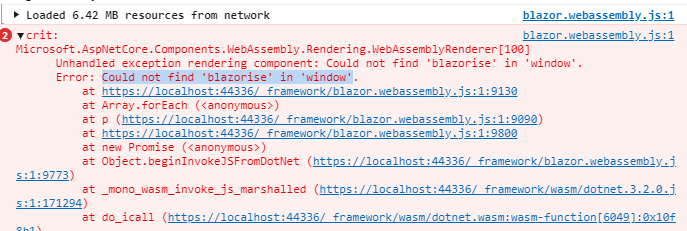
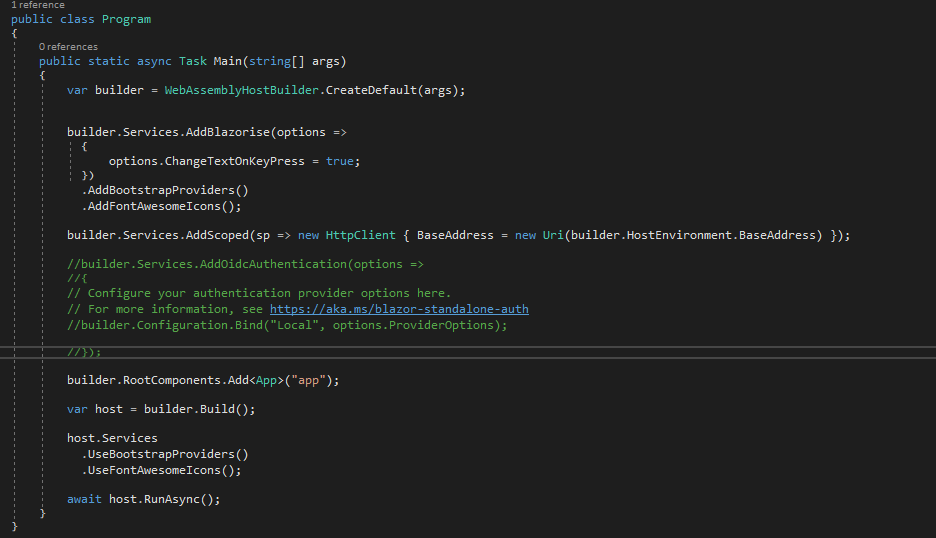
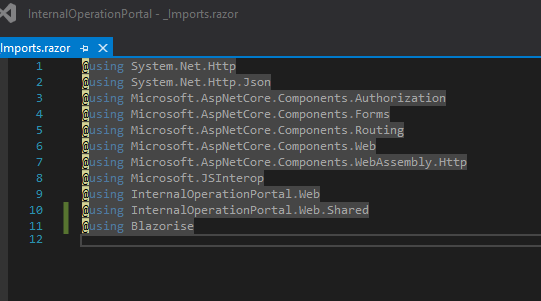
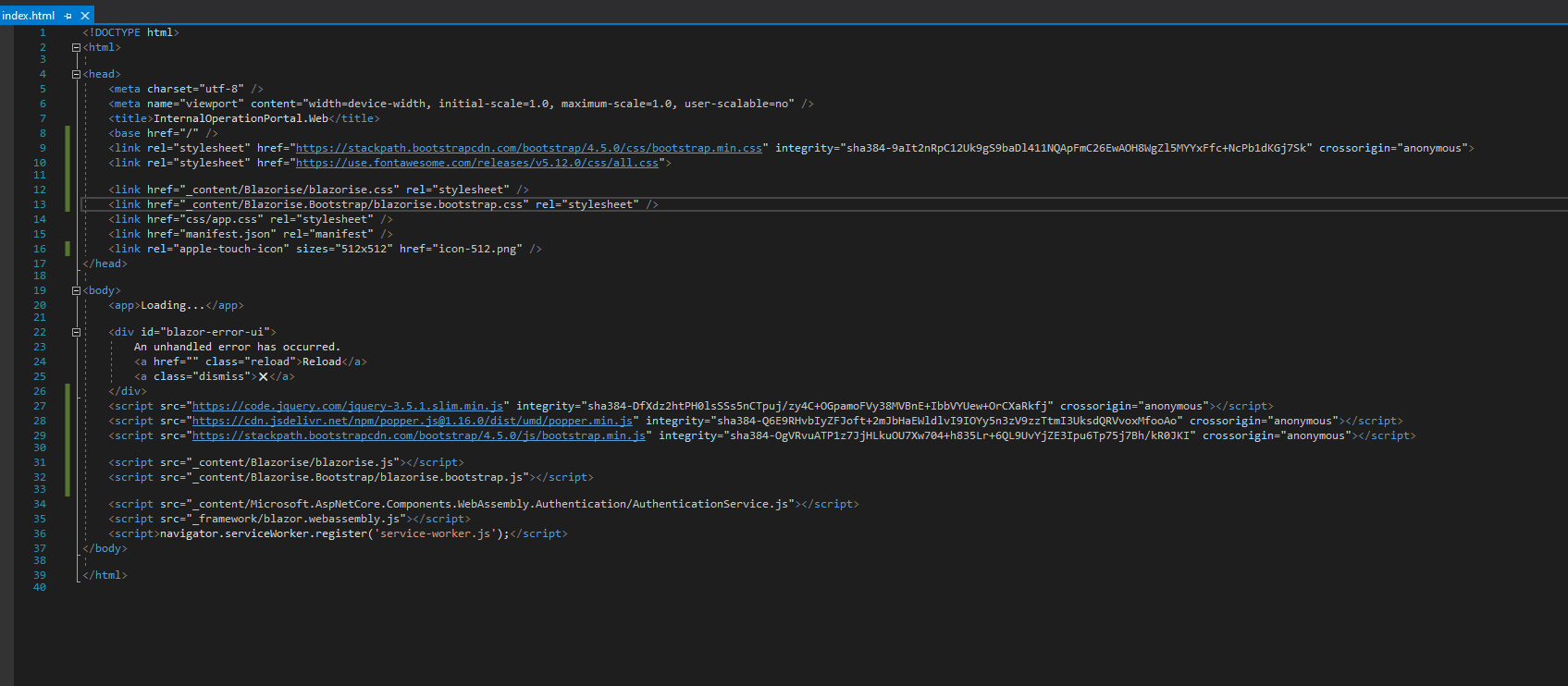
I am still having the issue, I am using the Blazor Client one.
 kimz-petsure
on 7 Sep 2020
kimz-petsure
on 7 Sep 2020
@kimz-petsure That's strange. This usually happen if you didn't set js files or if browser is using old-cached files.
- Try pressing Ctrl+F5 to clear the browser cache
- See if @niem94 solution works for you
Also give us a version of Blazorise you're using and version of Visual Studio or .Net Core.
stsrki
on 7 Sep 2020
thx @stsrki
I have solved the issue now, it was caused by browser cache, it is working fine now. Thx
kimz-petsure
on 7 Sep 2020
Related issues
 danlbb
·
4Comments
danlbb
·
4Comments
 njannink
·
4Comments
njannink
·
4Comments
 smilyte
·
4Comments
smilyte
·
4Comments
 satwo
·
5Comments
satwo
·
5Comments
 hybrid2102
·
3Comments
hybrid2102
·
3Comments
Most helpful comment
thx @stsrki
I have solved the issue now, it was caused by browser cache, it is working fine now. Thx