Describe the bug
Using Nuxt with SSR I get a window is not defined when importing a component from Bit
Steps to Reproduce
- Create a component with bit and export it
- In another workspace
npx create-nuxt-app my-nuxt-appand selectuniversal mode - Yarn install the component in the Nuxt app, import it and use it in
pages/index.vue
Expected Behavior
The component should render normally either from client or server side
Screenshots, exceptions and logs
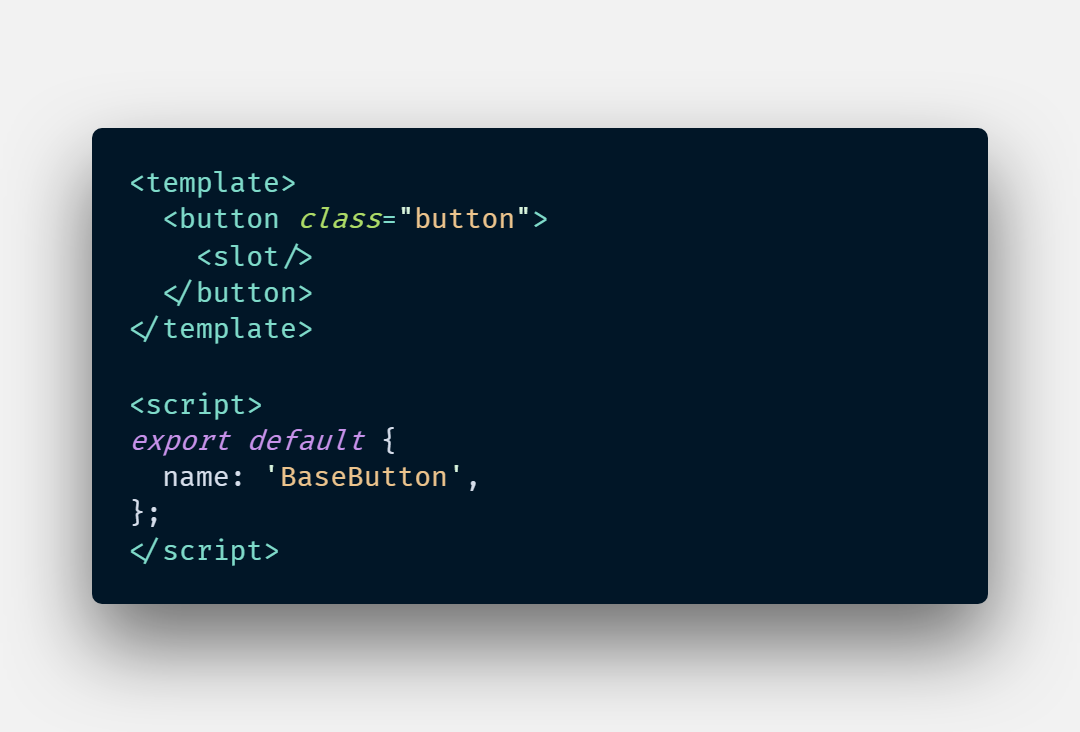
The component in my library
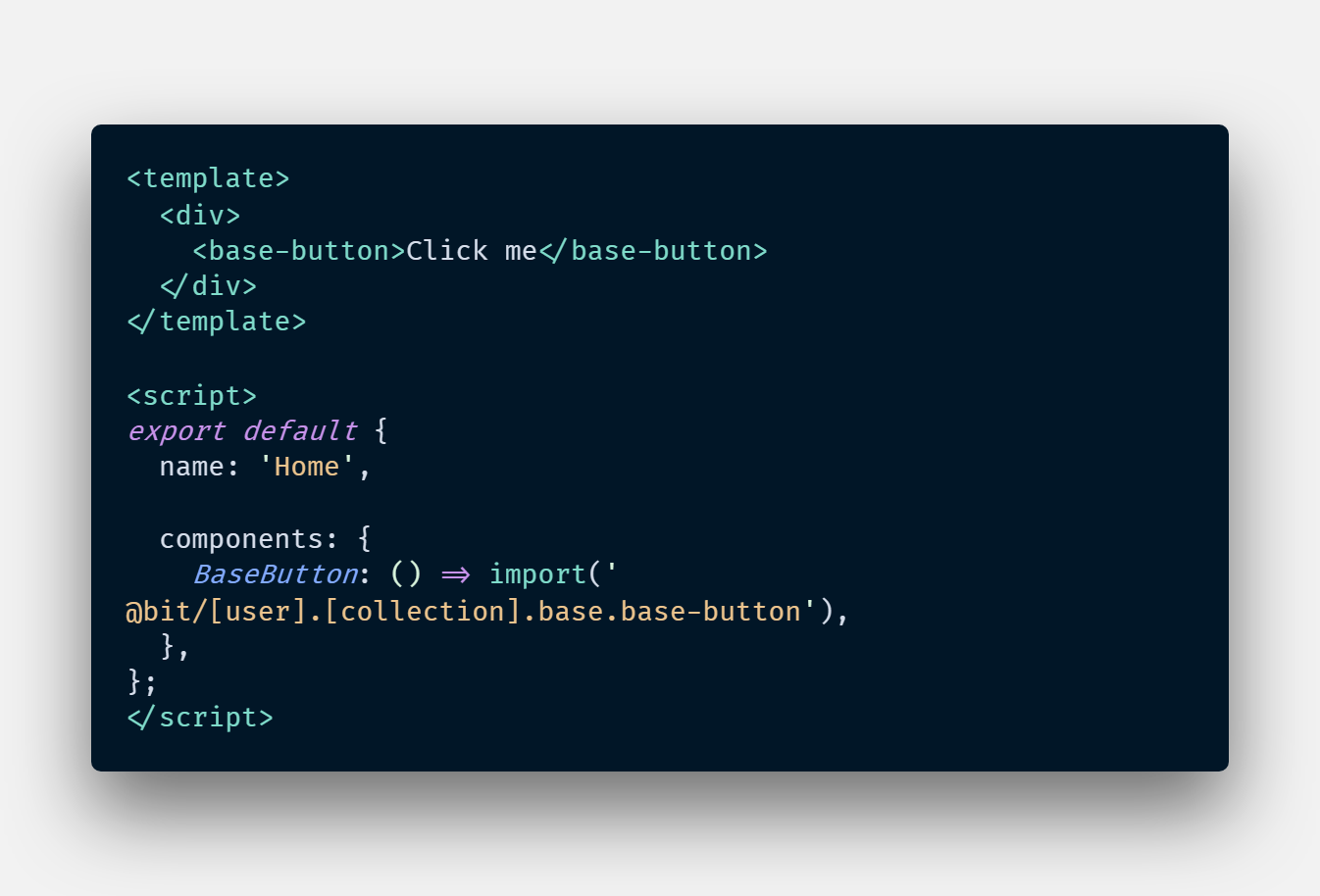
The Nuxt app where the component is used
The stack trace

Specifications
- Bit version: 14.4.3
- Node version: 12.13.0
- npm / yarn version: 6.12.1 / 1.19.1
- Platform: Windows 10
- Bit compiler (include version): [email protected]
- Bit tester (include version):
Additional context
Everything works fine when surrounding the component by <client-only></client-only> in the Nuxt app but I'm loosing the SSR abilities. The issue comes from the compiled file ./node_modules/@bit/[user].[collection].base.base-button/dist/BaseButton.js.
 ValentinCrochemore
All 8 comments
After digging up and testing some stuff I realized that the issue comes from the compiled file of my component. In my example above it would be dist/BaseButton.js. So is there a way during the build process for my component to be directly accessible as a Single File Component with a main.js export it ? Something like this:
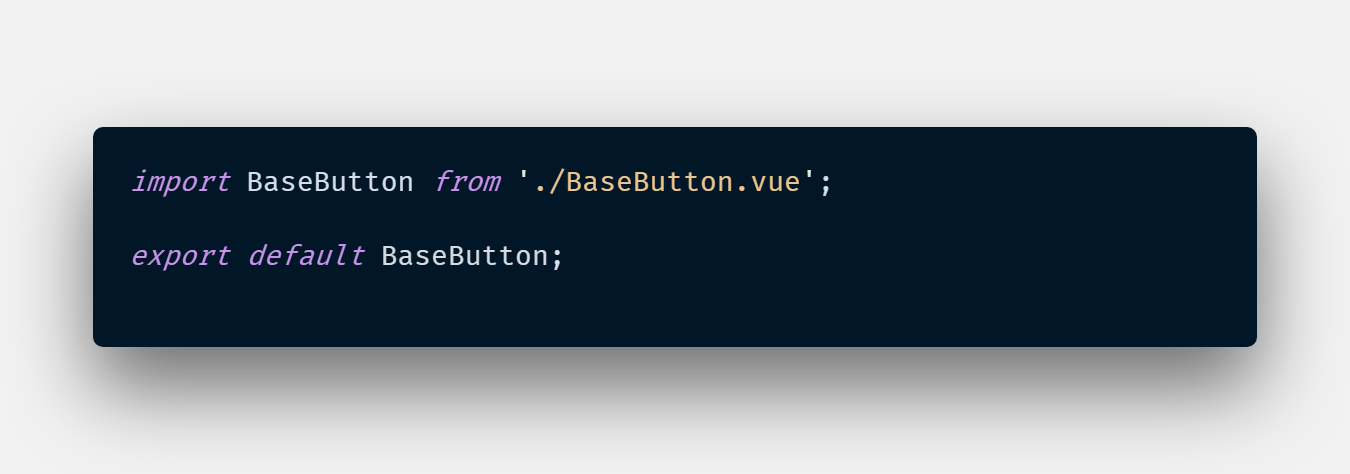
This would fix my issue with SSR (and probably another issue that I have when including style tag inside my SFC).
Btw thanks for the amazing work !
ValentinCrochemore
on 6 Nov 2019
This probably happens because when you import components from Bit they are already 'compiled'. For SSR rendering, you should be accessing the raw components. Check this link: https://docs.bit.dev/docs/vue-guidelines#using-vue-sfc-in-target-projects
 Tallyb
on 10 Nov 2019
Tallyb
on 10 Nov 2019
@ValentinCrochemore Were you able to get the components working?
The problems I was having were around the styles inside a SFC. I see in the docs that they mention to import the component like below. But I cannot seem to figure out how to get the components on Bit in that manner.
import MyComp from '@bit/username.collection/component/sfc'
 HuddleHouse
on 19 Nov 2019
HuddleHouse
on 19 Nov 2019
Hey @HuddleHouse, I just tested it according to what the Bit docs says but it still doesn't work. After reading the Vue docs it appears that the packages.json of the imported Bit component misses this lines :
"browser": {
    "./sfc": "Component.vue"
  },
But even after adding it manually it doesn't work. The only way I found is to replace the main key in the package.json to directly reference the sfc. Everything works after that but it is not sustainable. Maybe is it an issue with the Vue compiler Bit uses ?
Anyway I still can't use it for sfc right now
ValentinCrochemore
on 19 Nov 2019
@HuddleHouse That looks like a typo in the docs.
I think it should be import MyComp from '@bit/username.collection.component/sfc' (.component instead of /component)
please try with this syntax and let me know.
@ValentinCrochemore changing the main file and adding the browser prop, both can be done by the Vue compiler. please open an issue about it in the envs repo (and reference here).
@imsnif @Tallyb FYI
 GiladShoham
on 20 Nov 2019
GiladShoham
on 20 Nov 2019
Hey @ValentinCrochemore, I found a temporary solution as I described here.
 JoshK2
on 2 Dec 2019
JoshK2
on 2 Dec 2019
We fixed it in our project by changing import MyComponent from '@bit/username.collection.my-component';
to import MyComponent from '@bit/username.collection.my-component/MyComponent.vue';
Let me know, if it works for you.
 vitkolos
on 26 Aug 2020
vitkolos
on 26 Aug 2020
It works ! I can't believe I didn't try that :sweat_smile: Thanks a lot @vitkolos
ValentinCrochemore
on 28 Aug 2020
Related issues
 ranm8
·
16Comments
ranm8
·
16Comments
 itaymendel
·
10Comments
itaymendel
·
10Comments
 nsams
·
12Comments
nsams
·
12Comments
 DeividZavala
·
15Comments
DeividZavala
·
15Comments
 viiralt
·
11Comments
viiralt
·
11Comments
Most helpful comment
We fixed it in our project by changing
import MyComponent from '@bit/username.collection.my-component';to
import MyComponent from '@bit/username.collection.my-component/MyComponent.vue';Let me know, if it works for you.