Description
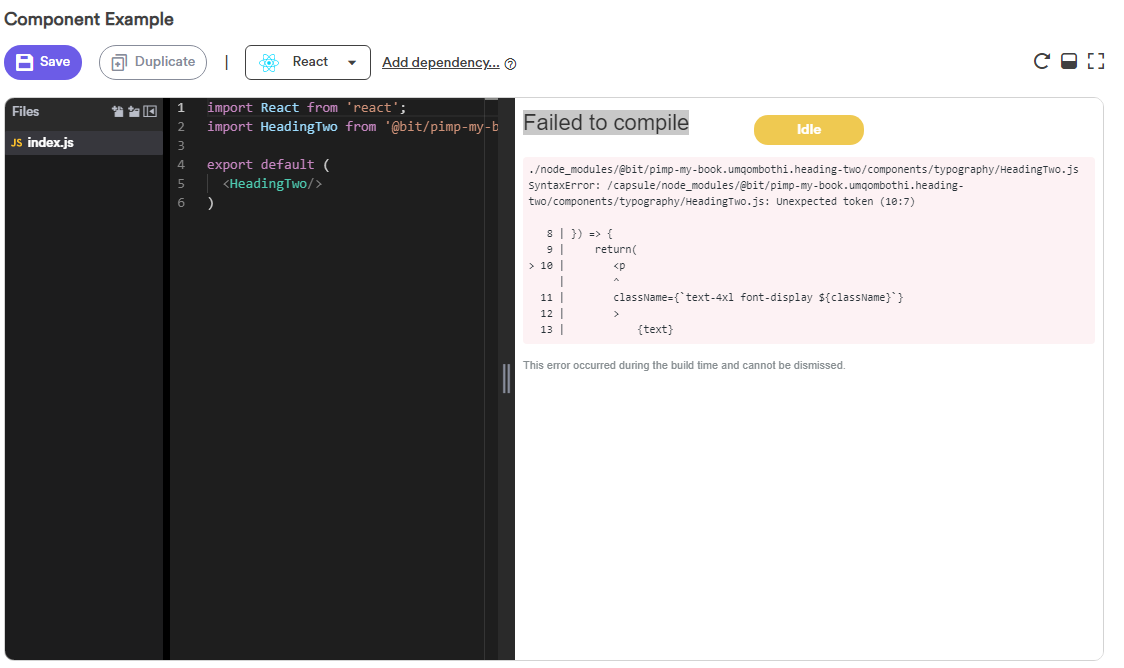
I am trying to view my components at bit.dev after exporting them from my workspace. When I view an individual component I get the following error: Unexpected token (10:7)
Context and additional information
- Bit version: @latest
- Yarn version: v1.6.0
- OS: Windows 10 64-bit
I've attached a screenshot:
 AmoDinho
All 8 comments
Hey, you did not import a compiler, so your files are not compiled in the playground.
You can fix this by importing the react compiler in your project with this command:
bit import bit.envs/compilers/react -c
So just need to import the compiler, run the following commands and it will work:
bit import bit.envs/compilers/react -c - to import react compiler
bit build - bit build all your component with react compiler
bit tag -a - tag your component with a new version
bit export <YOUR COLLECTION> - to export your tagged components
 JoshK2
on 1 Sep 2019
JoshK2
on 1 Sep 2019
Also, you need to set react and react-dom as peer dependencies in your project, or just set overrides in bit, so it will work in bit.dev, and also in other projects that will consume your components, because they have already install react and react-dom as dependencies.
more info: https://docs.bit.dev/docs/conf-files.html#setting-specific-component-configurations
JoshK2
on 1 Sep 2019
Hi @JoshK2 !
Thanks for your help!!! 💇♂
Followed your instructions and it is now working as expected. 💯
AmoDinho
on 2 Sep 2019
Hey @AmoDinho, I created a pull request to fix the peer dependencies in your project.
https://github.com/pimp-my-book/umqombothi-component-library/pull/30
Also, If your project is only a component library, and will not run alone, you can set the peer dependencies in the package.json like this:
...
"dependencies": {
    "react-scripts": "3.0.1",
    "styled-components": "^4.3.2"
  },
"peerDependencies": {
          "react": "16.8.6",
          "react-dom": "16.8.6"
 }
...
and not in bit objects.
JoshK2
on 2 Sep 2019
@AmoDinho, it's better for you to merge this pr:
https://github.com/pimp-my-book/umqombothi-component-library/pull/31
because it's removed unnecessary dependencies in your project and set them as a peer.
And like this, you don't need to use the overrides option in bit.
JoshK2
on 2 Sep 2019
Hi @JoshK2 , I've just merged it.
Really appreciate the help from the both of you. 🥇
AmoDinho
on 2 Sep 2019
@AmoDinho with pleasure.
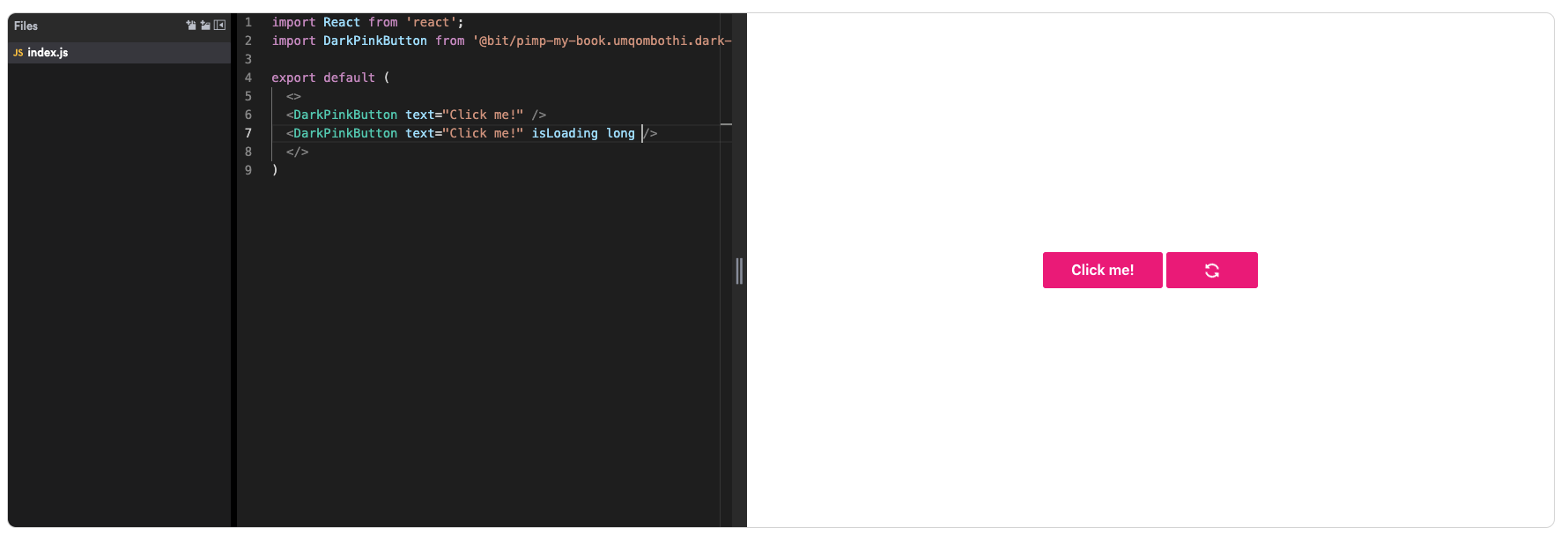
Nice button 😉
JoshK2
on 2 Sep 2019
@JoshK2 Thanks!
Quick question, is there a way to run bit locally similar to Storybook?
AmoDinho
on 2 Sep 2019
Related issues
 nvthuong1996
·
13Comments
nvthuong1996
·
13Comments
 ranm8
·
16Comments
ranm8
·
16Comments
 FredyC
·
20Comments
FredyC
·
20Comments
 AlexanderKaran
·
10Comments
AlexanderKaran
·
10Comments
 viiralt
·
11Comments
viiralt
·
11Comments
Most helpful comment
Hey, you did not import a compiler, so your files are not compiled in the playground.
You can fix this by importing the react compiler in your project with this command:
bit import bit.envs/compilers/react -cSo just need to import the compiler, run the following commands and it will work:
bit import bit.envs/compilers/react -c- to import react compilerbit build- bit build all your component with react compilerbit tag -a- tag your component with a new versionbit export <YOUR COLLECTION>- to export your tagged components