Binderhub: Binder not opening a specific file when directed to (Jupyter Lab)
Bug description
Binder is not opening a specific file (with Jupyter Lab) when directed to it
Example: https://mybinder.org/v2/gh/melaniewalsh/Intro-Cultural-Analytics/master?urlpath=lab/tree/book/Data-Analysis/Pandas-Basics-Part1.ipynb
Expected behaviour
Binder opens a specific file when it is directed to
Actual behaviour
Instead Binder opens in the root directory. It looks like at the last second ?clone is added to the end of the url, which might be the problem?
How to reproduce
- Go to this Binder link https://mybinder.org/v2/gh/melaniewalsh/Intro-Cultural-Analytics/master?urlpath=lab/tree/book/Data-Analysis/Pandas-Basics-Part1.ipynb
- See that it's opening in the root directory (but weirdly if you refresh the page, then the Pandas-Basics-Part1.ipynb file opens)
 melaniewalsh
All 4 comments
Thank you for opening your first issue in this project! Engagement like this is essential for open source projects! :hugs:
If you haven't done so already, check out Jupyter's Code of Conduct. Also, please try to follow the issue template as it helps other other community members to contribute more effectively.

You can meet the other Jovyans by joining our Discourse forum. There is also an intro thread there where you can stop by and say Hi! :wave:
Welcome to the Jupyter community! :tada:
![welcome[bot] picture](https://avatars.githubusercontent.com/in/4141?v=4&s=40) welcome[bot]
on 5 Oct 2020
welcome[bot]
on 5 Oct 2020
Hi there 👋 !
When I click your link I end up at the following:
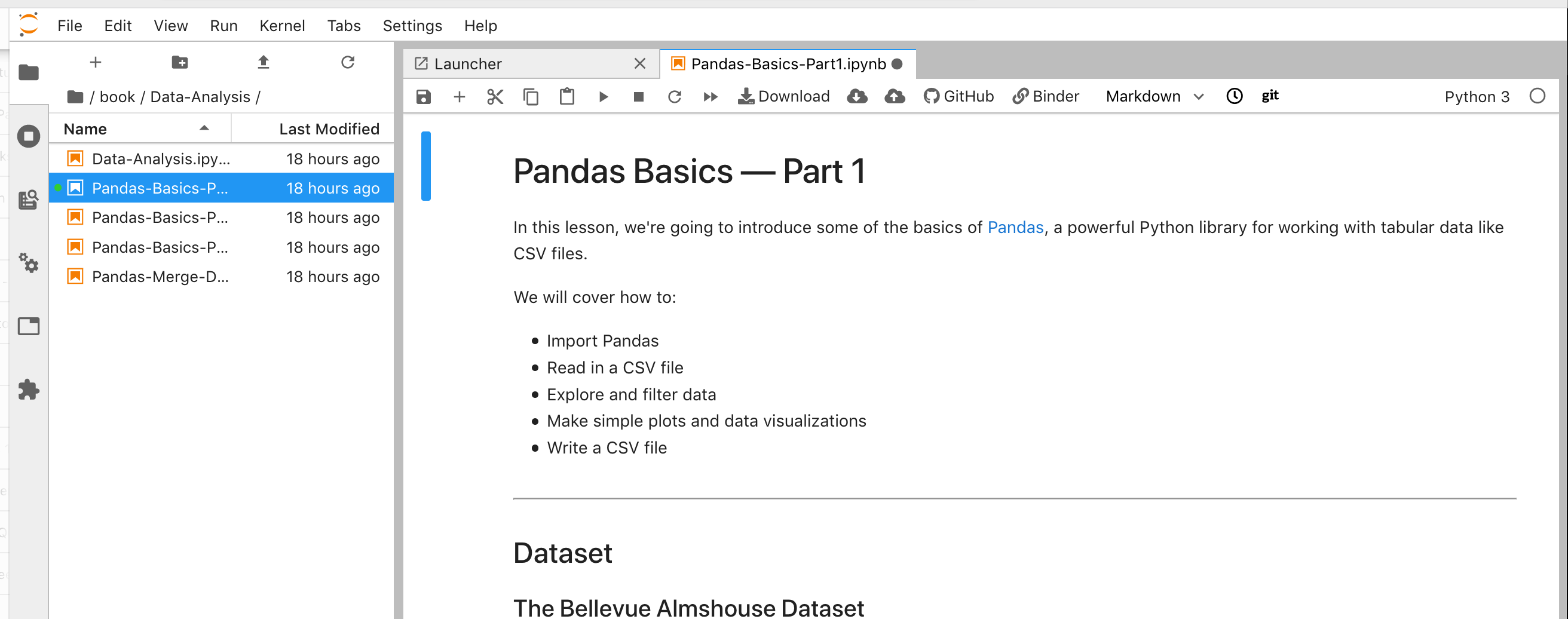
Which looks like it worked. The URL I end up at is https://hub.gke2.mybinder.org/user/melaniewalsh-in-tural-analytics-btp7mufo/lab. Could you post the one you end up? Maybe one of the clusters behind mybinder.org behaves differently, which we could spot from the different hostnames in the URL. I am using Firefox 82.0b3 (64-bit) on OSX and you?
 betatim
on 6 Oct 2020
betatim
on 6 Oct 2020
Thanks for trying it out, @betatim! And, yes, it looks like it worked for you. Good to know that it's working correctly sometimes.
I just tried the same link a handful more times, and Binder opened the filepath correctly a couple of times, but it still opened in the root directory at other times.
These are two of the URLS from when Binder opened in the root directory:
I'm using Chrome Version 85.0.4183.121 (64-bit) on OSX.
melaniewalsh
on 6 Oct 2020
We have seen this on our instance and noticed that the expected behavior works in Chrome Incognito mode. I have not figured out how the workspaces/auto-[x]/ gets inserted into the URL.
 fm75
on 16 Oct 2020
fm75
on 16 Oct 2020
Related issues
 rprimet
·
5Comments
rprimet
·
5Comments
 yuvipanda
·
5Comments
yuvipanda
·
5Comments
 stuaxo
·
6Comments
stuaxo
·
6Comments
 choldgraf
·
6Comments
choldgraf
·
6Comments
 raffadrummer
·
4Comments
raffadrummer
·
4Comments