Bids-specification: Announcement: GitHub teams
I've created a set of GitHub teams that should allow us to better titrate our calls for people's eyes than simply saying @bids-standard/everyone or @bids-standard/bep_leads.
Those teams are arranged hierarchically under @bids-standard/everyone, splitting by raw, derivatives and models, and then by increasingly specific components, as discussed in this thread.
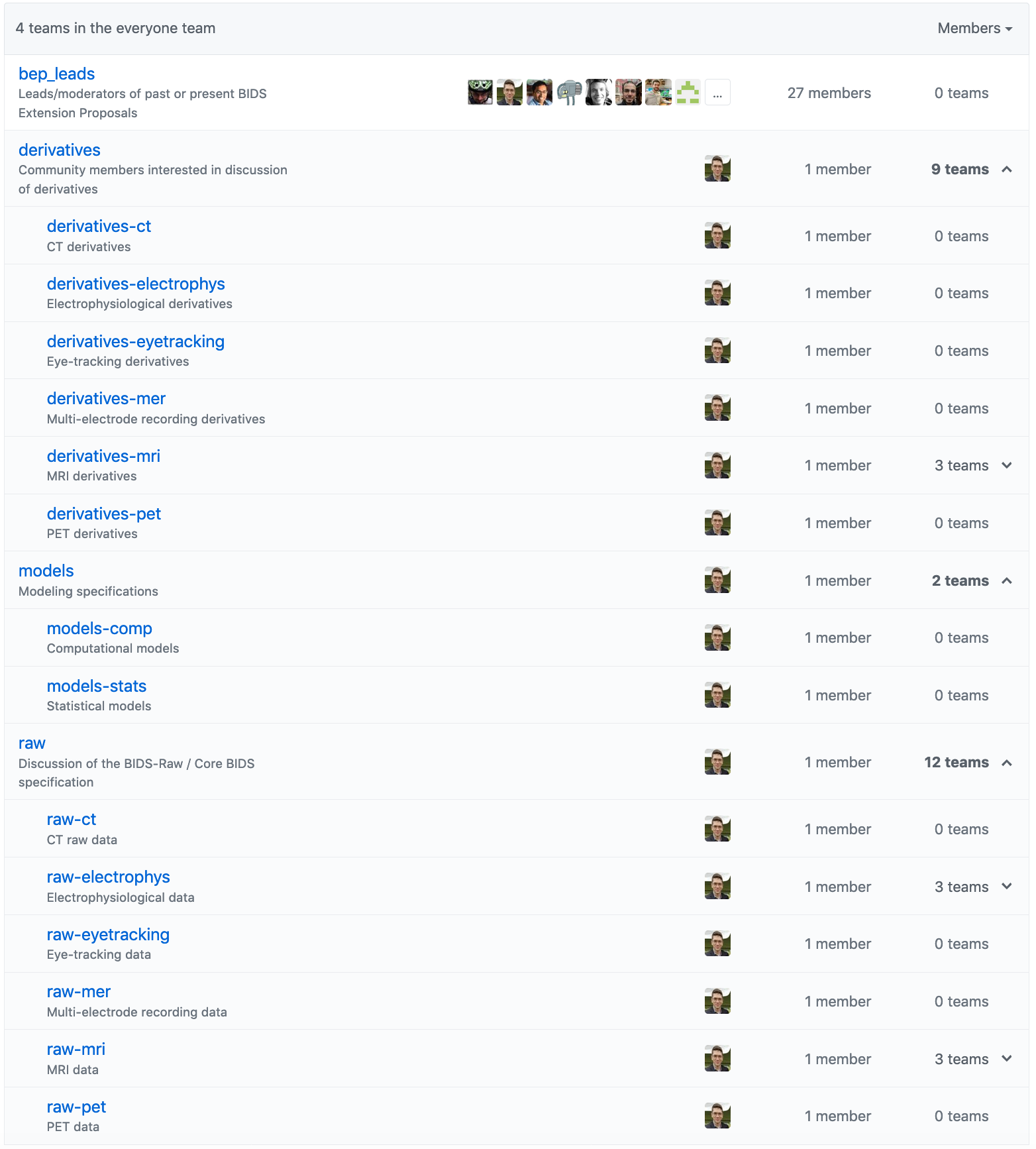
The hierarchy allows you to join the most specific teams you care to hear from, and you will receive notifications from parent levels. For instance, I can join @bids-standard/raw-electrophys-ieeg, and I will get notified when people mention @bids-standard/raw-electrophys-ieeg, @bids-standard/raw-electrophys, @bids-standard/raw or @bids-standard/everyone.
From the shouting-into-the-void perspective, you now have a choice of appropriately sized voids. For example, I might be working on an anatomical derivative, and now I need to decide whether this mostly affects other anatomical derivatives, in which case I should mention @bids-standard/derivatives-mri-anat, or perhaps I need thoughts about how it interacts with other derivatives, so I might instead mention @bids-standard/derivatives-mri (and the functional and diffusion folks will see) or even @bids-standard/derivatives (and the electrophys folks will see, too).
Happy to hear any feedback, and look forward to seeing if this helps improve people's experience with hearing about the issues that interest them most.
 effigies
All 28 comments
Great, thanks @effigies! Perhaps a visual guide on how to actually join a team would be good?
- Navigate to the teams site of bids-standard

- You'll see the "everyone" team. Now click on the dropdown menu where it says "27 Teams" in the picture

- Click on the team or sub-team that you want to join, and then in the upper right navigation click on "Members"

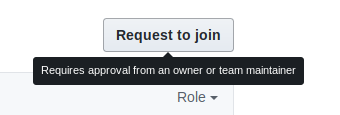
- There should be a "Request to join" button, which you can use to join the team
 sappelhoff
on 25 Jul 2019
sappelhoff
on 25 Jul 2019
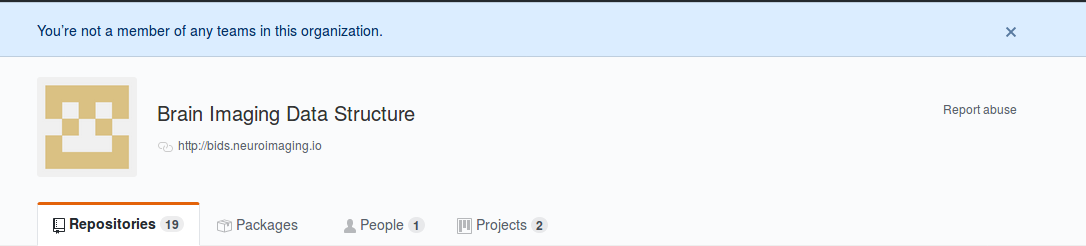
This is a great idea, but I wanted to join a specific team, following @sappelhoff instruction, but I couldn't reach the teams' page. Github only says that I am not a member of any teams.
 Hboni
on 26 Jul 2019
Hboni
on 26 Jul 2019
@Hboni yes, it seems you have to become a member of the GitHub organization first. Perhaps @franklin-feingold can send you an invitation.
For all others: If you run into this problem, just ping in this thread
sappelhoff
on 26 Jul 2019
If anybody has the permissions to give me extra permissions, I would like to spread "maintainer"-ness to new members of each group, and you all won't have to wait on (just) me to approve you to join.
I don't know who the owners/admins of the organization are, though I expect @chrisgorgo definitely is...
effigies
on 26 Jul 2019
I just made you an admin @effigies. Others with the power can revert that, but I doubt it will be a controversial move...
Update, and an owner of the organisation :muscle:
 KirstieJane
on 26 Jul 2019
KirstieJane
on 26 Jul 2019
Thanks @KirstieJane! Maybe I should preemptively de-admin everyone else, to keep things from getting out of hand.
effigies
on 26 Jul 2019
@franklin-feingold : Could I please be added to the org, so that I can join teams?
 arokem
on 26 Jul 2019
arokem
on 26 Jul 2019
Hmm. IDK if there is a permission to bump people's privileges within individual teams without just making them organization owners. @sappelhoff I'm inclined to give you this power as well. Hopefully that will make you someone who can accept team requests.
I figure BEP leads (at least for merged BEPs and those that have relevant teams, like PET) should get these permissions as well, but I'll wait for a second before I go ahead.
@arokem Invitation sent.
effigies
on 26 Jul 2019
Okay, I've figured out how to bump people up to maintainerdom:
In the team members:
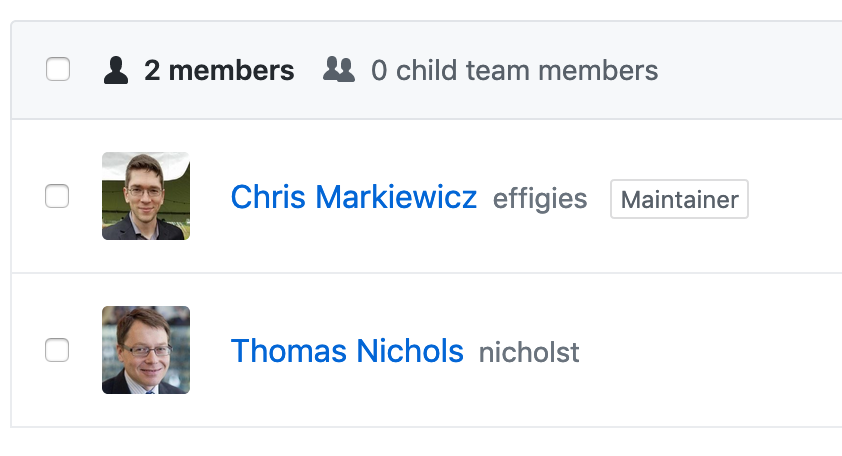
Select your victim, go to the dropdown and click "Change role...":
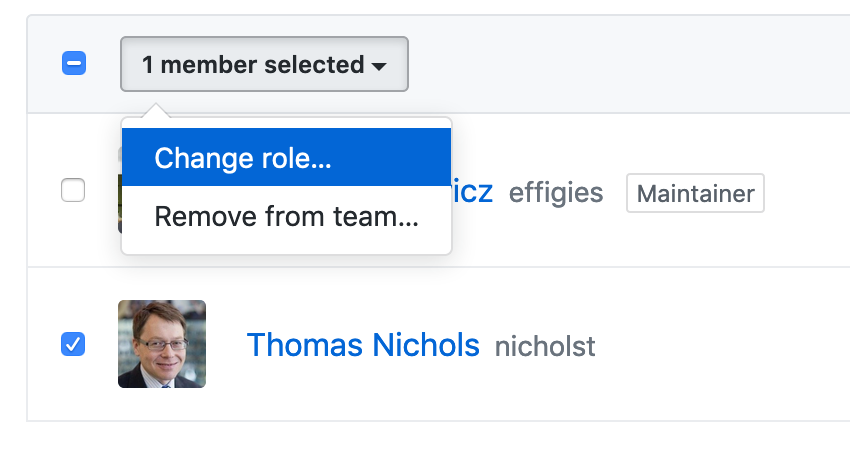
And grant power beyond their mildest dreams:
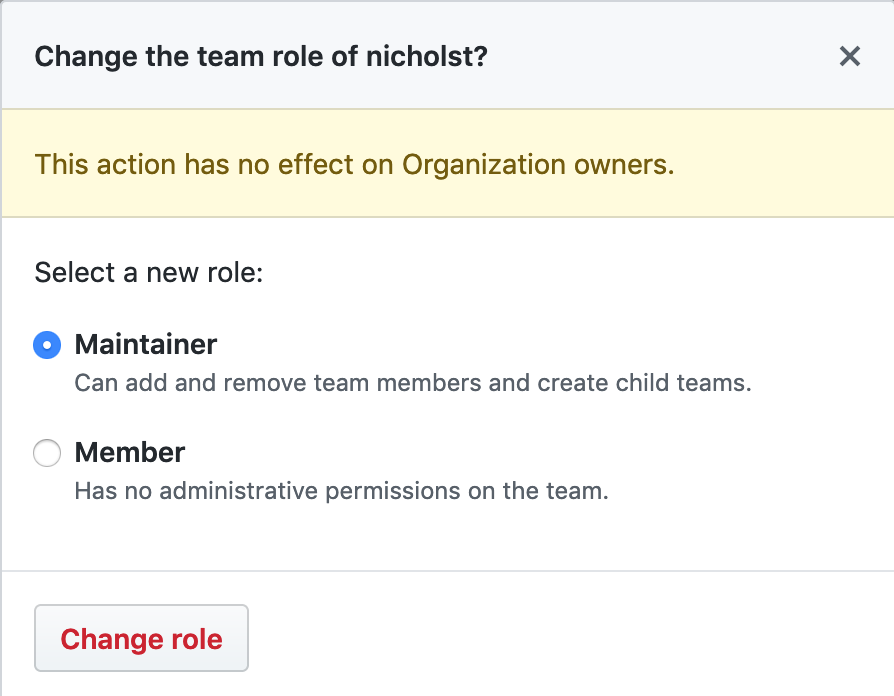
effigies
on 26 Jul 2019
Can I be added to join teams please ? @effigies @franklin-feingold
Hboni
on 27 Jul 2019
@Hboni Added you to the organization and the everyone team.
effigies
on 27 Jul 2019
Done @Hboni now you can join teams and get accepted by the respective moderators 👍
sappelhoff
on 27 Jul 2019
Hello! Can I please be added to to join teams as well? @effigies
Thanks in advance :)
 Andesha
on 1 Aug 2019
Andesha
on 1 Aug 2019
@Andesha Done. If you don't have an email, you can go to https://github.com/orgs/bids-standard to join the organization.
effigies
on 1 Aug 2019
@effigies thanks for organizing the teams! I would like to be added to the organization.
 jadesjardins
on 6 Aug 2019
jadesjardins
on 6 Aug 2019
Hello! Can I please be added to to join teams as well? @effigies
Thanks in advance :)
 dnacombo
on 20 Aug 2019
dnacombo
on 20 Aug 2019
@dnacombo https://github.com/orgs/bids-standard
effigies
on 20 Aug 2019
@effigies May I be added to the organization so that I can join the teams I am interested in? Thanks.
 jhlegarreta
on 1 Oct 2019
jhlegarreta
on 1 Oct 2019
@jhlegarreta https://github.com/orgs/bids-standard
effigies
on 1 Oct 2019
@effigies Can I please be added as well? Thanks!
 martcous
on 16 Oct 2019
martcous
on 16 Oct 2019
@martcous https://github.com/orgs/bids-standard
effigies
on 16 Oct 2019
@effigies could you please add me, too? Thanks!
 Horschig
on 22 Oct 2019
Horschig
on 22 Oct 2019
@Horschig https://github.com/orgs/bids-standard
effigies
on 22 Oct 2019
Could we add a team for the BIDS Steering committee ? I realized I wanted to ping them in #371 but it doesn't seem that a team yet exists !
 emdupre
on 14 Jan 2020
emdupre
on 14 Jan 2020
@emdupre Created @bids-standard/steering. 4 of five members are on it now. Pending invitation to the organization for @guiomar.
effigies
on 14 Jan 2020
Thanks! I'm not very expert on GitHub, should I need to do something?
 guiomar
on 14 Jan 2020
guiomar
on 14 Jan 2020
@guiomar Go to https://github.com/orgs/bids-standard. There should be some button to click to join the organization.
effigies
on 14 Jan 2020
Thanks! I'm not very expert on GitHub, should I need to do something?
@guiomar I have just updated your invitation to join the bids-standard organization (which is required to be in a team). I hope this resulted in you receiving the invitation email once more.
 robertoostenveld
on 15 Jan 2020
robertoostenveld
on 15 Jan 2020
Related issues
 franklin-feingold
·
8Comments
franklin-feingold
·
8Comments
 adelavega
·
10Comments
sappelhoff
·
7Comments
adelavega
·
10Comments
sappelhoff
·
7Comments
 tsalo
·
7Comments
tsalo
·
7Comments
 Remi-Gau
·
4Comments
Remi-Gau
·
4Comments
Most helpful comment
Great, thanks @effigies! Perhaps a visual guide on how to actually join a team would be good?