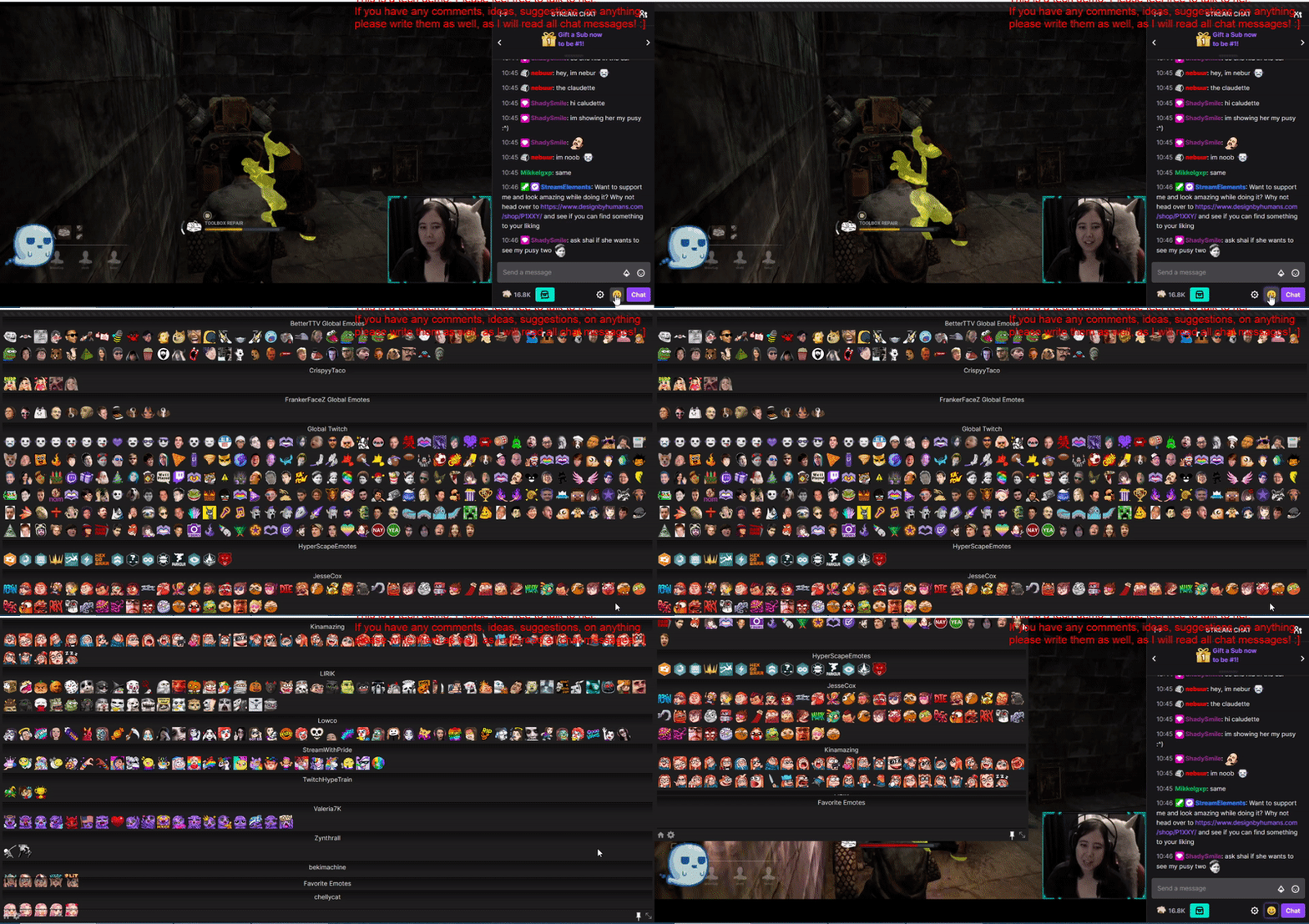
When I open the betterttv emote menu, it opens in fullscreen mode, if I try to click the arrows that adjust the size I can only move it to the left of the screen, up or down. Please help.
 ellysfrinzi
All 8 comments
Same
 thatspogger
on 5 Oct 2020
thatspogger
on 5 Oct 2020
same
 OpenThatVodka
on 5 Oct 2020
OpenThatVodka
on 5 Oct 2020
Same
 SlightlyZelus
on 5 Oct 2020
SlightlyZelus
on 5 Oct 2020
I have the same problem.
I am on Firefox 81.0.1 (64-bit).
Problem started with the October 5th update (today).
(The frame rate on this GIF is extremely slow btw)
 corgrath
on 5 Oct 2020
corgrath
on 5 Oct 2020
I have the exact same issue.
It starts off in fullscreen and has a horizontal scrollbar on top. If you try and slide it, the top of the emote menu "shifts" behind the chrome search bar and the emotes cant be accessed which are located there.
One can resize the menu but it is stuck to the top left side of the window and one can only shift it towards there or fullscreen it.
It happened just now, I zoomed in to my chrome window with my touchpad and when I zoomed out to normal size the menu started doing this.
I tried restarting my computer, switching the extension on and off, reinstalling bttv, and also turning on and off most settings in the bttv settings menu.
 trashy-cloud
on 5 Oct 2020
trashy-cloud
on 5 Oct 2020
Likewise. The menu opens a full screen menu of all channel emotes with no proper scrolling or resizing.
 Marshazzle
on 5 Oct 2020
Marshazzle
on 5 Oct 2020
Same
 nabfel
on 5 Oct 2020
nabfel
on 5 Oct 2020
is there already a prediction for them to fix this bug? of the menu cover the screen?
 Rednawander
on 5 Oct 2020
Rednawander
on 5 Oct 2020
Related issues
 Nareese
·
3Comments
Nareese
·
3Comments
 Fuglypump
·
3Comments
Fuglypump
·
3Comments
 Nikksukka
·
4Comments
Nikksukka
·
4Comments
 ghost
·
5Comments
ghost
·
5Comments
 jt415gz
·
3Comments
jt415gz
·
3Comments
Most helpful comment
I have the exact same issue.
It starts off in fullscreen and has a horizontal scrollbar on top. If you try and slide it, the top of the emote menu "shifts" behind the chrome search bar and the emotes cant be accessed which are located there.
One can resize the menu but it is stuck to the top left side of the window and one can only shift it towards there or fullscreen it.
It happened just now, I zoomed in to my chrome window with my touchpad and when I zoomed out to normal size the menu started doing this.
I tried restarting my computer, switching the extension on and off, reinstalling bttv, and also turning on and off most settings in the bttv settings menu.