Betaflight-configurator: BFC 10.6 RC1: Fonts look smashed/washed out... :-/ (Win10)

 RipperDrone
All 21 comments
Font rendering issues?
- What resolution is that monitor set to?
- Whats the DPI setting, mine is 100%
- Version of windows, I'm on 1903
- Is this the RC1 build we have posted on github, or did you build this yourself?
 Docteh
on 21 Sep 2019
Docteh
on 21 Sep 2019
Not really font rendering, screen somehow flickers when scrolling BFC window scroll bars, some areas seem a little clearer, but most content is dithered. Doesn't happen at all with Nightlies installed via Chrome...?
DPI 100%, RC1 BFC from GitHub, Win 10 x64 1903, 1980x1020 native LCD. All other appsmor programs look crisp. Even BFC installed as Chrome app... 🤔
RipperDrone
on 21 Sep 2019
When I looked at the screenshot on github it just looked like the text rendering was mucked up, but then I looked closer.
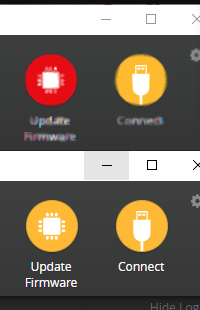
The NWJS that runs the configurator stand alone, is really just a packaged copy of the chrome browser. The build we're using is dated 2019-03-04. I tried looking up blurry apps, and most results are from 2015.
Personally I'd try running the latest INAV configurator, and see if it exhibits the same issue. Their latest 2.2.1 release is running NWJS 0.36.4 as well, so its the exact same program (NWJS, not the actual app), just packaged differently. Grab the win32 since we're win32.
Otherwise you're immediately left with trying things such as wiping the betaflight-configurator directory in %LOCALAPPDATA%, fully uninstalling then reinstalling the configurator, or looking at options in windows 10. I noticed that there is an option for windows to try and fix blurry apps. I tried turning it off, but the configurator still looks fine for me.
Docteh
on 22 Sep 2019
@Docteh Have done complete uninstall / reinstall of BFC, plus reset my GF1060Ti graphics card to 'quality' preference. PRoblems gone since. Loaded iNAV, fonts and windows stretching / scaling behavior look the same (slightly dithering the fonts while stretching/scaling but never completely wash them out...). Seems to be graphics drivers or interference of Chrome version vs. standalone version installs / libraries used... closing this issue now...
RipperDrone
on 22 Sep 2019
I have the exact same problem as above, and had the same problem with "Discord". What fixed it there for me was to turn off hardware acceleration, but that isn't within "Betaflight" options. I'm going to check if changing some videocard setting will change this issue. Changing DPI settings did nothing for me. Only had two programs having this issue, betaflight and discord.
 oermenz
on 15 Oct 2019
oermenz
on 15 Oct 2019
@oermenz good to have someone replicate the issue. Graphics card is Nvidia, too? On the note of hardware accel, I have hardware accel ENabled in Chrome, and still the chromium version works flawlessly for me. It's the standalone Win32 install which renders fonts unreadible. I tried playing around with video settings, to no avail yet. Res is full HD (native).
I currently share the theory it's about some packed .is library which does the rendering differently, depending on versions. Just haven't found a working versions over the last couple of updates where the library versions were supposed to be updated, too... 😨
RipperDrone
on 15 Oct 2019
@RipperDrone, @oermenz: Try the --disable-gpu option when starting configurator: http://docs.nwjs.io/en/latest/References/Command%20Line%20Options/#-disable-gpu
 mikeller
on 15 Oct 2019
mikeller
on 15 Oct 2019
@mikeller This seems to have done the trick! Ty!
@RipperDrone Yes, I have Nvidia card. In Chrome I don't have this issue with gpu enabled. Only two programs I've encountered with this problem. Not sure if Discord also uses chromium but I know many people encountered the same problem there and the hardware acceleration can be turned off from within the program settings, probably for this reason.
oermenz
on 15 Oct 2019
After some more searching it seems to be an issue with Electron.js that it also used by Discord. The problem seems to be with Nvidia FXAA setting. Another option is to add the program in the "manage 3d setting" tab within the Nvidia control panel, and set FXAA to off for the specified program.
oermenz
on 15 Oct 2019
@mikeller @oermenz 1k kudos! Did the trick! Wow, that was a hard one :-).

RipperDrone
on 15 Oct 2019
So it seems we need the command line -no_gpu and/or 'no Anti-aliasing' preset as a default :-)
RipperDrone
on 15 Oct 2019
So it seems we need the command line -no_gpu and/or 'no Anti-aliasing' preset as a default :-)
That seems a bit radical since I don't think many users have ran into this problem. The solution is simple for people having to bypass it.
oermenz
on 15 Oct 2019
@RipperDrone, @oermenz: Does anybody want to collect an easy point for Hacktoberfest (https://hacktoberfest.digitalocean.com/) with a pull request to add a note to https://github.com/betaflight/betaflight-configurator#webgl telling users to try --disable-gpu when they run into display problems?
mikeller
on 16 Oct 2019
@mikeller sounds easy - I registered on Hacktoberfest, then tried to open a PR here, realized that it needs me to install the whole coding environment and branching out my own branch first. Man, this is just so much overhead for doing a simple text edit PR :-/ No easier route? (Win10 x64 OS)
RipperDrone
on 16 Oct 2019
You can edit the text directly in Github, and create the pr directly there. You need to have a fork of the repo, press edit in the file you want to modify here in Betaflight, and you will see a create a branch button.
 McGiverGim
on 16 Oct 2019
McGiverGim
on 16 Oct 2019
@McGiverGim @mikeller Ok you got me, trying...
RipperDrone
on 16 Oct 2019
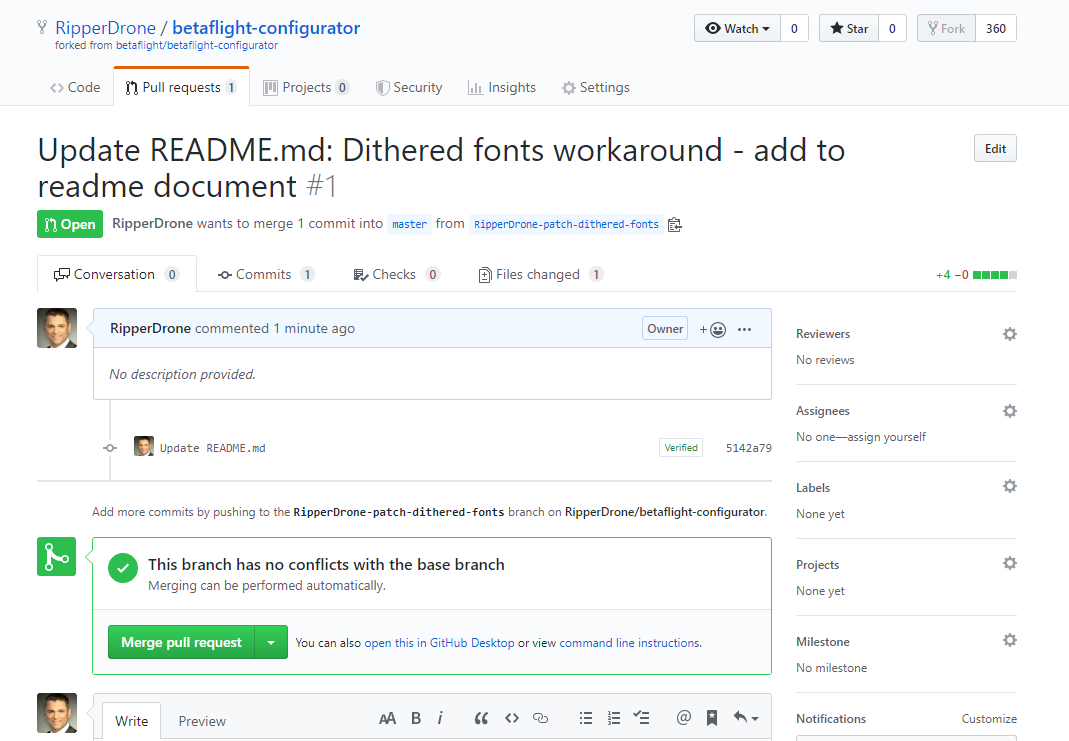
@McGiverGim Whoa, did I just do my first commit / PR? Yeah, it's small things that can make life enjoyable - haha! :-)
RipperDrone
on 16 Oct 2019
RipperDrone
on 16 Oct 2019
You have done a PR to your own repository 😋
Select your branch, and do a new PR, and be sure to select the Betaflight repo as target for the PR.
McGiverGim
on 16 Oct 2019
@McGiverGim better now?
RipperDrone
on 16 Oct 2019
@RipperDrone When I searched for the problem I came across another issue you've opened about the same subject which is still open. I think you can close that one, or remove completely. No need for issue cluttering! ;)
oermenz
on 20 Oct 2019
Related issues
 JyeSmith
·
5Comments
JyeSmith
·
5Comments
 Stavr0s91i
·
5Comments
Stavr0s91i
·
5Comments
 AirBreak69
·
9Comments
AirBreak69
·
9Comments
 HaroldBawls
·
5Comments
HaroldBawls
·
5Comments
 el-kwadro-fpv
·
8Comments
el-kwadro-fpv
·
8Comments
Most helpful comment
@mikeller @oermenz 1k kudos! Did the trick! Wow, that was a hard one :-).