Bert-as-service: 'bert-serving-start' is not recognized as an internal or external command
Hi,
This is a very silly question.....
I have python 3.6.6, tensorflow 1.12.0, doing everything in conda environment, Windows 10.
I pip installed bert-serving-server/client and it shows
Successfully installed GPUtil-1.4.0 bert-serving-client-1.7.2 bert-serving-server-1.7.2 pyzmq-17.1.2
but when I run the following as CLI
bert-serving-start -model_dir /tmp/english_L-12_H-768_A-12/ -num_worker=4
it says
'bert-serving-start' is not recognized as an internal or external command
I found bert-serving library is located under C:\Users\Name\Anaconda\Lib\site-packages. So I tried to run bert-serving-start again under these three folders:
- site-packages
- site-packages\bert_serving
- site-packages\bert_serving_server-1.7.2.dist-info

However, the result is same as not recognized. Can anyone help me?
 moon-home
All 12 comments
Did you try adding site-packages\bert_serving to your PATH variable ?
 astariul
on 17 Jan 2019
astariul
on 17 Jan 2019
@sailormoon2016 please refer to the step 1 of https://github.com/hanxiao/bert-as-service/issues/99#issuecomment-452769280
for the latest bert-as-service >=1.7.0, you don't need to do step 2 in that comment
 hanxiao
on 17 Jan 2019
hanxiao
on 17 Jan 2019
@hanxiao That script worked! Thank you!
@Colanim I tried and added bert_serving to environment variables as you suggested, it's still not recognized, not sure if I did something else wrong, but thank you for trying to help!
moon-home
on 17 Jan 2019
fyi, this is fixed in #212, the new feature is available since 1.7.7. Please do
pip install -U bert-serving-server bert-serving-client
for the update.
hanxiao
on 22 Jan 2019
@A6Matrix version too old, please do pip install -U first
hanxiao
on 4 Apr 2019
Create a start-bert-as-service.py with the following code
import sys

from bert_serving.server import BertServer
from bert_serving.server.helper import get_run_args


if __name__ == '__main__':
    args = get_run_args()
    server = BertServer(args)
    server.start()
    server.join()
so you can run with the following command
python start-bert-as-service.py -model_dir ./tmp/chinese_L-12_H-768_A-12/ -num_worker=1
 monk1337
on 15 May 2019
monk1337
on 15 May 2019
Create a start-bert-as-service.py with the following code
import sys

from bert_serving.server import BertServer
from bert_serving.server.helper import get_run_args


if __name__ == '__main__':
    args = get_run_args()
    server = BertServer(args)
    server.start()
    server.join()
so you can run with the following command
python start-bert-as-service.py -model_dir ./tmp/chinese_L-12_H-768_A-12/ -num_worker=1
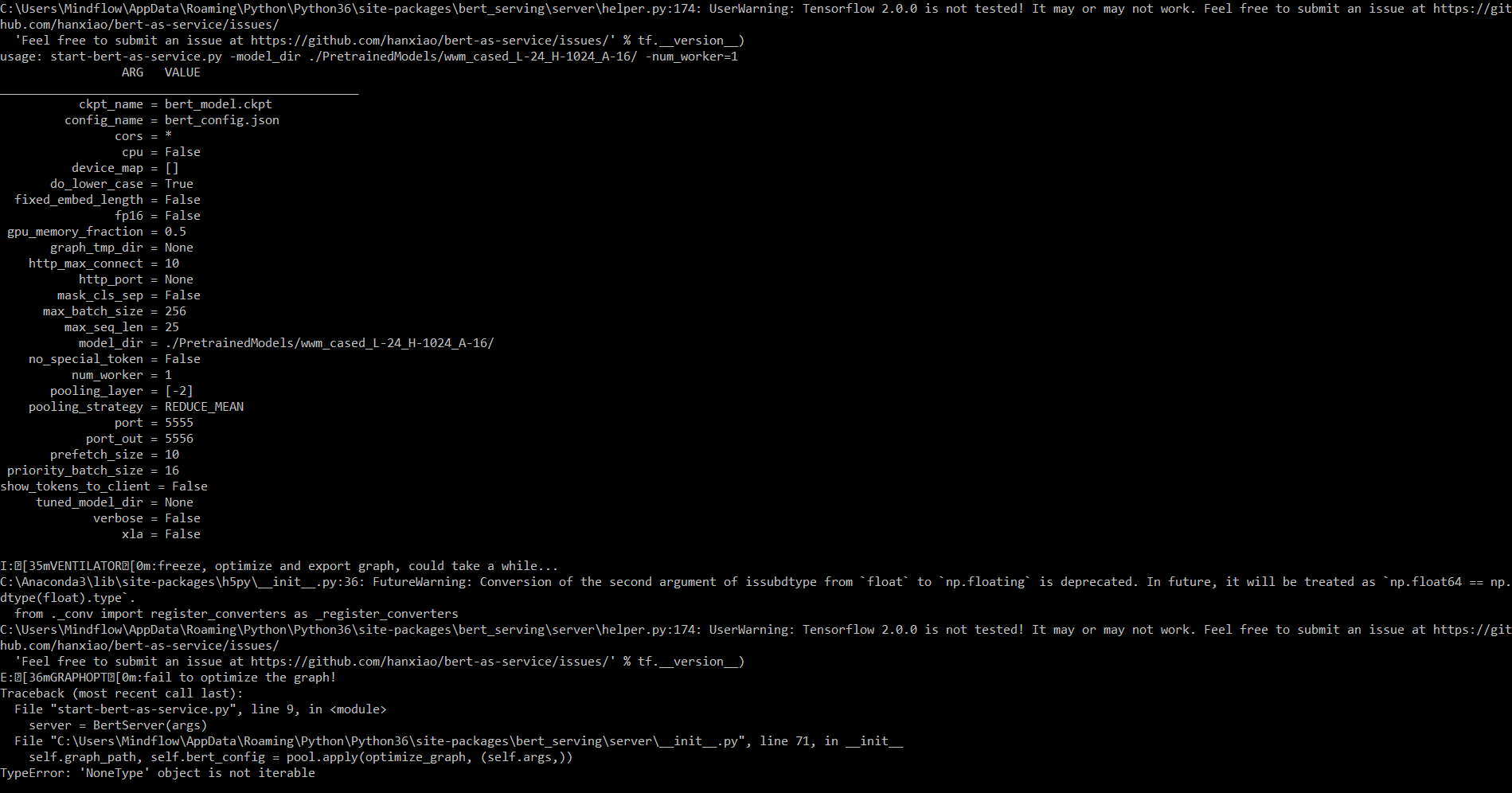
@monk1337 Getting this Error using this solution on windows 10 with python 3.6 and tensorflow 2.0.0 .
 amitgupta911
on 14 Nov 2019
amitgupta911
on 14 Nov 2019
Hi,
I had another problem...
I installed correctly bert-serving-server and bert-serving client and I downloaded the multilingual model that I uncompressed in the same folder on my code.
But when i run
bert-serving-start -model_dir /tmp/multi_cased_L-12_H-768_A-12/ -num_worker=1
it launches the following error:
SyntaxError: invalid token.
Could you help me?
Thank you so much
 Giuli17G
on 1 May 2020
Giuli17G
on 1 May 2020
Stop writing shitty answers and give a solution which actually solves the problem. In my case, I don't have any executables with the name bert-serving-start.
@askaydevs You should be really shamed of yourself!
hanxiao
on 11 May 2020
@hanxiao My sincere apologies for that earlier comment. I was just starting with BERT and at that moment there were not enough resources to learn about BERT and also I was an amateur, after giving numerous unsuccessful tries I got frustrated and wrote that; didn't mean any of that. I totally understand you are doing exceptional job to keep things clean and bug free. Again I am sorry @hanxiao.
 askaydevs
on 11 May 2020
askaydevs
on 11 May 2020
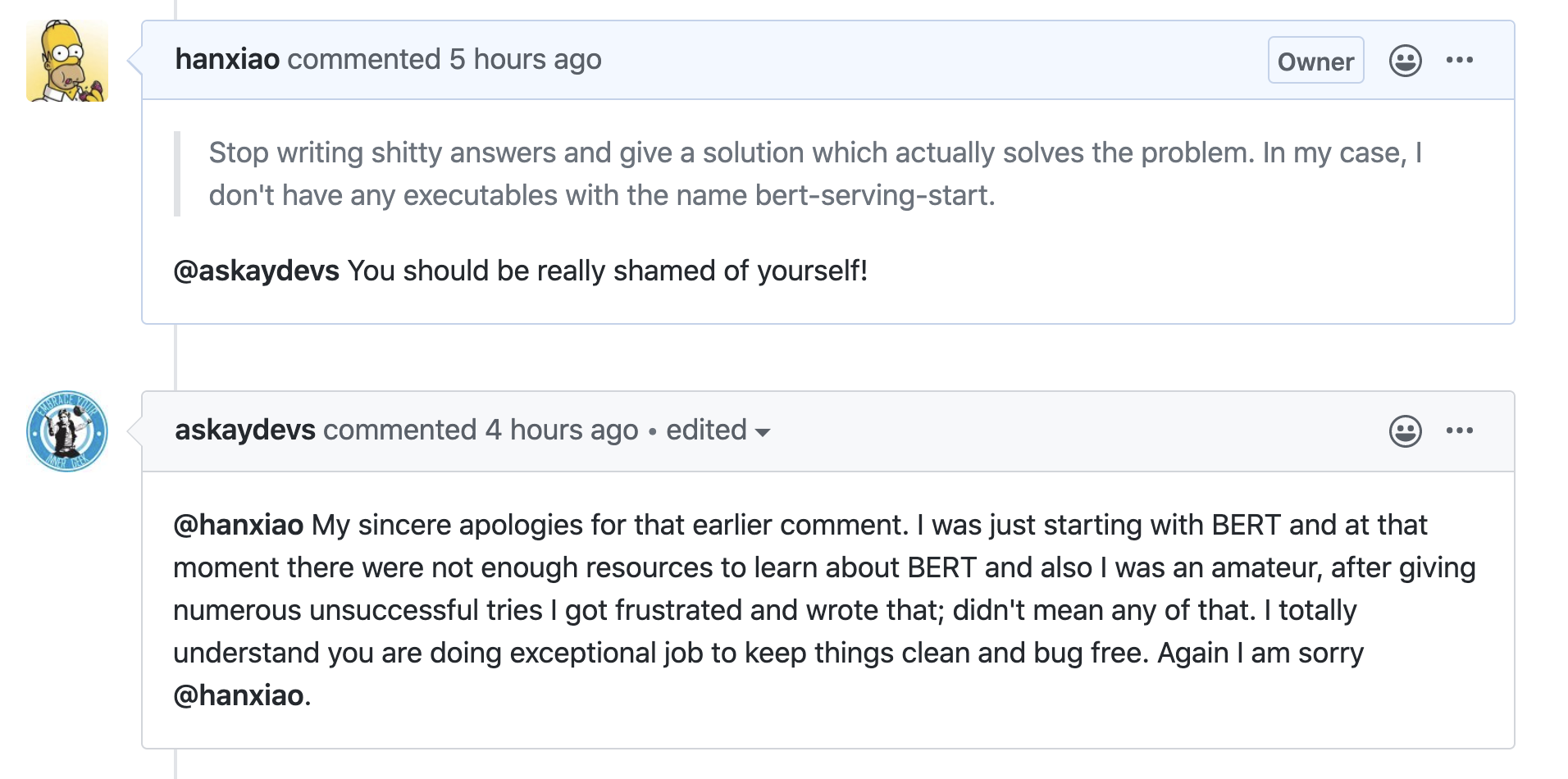
@askaydevs You may delete your comment and wish the internet forget what you did. I hope you learn to respect other open source work and be responsible of what you did.
hanxiao
on 12 May 2020
Hi,
I had another problem...
I installed correctly bert-serving-server and bert-serving client and I downloaded the multilingual model that I uncompressed in the same folder on my code.
But when i run
bert-serving-start -model_dir /tmp/multi_cased_L-12_H-768_A-12/ -num_worker=1
it launches the following error:
SyntaxError: invalid token.
Could you help me?
Thank you so much
Did you get any solution ? Even I am facing the same issue.
 ShrikanthSingh
on 21 Aug 2020
ShrikanthSingh
on 21 Aug 2020
Related issues
 lu161513
·
4Comments
lu161513
·
4Comments
 kapilkd13
·
4Comments
kapilkd13
·
4Comments
 crapthings
·
3Comments
crapthings
·
3Comments
 babai3693
·
3Comments
babai3693
·
3Comments
 JulianGerhard21
·
4Comments
JulianGerhard21
·
4Comments
Most helpful comment
Create a start-bert-as-service.py with the following code
so you can run with the following command
python start-bert-as-service.py -model_dir ./tmp/chinese_L-12_H-768_A-12/ -num_worker=1