Berry: [Bug] Go-to definition with ZipFS doesn't work in VSCode 1.48
[x] I'd be willing to implement a fix
I'd have to be given a lot of direction though...
Describe the bug
When jumping to definitions in VSCode 1.48 with the Yarn SDKs and ZipFS extension installed, I get an error similar to this:
Unable to open 'index.d.ts': Unable to read file '/zip:/Users/me/src/project/.yarn/cache/@types-leaflet-npm-1.5.17-401fcefaf4-a596fb8672.zip/node_modules/@types/leaflet/index.d.ts' (Error: Unable to resolve non-existing file '/zip:/Users/me/src/project/.yarn/cache/@types-leaflet-npm-1.5.17-401fcefaf4-a596fb8672.zip/node_modules/@types/leaflet/index.d.ts').
The same action works in 1.47.
To Reproduce
I don't know how to script this, so I made a repo with some instructions:
https://github.com/xandris/zipfs-bug
Environment if relevant (please complete the following information):
- OS: Mac OS 10.15.6
- Node: 14.8.0
- Yarn: 2.1.1
Additional context
VSCode 1.48 appears to generate a path that starts with /zip:, bit if you cause a failure in 1.47, the paths it prints out start with zip:. So maybe the leading slash is the immediate cause?
Right-clicking on a zip file and choosing "mount as directory" doesn't appear to do anything in either 1.47 or 1.48, or at least I can't find the effect.
 xandris
All 22 comments
https://github.com/microsoft/vscode/issues/105014
There's nobody working on fixing this yet as far as I know.
 paul-soporan
on 24 Aug 2020
paul-soporan
on 24 Aug 2020
Indeed, we need to submit a fix to VSCode 🤔
@xandris if you're interested to look into it, feel free to pop on Discord and we'll be happy to help you get started on this!
 arcanis
on 24 Aug 2020
arcanis
on 24 Aug 2020
I have also been having this problem for a while now. I tried installing VSCode 1.47 as per your findings and now have working Go to definition again 👍 .
On a related note, I am also using macOS Catalina 10.15.6. A colleague of mine who is having the same problem is also on macOS Catalina. My guess would be, the leading slash in /zip: is breaking things due to the root directory in macOS Catalina being read-only.
With macOS Catalina, you can no longer store files or data in the read-only system volume, nor can you write to the "root" directory ( / ) from the command line, such as with Terminal.
 RuniBr
on 28 Aug 2020
RuniBr
on 28 Aug 2020
This also happens in DevContainers on Linux (haven't tried it without though), so this is not an MacOS-specific thing.
 phryneas
on 28 Aug 2020
phryneas
on 28 Aug 2020
I can also confirm that:
- this bug is reproducible on the
Ubuntu 20.04.1 LTS. - on vscode 1.47.3 the bug is not present
Until this bug is not fixed on the vscode side, here are the instructions on how to downgrade:
- Open: https://code.visualstudio.com/updates/v1_47
- Under title (June 2020) there will be a download section, chose a link according to your system

- Install it and enjoy the ability to be able to easily open zip files again
- Optionally, you can disable updates by adding
"update.mode": "none"to the vscode settings
 Namielusi
on 28 Aug 2020
Namielusi
on 28 Aug 2020
I still had a similar issue on VS Code 1.47.3 on Windows.
 wozzo
on 3 Sep 2020
wozzo
on 3 Sep 2020
The only in-development fix is switching to node-modules. So it's a bit of a pain.
EDIT:
Not true, you could actually do what I did and temporarily use an Insiders build of 1.47.0-insider so that you don't have to downgrade.
⋮
⋮ 🚧 Remember to install the ZipFS extension!
⋮
 TheGrimSilence
on 3 Sep 2020
TheGrimSilence
on 3 Sep 2020
I still had a similar issue on VS Code 1.47.3 on Windows.
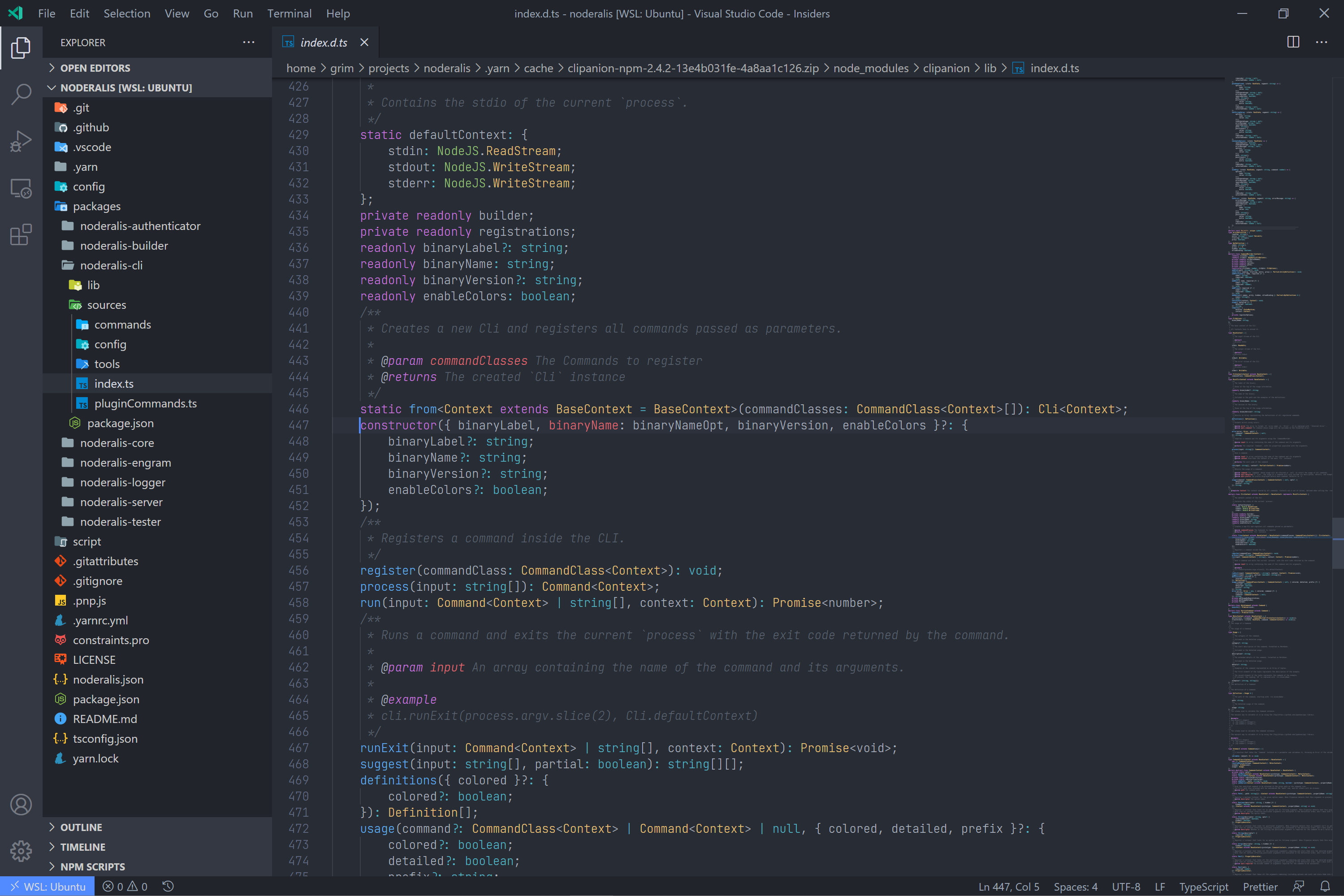
@wozzo With 1.47.0-insiders and using WSL2 I'm able to access the cache files.
TheGrimSilence
on 3 Sep 2020
Apologies in advance if commenting on a closed issue is not permitted.
Unless there's something I've missed or am doing wrong, it appears #1799 has not resolved the issue for me on macOS Catalina. I updated our Yarn to latest via yarn set version from sources, ran a Yarn install and even yarn pnpify --sdk vscode + VSCode reload for good measure, and do not see any caret prefix in the ZIP protocol.
Unable to open 'index.d.ts': Unable to read file '/zip:/Users/runib/project/.yarn/cache/@types-react-npm-16.9.41-dc30b07b2f-d9fc63c96f.zip/node_modules/@types/react/index.d.ts' (Error: Unable to resolve non-existing file '/zip:/Users/runib/project/.yarn/cache/@types-react-npm-16.9.41-dc30b07b2f-d9fc63c96f.zip/node_modules/@types/react/index.d.ts').
RuniBr
on 15 Sep 2020
It's been merged, but it doesn't look to me like it's been included in a release yet.
wozzo
on 15 Sep 2020
@wozzo Ah, makes sense why I didn't notice a difference then. Cheers for the heads-up
RuniBr
on 15 Sep 2020
Correct, it hasn't been released and those changes aren't included when built from sources, you can manually copy paste the file from our repo for now https://github.com/yarnpkg/berry/blob/3caf1db2538ad1417a921621d27a2df3cf46baab/.yarn/sdks/typescript/lib/tsserver.js
 merceyz
on 15 Sep 2020
merceyz
on 15 Sep 2020
@merceyz Brilliant! That did the trick. Thank you 👍
RuniBr
on 15 Sep 2020
Is there an ETA on when this fix will be released, even to the master branch when pulled with yarn set version from sources? Or maybe is there a command that can be used to download/install a pre-release version of a Yarn SDK directory via pnpify? Thank you.
 ecbrodie
on 21 Sep 2020
ecbrodie
on 21 Sep 2020
Using v.2.3.0 and I'm still getting this error when trying to go to any definition
Unable to open 'react-intl.d.ts': Unable to resolve resource zip:/c%3A/Projects/app/.yarn/%24%24virtual/react-intl-virtual-5a06a0a2c6/0/cache/react-intl-npm-3.12.1-65fec75b25-13d035e868.zip/node_modules/react-intl/lib/react-intl.d.ts.
wozzo
on 2 Oct 2020
You need to update your SDK, run yarn dlx @yarnpkg/pnpify --sdk
merceyz
on 2 Oct 2020
I have run that command, and I'm still getting the same result.
PS C:\Projects\app> yarn dlx @yarnpkg/pnpify --sdk
(node:38168) V8: C:\Projects\app\.yarn\plugins\@yarnpkg\plugin-interactive-tools.cjs:30099 Invalid asm.js: Illegal break
➤ YN0000: ┌ Resolution step
➤ YN0000: │ V8: C:\Projects\app\.yarn\releases\yarn-2.3.0.cjs:67100 Invalid asm.js: Illegal break
➤ YN0000: └ Completed in 1s 608ms
➤ YN0000: ┌ Fetch step
➤ YN0000: └ Completed in 0s 259ms
➤ YN0000: ┌ Link step
➤ YN0000: └ Completed in 0s 399ms
➤ YN0000: Done with warnings in 2s 334ms

(node:38168) V8: C:\Projects\app\.yarn\plugins\@yarnpkg\plugin-interactive-tools.cjs:30099 Invalid asm.js: Illegal break
➤ YN0000: Cleaning up the existing SDK files...
➤ YN0000: ┌ Generating SDKs inside .yarn/sdks
➤ YN0000: │ ✓ Prettier
➤ YN0000: │ ✓ Typescript
➤ YN0000: │ • 5 SDKs were skipped based on your root dependencies
➤ YN0000: └ Completed
➤ YN0000: ┌ Generating settings
➤ YN0000: │ ✓ Vscode (updated 🔼)
➤ YN0000: └ Completed
@wozzo I'm not sure unfortunately. I've done the same for my larger repositories and it works as expected. Best I can say is probably clean out your yarn instance: cache/, sdks/, reinstall plugins if possible. And see how it works from there.
IF you feel that is too extreme, I may also suggest you create an entirely new test project with a similar yarn setup and see if it has the same issues. If not, then it's isolated and resetting your yarn project could be beneficial
TheGrimSilence
on 6 Oct 2020
Yeah. I'll give it a shot. Cheers.
wozzo
on 6 Oct 2020
I updated both @yarnpkg/pnpify as well as Yarn to v2.3.0 and got working go-to definition. @wozzo did you also update the @yarnpkg/pnpify dependency?
RuniBr
on 7 Oct 2020
So it seems to be something wrong with my vscode environment.
When I create a fresh project and follow the steps I still get the same issue.
But on a different machine it works correctly. Going to try completely wiping vs code and seeing if I can get it to work.
wozzo
on 12 Oct 2020
Yay. Had to wipe my %AppData%/Code but it seems to be working now. Cheers for the suggestions.
wozzo
on 12 Oct 2020
Related issues
 thealjey
·
4Comments
thealjey
·
4Comments
 GaoxinHuang
·
3Comments
GaoxinHuang
·
3Comments
 tiansijie
·
4Comments
tiansijie
·
4Comments
 Mike-Dax
·
3Comments
Mike-Dax
·
3Comments
 benwainwright
·
3Comments
benwainwright
·
3Comments
Most helpful comment
Correct, it hasn't been released and those changes aren't included when built from sources, you can manually copy paste the file from our repo for now https://github.com/yarnpkg/berry/blob/3caf1db2538ad1417a921621d27a2df3cf46baab/.yarn/sdks/typescript/lib/tsserver.js