Setup
- OS: Docker image (
linuxserver/docker-beets:nightly) - Python version:
3.8.5 - beets version:
HEAD - Turning off plugins made problem go away (yes/no): N/A
Problem
Seems like fetchart is pixelating the images when resizing. Not sure if this is a Pillow problem or something beets is doing.
Running this command in verbose (-vv) mode:
beet -vv fetchart -f 53 thieves after hours
user configuration: /config/config.yaml
data directory: /config
plugin paths:
Sending event: pluginload
library database: /config/musiclibrary.blb
library directory: /data/media/music
Sending event: library_opened
fetchart: trying source filesystem for album 53 Thieves - after hours
fetchart: trying source coverart for album 53 Thieves - after hours
fetchart: trying source coverart for album 53 Thieves - after hours
fetchart: trying source itunes for album 53 Thieves - after hours
fetchart: getting URL: https://itunes.apple.com/search?term=53+Thieves+after+hours&entity=album&media=music&limit=200
ImageMagick version check failed: [Errno 2] No such file or directory: 'magick'
ImageMagick version check failed: [Errno 2] No such file or directory: 'convert'
artresizer: method is (1, (0,))
fetchart: downloading image: https://is4-ssl.mzstatic.com/image/thumb/Music124/v4/02/24/59/02245915-fb50-26d7-6a10-b976526d3af1/source/1200x1200bb.jpg
fetchart: downloaded art to: /tmp/tmp3a64362y.jpg
fetchart: image size: (1200, 1200)
fetchart: image needs resizing (1200 > 1000)
fetchart: using remote image /tmp/tmp3a64362y.jpg
artresizer: PIL resizing /tmp/tmp3a64362y.jpg to /tmp/tmpbo33o8x7.jpg
Sending event: art_set
Sending event: database_change
fetchart: 53 Thieves - after hours: found album art
Sending event: cli_exit
Output looks good, no errors there.
Led to this problem:
Original Image
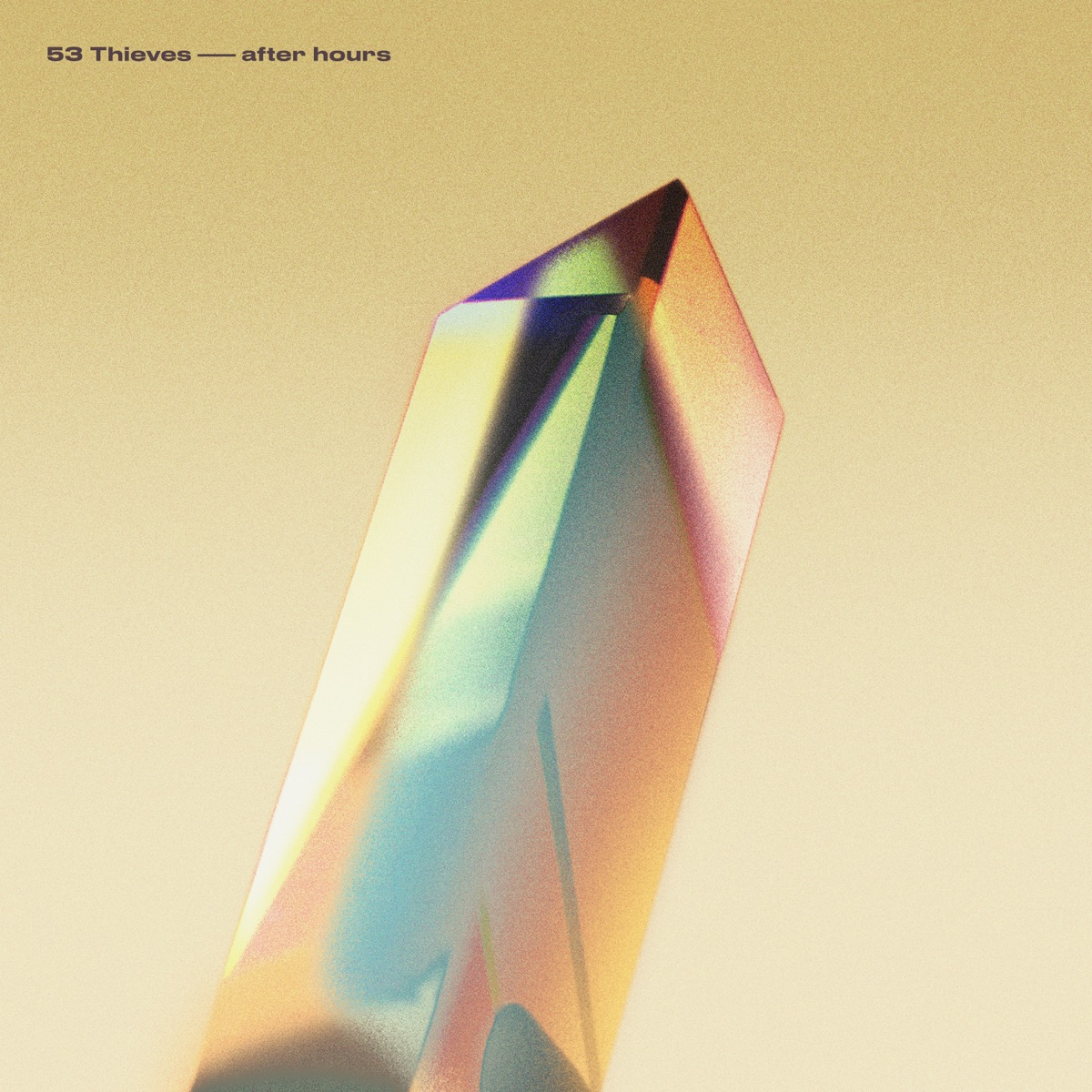
Resized Image

My configuration (output of beet config) is:
fetchart:
    auto: yes
    maxwidth: 1000
    enforce_ratio: yes
    cautious: yes
If I use:
fetchart:
    auto: yes
    # maxwidth: 1000
    enforce_ratio: yes
    # cautious: yes
Comes out just fine.
Suggested solution
Installing the ImageMagick library worked for resizing. So it seems that we do need ImageMagick to use fetchart to it's fullest extent.
readthedocs state that:
Note: maxwidth and enforce_ratio options require either ImageMagick or Pillow.
Not sure where to go from here, but either:
- Update doc to include both (or perhaps maybe just
ImageMagickhere works - Figure out why Pillow is destroying these images
 jef
jef
All 6 comments
Oh no! That image is ridiculously bad. 😆
I'm pretty stumped about why PIL would do such a bad job. Maybe it's worth isolating the call to the PIL API to see if anything's going obviously wrong, like a missing parameter that says "make the image look not terrible"? But otherwise, yeah, I concur with your suggestion to at least warn about this in the docs. And maybe we should even remove the PIL option…
 sampsyo
on 4 Sep 2020
sampsyo
on 4 Sep 2020
Would be nice if the Pillow command was printed in -v or -vv mode.
edit: Relevant file / function:
https://github.com/beetbox/beets/blob/00c6d1439ee29b3b4592d6f65cfa57b1d1f96575/beets/util/artresizer.py#L67
 RollingStar
on 6 Sep 2020
RollingStar
on 6 Sep 2020
I believe it is
artresizer: method is (1, (0,))
artresizer: PIL resizing /tmp/tmp3a64362y.jpg to /tmp/tmpbo33o8x7.jpg
What other information would you like to see?
jef
on 8 Sep 2020
My mistake. I have the command at the link I posted (the try/except block). I thought it was a 1-line call to Pillow but the code block has a few steps.
RollingStar
on 8 Sep 2020
Gotcha. Maybe this upcoming weekend I'll do some more debugging and see what types of outputs I get for PIL resizing... Could be the library API has changed or needs updating.
edit: Will also throw in some more debug logs there :)
jef
on 8 Sep 2020
Awesome! Thanks @jackwilsdon. I never took the time to ever look at this 😢 Life is hectic right now. I appreciate the support y'all!
jef
on 28 Oct 2020
Related issues
 nopoz
·
4Comments
nopoz
·
4Comments
 mikeacameron
·
4Comments
mikeacameron
·
4Comments
 Stunner
·
3Comments
Stunner
·
3Comments
 hashhar
·
3Comments
hashhar
·
3Comments
 chayward1
·
4Comments
chayward1
·
4Comments