Operating system: MacOS
Beaker v0.8.1
This is:
- [X] a bug
Not sure what happened this afternoon, but beaker is no longer displaying my dat site nor the view source of the site. The problem is local to my computer. From a different computer, I am able to view the site and the source via beaker 0.8.0-prerelease.9. Not sure if it is version related, or just local damage of some kind.
What can I do to debug further?
If the private key for this dat is broken, how do I recover edit access to this site?
Details:
The dat is uploaded to hashbase.io:
dat://mod3dat-wiki.hashbase.io/
dat://fb8e2cb7f7be61ed9e6665228e748bcb61a7e2186cbb0f2ae0b7507d68369475/
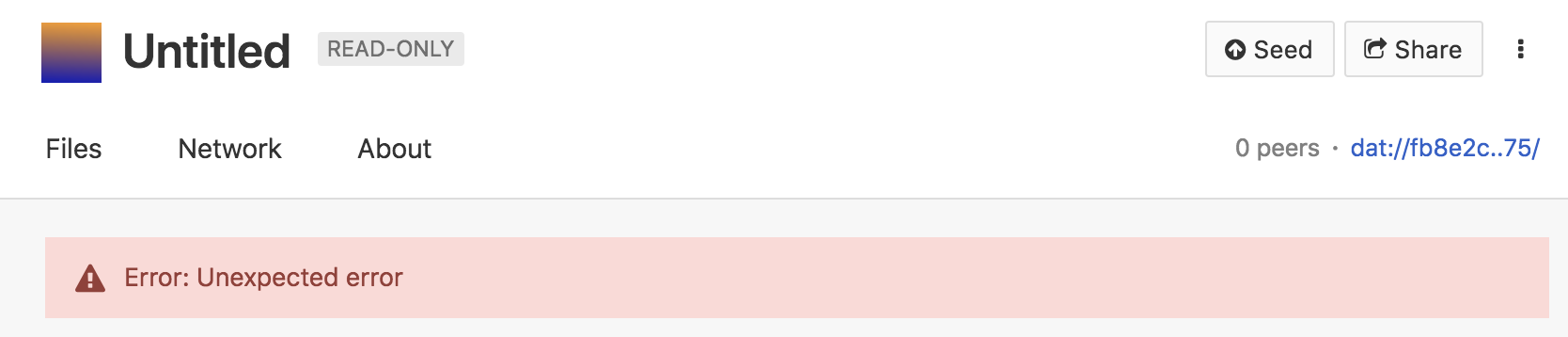
I have previously set a local folder for this dat and the files are still saved on disk (for example, here's a partial list of contents):
~/Sites/mod3dat:
.datignore
README.md
dat.json
favicon.png
plugins.json
recycler
wiki
wiki.json

~/Sites/mod3dat/wiki:
assets
dat-wiki-journal.json
eric-dobbs.json
es6-modules-and-static-json.json
experiments.json
favicon.png
gitlab-and-wiki.json
graph-plugin.json
index.html
journal-2018-09-02.json
journal-2018-09-03.json
journal-2018-09-04.json
journal-2018-09-10.json
journal-2018-09-12.json
journal-2018-09-14.json
journal-2018-09-26.json
lambdatalk.json
lib
plugins
system
thinking-in-systems.json
threejs.json
welcome-visitors.json
wiki-tools.json
youtube-transcripts.json
 dobbs
dobbs
All 11 comments
Do you know how to get into the devtools console? (Go to the page showing the error -> Right click -> Click inspect element. This will open another smaller window -- from there, go to the console tab.) The console should have some useful information.
 pfrazee
on 20 Nov 2018
pfrazee
on 20 Nov 2018
(If you're not familiar with devtools, I'd be happy to record a video showing you how to do this.)
pfrazee
on 20 Nov 2018
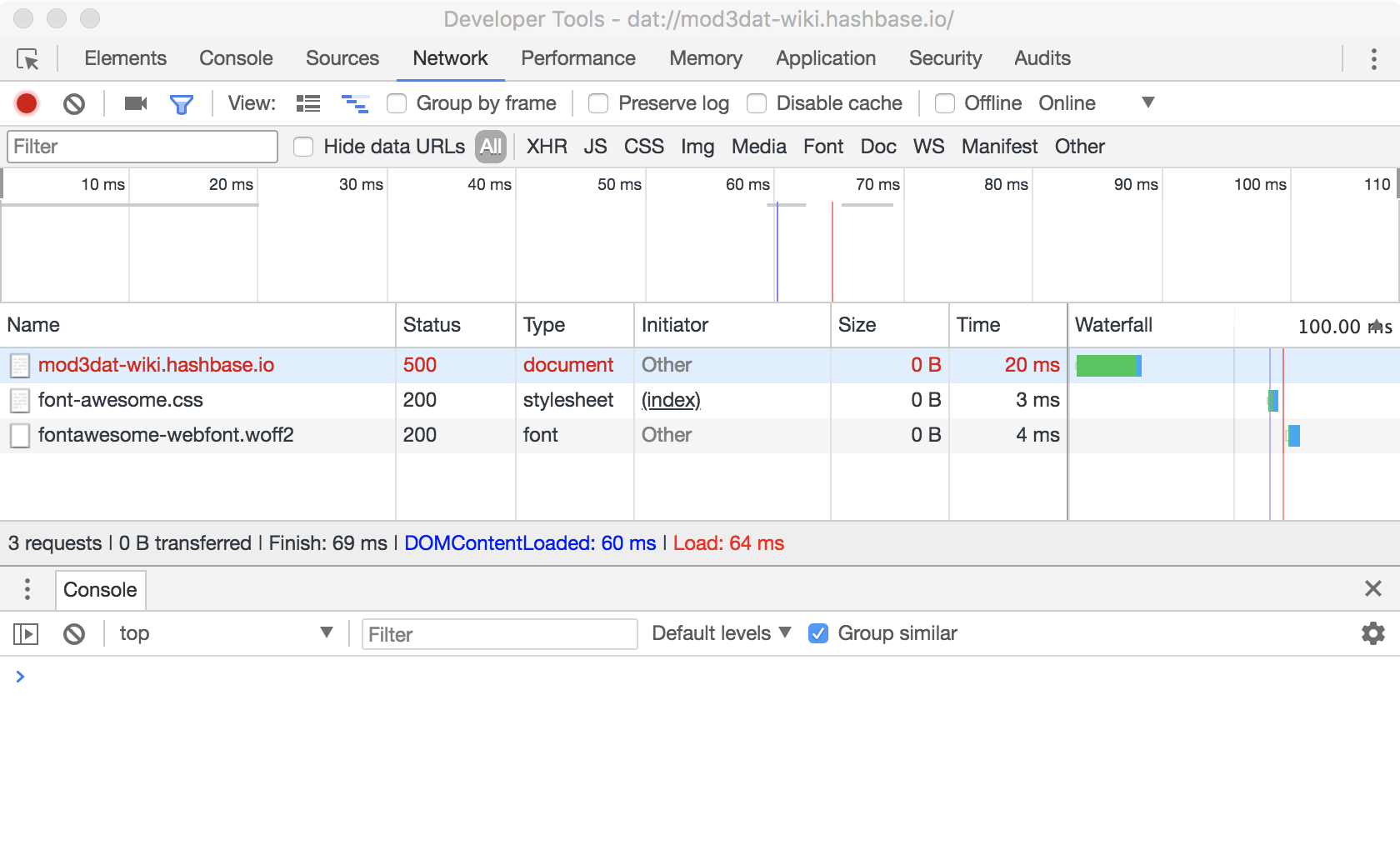
Thanks for your speedy reply. I am familiar with devtools. Nothing in the console.
Screenshot of the Network tab + console:
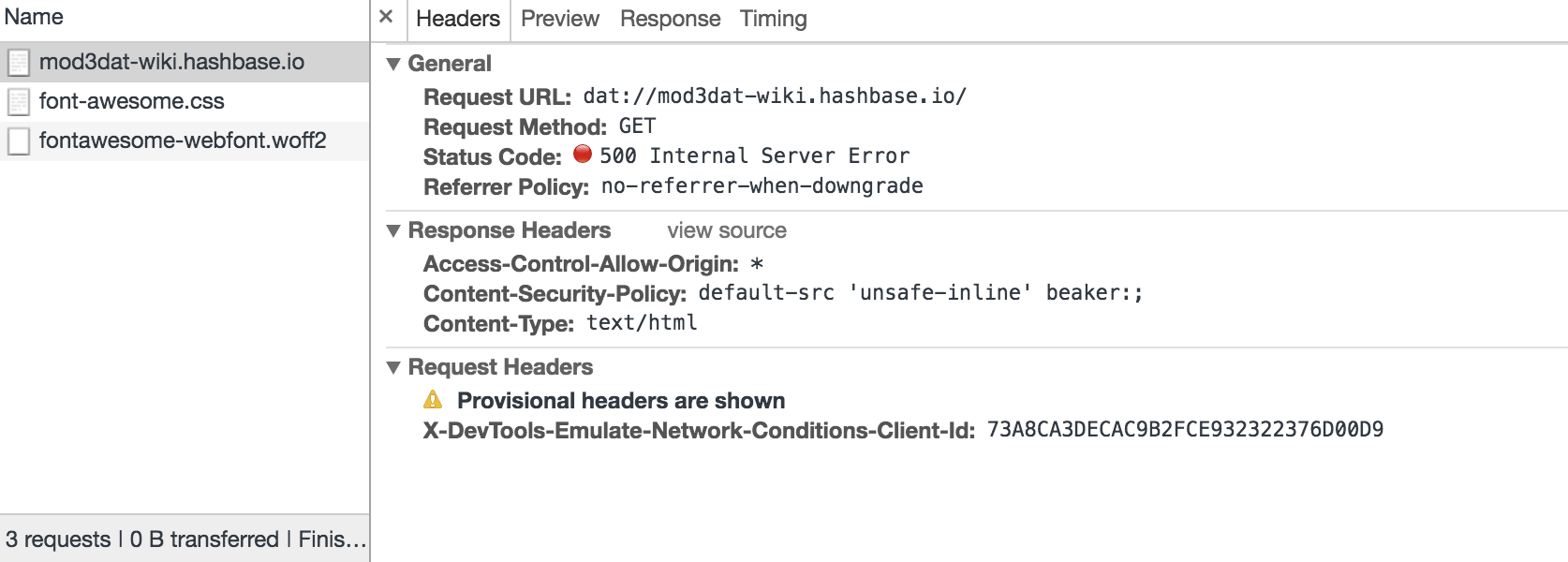
Here, I've clicked on the 500 error to show headers:
dobbs
on 20 Nov 2018
I find more interesting details in the Shell-Window DevTools
(which I found at this path: View > Advanced Tools > Toggle Shell-Window DevTools)
VM55:16801 Uncaught (in promise) Error: Unexpected error
    at new DatArchive (eval at <anonymous> (beaker://shell-window/unknown source), <anonymous>:7323:44)
    at DatArchive.resolveName.catch.then.key (eval at <anonymous> (beaker://shell-window/unknown source), <anonymous>:5604:23)
createError @ VM55:16801
onCbReply @ VM55:16780
onIPCMessage @ VM55:16717
EventEmitter.emit @ VM54:4053
ipcNative.onMessage @ VM54:1829
VM55:16801 Uncaught (in promise) Error: Unexpected error
    at DatArchive.resolveName.catch.then.key (eval at <anonymous> (beaker://shell-window/unknown source), <anonymous>:5604:44)
createError @ VM55:16801
onCbReply @ VM55:16780
onIPCMessage @ VM55:16717
EventEmitter.emit @ VM54:4053
ipcNative.onMessage @ VM54:1829
VM55:5608 dat site info Object
dat site info
Object
description: "A client for the dat variant of Federated Wiki"
installedNames:[]
isOwner: false
key:"46c72b4aad128bb3df207aae774ad19403907d856d4b4999c5299c29416a75ab"
lastAccessTime:1542657460289
lastLibraryAccessTime:1542646601960
links:{}
manifest:{description: "A client for the dat variant of Federated Wiki", title: "Federated Wiki: Wiki Client", url: "dat://46c72b4aad128bb3df207aae774ad19403907d856d4b4999c5299c29416a75ab"}
mtime:1542424631879
networkStats:{downloadSpeed: 0, downloadTotal: 0, uploadSpeed: 0, uploadTotal: 0}
peerHistory:(5) [{…}, {…}, {…}, {…}, {…}]
peerInfo:[{…}]
peers:1
size:3845923
title:"Federated Wiki: Wiki Client"
type:[]
url:"dat://46c72b4aad128bb3df207aae774ad19403907d856d4b4999c5299c29416a75ab"
userSettings:{autoDownload: true, autoUpload: true, expiresAt: 0, hidden: false, isSaved: true, …}
version:88
I noticed DatArchive.resolveName.catch in there. So I tried clearing the Dat DNS cache and reloading. But same results.
dobbs
on 20 Nov 2018
Okay interesting. This probably relates to the recent "daemon process" change. I wasn't able to reproduce by visiting the site.
Are you able to build from source? If so, try doing so. When you run from the command-line, you should see a message that says something like Pauls-Dat-API: Unhandled error type from .... That message will give us more information about what's going wrong.
pfrazee
on 20 Nov 2018
It took a few tries to get beaker to build. I think installing XCode, xcode-selecting it and accepting Apple's license are what finally got it working (maybe worth adding that to the README?):
git clone [email protected]:beakerbrowser/beaker.git
cd beaker
npm install
npm run rebuild
npm run burnthemall
# saw node-gyp errors so downloaded XCode
sudo xcode-select -s /Applications/Xcode.app/Contents/Developer
npm run burnthemall
sudo xcodebuild -license
npm run burnthemall
Here's the message you requested:
[ dat-daemon ] Pauls-Dat-API: Unhandled error type from readdir {}
Failed to load archive fb8e2cb7f7be61ed9e6665228e748bcb61a7e2186cbb0f2ae0b7507d68369475 Error: Unexpected error: Error: Groups are not supported
Unhandled Rejection at: Promise Promise {
  <rejected> { Error: Unexpected error: Error: Groups are not supported
    at loadArchiveInner (/Users/edobbs/workspace/beaker/app/node_modules/@beaker/core/dat/library.js:300:34)
    at loadArchive (/Users/edobbs/workspace/beaker/app/node_modules/@beaker/core/dat/library.js:268:11)
    at archivesDb.query.then (/Users/edobbs/workspace/beaker/app/node_modules/@beaker/core/dat/library.js:108:9) name: 'Error' } } reason: { Error: Unexpected error: Error: Groups are not supported
    at loadArchiveInner (/Users/edobbs/workspace/beaker/app/node_modules/@beaker/core/dat/library.js:300:34)
    at loadArchive (/Users/edobbs/workspace/beaker/app/node_modules/@beaker/core/dat/library.js:268:11)
    at archivesDb.query.then (/Users/edobbs/workspace/beaker/app/node_modules/@beaker/core/dat/library.js:108:9) name: 'Error' }
Thanks @dobbs. Sorry to say, that does look like data corruption. I believe that "Groups are not supported" means that protobufs are failing to parse. @mafintosh would you agree?
We might try to recover the data, but if you're pressed for time I'd suggest recreating the dat.
pfrazee
on 21 Nov 2018
Supporting evidence: four closed issues mentioning "Groups are not supported"
https://github.com/mafintosh/protocol-buffers/search?q=Groups+are+not+supported&type=Issues
Steps I've taken to re-create the dat:
- Backup the source files in ~/Sites/ (because, always have a backup)
- In Beaker, in the Library, looking at Your archives, clicked the trashcan icon (moved to trash)
- In my account at hashbase.io, I removed the archive (named mod3dat-wiki.hashbase.io)
- Used the New + button in the library to create a new dat from the
~/Sites/mod3datfolder - Edited the
dat.jsonfile to correct theweb_root - Uploaded the new dat to hashbase.io and gave it the original name.
Should I ask my friends who may have seeded the original dat to do anything specific?
I have moved the old dat into the trash. Is there any (e.g. forensic) value to the beaker project for me to keep that around?
dobbs
on 21 Nov 2018
Your friends are seeding the old one. They'll need to unseed it and seed the new one. (DNS doesn't get used in the library yet.)
No need to hold onto the old one. We're doing work on corruption recovery so I think we can assume this issue will be improved without holding onto that particular case.
Thanks for working with me through this one. Sorry there wasn't a better solution!
pfrazee
on 21 Nov 2018
Going to open an issue to handle this issue better.
pfrazee
on 21 Nov 2018
Related issues
 monkey000
·
4Comments
monkey000
·
4Comments
 NicholasGWK
·
4Comments
NicholasGWK
·
4Comments
 aaronshaf
·
4Comments
aaronshaf
·
4Comments
 msfeldstein
·
3Comments
msfeldstein
·
3Comments
 dasanchez
·
3Comments
dasanchez
·
3Comments