Beaker: Issue with position: sticky
Operation System: macOS High Sierra 10.13.6
Beaker version: Beaker v0.8.0-prerelease.8
It seems that position: sticky renders incorrectly in Beaker Browser, where scrolling down the page causes the element with position: sticky to be pushed further and further down the page as you scroll, an effect which is not seen with the same HTML in Chrome.
Here is a dat link exhibiting the problem: dat://994d79caf2f86fbfa5514f96e954d465ca68a1225222f3e0ab383f62f3a82a1e/
The image of the map begins to slide down the viewport even though the elements style is top: 0.
 sgwilym
All 20 comments
Thanks for filing, and sorry for the issue.
I'm not able to reach that dat, you might want to use a pinning server (homebase or hashbase). We use sticky in some builtin UIs so I'm surprised you have an issue, but I'm happy to check into it.
 pfrazee
on 7 Sep 2018
pfrazee
on 7 Sep 2018
Thanks @pfrazee — the irony is I spent an evening setting up a homebase, and I thought it’d synced! Bummer. I’ll update this issue when I’m sure it’s available again.
sgwilym
on 8 Sep 2018
@sgwilym Is the homebase running on a static IP in a datacenter, or on your home network? We're still working on the connection reliability for home networks.
pfrazee
on 8 Sep 2018
@pfrazee Yes, it's running on a home network. In the meantime, I've pinned that dat with hashbase and it should be reachable now.
sgwilym
on 10 Sep 2018
@sgwilym Hmm! It doesnt seem to have any issues for me:
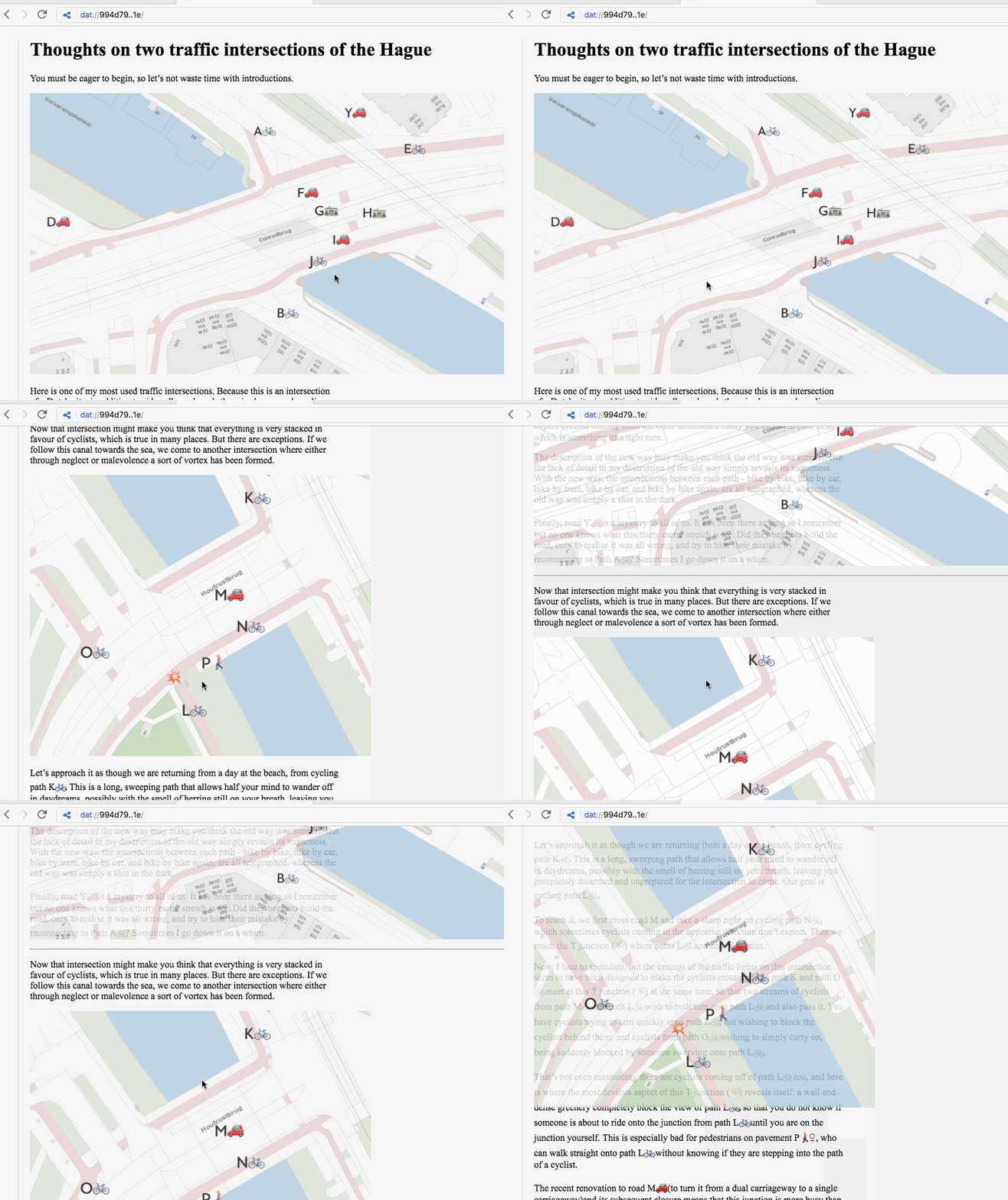
I'm on MacOS Sierra (10.12). I did a quick search in electron issues and nobody has reported this. Googling for "position sticky bug" found some issues that Chrome has dealt with but I didnt look long enough to find this particular issue. This might be some kind of edge-case that'll resolve when we bump the internal version of Chrome.
pfrazee
on 10 Sep 2018
@pfrazee Weird! Here's a bad gif I made of how it looks here (ignore the colour smearing, the tool I used to make this gif is… not great). This is on 0.8.0-prerelease.9 of Beaker Browser.
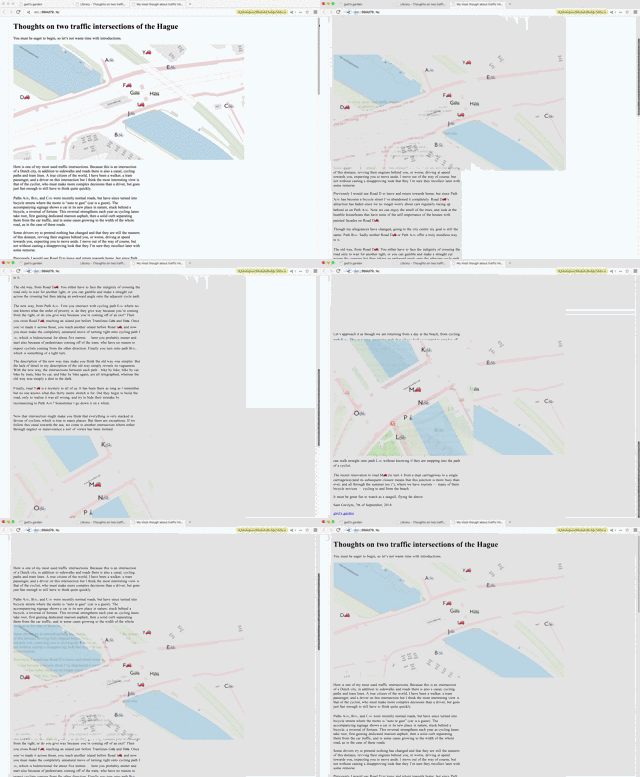
Do you have any idea what could cause the difference between what we're seeing?
sgwilym
on 11 Sep 2018
The only difference I can think of is that we're on different versions of MacOS. Still, that's really surprising (and weird).
Keep an eye out for when we bump the internal version of Chrome. (That'll be when we update to Electron@3, which is still too beta for the update.) That may resolve this issue.
What a bummer! Sticky is so handy, and I like the effect you're doing ☹️
pfrazee
on 11 Sep 2018
I just tried it on WIndows 10 and I'm getting the same issue. 😲
 RangerMauve
on 11 Sep 2018
RangerMauve
on 11 Sep 2018
Huh! Weird.
pfrazee
on 11 Sep 2018
https://www.youtube.com/watch?v=cFnJmeta_JE
Version: 0.8.0-prerelease.9 Electron: 2.0.8 - Chromium: 61.0.3163.100 - Node: 8.9.3
RangerMauve
on 11 Sep 2018
One of those issues you need a mystery label for 😄. I'll keep an eye on this and report back whenever I see it go away. Thanks for being so responsive @pfrazee.
sgwilym
on 12 Sep 2018
Sure thing. I appreciate you helping me diagnose! I hope we can get it fixed soon.
I'm adding a mystery label too 😃
pfrazee
on 12 Sep 2018
Just to add to this mystery:
I just tried it on WIndows 10 and I'm getting the same issue. 😲
Huh! Weird.
I just tried it on Windows 10 and it works fine. Version: 0.8.0-prerelease.9, Windows 10 Home Edition.
My only thought, given the different experiences using the same Operating Systems / browsers is that this may be related to hardware / graphics card drivers? I think I'm right in saying that 'sticky' delegates its work to the GPU, and that 'smearing' effect in @sgwilym's gif looks horribly similar to a problem I had with webgl once, where it worked fine on most computers but inexplicably screwed up on others.
Maybe check chrome://gpu/ in each case and look for a pattern, just to eliminate that as a possible cause? It's hard to debug when everything looks fine, but my gpu is Intel HD Graphics 3000 based and, as I say, everything works smoothly this end...Maybe those having issues could play with the gpu settings and report back?
 cihapus
on 14 Sep 2018
cihapus
on 14 Sep 2018
I'm on Intel(R) HD Graphics 5000
RangerMauve
on 14 Sep 2018
@cihapus just to be clear, the colour smearing in that gif is an artifact of my lousy gif creator. It’s really just like @RangerMauve’s video. The GPU is an interesting idea though, I’ll find out when I get to my computer.
I'm on AMD Radeon R9 M290X.
sgwilym
on 14 Sep 2018
Should have read your comment more closely re the smearing, sorry, but your gif & Roger's video show that the sticky elements are being correctly lifted out onto their own layer / stacking context. I can replicate that behaviour in a working version by adding a {will-change: transform} to the images. It may be the browser is guessing wrong when trying to optimise the gpu-based layers, which conflicts with the pinning of them...or it's possible the issue lies somewhere in the hardware acceleration itself?
I can't think why you'd see that happening so randomly...still, it might be worth wrapping the images in divs and making the divs sticky rather than the img tags to see if that fixes it - there's also the 'witches and moonlight' of translateZ(0), will-change and backface-visibility:hidden (or:visible), all of which have been known to solve shenanigans like this for no particularly logical reason (try different combinations and walk away ever-so-gently if one of them somehow works).
cihapus
on 14 Sep 2018
And as mysteriously as this came, this seems to be have been mysteriously fixed for me.
Version: 0.8.0 Electron: 3.0.4 - Chromium: 66.0.3359.181 - Node: 10.2.0
MacOS Mojave
sgwilym
on 3 Dec 2018
Hello, it's me again with weird CSS problems!
Please take a look at the following dat: dat://e625541ac50e8a8d580fbd26d8f3d653d6a04be30a1970480853a7e19410ff3c/
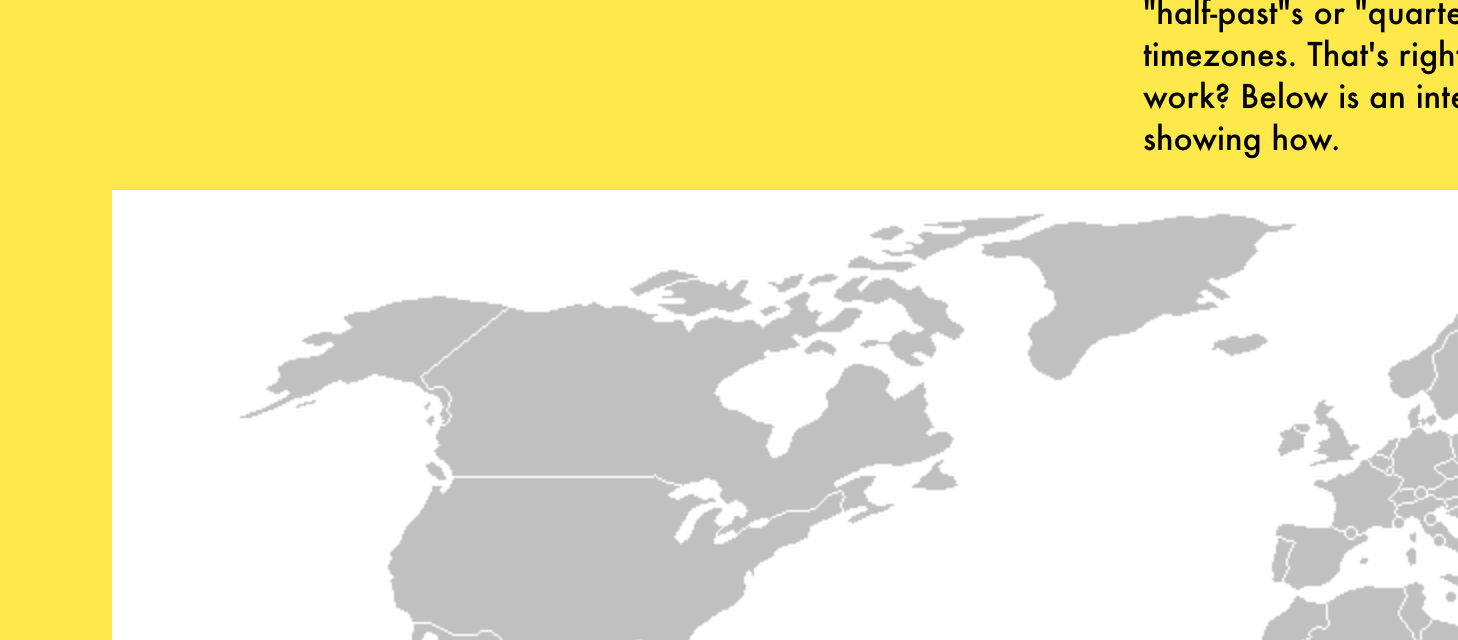
In Beaker 0.8.8 the image in this page looks like this:
But in Chrome, it looks like this:
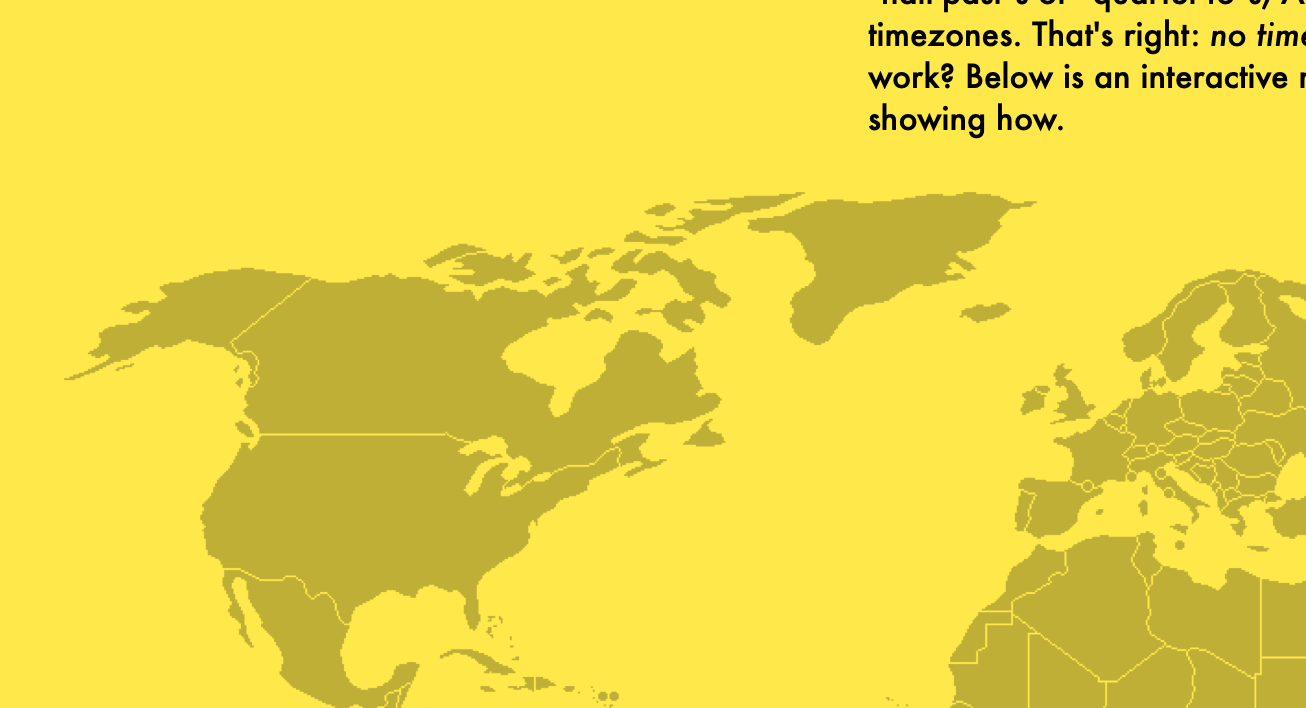
It'd seem that the mix-blend-mode property isn't working. This reminded me of this issue and it's strange divergence from normal Chrome behaviour. Does everybody else get this rendered the same way?
sgwilym
on 7 Aug 2019
Oh dang, I'm seeing the same thing with 0.8.8 on Windows 10
RangerMauve
on 7 Aug 2019
Oh bummer! I'm seeing this in the latest electron too (v6). We might need to open an issue there.
pfrazee
on 7 Aug 2019
Related issues
 dasanchez
·
3Comments
dasanchez
·
3Comments
 aaronshaf
·
3Comments
aaronshaf
·
3Comments
 LWFlouisa
·
4Comments
LWFlouisa
·
4Comments
 NicholasGWK
·
4Comments
NicholasGWK
·
4Comments
 DaniellMesquita
·
4Comments
DaniellMesquita
·
4Comments
Most helpful comment
Should have read your comment more closely re the smearing, sorry, but your gif & Roger's video show that the sticky elements are being correctly lifted out onto their own layer / stacking context. I can replicate that behaviour in a working version by adding a
{will-change: transform}to the images. It may be the browser is guessing wrong when trying to optimise the gpu-based layers, which conflicts with the pinning of them...or it's possible the issue lies somewhere in the hardware acceleration itself?I can't think why you'd see that happening so randomly...still, it might be worth wrapping the images in divs and making the divs sticky rather than the img tags to see if that fixes it - there's also the 'witches and moonlight' of translateZ(0), will-change and backface-visibility:hidden (or:visible), all of which have been known to solve shenanigans like this for no particularly logical reason (try different combinations and walk away ever-so-gently if one of them somehow works).