Baseweb: [Select] Value attribute of input inside Select component stays empty on Select change.
Hi!
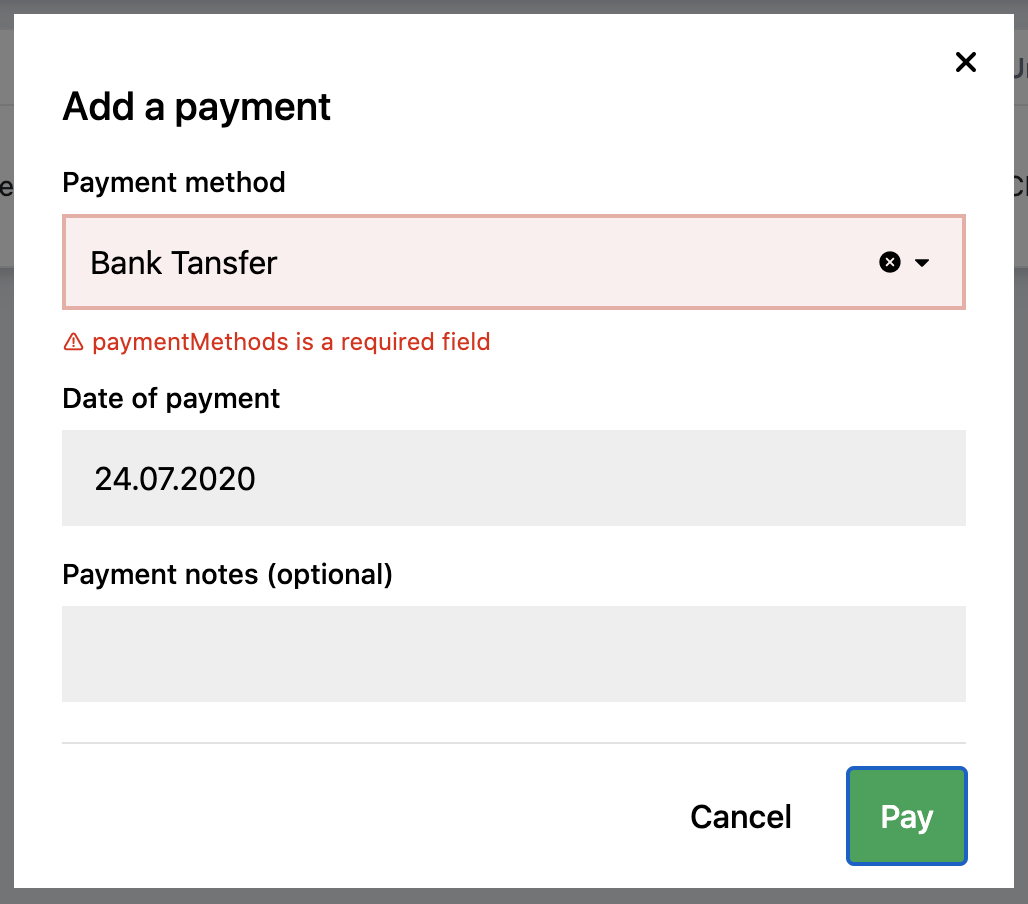
I'm using a react-hook-form library that validates fields based on the name and value attributes. The problem is that the Select component doesn't update the value attribute of its input when it changes.
Therefore, the Select component cannot pass validation even when it is valid.
So my question is, how can I update the input value attribute that is inside the component?
 4eshircat
All 7 comments
hey @4eshircat 👋
I am not familiar with that library, but is it possible to expect the Select's value prop directly, instead of from the DOM?
If not, would it be something you'd be willing to help with, and raise a PR?
 gergelyke
on 24 Jul 2020
gergelyke
on 24 Jul 2020
I am not familiar with that library, but is it possible to expect the Select's value prop directly, instead of from the DOM?
Unfortunately not, but I think there are many other libraries out there that work with DOM directly. So I think this is an important issue.
If not, would it be something you'd be willing to help with, and raise a PR?
Okay, I will try 👌🏻
4eshircat
on 27 Jul 2020
@4eshircat would controlling a hidden input work for your use case? If not, a repro would be helpful using the validation library.
 sandgraham
on 28 Jul 2020
sandgraham
on 28 Jul 2020
@4eshircat would controlling a hidden input work for your use case? If not, a repro would be helpful using the validation library.
Thank you for your reply 🙌🏻
Yes, I did it this way, but it doesn't looks like the solution from the box. I mean when you can use a component like a standard select without having to think about how it's built 🤷🏻♂️
4eshircat
on 29 Jul 2020
@4eshircat Glad you found a workaround. If you could, would you mind creating a small sandbox reproducing your initial issue with this library? Might be a small change on our side could make the integration smoother with these types of form libraries.
sandgraham
on 29 Jul 2020
Hey @4eshircat
React Hook Form library has a Controller component made to deal with custom form components. I used it with success in my projects, here's a snippet:
const { control } = useForm();

<Controller
  control={control}
  name={"example"}
  rules={{
    required: true
  }}
  render={({ onChange, onBlur, value }) => (
    <Select
      value={value}
      onChange={(params) => onChange(params.value)}
      onBlur={onBlur}
      // rest props
    />
  )}
/>
Make sure to set defaultValues of your select input in useForm hook though. Otherwise it won't reset itself when using reset method.
If you plan to use it more than once I recommend you to create yourself a helper component to avoid duplicated code. Mine looks like this:
export function ControlledSelect({
  control,
  name,
  rules,
  ...rest
}) {
  return (
    <Controller
      control={control}
      name={name}
      rules={rules}
      render={({ onChange, onBlur, value }) => (
        <Select
          value={value}
          onChange={(params) => onChange(params.value)}
          onBlur={onBlur}
          {...rest}
        />
      )}
    />
  );
}
 konradkalemba
on 30 Jul 2020
konradkalemba
on 30 Jul 2020
Hey @4eshircat
React Hook Form library has a
Controllercomponent made to deal with custom form components. I used it with success in my projects, here's a snippet:const { control } = useForm(); <Controller control={control} name={"example"} rules={{ required: true }} render={({ onChange, onBlur, value }) => ( <Select value={value} onChange={(params) => onChange(params.value)} onBlur={onBlur} // rest props /> )} />Make sure to set
defaultValuesof your select input inuseFormhook though. Otherwise it won't reset itself when usingresetmethod.If you plan to use it more than once I recommend you to create yourself a helper component to avoid duplicated code. Mine looks like this:
export function ControlledSelect({
  control,
  name,
  rules,
  ...rest
}) {
  return (
    <Controller
      control={control}
      name={name}
      rules={rules}
      render={({ onChange, onBlur, value }) => (
        <Select
          value={value}
          onChange={(params) => onChange(params.value)}
          onBlur={onBlur}
          {...rest}
        />
      )}
    />
  );
}
Thank you for this very detailed answer!
Everything works like a charm 😌
4eshircat
on 11 Aug 2020
Related issues
4eshircat
·
4Comments
 NameFILIP
·
7Comments
NameFILIP
·
7Comments
 maraisr
·
5Comments
maraisr
·
5Comments
 IgorWilbert
·
9Comments
IgorWilbert
·
9Comments
 chasestarr
·
3Comments
chasestarr
·
3Comments
Most helpful comment
Hey @4eshircat
React Hook Form library has a
Controllercomponent made to deal with custom form components. I used it with success in my projects, here's a snippet:Make sure to set
defaultValuesof your select input inuseFormhook though. Otherwise it won't reset itself when usingresetmethod.If you plan to use it more than once I recommend you to create yourself a helper component to avoid duplicated code. Mine looks like this: