Barrier: Cannot write configuration file
Operating Systems
Server: Windows 10
Client: N/A
Barrier Version
2.3.2
Steps to reproduce bug
- Open Barrier
- Press Start
- Error "The temporary configuration file required to start barrier can not be written" appears
Other info
- I also tried Barrier 2.3.1 a while back and had the same issue
- It's consistent so it completely prevents me from using Barrier
 xMyran
All 27 comments
Hello,
Have you got Ransomware Protection enabled on your Windows 10 machine?
I suspect that's the issue.
Try disabling it, or adding Barrier as an exception, and report back, please.
Thanks!
On this date - Fri, Feb 21, 2020 at 11:11:36AM -0800, Niklas Myrberg wrote:
Operating Systems
Server: Windows 10
Client: N/A
Barrier Version
2.3.2
Steps to reproduce bug
- Open Barrier
- Press Start
- Error "The temporary configuration file required to start barrier can not be written" appears
Other info
- I also tried Barrier 2.3.1 a while back and had the same issue
- It's consistent so it completely prevents me from using Barrier
--
You are receiving this because you are subscribed to this thread.
Reply to this email directly or view it on GitHub:
https://github.com/debauchee/barrier/issues/571
--
Yours,
Dom Rodriguez
[shymega]
 shymega
on 22 Feb 2020
shymega
on 22 Feb 2020
I am having a similar problem. I just came in today and it is no longer working. The client Windows 10 PC had rebooted over night.
The server, a Centos 7.6.1810 PC can no longer run Barrier. This is version 2.3.2-snapshot-9080ce45. The error "The temporary configuration file required to start barrier can not be written" pops up in a dialog window, and this is the console output:
/snap/barrier/83/bin/desktop-launch: line 329: cannot create temp file for here-document: No such file or directory
* WARNING The program 'barrier' called 'DNSServiceRegister()' which is not supported (or only supported partially) in the Apple Bonjour compatibility layer of Avahi.
WARNING Please fix your application to use the native API of Avahi!
WARNING * For more information see http://0pointer.de/blog/projects/avahi-compat.html
/usr/share/libdrm/amdgpu.ids: No such file or directory
 arkdae
on 28 Feb 2020
arkdae
on 28 Feb 2020
@xMyran please let us know the current state
@arkdae I think we would consider this happening on Windows and Linux as separate issues, considering that filesystem access on each is completely different. With the additional complication that it's running in a snap image, this will probably require specific attention from those who understand this ecosystem. Line 329 talks about XDG_DATA_DIRS so I'm guessing this is some kind of environment or effective user issue.
 the-wes
on 3 Mar 2020
the-wes
on 3 Mar 2020
I can open a second issue report if you would like.
arkdae
on 3 Mar 2020
Ransomware Protection doesn't seem to be on, no.
xMyran
on 16 Mar 2020
I'm having the same error.
Server OS: Windows 10 Pro (10.0.18363)
Barrier: 2.3.2
I have just installed Barrier on this new machine. Starting as server generates error:
"Cannot write configuration file
The temporary configuration file required to start barrier can not be written"
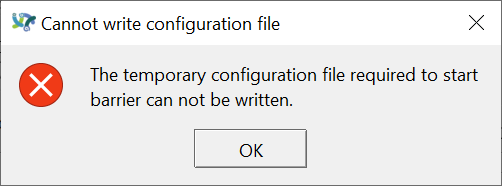
Log shows:
[2020-03-19T12:21:48] INFO: starting server
[2020-03-19T12:24:34] INFO: config file:
[2020-03-19T12:24:34] INFO: log level: INFO
[2020-03-19T12:24:34] INFO: service command updated
[2020-03-19T12:24:34] INFO: starting new process as privileged user
[2020-03-19T12:24:34] INFO: drag and drop enabled
[2020-03-19T12:24:34] ERROR: failed to get desktop path, no drop target available, error=2
[2020-03-19T12:24:34] NOTE: started server (IPv4/IPv6), waiting for clients
[2020-03-19T12:24:34] INFO: server status: active
 PhilHowell
on 19 Mar 2020
PhilHowell
on 19 Mar 2020
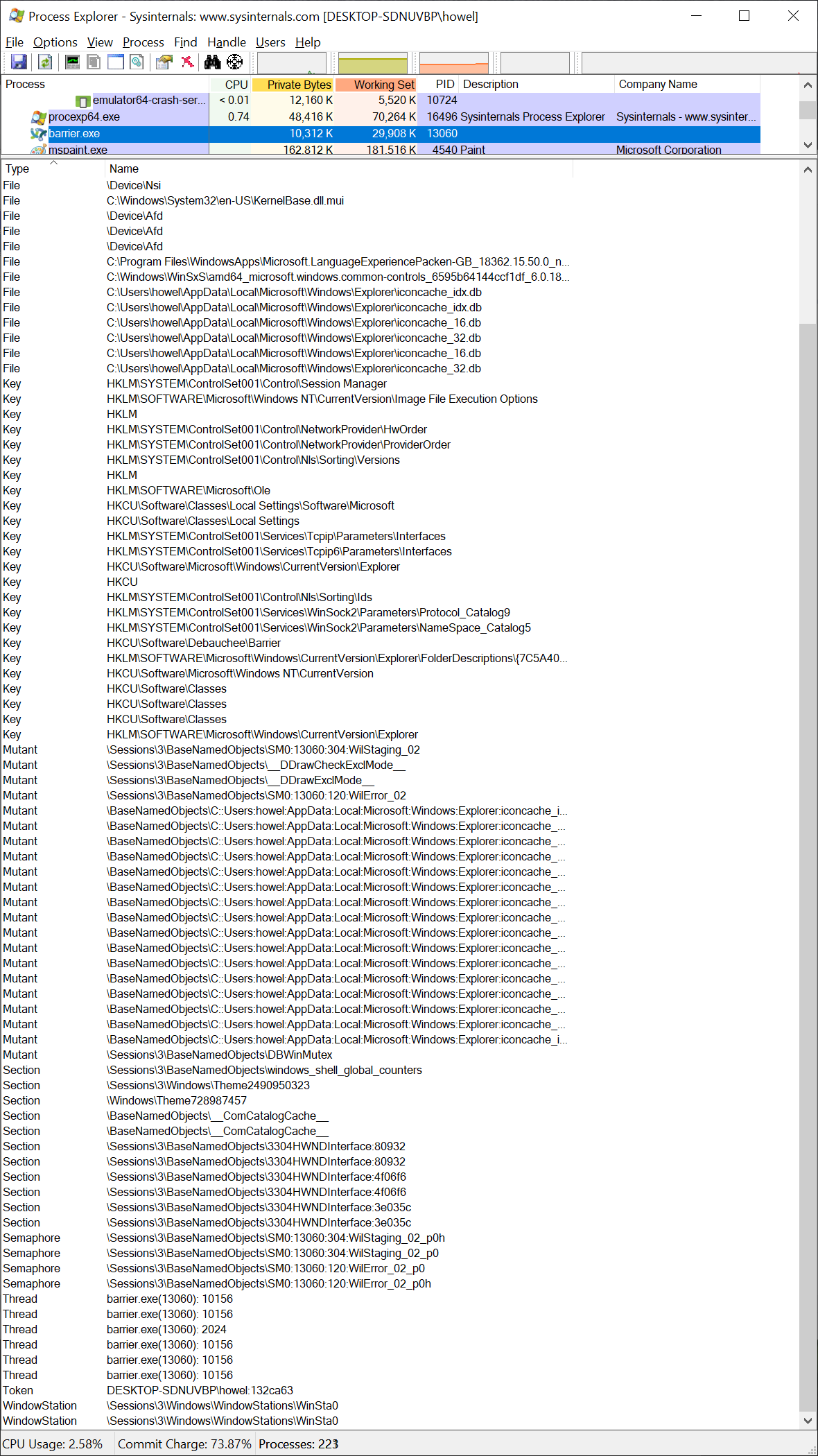
@PhilHowell Does it still happen after a reboot? Would you be willing to run Process Explorer or Process Monitor to see what it's hanging up on? I haven't been able to get it to happen on my win10 systems.
the-wes
on 19 Mar 2020
I had the same issue. It seems to be trying to make a temp file somewhere of the configuration file if you have the "Configure interactively" radio button selected.
Once I went to barrier > save config file and then switched it to the "Use existing configuration" the error went away and it launched and connected to my 'client' PCs fine.
Server OS: Win 10 1909 x64
Client OS: Win 10 1903 x64
Hope this helps...
 R-y-a-n-H
on 20 Mar 2020
R-y-a-n-H
on 20 Mar 2020
@the-wes Yes, I can run Process Explorer - but I don't know what I'm looking for.
Barrier log showing:
...
barriers.exe: no configuration available
[2020-03-21T16:05:01] ERROR: failed to launch, error: process immediately stopped
[2020-03-21T16:05:01] INFO: backing off, wait=10s, failures=20
[2020-03-21T16:05:11] INFO: starting new process as privileged user
[2020-03-21T16:05:11] INFO: drag and drop enabled
barriers.exe: no configuration available
[2020-03-21T16:05:12] ERROR: failed to launch, error: process immediately stopped
[2020-03-21T16:05:12] INFO: backing off, wait=10s, failures=21
[2020-03-21T16:05:22] INFO: starting new process as privileged user
[2020-03-21T16:05:22] INFO: drag and drop enabled
barriers.exe: no configuration available
[2020-03-21T16:05:23] ERROR: failed to launch, error: process immediately stopped
[2020-03-21T16:05:23] INFO: backing off, wait=10s, failures=22
[2020-03-21T16:05:33] INFO: starting new process as privileged user
[2020-03-21T16:05:33] INFO: drag and drop enabled
barriers.exe: no configuration available
...
Here is a screenshot from Process Explorer:
PhilHowell
on 21 Mar 2020
I have the same error with the lates build and win 10. Ransomware protection is not enabled.

Nevermind the image. Changing the permisson didn't help with the tempfile. Reading on some synergy forum I got a clue that the TEMP file permission per user might have changed in later windows 10 version, maybe that is something to look into?
 joltcan
on 27 Mar 2020
joltcan
on 27 Mar 2020
Hi, did anyone solved this issue?
If so please do share.
I just found this software and I'm having the same issue...
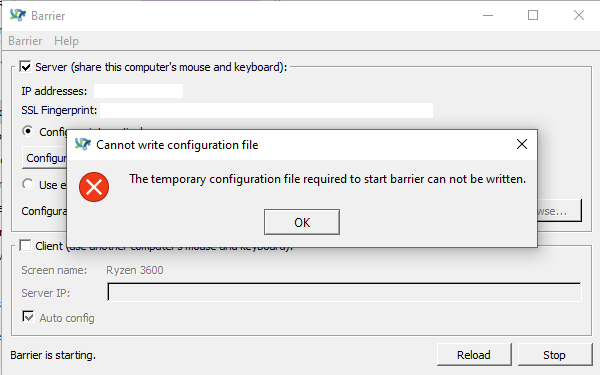
 epamphu
on 29 May 2020
epamphu
on 29 May 2020
Hi, did anyone solved this issue?
If so please do share.I just found this software and I'm having the same issue...
Go to Barrier in the upper left, select save config file. Save it. Then switch it from "Configure Interactively" to "Use existing configuration file" and point it to the file you just saved/created.
It then should work and stop throwing that error.
I know this doesn't fix the permissions issue, but it at least gets the software running.
Thanks,
R-y-a-n-H
on 29 May 2020
Hi, did anyone solved this issue?
If so please do share.
I just found this software and I'm having the same issue...
Go to Barrier in the upper left, select save config file. Save it. Then switch it from "Configure Interactively" to "Use existing configuration file" and point it to the file you just saved/created.
It then should work and stop throwing that error.
I know this doesn't fix the permissions issue, but it at least gets the software running.
Thanks,
Yeah thank you very much, that did stopped the error.
But on the bottom left corner it just says "Barrier is starting" shouldn't it be saying "Barrier is running"?
I don't have the permission issues.
How can I make it run? Any suggestions?
epamphu
on 30 May 2020
@R-y-a-n-H thank you for posting the workaround.
@joltcan if you could post the link to the forum post you found, that may provide a helpful hint.
@everyone else - this issue is not happening to anyone associated with Barrier development. it appears to be affecting a fairly small portion of users, and we do not yet know what particular circumstances cause it. if anyone has noticed a pattern that could lead to some steps to reproduce the issue, we would very much appreciate it. thank you.
the-wes
on 30 May 2020
@PhilHowell it looks like we need to use Process Monitor for this, rather than Explorer.
set filters for Process Is barrier.exe and Path Contains Barrier.
on my win10 system, it writes the temporary config file to c:\users\user\appdata\local\temp\Barrier.dKTzYb
the last 6 characters are random, generated every time the Barrier GUI attempts to spawn barrierS.exe.
let's see what yours does?
the-wes
on 31 May 2020
In Process Monitor I see a 'NAME COLLISION' when trying to create the file C:\Users\howel\AppData\Local\Temp\Barrier.NOtNOt
Extract from Process Monitor in CSV format follows:
"Time of Day","Process Name","PID","Operation","Path","Result","Detail"
"4:31:51.5494102 PM","barrier.exe","35744","CreateFile","C:\Users\howel\AppData\Local\Temp\Barrier.NOtNOt","NAME COLLISION","Desired Access: Generic Read/Write, Disposition: Create, Options: Synchronous IO Non-Alert, Non-Directory File, Attributes: N, ShareMode: Read, Write, AllocationSize: 0"
The file 'Barrier.NOtNOt' is in the directory. It has the following contents:
section: screens
    DESKTOP-SDNUVBP:
        halfDuplexCapsLock = false
        halfDuplexNumLock = false
        halfDuplexScrollLock = false
        xtestIsXineramaUnaware = false
        preserveFocus = false
        switchCorners = none
        switchCornerSize = 0
end

section: aliases
end

section: links
    DESKTOP-SDNUVBP:
end

section: options
    relativeMouseMoves = false
    screenSaverSync = true
    win32KeepForeground = false
    clipboardSharing = true
    switchCorners = none
    switchCornerSize = 0
end
@PhilHowell are there other files that have names beginning with Barrier?
Is it Barrier.NOtNOt every time? This is supposed to change with each restart.
What happens if you rename or delete the file?
the-wes
on 2 Jun 2020
I have the same issue:
"barriers.exe: no configuration available"
What can I do?
 jsantosdias
on 11 Sep 2020
jsantosdias
on 11 Sep 2020
Win10 Pro N - fresh install
After re-installing my 1 year old windows barrier stopped working, I cannot connect to it from my Linux mint 20 laptop on the same network, and the win10 barrier is throwing the same 'config file cannot be written' error. I have used the existing configuration option to avoid it but I think it might be what's causing the problem with not being able to connect anymore.
Looking for suggestions or if anyone needs more info lmk
 DenaByte
on 6 Oct 2020
DenaByte
on 6 Oct 2020
Windows comes with the firewall enabled by default. Once you've worked around the "cannot be written" problem, this is the most likely reason you can't connect.
the-wes
on 6 Oct 2020
@the-wes i followed some troubleshooting steps, and I confirmed that the win10 barrier is running its server, its IP is correct and the port is correct. But even with firewall disabled I cannot connect from the Linux machine. i cant ping it either, but when I switch the roles - and make the Linux server and win10 client, they connect but the mouse still cant be shared.
At this point I have added all EXE files from barrier directory as allowed through win 10 firewall and I have made a specific rule to open up port 24800 in the firewall. on the Linux machine UFW has allowed barrier through so I don't know what to do next.
DenaByte
on 6 Oct 2020
If you can't ping, it suggests that either the firewall isn't really disabled (even if it claims it is) or maybe there is a second one (lots of anti-virus software comes with its own), or maybe something is going on with the network hardware. Are either of these systems connected over wireless? Some access points have funny rules about connecting between one client and another.
the-wes
on 6 Oct 2020
Laptop is wifi win10 pc is wired, been using the same setup before re-installing windows and it worked fine. Also using NOD32, disabled web protection and firewall at the same time and still cannot connect or ping the barrier server.
DenaByte
on 6 Oct 2020
If you want to provide an email address, I would be happy to continue discussing this outside of GitHub issue comments :)
the-wes
on 7 Oct 2020
you can contact me at [email protected] , thanks for the initiative
DenaByte
on 7 Oct 2020
Also able to reproduce this issue. Only workaround at this point appears to be loading the config file at startup every time.
Ransomware protection is disabled.
 maclarel
on 20 Oct 2020
maclarel
on 20 Oct 2020
Related issues
 jwulf
·
18Comments
jwulf
·
18Comments
 domparry
·
16Comments
domparry
·
16Comments
 TheShaman
·
20Comments
TheShaman
·
20Comments
 kloetzl
·
50Comments
kloetzl
·
50Comments
 timeweaver
·
18Comments
timeweaver
·
18Comments
Most helpful comment
Go to Barrier in the upper left, select save config file. Save it. Then switch it from "Configure Interactively" to "Use existing configuration file" and point it to the file you just saved/created.
It then should work and stop throwing that error.
I know this doesn't fix the permissions issue, but it at least gets the software running.
Thanks,