Barrier: Cmd/Option key swapping for MacOSX.
Operating Systems
Server: Windows 10
Client: MacOSX 10.13.4
Barrier Version
2.1.0 on both machines
Steps to reproduce bug
Normally I would use 'Alt' on the windows keyboard as the Command ⌘ key. And apparently you can map it to do that using the .conf file. By default the windows key maps to command and alt maps to option.
So what I'd like to see is that there is options to map the windows key -> option, and the alt key to command in the user interface. But failing that I need to be able to find the barrier.conf file to edit it directly. Currently it's location is not discoverable by new users. Sure it says "configuration file" in the UI for the server but that file doesn't exist on my mac client... so where is it saving my client specific settings? The man page is not installed and reading the code seems to indicate "~/barrier.conf".
However if I view the log I get this:
[2018-12-18T10:49:18] INFO: starting client
[2018-12-18T10:49:18] INFO: config file: /var/folders/f1/4dbtx98n2mg737sn2y0v3vpw0000gr/T/Barrier.eWezhq
[2018-12-18T10:49:18] INFO: log level: INFO
It seems to be auto-generating new config file paths every time I run it. I've spent far too long trying to edit the config to fix the keys.
Other info
This isn't a show stopper but it's pretty annoying to have to manually adjust to different modifier keys to use for copy and paste...
 memecode
All 8 comments
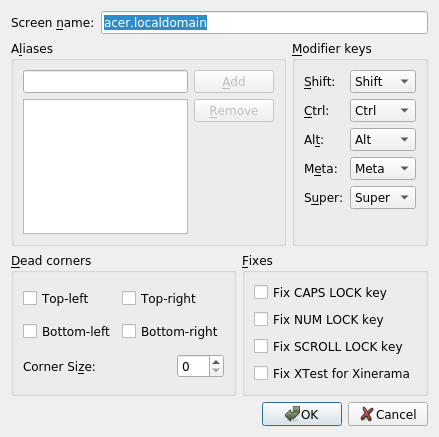
Is this what you're looking for? (alc.localdomain is the client)
 AdrianKoshka
on 18 Dec 2018
AdrianKoshka
on 18 Dec 2018
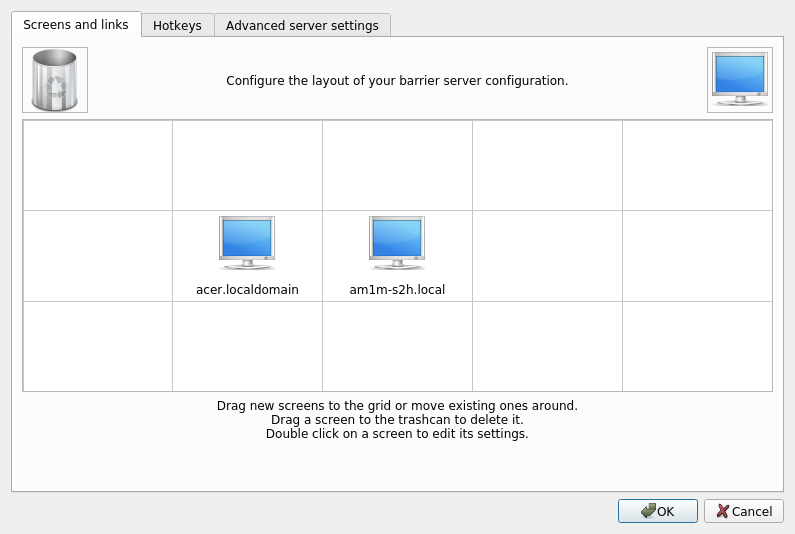
fwiw, every machine has this UI dialogue: (This is the server)
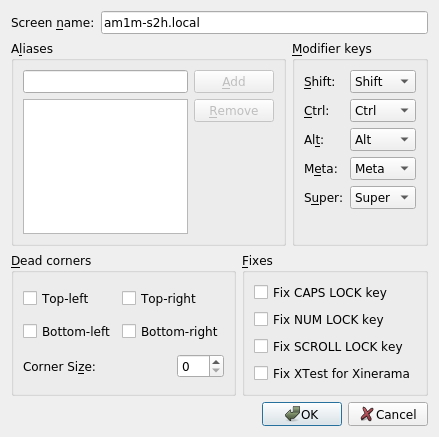
can be found by double-clicking any of the machines in the configure server dialogue:
AdrianKoshka
on 18 Dec 2018
Is this what you're looking for? (alc.localdomain is the client)
Yes that is what I need. It's just difficult to find because I was expecting it to be on the client side.
The discoverable version of this is a menu option on the client like File->Screen Settings or something that brings up that dialog on the client side (or any side really... just for the local machine, be it client or server). Is that something that would be acceptable to add? Like if I submit a patch what is the likely hood of it being accepted?
memecode
on 18 Dec 2018
Actually one option would be to merge the "settings" dialog and the "screen settings" dialog so that everything is in one place. The fact that there are 2 different sets of settings isn't obvious to new users. I found the "settings" easily enough but it didn't let me edit the key modifier mappings.
memecode
on 18 Dec 2018
I admit it's not perfect, it's something we inherited from synergy. Did this solve your issue though?
AdrianKoshka
on 18 Dec 2018
I admit it's not perfect, it's something we inherited from synergy. Did this solve your issue though?
Yes I got it working how I want now. This is what I ended up with:

memecode
on 18 Dec 2018
@AdrianKoshka I had some trouble finding this. It deserves to be on the main FAQ page.
 harshhpareek
on 3 Aug 2020
harshhpareek
on 3 Aug 2020
Change will only take affect after stop/start the server (reload config does not seem to be enough).
 LaszloGombos
on 30 Oct 2020
LaszloGombos
on 30 Oct 2020
Related issues
 autotoxicus
·
4Comments
autotoxicus
·
4Comments
 vnktsh
·
5Comments
vnktsh
·
5Comments
 Saikojin
·
3Comments
Saikojin
·
3Comments
 jwalton
·
3Comments
jwalton
·
3Comments
 elig0n
·
3Comments
elig0n
·
3Comments
Most helpful comment
Yes I got it working how I want now. This is what I ended up with:
