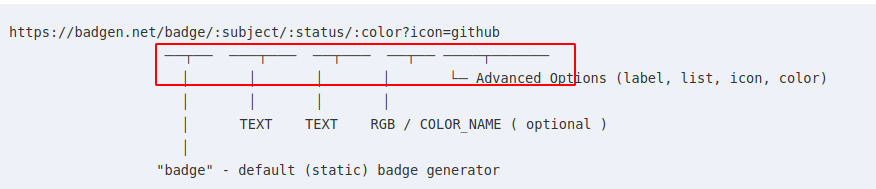
When viewing badgen on my linux machine with chromium, the _Usage_ indentation is broken.
Version 63.0.3239.84 Built on Ubuntu , running on Ubuntu 17.04 (64 bits)
 bokub
bokub
All 17 comments
Try adding CSS for
pre {
    font-family: monospace;
}

code {
    font-family: monospace;
}
See if one of those works 🤷♂️
 styfle
on 4 Sep 2018
styfle
on 4 Sep 2018
Nope :confused:
bokub
on 4 Sep 2018
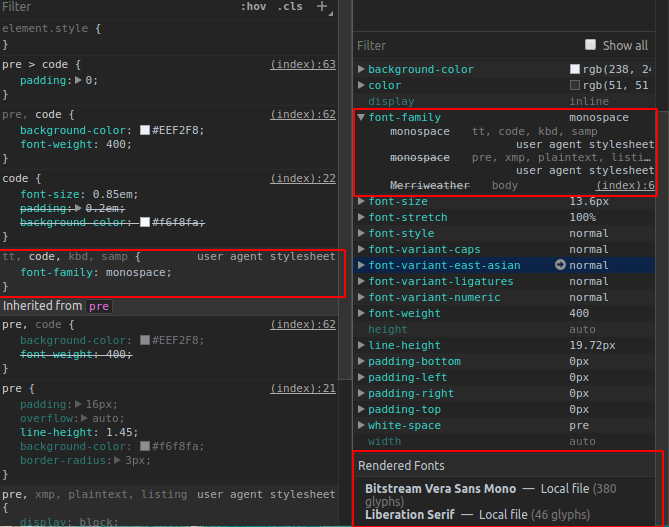
What's the rendered font?
 amio
on 4 Sep 2018
amio
on 4 Sep 2018
_Bitstream Vera Sans Mono_ I guess
bokub
on 4 Sep 2018
I am on linux machine with Chromium too, but don't have problems.
It's definitely the font you are using in your machine.
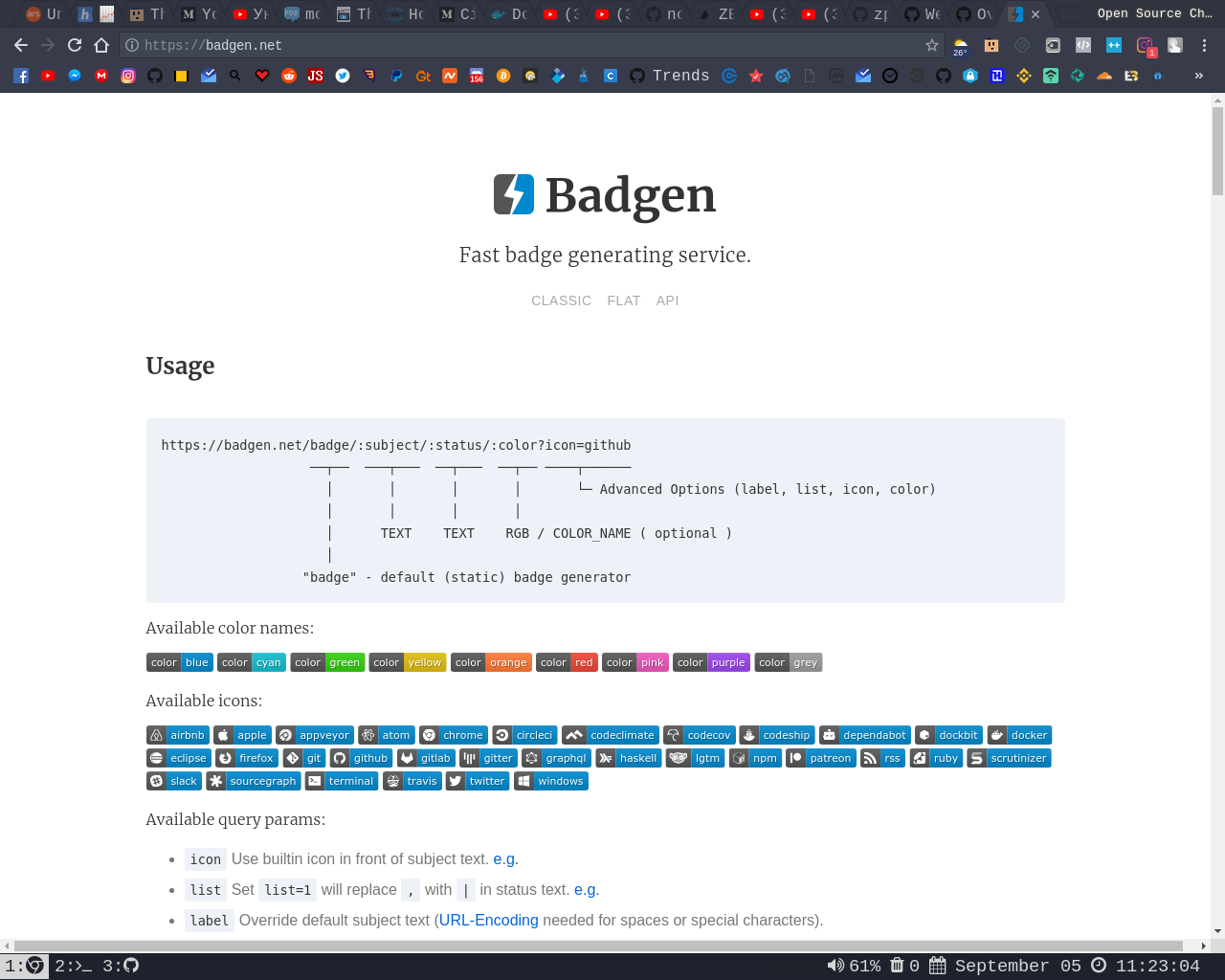
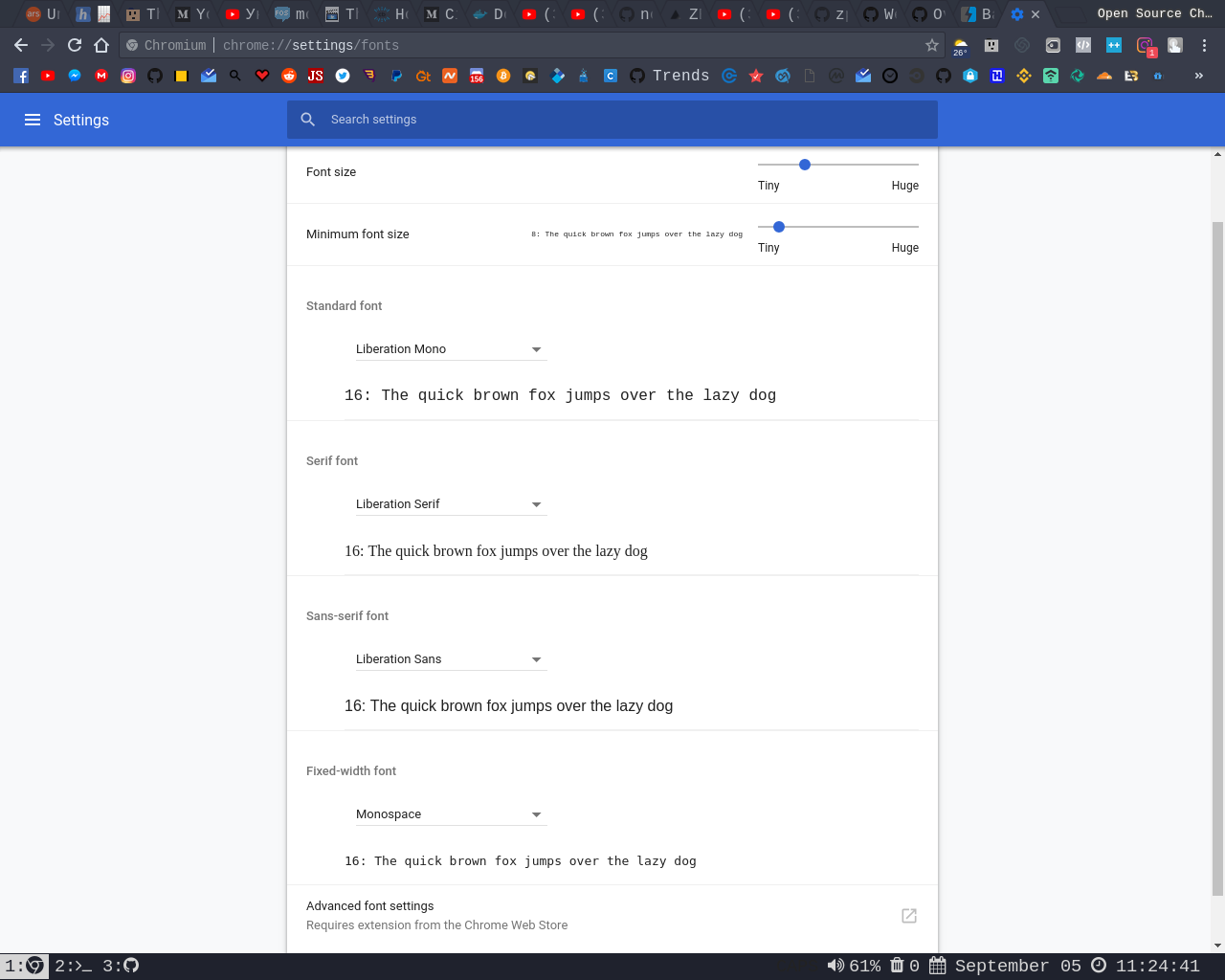
I'm using Liberation for all cases and the Monospace for monospace ;d
 tunnckoCore
on 5 Sep 2018
tunnckoCore
on 5 Sep 2018
@bokub Seems the "Bitstream Vera Sans Mono" (your default monospace font) don't have glyphs for ┬─│└ so these chars are fallback to "Liberation Serif", which is not a fixed width font.
We could choose a better default font for linux, maybe courier or something.
amio
on 5 Sep 2018
Courier font doesn't has those glyphs too, Monaco has, but it's not builtin font across linux dists. 🤨
amio
on 5 Sep 2018
@bokub Made a possible fix, see if it's OK? https://badgen-canary.now.sh/
amio
on 5 Sep 2018
As @olstenlarck mentioned in screenshots, set Chrome's default monospace font to "Liberation Mono" could fix this too.
amio
on 5 Sep 2018
This is worse 😕
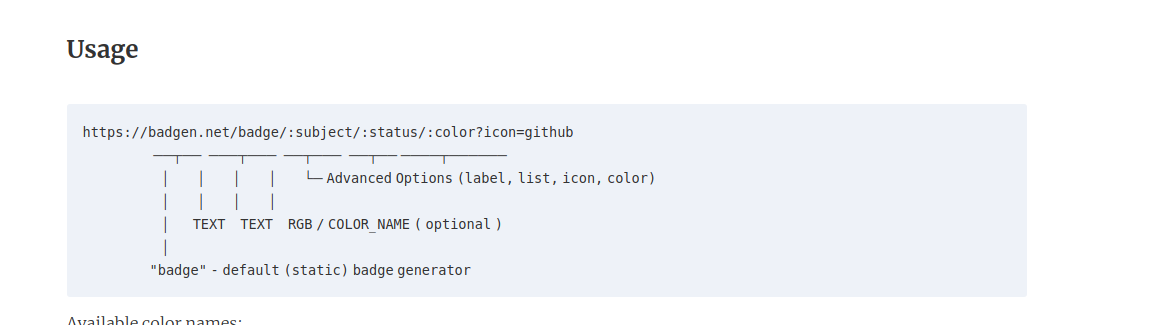
bokub
on 7 Sep 2018
While let's revert that... would you have a try with Chrome's font settings?
PS, I'm working on an interactive badge builder, which should replace the static homepage eventually, I think we won't bother this problem then.
amio
on 7 Sep 2018
OK I tried Dejavu mono and Monaco and both give a result similar to my last screenshot
bokub
on 7 Sep 2018
About your badge builder, you can check out mine for some inspiration 😉
bokub
on 7 Sep 2018
Super awesome!
amio
on 7 Sep 2018
Wow, now that 'courier' is in the font-family list, the special characters have disappeared...
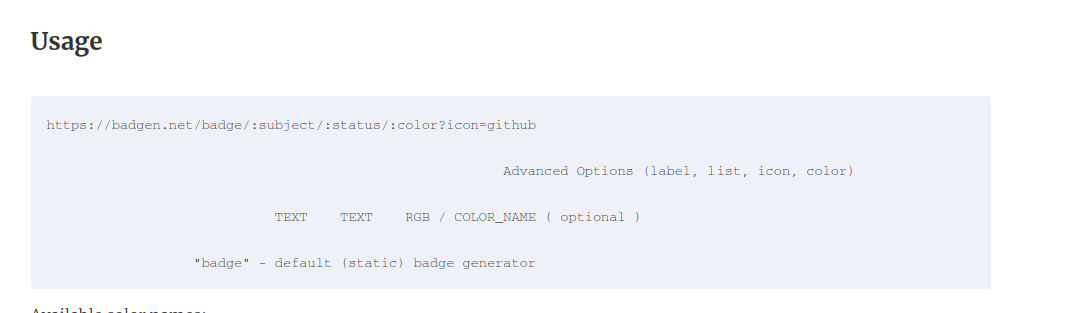
bokub
on 7 Sep 2018
😂 Reverted
amio
on 7 Sep 2018
This issue has been automatically marked as stale because it has not had recent activity. It will be closed if no further activity occurs. Thank you for your contributions.
![stale[bot] picture](https://avatars.githubusercontent.com/in/1724?v=4&s=40) stale[bot]
on 7 Oct 2018
stale[bot]
on 7 Oct 2018
Related issues
amio
·
5Comments
tunnckoCore
·
4Comments
 diomed
·
3Comments
diomed
·
3Comments
 bjankord
·
3Comments
styfle
·
5Comments
bjankord
·
3Comments
styfle
·
5Comments
Most helpful comment
Super awesome!