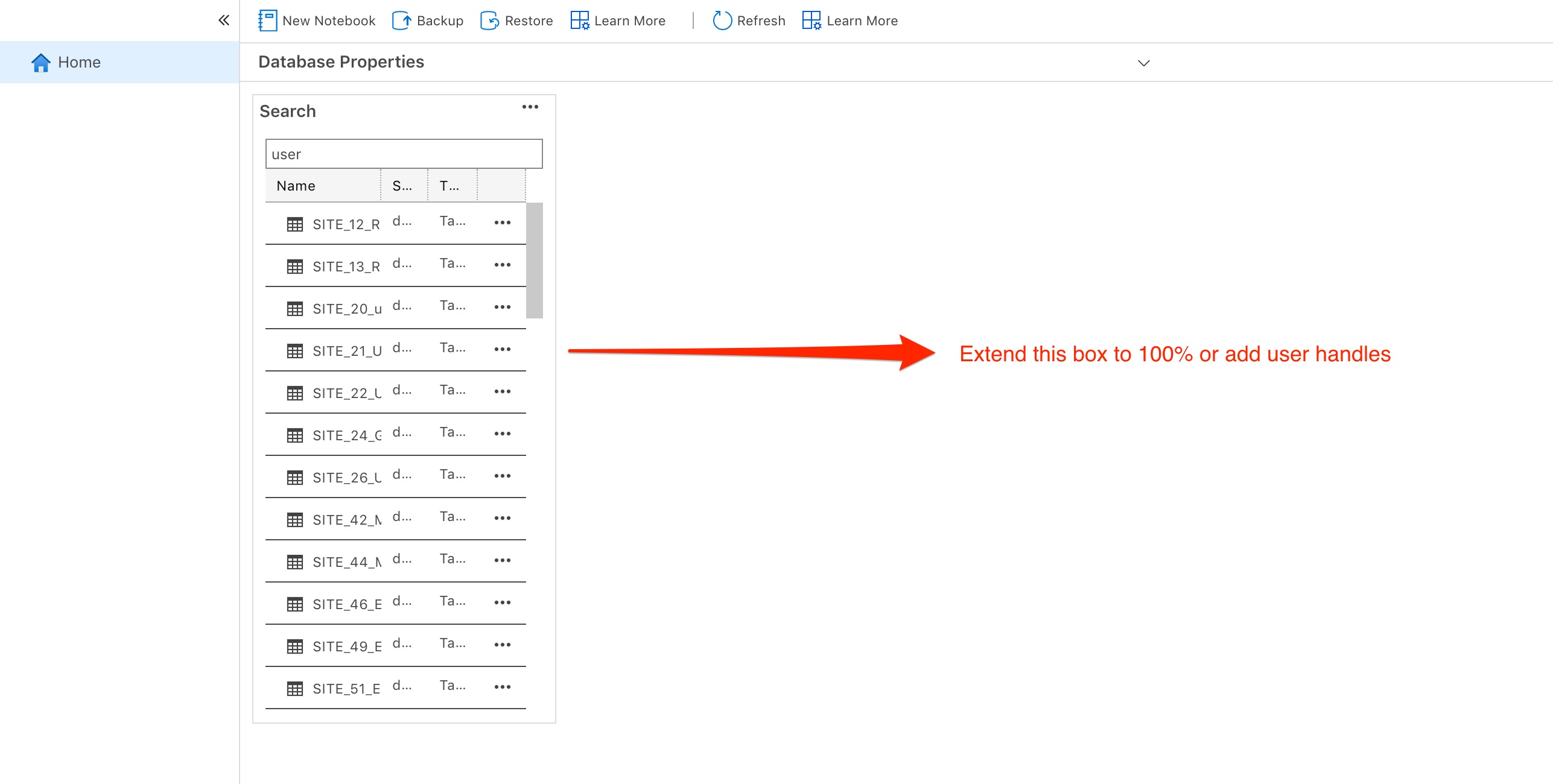
Azuredatastudio: Manage Seach Grid too small
Issue Type: Bug
- Connect DB
- Select Manage
- Can't read the search grid
Azure Data Studio version: azuredatastudio 1.18.1 (5b3b97f4a34018f3b37b0fce30e32f2af7ad78fa, 2020-05-26T21:11:42.467Z)
OS version: Darwin x64 18.2.0
System Info
|Item|Value|
|---|---|
|CPUs|Intel(R) Core(TM) i7-8850H CPU @ 2.60GHz (12 x 2600)|
|GPU Status|2d_canvas: enabled
flash_3d: enabled
flash_stage3d: enabled
flash_stage3d_baseline: enabled
gpu_compositing: enabled
metal: disabled_off
multiple_raster_threads: enabled_on
oop_rasterization: disabled_off
protected_video_decode: unavailable_off
rasterization: enabled
skia_renderer: disabled_off_ok
video_decode: enabled
viz_display_compositor: enabled_on
viz_hit_test_surface_layer: disabled_off_ok
webgl: enabled
webgl2: enabled|
|Load (avg)|2, 2, 2|
|Memory (System)|32.00GB (7.57GB free)|
|Process Argv|-psn_0_1069317|
|Screen Reader|no|
|VM|0%|
Extensions (1)
Extension|Author (truncated)|Version
---|---|---
vscodeintellicode|Vis|1.2.1
 johnstontrav
All 8 comments
I think the issue might be a possible corrupt profile caused by an extension. I will let you know once I do a fresh install.
johnstontrav
on 29 May 2020
@johnstontrav , have you customized the database widgets before? to check it:
- from main menu -> View
- Command Palette...
- Run command: Preferences: Open User Settings
- search for _dashboard.database.widgets_
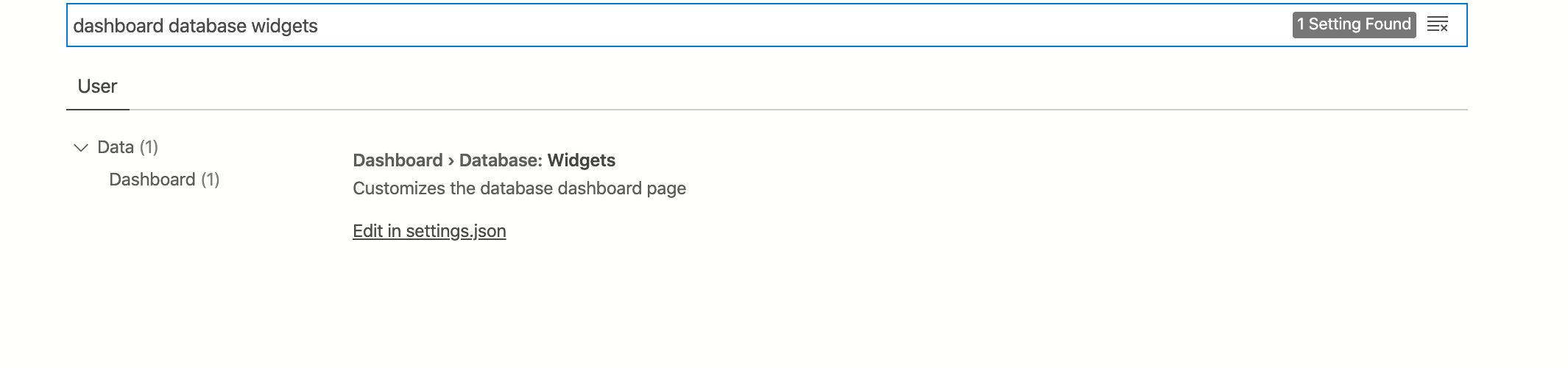
- and click 'Edit in settings.json'
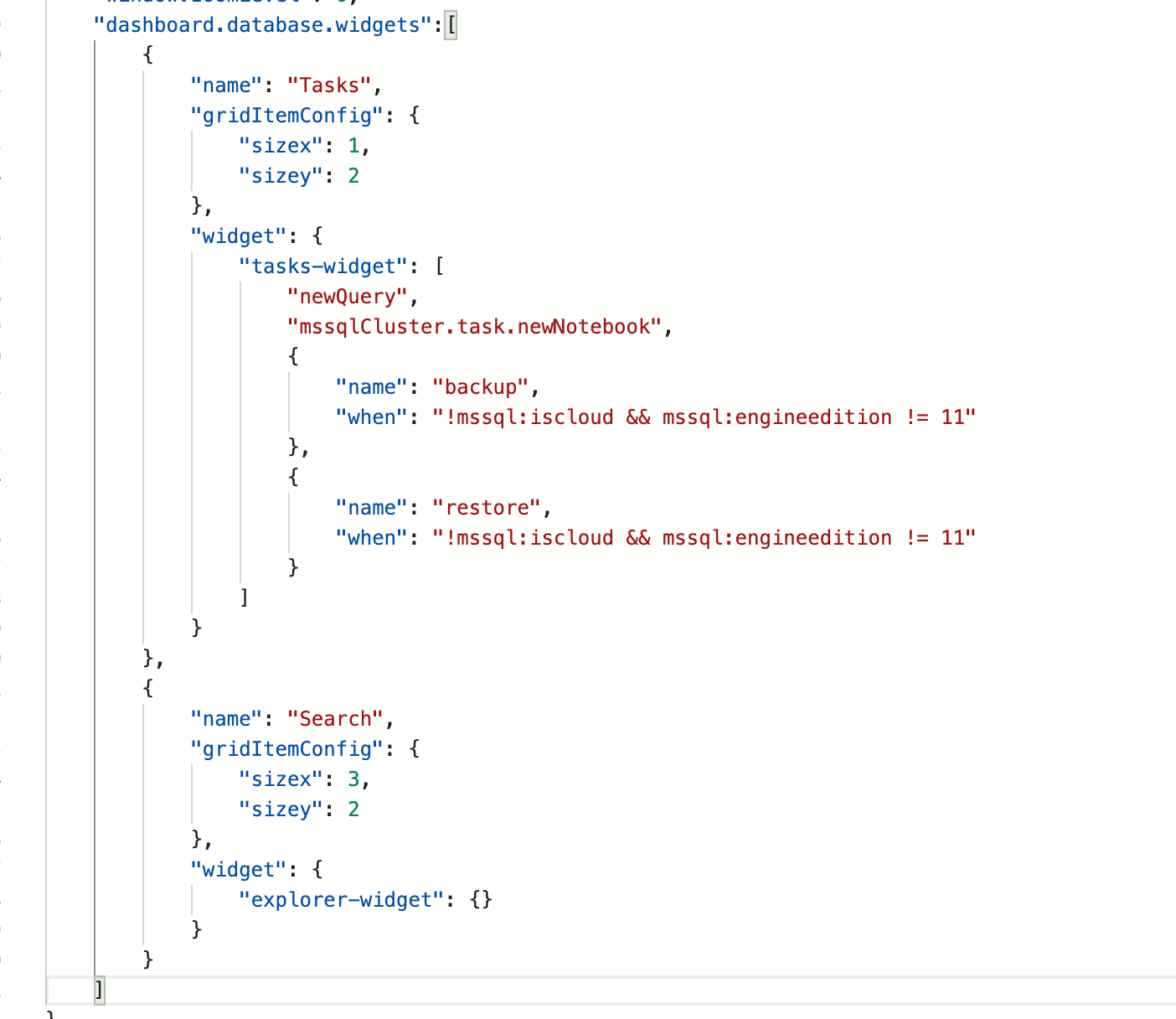
do you have this settings edited there? if so, you can update the sizeX and SizeY of the Search widget, the new default value is now SizeX:3 SizeY:2 as shown in my screenshot above, you might still have the old default value.
 alanrenmsft
on 29 May 2020
alanrenmsft
on 29 May 2020
WOW!!! thanks @alanrenmsft I have been trying to hunt this down for ages!
johnstontrav
on 29 May 2020
WOW!!! thanks @alanrenmsft, It work!!
 JorgeTorselli
on 4 Jun 2020
JorgeTorselli
on 4 Jun 2020
@JorgeTorselli and @johnstontrav , just curious, was the dashboard customization done by you directly or by installing some other extensions?
alanrenmsft
on 4 Jun 2020
@alanrenmsft I just use the dashboard as it is no third party installations, I don´t like the SQL Search from Red Gate, it is better on MSSQL, and here just using it...
JorgeTorselli
on 5 Jun 2020
@alanrenmsft it was just the default.
johnstontrav
on 5 Jun 2020
Yes just the default...
JorgeTorselli
on 5 Jun 2020
Related issues
 vnachimu
·
24Comments
vnachimu
·
24Comments
 ben-moore
·
31Comments
ben-moore
·
31Comments
 mrdenny
·
27Comments
mrdenny
·
27Comments
 joelvega
·
26Comments
joelvega
·
26Comments
 waldyd
·
30Comments
waldyd
·
30Comments