Azuredatastudio: PowerShell Notebook working directory
Is your feature request related to a problem? Please describe.
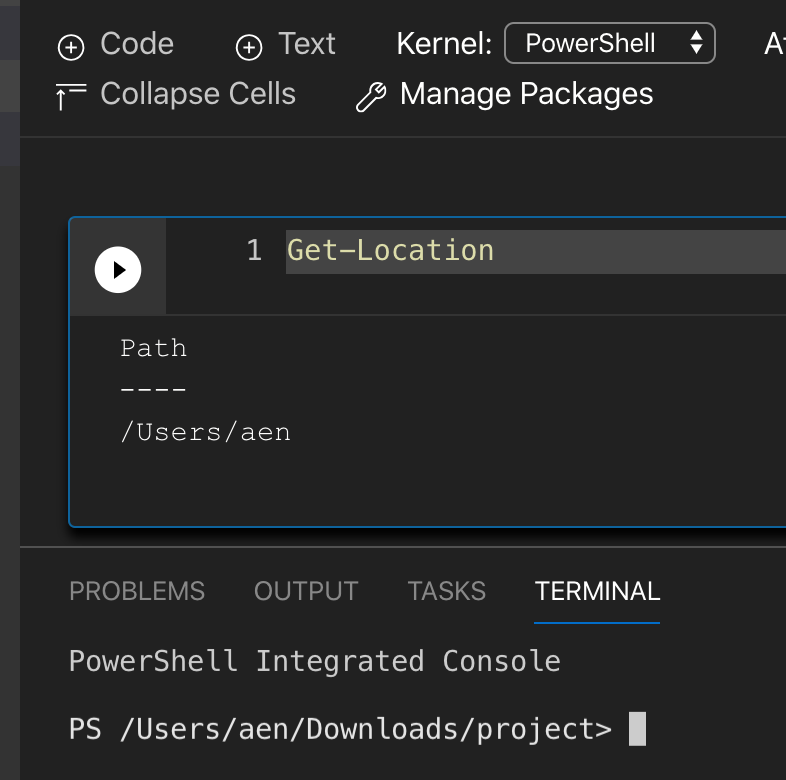
The working directory inside a PowerShell Notebook defaults to the user's home directory. The PowerShell Integrated Terminal starts in the directory of the project/folder opened.
PowerShell Notebooks should use the directory of the project/folder opened.
The functions this way on both Mac and Windows.
 nocentino
All 7 comments
@nocentino this is for a new notebook, correct?
 chlafreniere
on 12 Nov 2019
chlafreniere
on 12 Nov 2019
Yes, brand new Notebook.
nocentino
on 12 Nov 2019
Gotcha. If a notebook is saved, we'll use the folder the notebook is saved in:
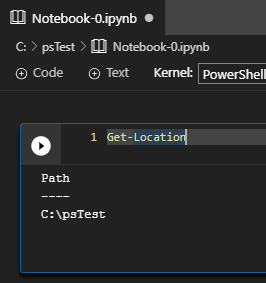
Is the folder you have in the screenshot above the folder that you opened in ADS? We'll have to think through various scenarios around untitled notebooks to see what the right behavior should be globally.
chlafreniere
on 12 Nov 2019
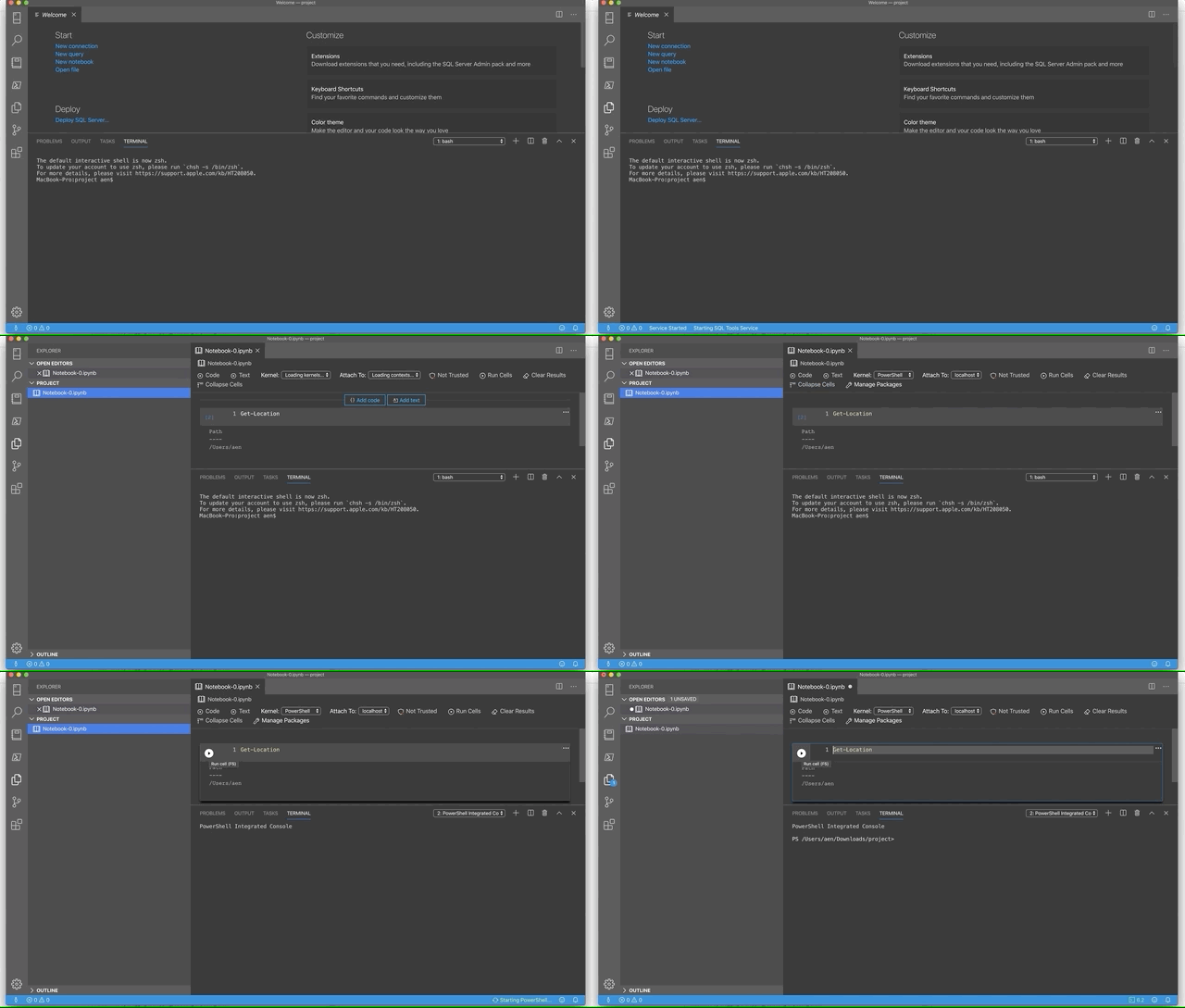
I misunderstood your question regarding a new Notebook. See the attached GIF. This is me opening an existing project, then clicking on an existing saved Notebook. At the end of the GIF, I hit Play...but it's very quick in the GIF.
Version: 1.13.0
Commit: cacd481bff25c890e4130aee392569bae43b7e60
Date: 2019-11-01T23:25:46.501Z
VS Code: 1.38.0
Electron: 4.2.10
Chrome: 69.0.3497.128
Node.js: 10.11.0
V8: 6.9.427.31-electron.0
OS: Darwin x64 19.0.0
nocentino
on 12 Nov 2019
Any update on this?
It would be really useful to be able to use relative links so that I can share a folder with either - numerous notebooks and be able to link to them in PowerShell or ps1 file that have functions in that I wish to use in multiple notebooks
 SQLDBAWithABeard
on 30 Jan 2020
SQLDBAWithABeard
on 30 Jan 2020
I would also like to request an update on this. The working directory not being the location of the notebook is rather frustrating and makes it very difficult to share folders with notebooks referencing .ps1 files in the same folder.
 BobPusateri
on 30 Jan 2020
BobPusateri
on 30 Jan 2020
This prevents utilizing notebooks that were created in other tooling such as dotnet-interactive because it supports relative paths.
So a user opens a notebook I created in dotnet-interactive it will fail because all the relative paths are not valid. It causes additional work on developer side of the notebooks to add in extra code now for all the path references we use...or we have to throw warnings "this notebook was not developed for ADS".
 wsmelton
on 8 Mar 2020
wsmelton
on 8 Mar 2020
Related issues
 kburtram
·
3Comments
kburtram
·
3Comments
 erickangMSFT
·
3Comments
erickangMSFT
·
3Comments
 IObsequious
·
3Comments
IObsequious
·
3Comments
 mayurrumal1
·
3Comments
mayurrumal1
·
3Comments
 RobLW
·
3Comments
RobLW
·
3Comments
Most helpful comment
Gotcha. If a notebook is saved, we'll use the folder the notebook is saved in:
Is the folder you have in the screenshot above the folder that you opened in ADS? We'll have to think through various scenarios around untitled notebooks to see what the right behavior should be globally.