Azure-kinect-sensor-sdk: Is my Quadro K2100M making all the difference - Speed
Describe the bug
I am using a Quadro K2100M for our team development. I know it's not in the recommended range for the GPU needed for Body Tracking.
Is the GPU only reason why the API is running so slow? We are only getting around 2.2-3 frames per second, with code shown below. Running with only the CPU mode achieves around 1.5-2 frames per second with the same process.
To Reproduce
Even though our GPU is not as powerful, I expected the Body Tracking to achieve close to what the Kinect V2 achieved (30 fps) without a GPU.
Logs
Screenshots
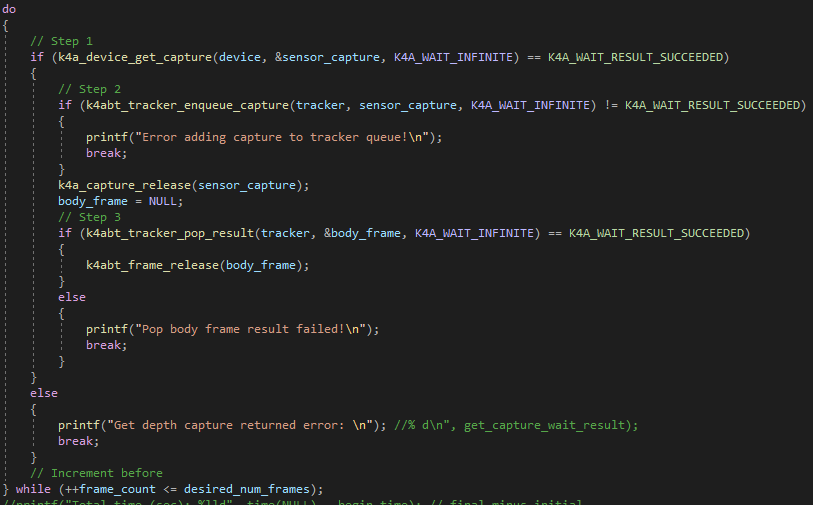
Here is the frame by frame loop.
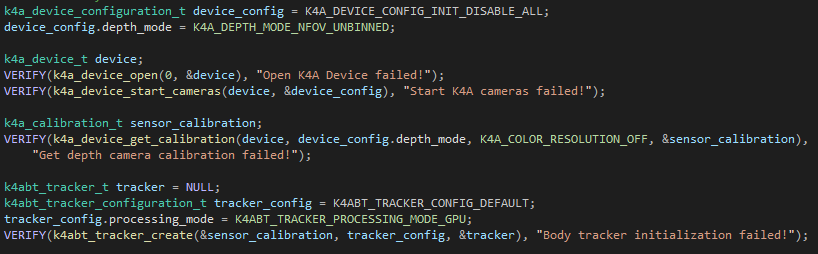
The following configuration was used:
Desktop (please complete the following information):
- OS with Version: Windows 10
- SDK Version: 1.3.0
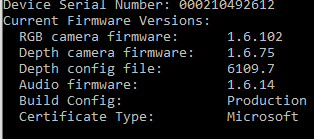
- Firmware version:
Additional context
 benjaminrhansen
All 4 comments
What is the expected performance frame rate of the Body Tracking?
benjaminrhansen
on 20 Jan 2020
With a PC RTX 2060 I see 30 fps body tracking with no slow down for 3 people in view.
30 is the current expected max frame rate. A GTX 1070 is the recommended min spec and I would expect 30 from that too but have not tested.
It would be nice if lower end / mobile graphics cards were better supported as the form factor of a full size GPU (PC) is not ideal for us.
Q: Can we expect improvements in performance over time that would lower the GPU spec?
Other results:
With a Lenovo laptop with GTX 1050 we see 15fps.
With an MSI laptop with GTX 970M we see 16-17fps.
The Number of cuda cores seems to be a big factor.
 davidkitman
on 21 Jan 2020
davidkitman
on 21 Jan 2020
Also ensure you are using release builds, debug is quite a bit slower.
 wes-b
on 21 Jan 2020
wes-b
on 21 Jan 2020
I will 2nd what Wes-B says, and also suggest you test with the Azure Kinect Body Tracking Viewer app that is included in the software. If your own program doesn't run at the framerate of that app, ensure that Visual Studio's settings are set to Release rather than Debug. That setting is in the top menu, just to the left of the launcher for "Local Windows Debugger" with the green arrow and the dropdown to choose between x64 and x86 mode. On my computer, it's just to the right of the Undo and Redo buttons.
 Chris45215
on 24 Jan 2020
Chris45215
on 24 Jan 2020
Related issues
 szi
·
4Comments
szi
·
4Comments
 MrudulaSatya
·
4Comments
MrudulaSatya
·
4Comments
 d-walsh
·
3Comments
d-walsh
·
3Comments
 Jalroka
·
3Comments
Jalroka
·
3Comments
 RenderHeadsMrT
·
3Comments
RenderHeadsMrT
·
3Comments
Most helpful comment
With a PC RTX 2060 I see 30 fps body tracking with no slow down for 3 people in view.
30 is the current expected max frame rate. A GTX 1070 is the recommended min spec and I would expect 30 from that too but have not tested.
It would be nice if lower end / mobile graphics cards were better supported as the form factor of a full size GPU (PC) is not ideal for us.
Q: Can we expect improvements in performance over time that would lower the GPU spec?
Other results:
With a Lenovo laptop with GTX 1050 we see 15fps.
With an MSI laptop with GTX 970M we see 16-17fps.
The Number of cuda cores seems to be a big factor.